Today we’ll look at a couple of interesting Open-source apps. Both have commercial offerings. The first is “GodAmp”, a modern dotnet-based audio player meant to look and feel like Winamp. While it may not have all the features (yet) of the original, I would argue it’s close to whipping the llama’s rump. To compare, we’ll also look at QMMP and Audacious (in an effort to get the best Winamp experience in Linux)
The other is Cloakbin, a modern file sharing app that has a really solid self-hosted option as well as a hosted Open-source version. We’ll explore running it locally before moving on to docker and hosting in K8s.
Let’s start with the audio player first…
Winamp, er, I mean GodAmp
Let’s clone down the repo from Github
isaac@isaac-G707:~/Workspaces$ git clone https://github.com/Dowsley/GodAmp
Cloning into 'GodAmp'...
remote: Enumerating objects: 1188, done.
remote: Counting objects: 100% (760/760), done.
remote: Compressing objects: 100% (347/347), done.
remote: Total 1188 (delta 565), reused 569 (delta 388), pack-reused 428 (from 1)
Receiving objects: 100% (1188/1188), 103.78 MiB | 20.31 MiB/s, done.
Resolving deltas: 100% (778/778), done.
isaac@isaac-G707:~/Workspaces$ cd GodAmp/
isaac@isaac-G707:~/Workspaces/GodAmp$ ls
Assets  Data  DefaultBusLayout.tres  GodAmp.csproj  LICENSE  README.md  Src  project.godot  They all had some benefits, but after playing with each of them, I settled on Audacious as it not only snapped the windows as I wanted but was really performant.
Next, I need to make sure I have .NET installed
isaac@isaac-G707:~/Workspaces/GodAmp$ sudo snap install dotnet-sdk --classic
[sudo: authenticate] Password:
dotnet-sdk 8.0.407 from Canonical✓ installed
$ dotnet --version
8.0.407
Instead of building from source, I’ll just pull down the existing Linux build
isaac@isaac-G707:~/Workspaces/GodAmp$ mkdir -p ~/Applications/Godot
isaac@isaac-G707:~/Workspaces/GodAmp$ wget -O ~/Applications/Godot/godot-mono-4.4.1.zip \
  https://github.com/godotengine/godot/releases/download/4.4.1-stable/Godot_v4.4.1-stable_mono_linux_x86_64.zip
--2026-09-23 06:37:26--  https://github.com/godotengine/godot/releases/download/4.4.1-stable/Godot_v4.4.1-stable_mono_linux_x86_64.zip
Resolving github.com (github.com)... 140.82.114.3
Connecting to github.com (github.com)|140.82.114.3|:443... connected.
HTTP request sent, awaiting response... 302 Found
Location: https://release-assets.githubusercontent.com/github-production-release-asset/15634981/8976b3a0-fb60-4d98-bd70-b623b9eaf9d3?sp=r&sv=2018-11-09&sr=b&spr=https&se=2026-09-23T12%3A32%3A33Z&rscd=attachment%3B+filename%3DGodot_v4.4.1-stable_mono_linux_x86_64.zip&rsct=application%2Foctet-stream&skoid=96c2d410-5711-43a1-aedd-ab1947aa7ab0&sktid=398a6654-997b-47e9-b12b-9515b896b4de&skt=2026-09-23T11%3A32%3A25Z&ske=2026-09-23T12%3A32%3A33Z&sks=b&skv=2018-11-09&sig=3dHsaNhdKK5SHGWCcPIwzDFszOY8ya7W6tyhigc8oCQ%3D&jwt=eyJ0eXAiOiJKV1QiLCJhbGciOiJIUzI1NiJ9.eyJpc3MiOiJnaXRodWIuY29tIiwiYXVkIjoicmVsZWFzZS1hc3NldHMuZ2l0aHVidXNlcmNvbnRlbnQuY29tIiwia2V5Ijoia2V5MSIsImV4cCI6MTc5MDE2NTI0NiwibmJmIjoxNzkwMTYzNDQ2LCJwYXRoIjoicmVsZWFzZWFzc2V0cHJvZHVjdGlvbi5ibG9iLmNvcmUud2luZG93cy5uZXQifQ.ghjUI5ZbDOvLVuWV2_ij9OjGzao89VIjRF3pWavCk0k&response-content-disposition=attachment%3B%20filename%3DGodot_v4.4.1-stable_mono_linux_x86_64.zip&response-content-type=application%2Foctet-stream [following]
--2026-09-23 06:37:26--  https://release-assets.githubusercontent.com/github-production-release-asset/15634981/8976b3a0-fb60-4d98-bd70-b623b9eaf9d3?sp=r&sv=2018-11-09&sr=b&spr=https&se=2026-09-23T12%3A32%3A33Z&rscd=attachment%3B+filename%3DGodot_v4.4.1-stable_mono_linux_x86_64.zip&rsct=application%2Foctet-stream&skoid=96c2d410-5711-43a1-aedd-ab1947aa7ab0&sktid=398a6654-997b-47e9-b12b-9515b896b4de&skt=2026-09-23T11%3A32%3A25Z&ske=2026-09-23T12%3A32%3A33Z&sks=b&skv=2018-11-09&sig=3dHsaNhdKK5SHGWCcPIwzDFszOY8ya7W6tyhigc8oCQ%3D&jwt=eyJ0eXAiOiJKV1QiLCJhbGciOiJIUzI1NiJ9.eyJpc3MiOiJnaXRodWIuY29tIiwiYXVkIjoicmVsZWFzZS1hc3NldHMuZ2l0aHVidXNlcmNvbnRlbnQuY29tIiwia2V5Ijoia2V5MSIsImV4cCI6MTc5MDE2NTI0NiwibmJmIjoxNzkwMTYzNDQ2LCJwYXRoIjoicmVsZWFzZWFzc2V0cHJvZHVjdGlvbi5ibG9iLmNvcmUud2luZG93cy5uZXQifQ.ghjUI5ZbDOvLVuWV2_ij9OjGzao89VIjRF3pWavCk0k&response-content-disposition=attachment%3B%20filename%3DGodot_v4.4.1-stable_mono_linux_x86_64.zip&response-content-type=application%2Foctet-stream
Resolving release-assets.githubusercontent.com (release-assets.githubusercontent.com)... 185.199.109.133, 185.199.110.133, 185.199.108.133, ...
Connecting to release-assets.githubusercontent.com (release-assets.githubusercontent.com)|185.199.109.133|:443... connected.
HTTP request sent, awaiting response... 200 OK
Length: 84213438 (80M) [application/octet-stream]
Saving to: ‘/home/isaac/Applications/Godot/godot-mono-4.4.1.zip’

/home/isaac/Applications/Go 100%[===========================================>]  80.31M  61.5MB/s    in 1.3s

2026-09-23 06:37:28 (61.5 MB/s) - ‘/home/isaac/Applications/Godot/godot-mono-4.4.1.zip’ saved [84213438/84213438]
I now need to expand the zip
isaac@isaac-G707:~/Workspaces/GodAmp$ unzip ~/Applications/Godot/godot-mono-4.4.1.zip -d ~/Applications/Godot
Archive:  /home/isaac/Applications/Godot/godot-mono-4.4.1.zip
   creating: /home/isaac/Applications/Godot/Godot_v4.4.1-stable_mono_linux_x86_64/
  inflating: /home/isaac/Applications/Godot/Godot_v4.4.1-stable_mono_linux_x86_64/Godot_v4.4.1-stable_mono_linux.x86_64
   creating: /home/isaac/Applications/Godot/Godot_v4.4.1-stable_mono_linux_x86_64/GodotSharp/
   creating: /home/isaac/Applications/Godot/Godot_v4.4.1-stable_mono_linux_x86_64/GodotSharp/Tools/
  inflating: /home/isaac/Applications/Godot/Godot_v4.4.1-stable_mono_linux_x86_64/GodotSharp/Tools/Microsoft.Build.Locator.dll
  inflating: /home/isaac/Applications/Godot/Godot_v4.4.1-stable_mono_linux_x86_64/GodotSharp/Tools/JetBrains.Rider.PathLocator.dll
  inflating: /home/isaac/Applications/Godot/Godot_v4.4.1-stable_mono_linux_x86_64/GodotSharp/Tools/GodotTools.BuildLogger.dll
  inflating: /home/isaac/Applications/Godot/Godot_v4.4.1-stable_mono_linux_x86_64/GodotSharp/Tools/NuGet.Frameworks.dll
  inflating: /home/isaac/Applications/Godot/Godot_v4.4.1-stable_mono_linux_x86_64/GodotSharp/Tools/Newtonsoft.Json.dll
  inflating: /home/isaac/Applications/Godot/Godot_v4.4.1-stable_mono_linux_x86_64/GodotSharp/Tools/GodotTools.Core.dll
  inflating: /home/isaac/Applications/Godot/Godot_v4.4.1-stable_mono_linux_x86_64/GodotSharp/Tools/GodotTools.Shared.dll
  inflating: /home/isaac/Applications/Godot/Godot_v4.4.1-stable_mono_linux_x86_64/GodotSharp/Tools/GodotTools.BuildLogger.pdb
  inflating: /home/isaac/Applications/Godot/Godot_v4.4.1-stable_mono_linux_x86_64/GodotSharp/Tools/GodotTools.ProjectEditor.dll
  inflating: /home/isaac/Applications/Godot/Godot_v4.4.1-stable_mono_linux_x86_64/GodotSharp/Tools/GodotTools.IdeMessaging.dll
  inflating: /home/isaac/Applications/Godot/Godot_v4.4.1-stable_mono_linux_x86_64/GodotSharp/Tools/GodotTools.Shared.pdb
  inflating: /home/isaac/Applications/Godot/Godot_v4.4.1-stable_mono_linux_x86_64/GodotSharp/Tools/GodotTools.Core.pdb
  inflating: /home/isaac/Applications/Godot/Godot_v4.4.1-stable_mono_linux_x86_64/GodotSharp/Tools/GodotTools.ProjectEditor.pdb
  inflating: /home/isaac/Applications/Godot/Godot_v4.4.1-stable_mono_linux_x86_64/GodotSharp/Tools/GodotTools.IdeMessaging.pdb
  inflating: /home/isaac/Applications/Godot/Godot_v4.4.1-stable_mono_linux_x86_64/GodotSharp/Tools/GodotTools.deps.json
  inflating: /home/isaac/Applications/Godot/Godot_v4.4.1-stable_mono_linux_x86_64/GodotSharp/Tools/GodotTools.runtimeconfig.json
  inflating: /home/isaac/Applications/Godot/Godot_v4.4.1-stable_mono_linux_x86_64/GodotSharp/Tools/GodotTools.dll
  inflating: /home/isaac/Applications/Godot/Godot_v4.4.1-stable_mono_linux_x86_64/GodotSharp/Tools/GodotTools.pdb
   creating: /home/isaac/Applications/Godot/Godot_v4.4.1-stable_mono_linux_x86_64/GodotSharp/Tools/nupkgs/
  inflating: /home/isaac/Applications/Godot/Godot_v4.4.1-stable_mono_linux_x86_64/GodotSharp/Tools/nupkgs/GodotSharpEditor.4.4.1.nupkg
  inflating: /home/isaac/Applications/Godot/Godot_v4.4.1-stable_mono_linux_x86_64/GodotSharp/Tools/nupkgs/GodotSharpEditor.4.4.1.snupkg
  inflating: /home/isaac/Applications/Godot/Godot_v4.4.1-stable_mono_linux_x86_64/GodotSharp/Tools/nupkgs/Godot.SourceGenerators.4.4.1.nupkg
  inflating: /home/isaac/Applications/Godot/Godot_v4.4.1-stable_mono_linux_x86_64/GodotSharp/Tools/nupkgs/Godot.NET.Sdk.4.4.1.nupkg
  inflating: /home/isaac/Applications/Godot/Godot_v4.4.1-stable_mono_linux_x86_64/GodotSharp/Tools/nupkgs/GodotSharp.4.4.1.nupkg
  inflating: /home/isaac/Applications/Godot/Godot_v4.4.1-stable_mono_linux_x86_64/GodotSharp/Tools/nupkgs/GodotSharp.4.4.1.snupkg
   creating: /home/isaac/Applications/Godot/Godot_v4.4.1-stable_mono_linux_x86_64/GodotSharp/Api/
   creating: /home/isaac/Applications/Godot/Godot_v4.4.1-stable_mono_linux_x86_64/GodotSharp/Api/Debug/
  inflating: /home/isaac/Applications/Godot/Godot_v4.4.1-stable_mono_linux_x86_64/GodotSharp/Api/Debug/GodotSharp.dll
  inflating: /home/isaac/Applications/Godot/Godot_v4.4.1-stable_mono_linux_x86_64/GodotSharp/Api/Debug/GodotSharp.pdb
  inflating: /home/isaac/Applications/Godot/Godot_v4.4.1-stable_mono_linux_x86_64/GodotSharp/Api/Debug/GodotSharp.xml
  inflating: /home/isaac/Applications/Godot/Godot_v4.4.1-stable_mono_linux_x86_64/GodotSharp/Api/Debug/GodotSharpEditor.dll
  inflating: /home/isaac/Applications/Godot/Godot_v4.4.1-stable_mono_linux_x86_64/GodotSharp/Api/Debug/GodotSharpEditor.pdb
  inflating: /home/isaac/Applications/Godot/Godot_v4.4.1-stable_mono_linux_x86_64/GodotSharp/Api/Debug/GodotSharpEditor.xml
  inflating: /home/isaac/Applications/Godot/Godot_v4.4.1-stable_mono_linux_x86_64/GodotSharp/Api/Debug/GodotPlugins.dll
  inflating: /home/isaac/Applications/Godot/Godot_v4.4.1-stable_mono_linux_x86_64/GodotSharp/Api/Debug/GodotPlugins.pdb
  inflating: /home/isaac/Applications/Godot/Godot_v4.4.1-stable_mono_linux_x86_64/GodotSharp/Api/Debug/GodotPlugins.runtimeconfig.json
   creating: /home/isaac/Applications/Godot/Godot_v4.4.1-stable_mono_linux_x86_64/GodotSharp/Api/Release/
  inflating: /home/isaac/Applications/Godot/Godot_v4.4.1-stable_mono_linux_x86_64/GodotSharp/Api/Release/GodotSharp.dll
  inflating: /home/isaac/Applications/Godot/Godot_v4.4.1-stable_mono_linux_x86_64/GodotSharp/Api/Release/GodotSharp.pdb
  inflating: /home/isaac/Applications/Godot/Godot_v4.4.1-stable_mono_linux_x86_64/GodotSharp/Api/Release/GodotSharp.xml
  inflating: /home/isaac/Applications/Godot/Godot_v4.4.1-stable_mono_linux_x86_64/GodotSharp/Api/Release/GodotSharpEditor.dll
  inflating: /home/isaac/Applications/Godot/Godot_v4.4.1-stable_mono_linux_x86_64/GodotSharp/Api/Release/GodotSharpEditor.pdb
  inflating: /home/isaac/Applications/Godot/Godot_v4.4.1-stable_mono_linux_x86_64/GodotSharp/Api/Release/GodotSharpEditor.xml
  inflating: /home/isaac/Applications/Godot/Godot_v4.4.1-stable_mono_linux_x86_64/GodotSharp/Api/Release/GodotPlugins.dll
  inflating: /home/isaac/Applications/Godot/Godot_v4.4.1-stable_mono_linux_x86_64/GodotSharp/Api/Release/GodotPlugins.pdb
  inflating: /home/isaac/Applications/Godot/Godot_v4.4.1-stable_mono_linux_x86_64/GodotSharp/Api/Release/GodotPlugins.runtimeconfig.json
I tried to just double click it
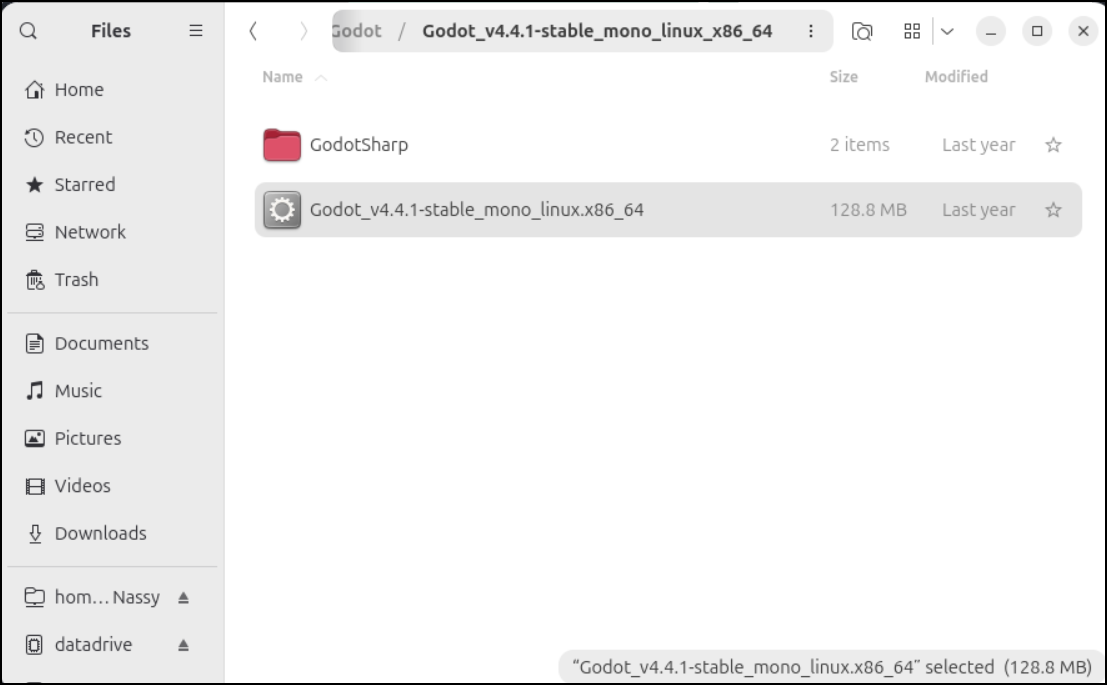
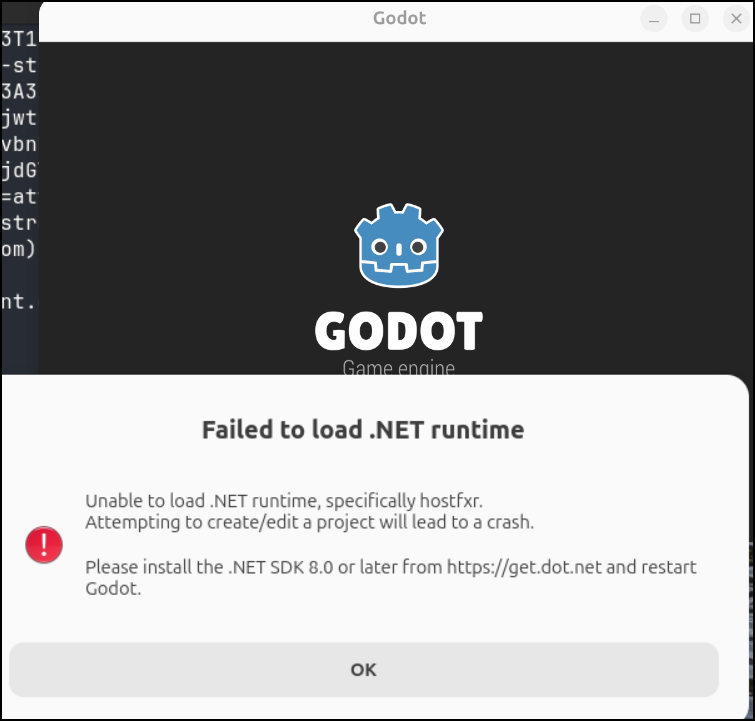
But that seemed like it wasn’t going to work
And similar from the command line
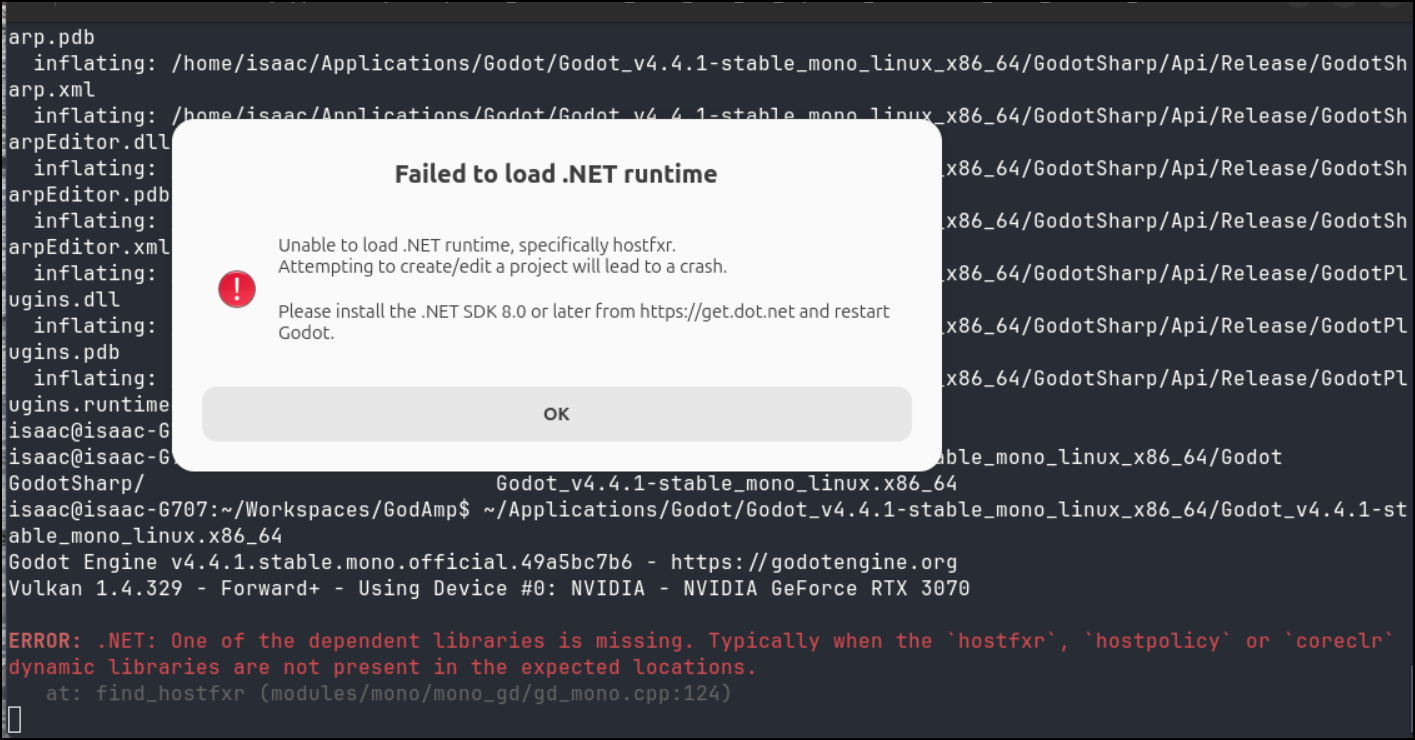
I feel like I missed a step… And I was.
I just needed to set the env var export and then run
saac@isaac-G707:~/Workspaces/GodAmp$ export DOTNET_ROOT=/snap/dotnet-sdk/current
isaac@isaac-G707:~/Workspaces/GodAmp$ ~/Applications/Godot/Godot_v4.4.1-stable_mono_linux_x86_64/Godot_v4.4.1-stable_mono_linux.x86_64
Godot Engine v4.4.1.stable.mono.official.49a5bc7b6 - https://godotengine.org
Vulkan 1.4.329 - Forward+ - Using Device #0: NVIDIA - NVIDIA GeForce RTX 3070

Checking: Leader - Step Down.mp3
Loaded track: Leader
Checking: Oceans-Divide-Lipstick-Lies.mp3
Loaded track: Oceans Divide
Checking: Leader - Step Down.mp3.import
Checking: MELODIC METALCORE - ROYALTY FREE.mp3
Loaded track: Melodic Metalcore
Checking: MELODIC METALCORE - ROYALTY FREE.mp3.import
Checking: Fall Of Envy - Wondering [HD].mp3.import
Checking: Fall Of Envy - Wondering [HD].mp3
Loaded track: Wondering
Checking: Oceans-Divide-Lipstick-Lies.mp3.import
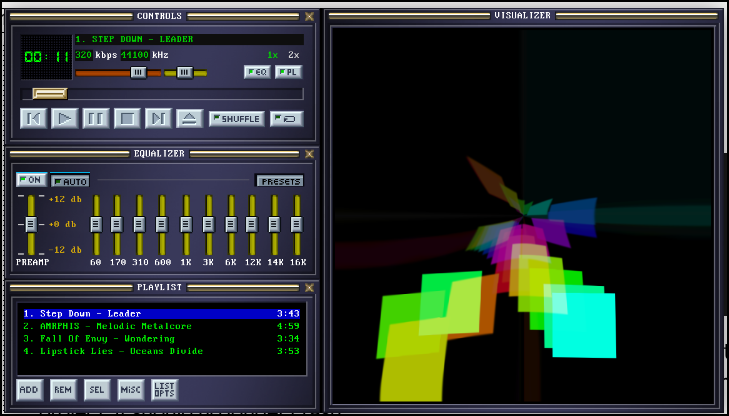
I managed to play some downloaded mp3s I had without issue
But it failed to add old m4a files.
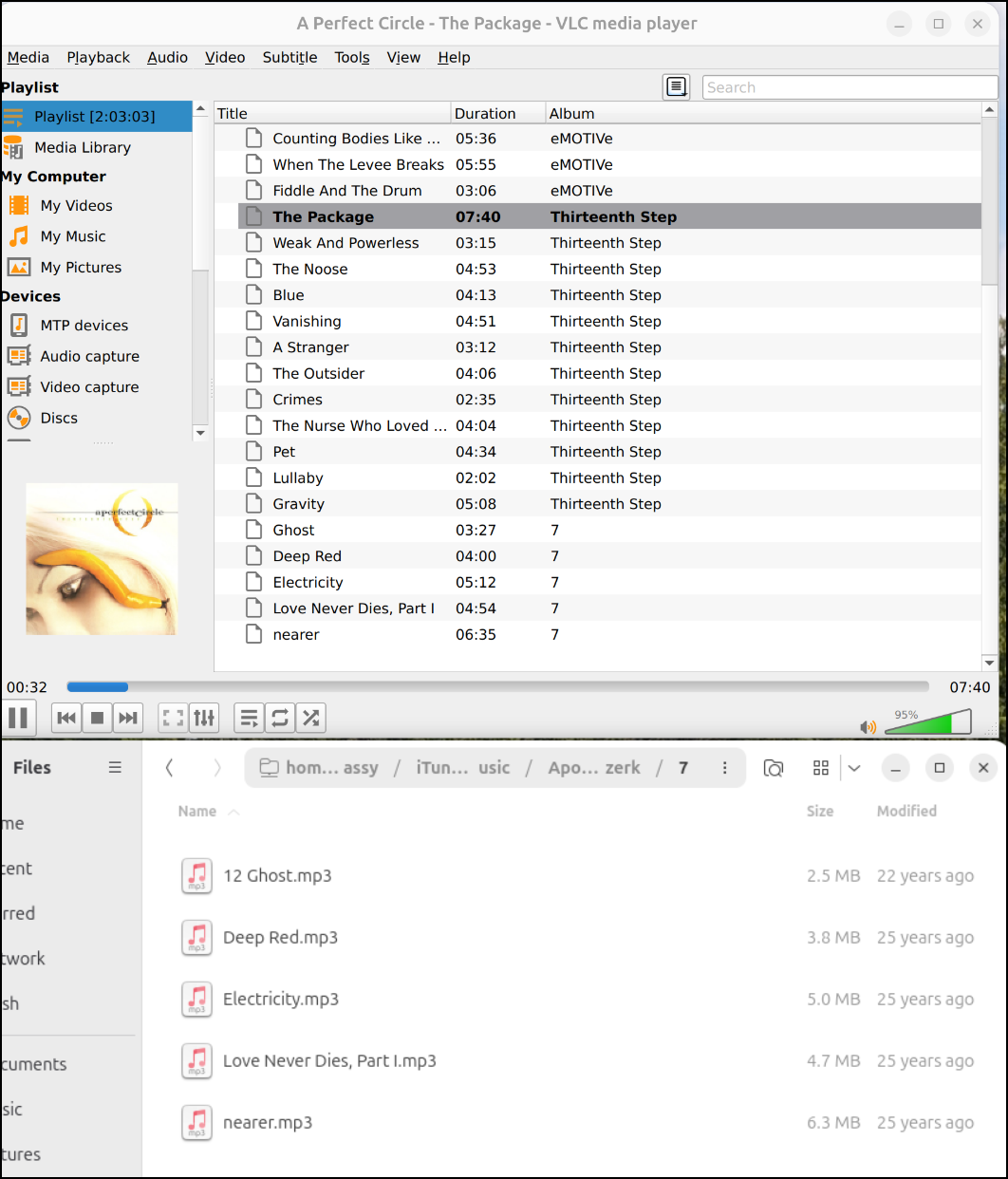
Just to check, I fired up VLC and it handled the m4a files (its a back folder that is 17 years old so no idea if they had DRM)
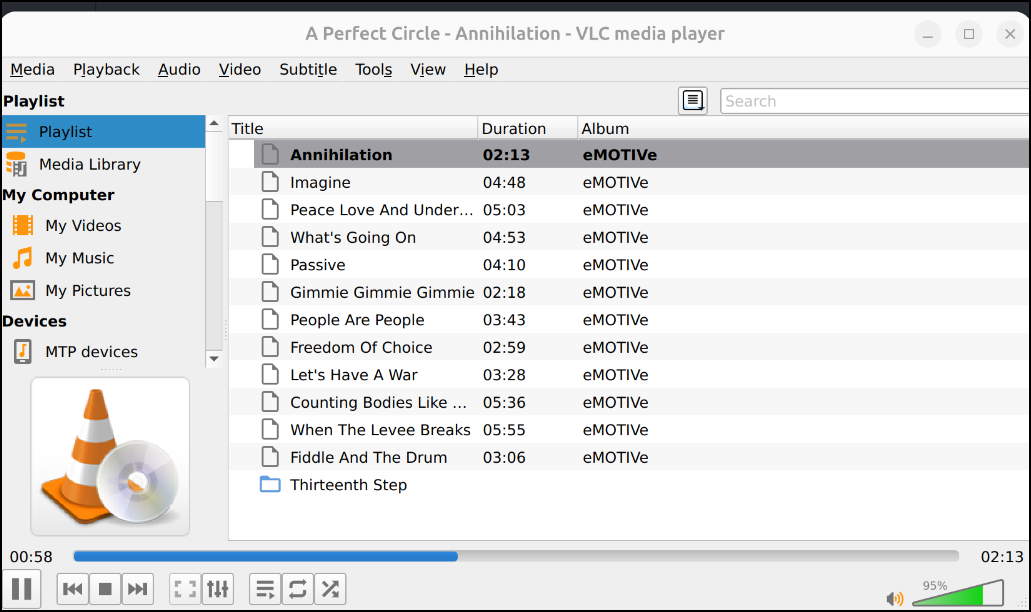
I can also drag and drop folders to the NAS into VLC which makes it a bit easier than copying local and using Add Folder in GodAmp
QNNP
I was told that qmmp would be a nearly identical Winamp experience. So why not give it a try?
$ sudo apt install qmmp
[sudo: authenticate] Password:
The following package was automatically installed and is no longer required:
  grub-pc-bin
Use 'sudo apt autoremove' to remove it.

Installing:
  qmmp

Installing dependencies:
  freepats  libcddb2  libenca0  libmad0  libopusfile0  libqt6multimedia6  libqt6sql6  libqt6sql6-sqlite  libsidplayfp6  libxmp4

Suggested packages:
  sidplayfp  qmmp-plugin-projectm

Summary:
  Upgrading: 0, Installing: 11, Removing: 0, Not Upgrading: 68
  Download size: 32.1 MB
  Space needed: 51.3 MB / 858 GB available

Continue? [Y/n] Y
Get:1 http://us.archive.ubuntu.com/ubuntu resolute/universe amd64 freepats all 20060219-4build1 [27.6 MB]
Get:2 http://us.archive.ubuntu.com/ubuntu resolute/universe amd64 libcddb2 amd64 1.3.2-7.1fakesync1build1 [35.5 kB]
Get:3 http://us.archive.ubuntu.com/ubuntu resolute/universe amd64 libenca0 amd64 1.21-1 [62.0 kB]
Get:4 http://us.archive.ubuntu.com/ubuntu resolute/universe amd64 libmad0 amd64 0.16.4-2ubuntu1 [65.5 kB]
Get:5 http://us.archive.ubuntu.com/ubuntu resolute/universe amd64 libopusfile0 amd64 0.12-4build4 [45.0 kB]
Get:6 http://us.archive.ubuntu.com/ubuntu resolute/universe amd64 libqt6multimedia6 amd64 6.10.2-2 [831 kB]
Get:7 http://us.archive.ubuntu.com/ubuntu resolute/universe amd64 libqt6sql6 amd64 6.10.2+dfsg-7 [147 kB]
Get:8 http://us.archive.ubuntu.com/ubuntu resolute/universe amd64 libqt6sql6-sqlite amd64 6.10.2+dfsg-7 [61.4 kB]
Get:9 http://us.archive.ubuntu.com/ubuntu resolute/universe amd64 libsidplayfp6 amd64 2.16.0-1 [138 kB]
Get:10 http://us.archive.ubuntu.com/ubuntu resolute/universe amd64 libxmp4 amd64 4.6.3-1 [316 kB]
Get:11 http://us.archive.ubuntu.com/ubuntu resolute/universe amd64 qmmp amd64 2.3.1-1 [2,868 kB]
Fetched 32.1 MB in 1s (33.3 MB/s)
Selecting previously unselected package freepats.
(Reading database… 301671 files and directories currently installed.)
Preparing to unpack …/00-freepats_20060219-4build1_all.deb…
Unpacking freepats (20060219-4build1)…
Selecting previously unselected package libcddb2.
Preparing to unpack …/01-libcddb2_1.3.2-7.1fakesync1build1_amd64.deb…
Unpacking libcddb2 (1.3.2-7.1fakesync1build1)…
Selecting previously unselected package libenca0:amd64.
Preparing to unpack …/02-libenca0_1.21-1_amd64.deb…
Unpacking libenca0:amd64 (1.21-1)…
Selecting previously unselected package libmad0:amd64.
Preparing to unpack …/03-libmad0_0.16.4-2ubuntu1_amd64.deb…
Unpacking libmad0:amd64 (0.16.4-2ubuntu1)…
Selecting previously unselected package libopusfile0:amd64.
Preparing to unpack …/04-libopusfile0_0.12-4build4_amd64.deb…
Unpacking libopusfile0:amd64 (0.12-4build4)…
Selecting previously unselected package libqt6multimedia6:amd64.
Preparing to unpack …/05-libqt6multimedia6_6.10.2-2_amd64.deb…
Unpacking libqt6multimedia6:amd64 (6.10.2-2)…
Selecting previously unselected package libqt6sql6:amd64.
Preparing to unpack …/06-libqt6sql6_6.10.2+dfsg-7_amd64.deb…
Unpacking libqt6sql6:amd64 (6.10.2+dfsg-7)…
Selecting previously unselected package libqt6sql6-sqlite:amd64.
Preparing to unpack …/07-libqt6sql6-sqlite_6.10.2+dfsg-7_amd64.deb…
Unpacking libqt6sql6-sqlite:amd64 (6.10.2+dfsg-7)…
Selecting previously unselected package libsidplayfp6:amd64.
Preparing to unpack …/08-libsidplayfp6_2.16.0-1_amd64.deb…
Unpacking libsidplayfp6:amd64 (2.16.0-1)…
Selecting previously unselected package libxmp4:amd64.
Preparing to unpack …/09-libxmp4_4.6.3-1_amd64.deb…
Unpacking libxmp4:amd64 (4.6.3-1)…
Selecting previously unselected package qmmp.
Preparing to unpack …/10-qmmp_2.3.1-1_amd64.deb…
Unpacking qmmp (2.3.1-1)…
Setting up freepats (20060219-4build1)…
Setting up libqt6multimedia6:amd64 (6.10.2-2)…
Setting up libxmp4:amd64 (4.6.3-1)…
Setting up libenca0:amd64 (1.21-1)…
Setting up libsidplayfp6:amd64 (2.16.0-1)…
Setting up libcddb2 (1.3.2-7.1fakesync1build1)…
Setting up libqt6sql6:amd64 (6.10.2+dfsg-7)…
Setting up libqt6sql6-sqlite:amd64 (6.10.2+dfsg-7)…
Setting up libmad0:amd64 (0.16.4-2ubuntu1)…
Setting up libopusfile0:amd64 (0.12-4build4)…
Setting up qmmp (2.3.1-1)…
Processing triggers for hicolor-icon-theme (0.18-2build1)…
Processing triggers for gnome-menus (3.38.1-1ubuntu1)…
Processing triggers for libc-bin (2.43-2ubuntu2.4)…
Processing triggers for man-db (2.13.1-1build1)…
Processing triggers for desktop-file-utils (0.28-1build1)…
Then I launched
$ qmmp
VolumeALSA::setupMixer: Failed to find mixer element
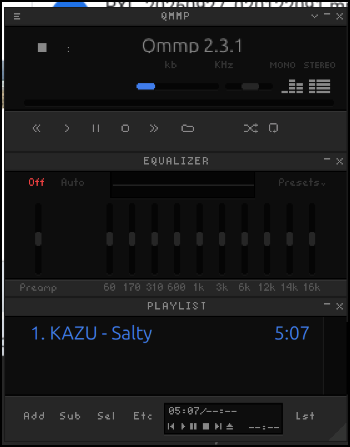
It sort of is similar
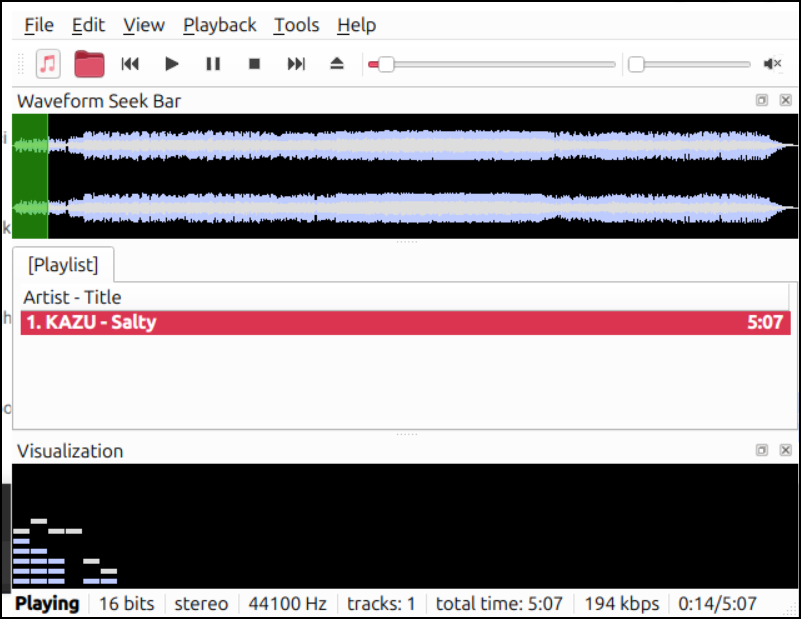
I read that a more recent update moved the default UI to ‘simple’ which explains the lackluster look and feel
Change to Skinned in the last radio button on the bottom in settings (see below)
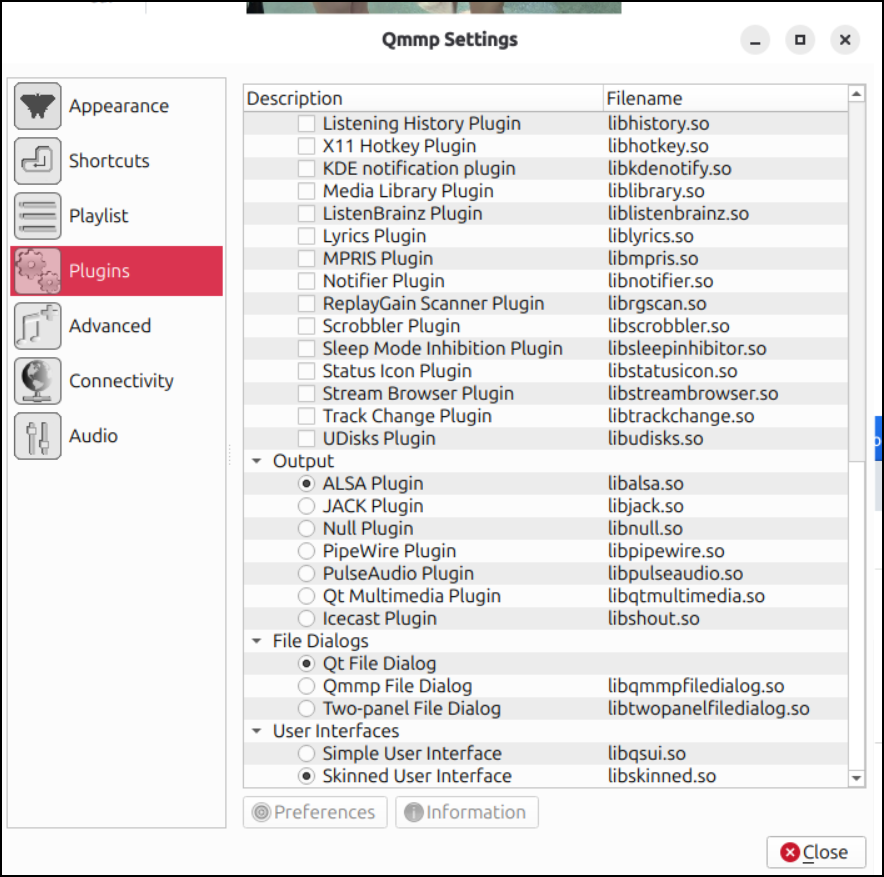
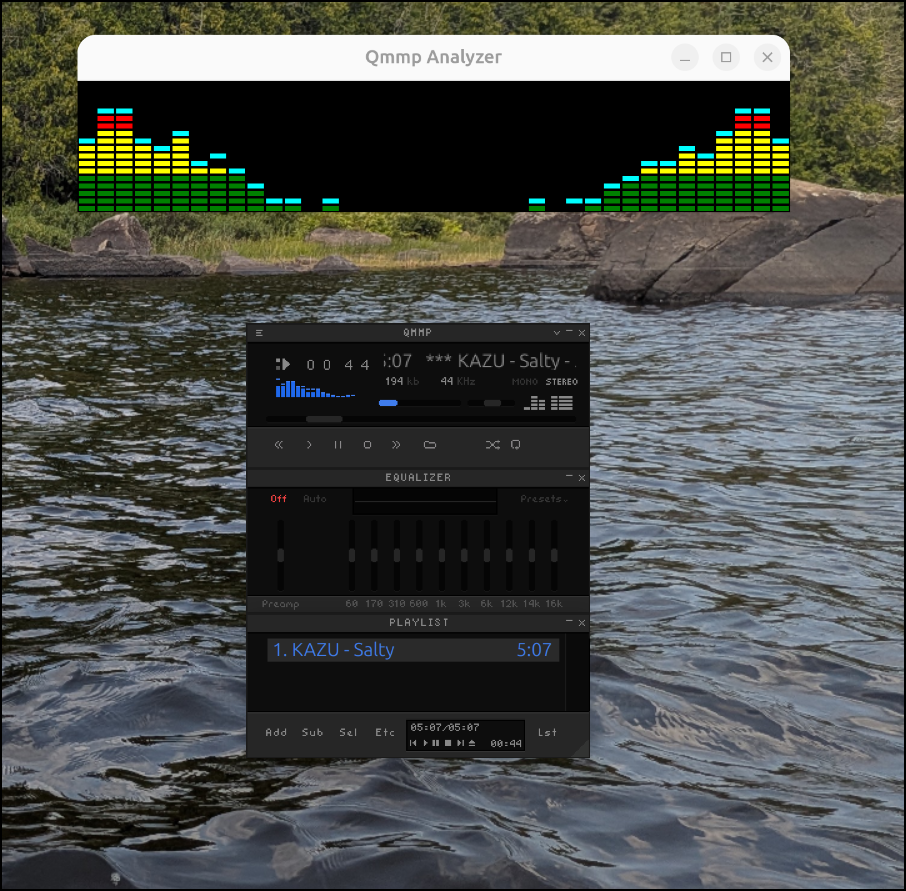
Close, then fire it back up again. that looks way better
We can also fire up the visualizer
Audacious
I also heard that Audacious can look like good old WinAmp
I’ll install that
$ sudo apt install audacious
The following package was automatically installed and is no longer required:
  grub-pc-bin
Use 'sudo apt autoremove' to remove it.

Installing:
  audacious

Installing dependencies:
  audacious-plugins       libaudcore5t64  libaudqt3      libmms0              libqt6openglwidgets6
  audacious-plugins-data  libaudgui6      libaudtag3t64  libneon27t64-gnutls  libsndio7.0

Suggested packages:
  sndiod

Summary:
  Upgrading: 0, Installing: 11, Removing: 0, Not Upgrading: 68
  Download size: 2,828 kB
  Space needed: 13.6 MB / 857 GB available

Continue? [Y/n] Y
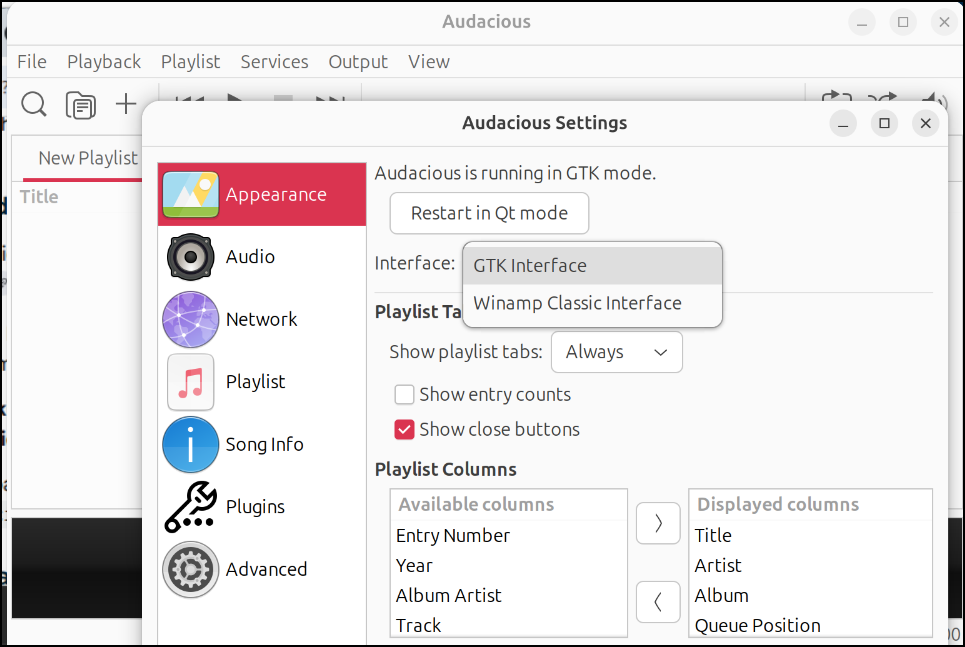
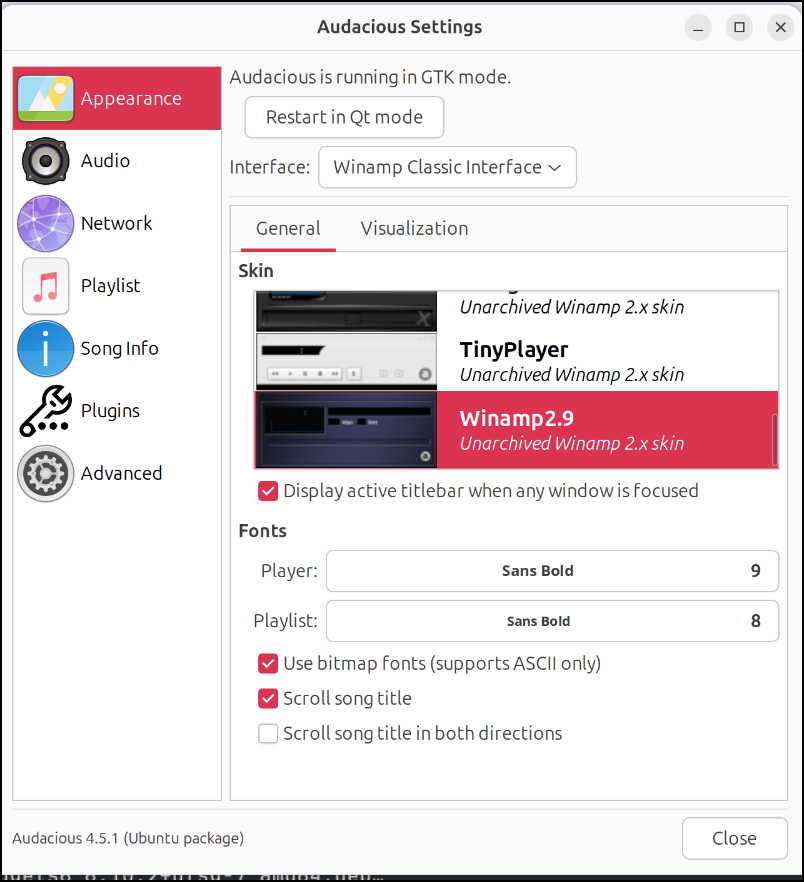
I’ll then fire it up with audacious and immediately go to settings to change the interface to “Winamp Classic Interface”
There are a few skins to pick from, but I have fond memories of the Winamp 2.9 one
I fired up an OpenGL visualizer with some Wumpscut
CloakBin
I pulled down Cloakbin
I wanted to then run a security scan on it, so I started with njsscan
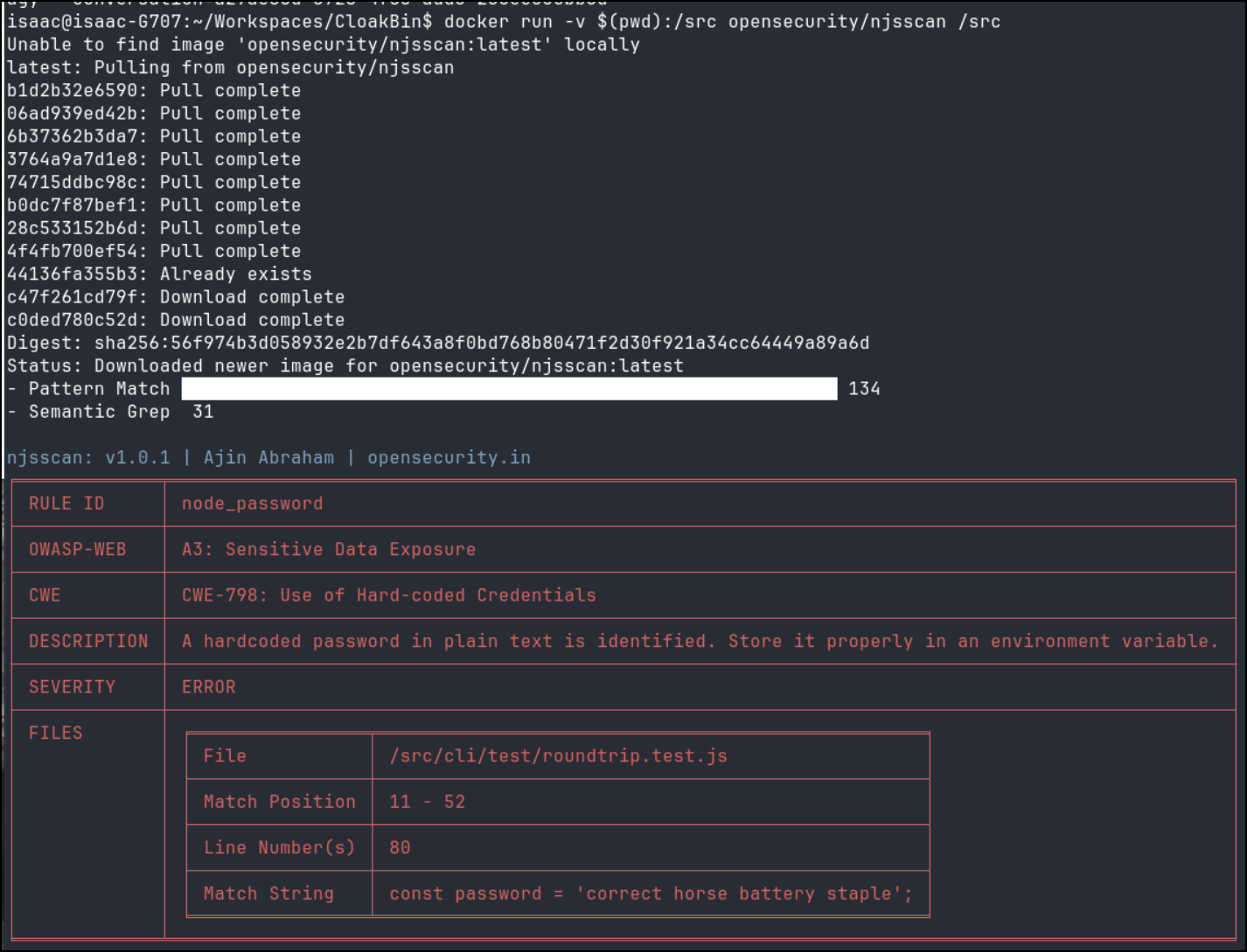
I was pretty sure that was just used in Unit Tests, but I asked Agy to confirm
isaac@isaac-G707:~/Workspaces/CloakBin$ agy -p ‘Can you confirm the password set in /src/cli/test/roundtrip.test.js is just used for Unit Tests’ –dangerously-skip-permissions
Yes, I can confirm that the password "correct horse battery staple" set in cli/test/roundtrip.test.js is used exclusively for unit testing within that file.
I searched the rest of the codebase, and it does not appear anywhere else, so it is just used as dummy data to test the password-protected encryption/decryption modes.
This repo needs pnpm not npm.
I installed it:
$ curl -fsSL https://get.pnpm.io/install.sh | sh -
==> Downloading pnpm 12.6.0
Installing pnpm CLI globally from /tmp/tmp.GyZQgyP7sj
Packages are copied from the content-addressable store to the virtual store.
  Content-addressable store is at: /home/isaac/.local/share/pnpm/store/v11
  Virtual store is at:             ../../.local/share/pnpm/global/v11/d9f8-18d8fa4f9b3a8fad-0/node_modules/.pnpm
.../global/v11/d9f8-18d8fa4f9b3a8fad-0   | Progress: resolved 1, reused 0, downloaded 0, added 1, done

dependencies:
+ @pnpm/exe file:../../../../../../../../tmp/tmp.GyZQgyP7sj

Done in 306ms using pnpm v12.6.0
Appended new lines to /home/isaac/.bashrc

The following configuration changes were made:
export PNPM_HOME='/home/isaac/.local/share/pnpm'
case ":$PATH:" in
  *":$PNPM_HOME/bin:"*) ;;
  *) export PATH="$PNPM_HOME/bin:$PATH" ;;
esac

To start using pnpm, run:
source /home/isaac/.bashrc
I can then install the dependencies:
isaac@isaac-G707:~/Workspaces/CloakBin$ pnpm install
✓ Lockfile passes supply-chain policies (414 entries in 2.8s)
Packages are hard linked from the content-addressable store to the virtual store.
  Content-addressable store is at: /home/isaac/.local/share/pnpm/store/v11
  Virtual store is at:             node_modules/.pnpm
Downloading @img/sharp-libvips-linuxmusl-x64@1.2.4: 7.65 MB/7.65 MB, done
Downloading @img/sharp-libvips-linux-x64@1.2.4: 7.53 MB/7.53 MB, done
Lockfile is up to date, resolution step is skipped
Packages: +325
++++++++++++++++++++++++++++++++++++++++++++++++++++++++++++++++++++++++++++++++++++++++++++++++++++++++++++++++
Progress: resolved 325, reused 0, downloaded 325, added 325, done
. prepare$ svelte-kit sync || echo ''
└─ Done in 789ms

dependencies:
+ @codemirror/lang-cpp 6.0.3
+ @codemirror/lang-css 6.3.1
+ @codemirror/lang-go 6.0.1
+ @codemirror/lang-html 6.4.11
+ @codemirror/lang-java 6.0.2
+ @codemirror/lang-javascript 6.2.4
+ @codemirror/lang-json 6.0.2
+ @codemirror/lang-markdown 6.5.0
+ @codemirror/lang-php 6.0.2
+ @codemirror/lang-python 6.2.1
+ @codemirror/lang-rust 6.0.2
+ @codemirror/lang-sql 6.10.0
+ @codemirror/lang-yaml 6.1.2
+ @codemirror/language 6.11.3
+ @codemirror/state 6.5.2
+ @codemirror/theme-one-dark 6.1.3
+ @codemirror/view 6.38.8
+ codemirror 6.0.2
+ fflate 0.8.3
+ highlight.js 11.11.1
+ lucide-svelte 0.556.0
+ mongoose 9.0.1
+ nanoid 5.1.6
+ svelte-codemirror-editor 2.1.0
+ thememirror 2.0.1

devDependencies:
+ @eslint/js 10.0.1
+ @sveltejs/adapter-auto 7.0.0
+ @sveltejs/enhanced-img 0.9.2
+ @sveltejs/kit 2.49.1
+ @sveltejs/vite-plugin-svelte 6.2.1
+ @tailwindcss/vite 4.1.17
+ @types/node 26.1.1
+ @typescript-eslint/eslint-plugin 8.48.1
+ @typescript-eslint/parser 8.48.1
+ eslint 9.39.1
+ eslint-config-prettier 10.1.8
+ eslint-plugin-svelte 3.13.1
+ globals 16.5.0
+ kill-port 2.0.1
+ prettier 3.7.4
+ prettier-plugin-svelte 3.4.0
+ sharp 0.34.5
+ svelte 5.45.5
+ svelte-check 4.3.4
+ svelte-eslint-parser 1.8.0
+ tailwindcss 4.1.17
+ type-coverage 2.29.7
+ typescript 5.9.3
+ typescript-eslint 8.63.0
+ vite 7.2.6
+ vitest 4.1.10
Error: ERR_PNPM_IGNORED_BUILDS

  × installing dependencies
  ╰─▶ Ignored build scripts: esbuild@0.25.12, sharp@0.34.5
  help: Run "pnpm approve-builds" to pick which dependencies should be allowed to run scripts.
We can see the example .env has admin/changeme for a password
isaac@isaac-G707:~/Workspaces/CloakBin$ cat .env
# Storage adapter: memory (no database, data lost on restart) or mongodb (requires MONGODB_URI below).
DB_TYPE=memory

MONGODB_URI=mongodb+srv://username:***@cluster.mongodb.net/?retryWrites=true&w=majority

# Admin Panel
ADMIN_USER=admin
ADMIN_PASS=changeme

# Max paste ciphertext size in bytes (UTF-8). Default: 10485760 (10 MiB).
# Self-hosters: lower this to reduce DoS risk. Invalid values fall back to the default.
# MAX_PASTE_BYTES=10485760
Now let’s fire up a dev instance
isaac@isaac-G707:~/Workspaces/CloakBin$ pnpm dev
$ kill-port 5173 && vite dev
Could not kill process on port 5173. No process running on port.
3:57:28 PM [vite] (client) Forced re-optimization of dependencies

  VITE v7.2.6  ready in 1174 ms

  ➜  Local:   http://localhost:5173/
  ➜  Network: use --host to expose
  ➜  press h + enter to show help
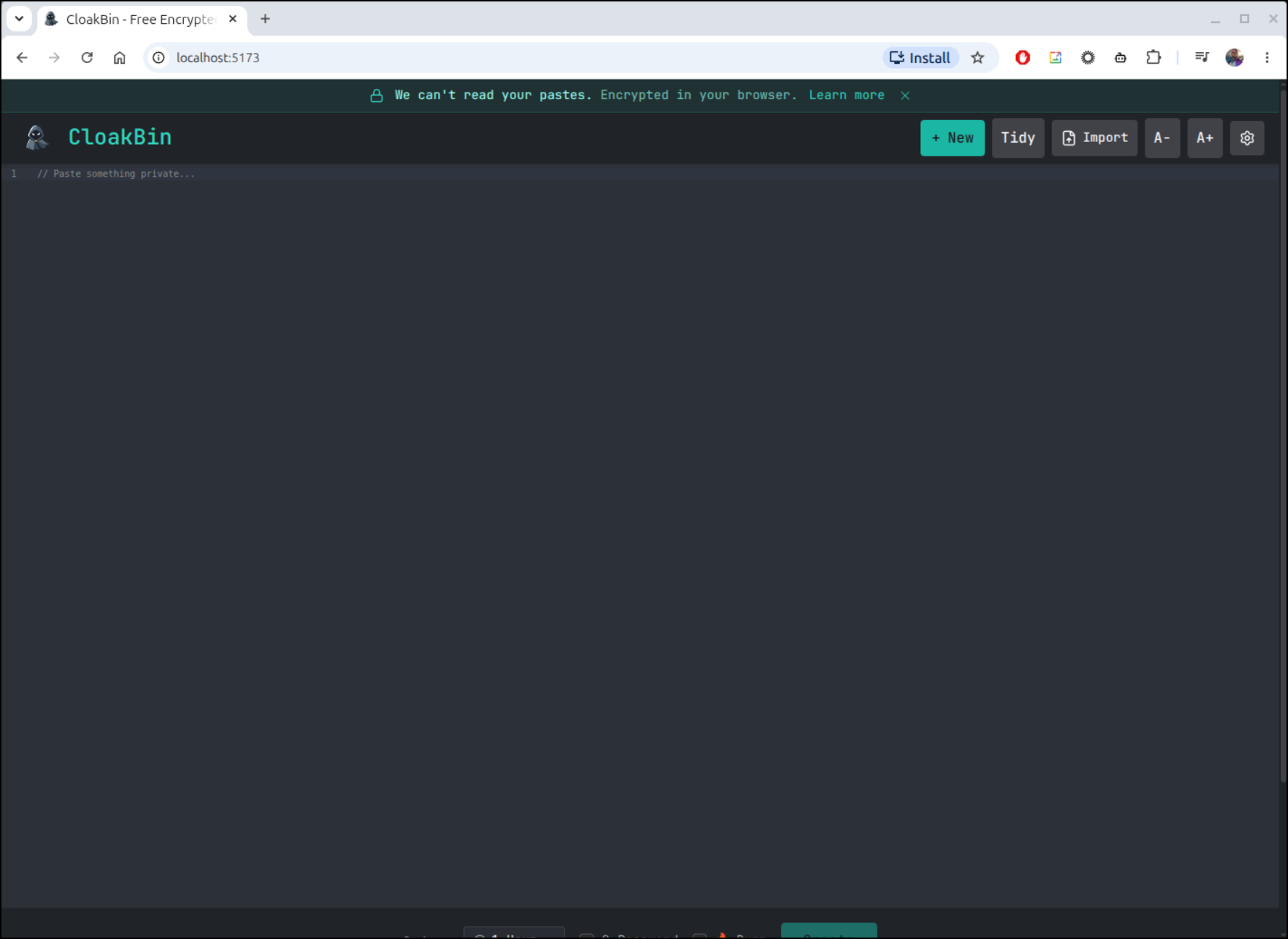
Let’s test
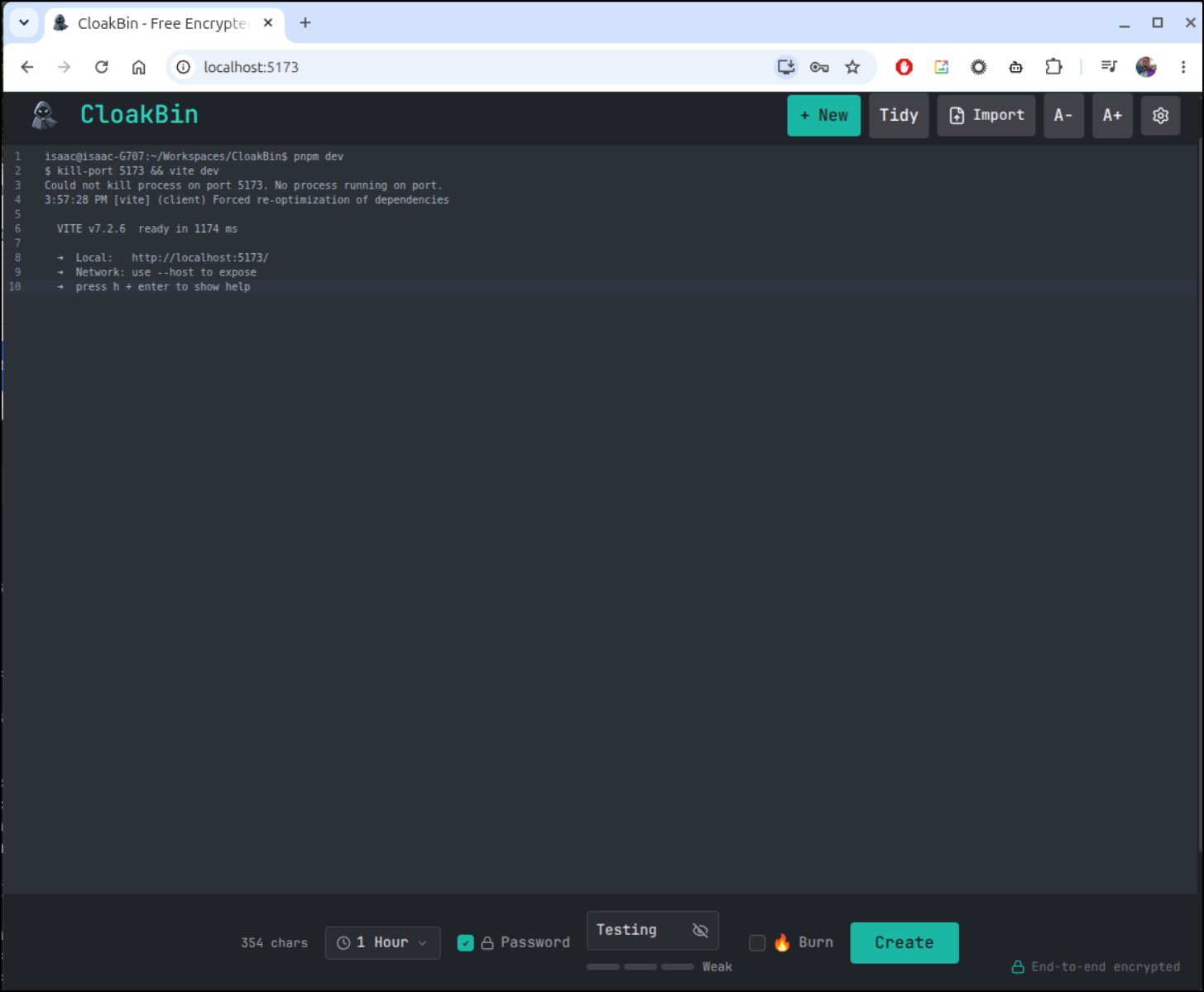
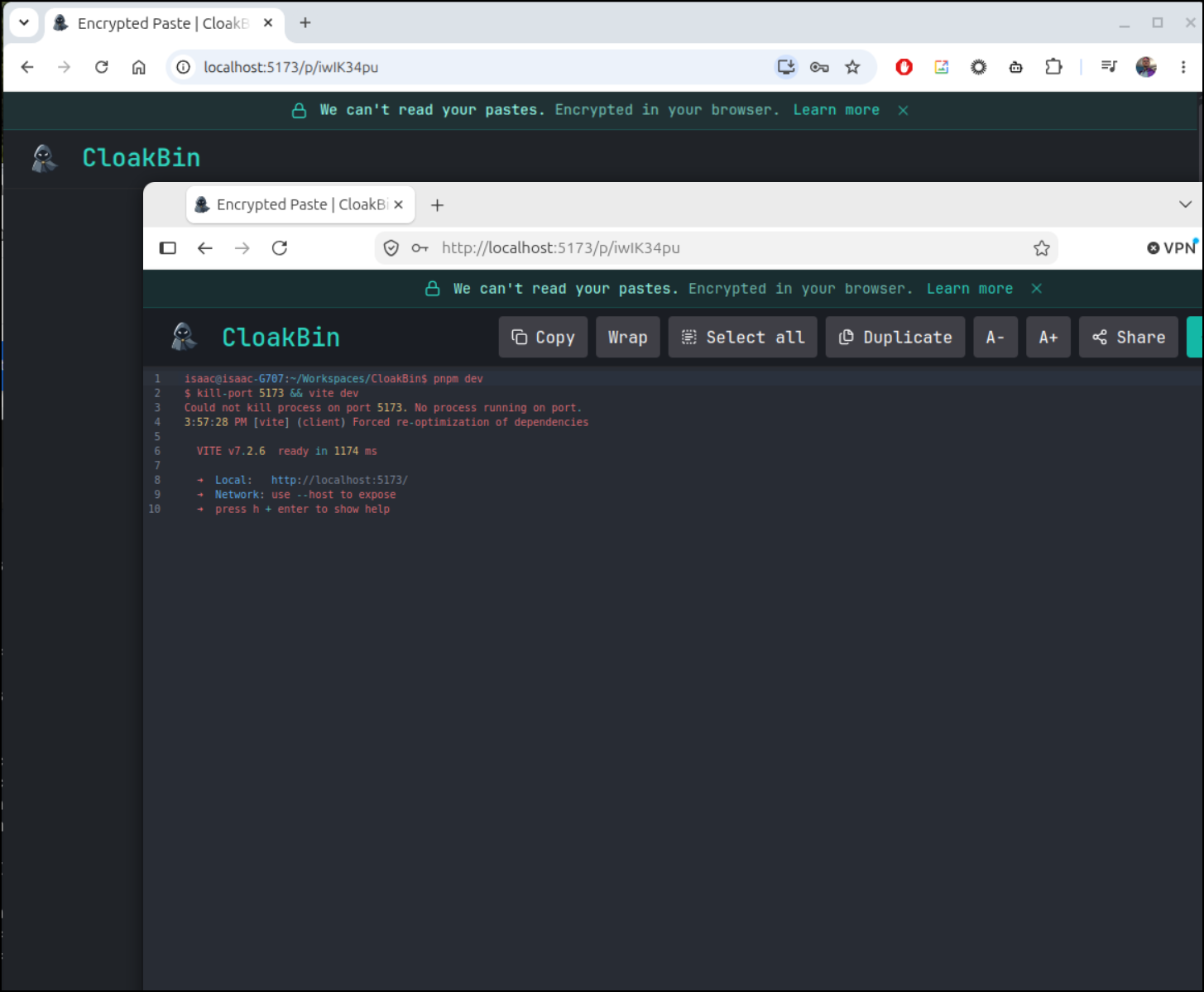
There is a nifty animation and now I have a URL with password
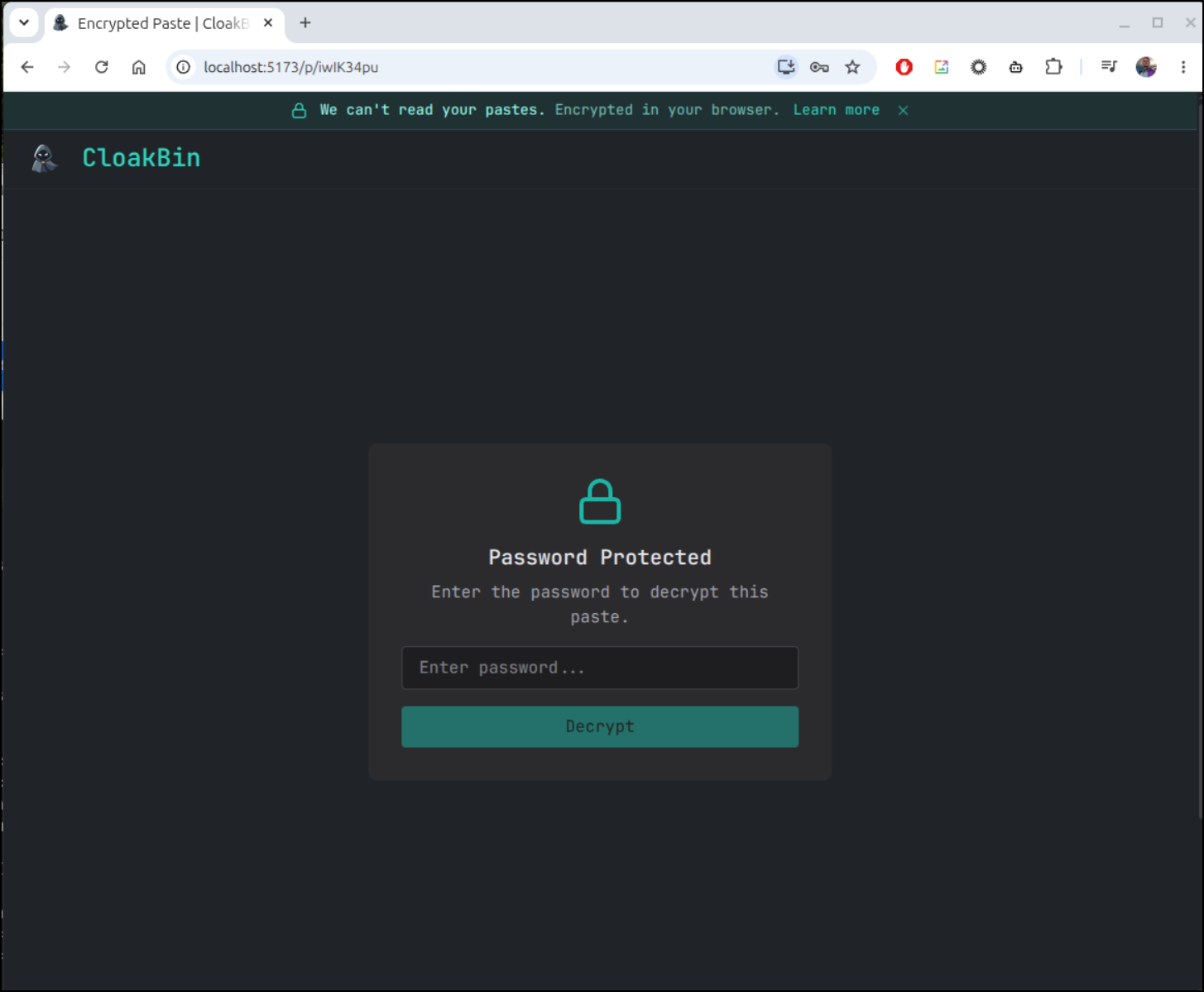
I first tested the URL with a different password and browser
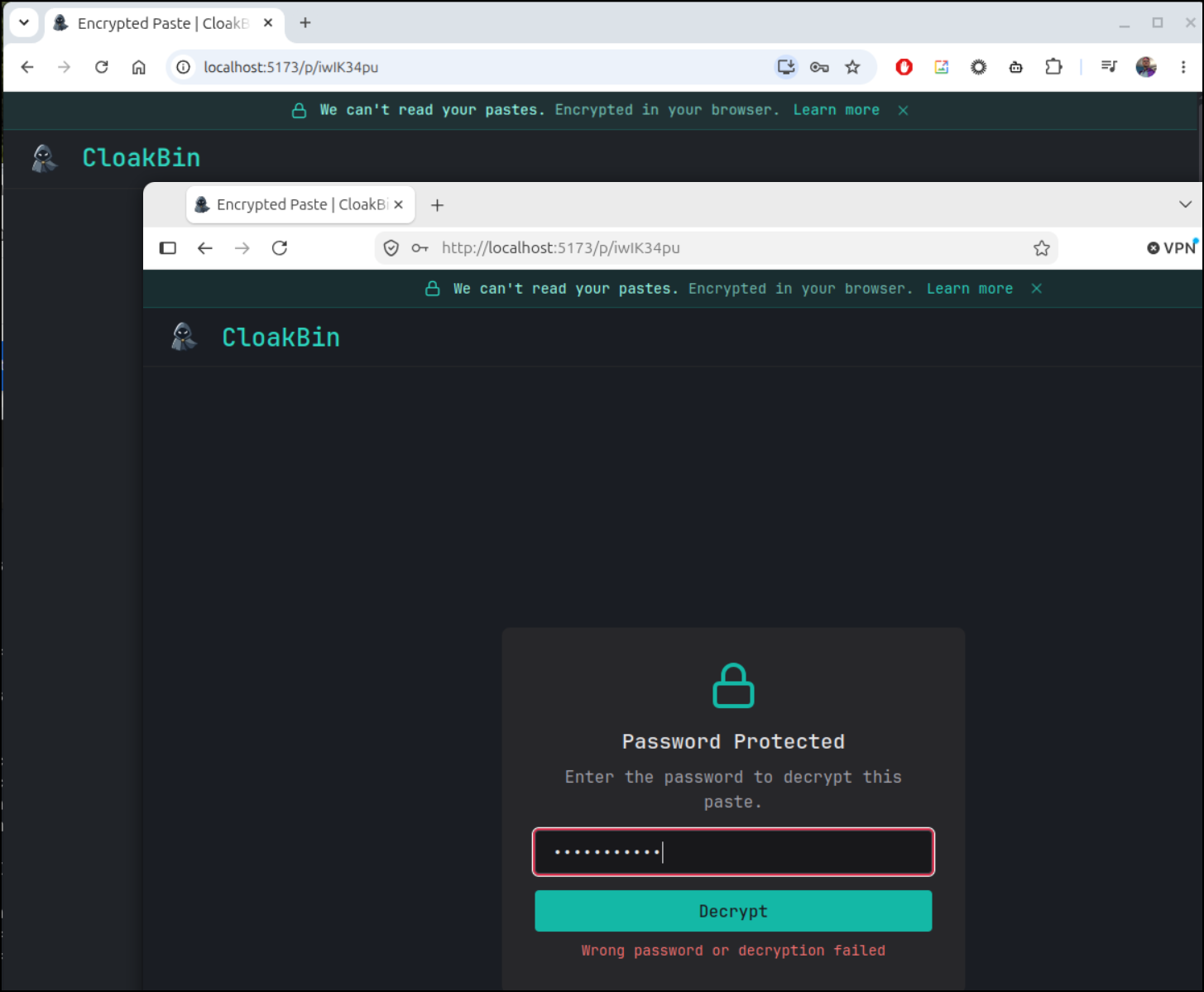
The right password worked however
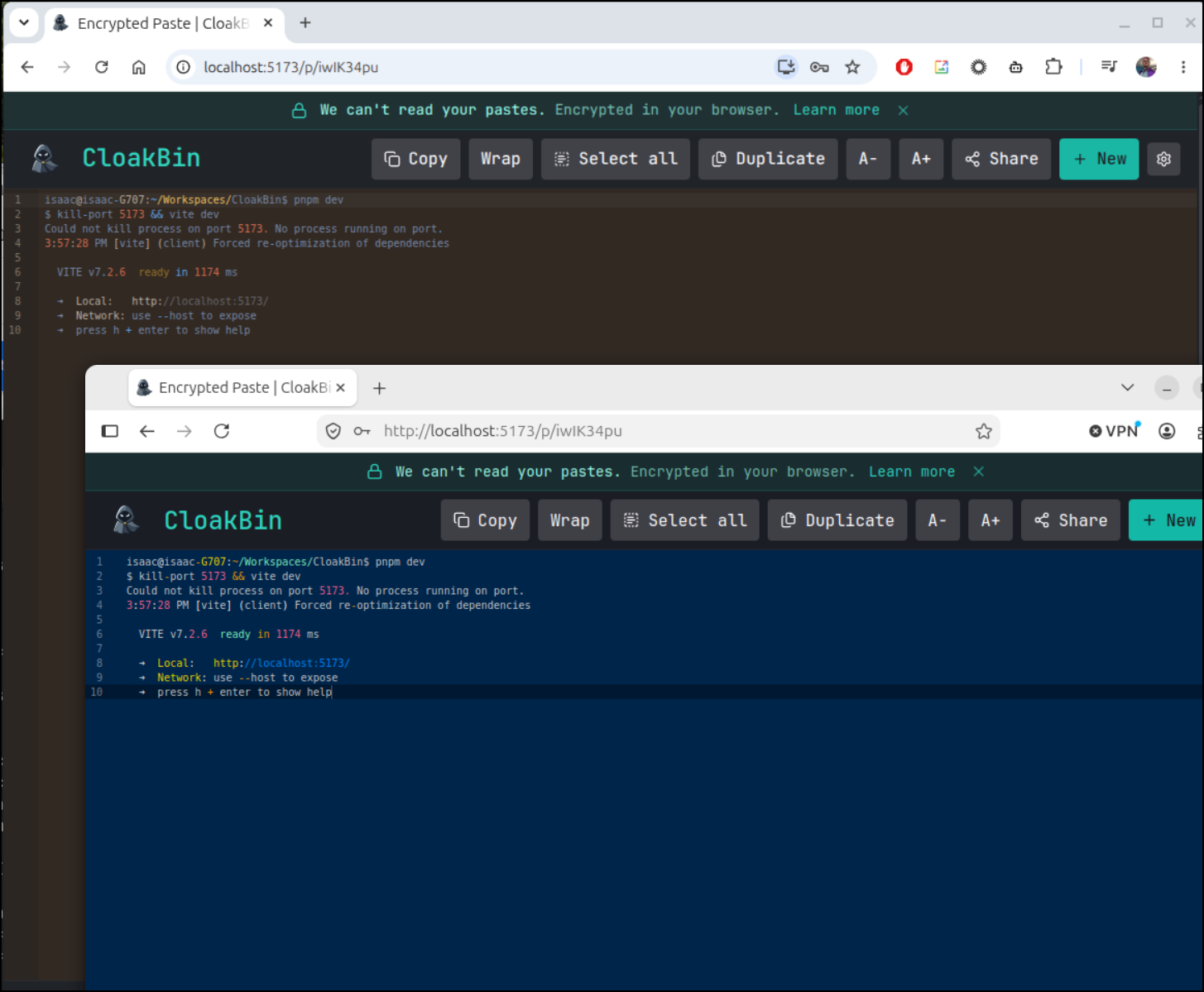
There are some good themes
Here you can see the burn setting which let’s you view it just once. I like how it “confirms” it first. Some other secret sharing tools I had to mangle the URL so the email client wouldn’t expire it just trying to preview the link. This would prevent that.
They have a hosted instance you can try at oss.cloakbin.com
Now there is another version hosted at cloakbin.com which I saw had a “Premium” option
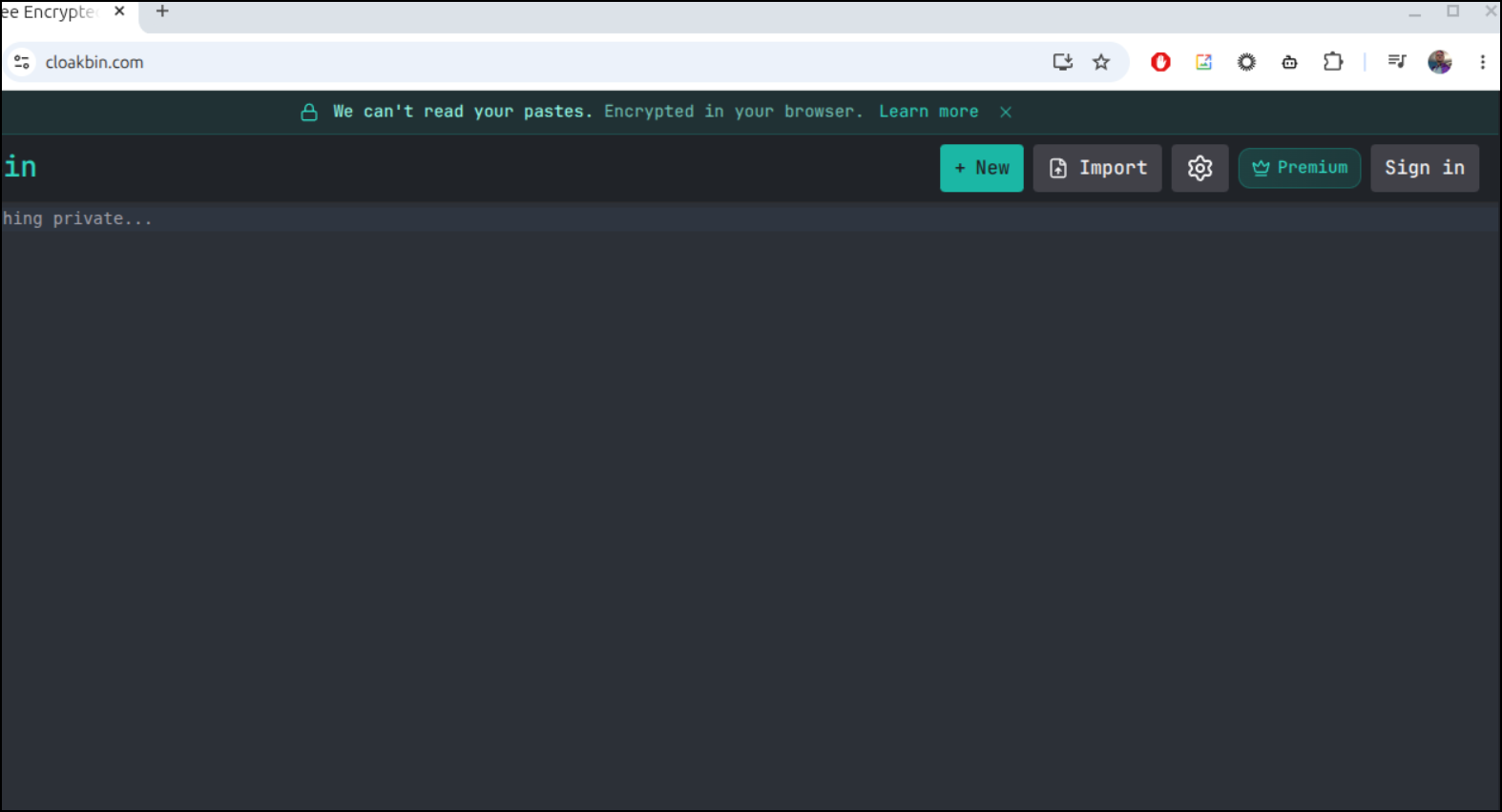
Paid version
I liked the options. The Premium has huge texts (up to 10Mb) has some API access.
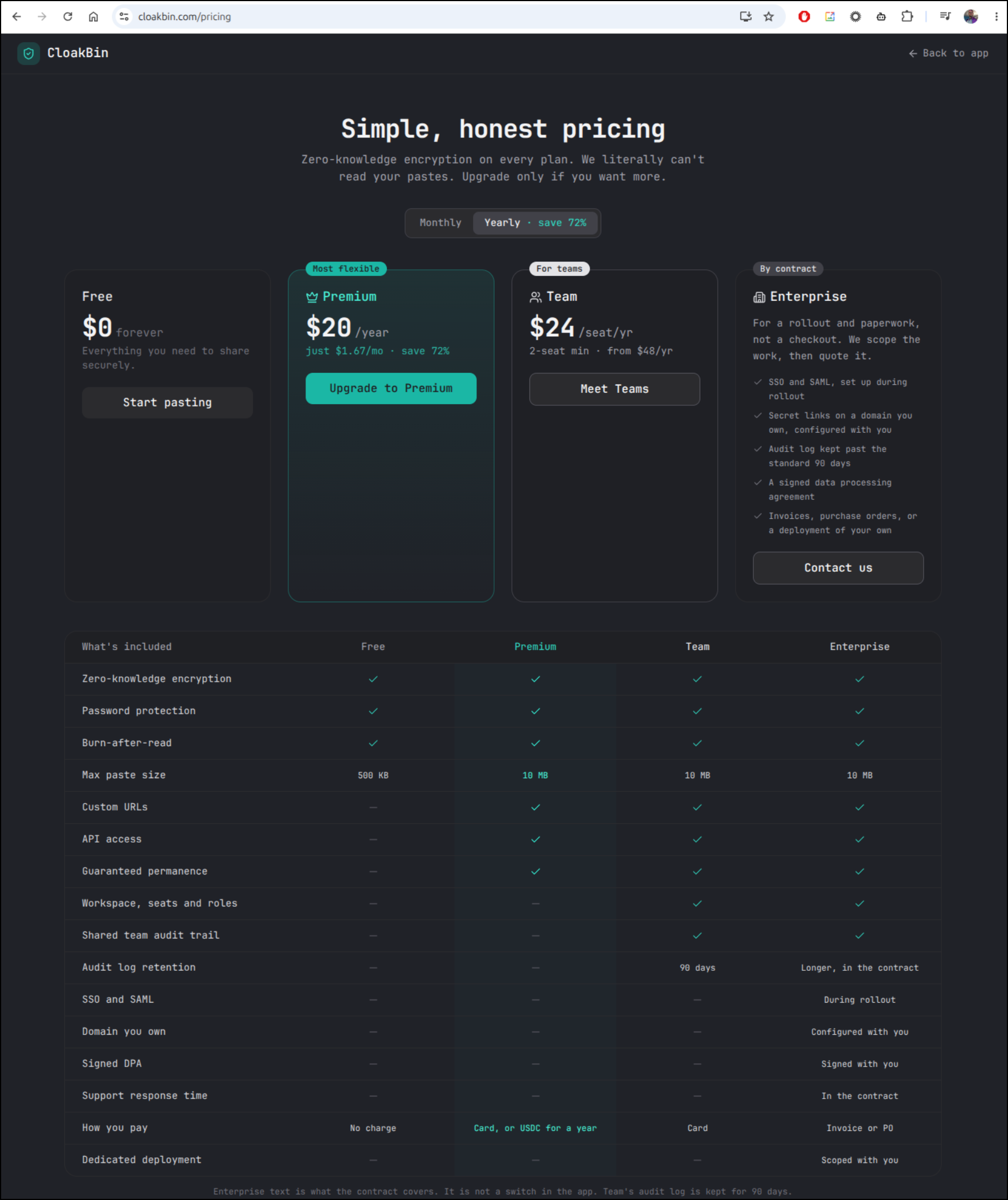
I like what Ishan has built. Let’s try the self-hosted next.
As there is no Dockerfile or docker compose, I had agy build one out
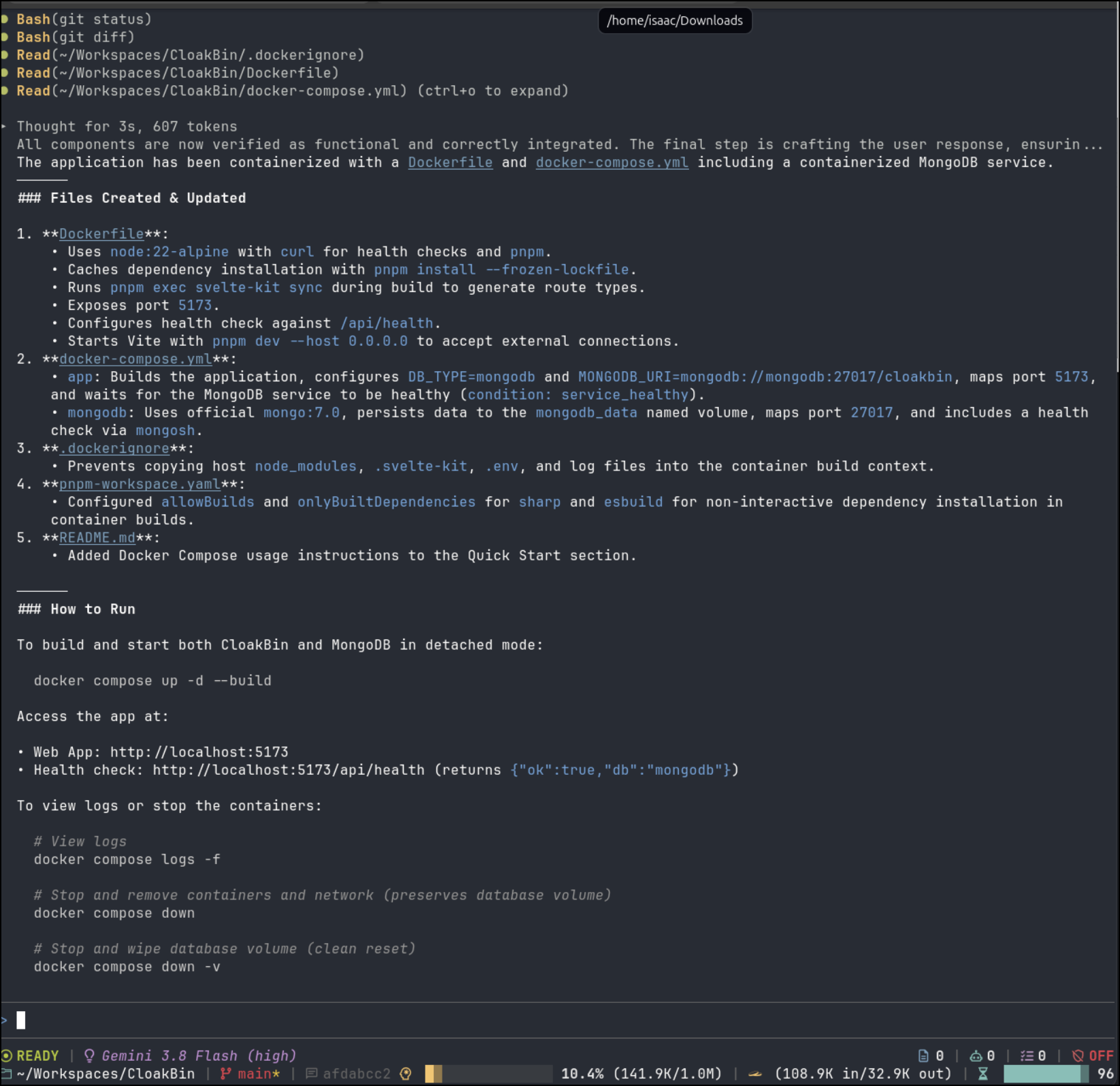
isaac@isaac-G707:~/Workspaces/CloakBin$ docker compose up --build
[+] Building 1.7s (15/15) FINISHED
 => [internal] load local bake definitions                                                                                    0.0s
 => => reading from stdin 504B                                                                                                0.0s
 => [internal] load build definition from Dockerfile                                                                          0.0s
 => => transferring dockerfile: 877B                                                                                          0.0s
 => [internal] load metadata for docker.io/library/node:22-alpine                                                             0.0s
 => [internal] load .dockerignore                                                                                             0.0s
 => => transferring context: 112B                                                                                             0.0s
 => [1/8] FROM docker.io/library/node:22-alpine@sha256:0a7108bf6c7bf5de370ffb1a3ed6be93d405b43ff159f681a8d18c0e2bc2e402       0.0s
 => => resolve docker.io/library/node:22-alpine@sha256:0a7108bf6c7bf5de370ffb1a3ed6be93d405b43ff159f681a8d18c0e2bc2e402       0.0s
 => [internal] load build context                                                                                             0.0s
 => => transferring context: 18.32kB                                                                                          0.0s
 => CACHED [2/8] RUN apk add --no-cache curl                                                                                  0.0s
 => CACHED [3/8] RUN npm install -g pnpm                                                                                      0.0s
 => CACHED [4/8] WORKDIR /app                                                                                                 0.0s
 => CACHED [5/8] COPY package.json pnpm-lock.yaml* pnpm-workspace.yaml* ./                                                    0.0s
 => CACHED [6/8] RUN pnpm install --frozen-lockfile                                                                           0.0s
 => [7/8] COPY . .                                                                                                            0.1s
 => [8/8] RUN pnpm exec svelte-kit sync                                                                                       1.0s
 => exporting to image                                                                                                        0.4s
 => => exporting layers                                                                                                       0.2s
 => => exporting manifest sha256:b704424d50a7671ca5a802aaa578093b9e5613c6b44dd634c9491685f7083f7f                             0.0s
 => => exporting config sha256:eed409cd42217f9b4a4c4f827d3afff4a282504177e6552189d238554a712382                               0.0s
 => => exporting attestation manifest sha256:dc9b8c38bc60ccff123c347ff05dce188e408cf6ef47b6b675ae587a50b6c122                 0.0s
 => => exporting manifest list sha256:dd880f55e97cf3ada6b38ca1679618508c1f5adb49f8c8522e5d6e39d22b1cd1                        0.0s
 => => naming to docker.io/library/cloakbin-app:latest                                                                        0.0s
 => => unpacking to docker.io/library/cloakbin-app:latest                                                                     0.1s
 => resolving provenance for metadata file                                                                                    0.0s
[+] up 4/4
 ✔ Image cloakbin-app         Built                                                                                            1.7s
 ✔ Network cloakbin_default   Created                                                                                          0.0s
 ✔ Container cloakbin-mongodb Created                                                                                          0.0s
 ✔ Container cloakbin-app     Created                                                                                          0.0s
Attaching to cloakbin-app, cloakbin-mongodb
Container cloakbin-mongodb Waiting
cloakbin-mongodb  | {"t":{"$date":"2026-09-27T14:37:54.486+00:00"},"s":"I",  "c":"NETWORK",  "id":4915701, "ctx":"main","msg":"Initialized wire specification","attr":{"spec":{"incomingExternalClient":{"minWireVersion":0,"maxWireVersion":21},"incomingInternalClient":{"minWireVersion":0,"maxWireVersion":21},"outgoing":{"minWireVersion":6,"maxWireVersion":21},"isInternalClient":true}}}
cloakbin-mongodb  | {"t":{"$date":"2026-09-27T14:37:54.487+00:00"},"s":"I",  "c":"CONTROL",  "id":23285,   "ctx":"main","msg":"Automatically disabling TLS 1.0, to force-enable TLS 1.0 specify --sslDisabledProtocols 'none'"}
Which worked great
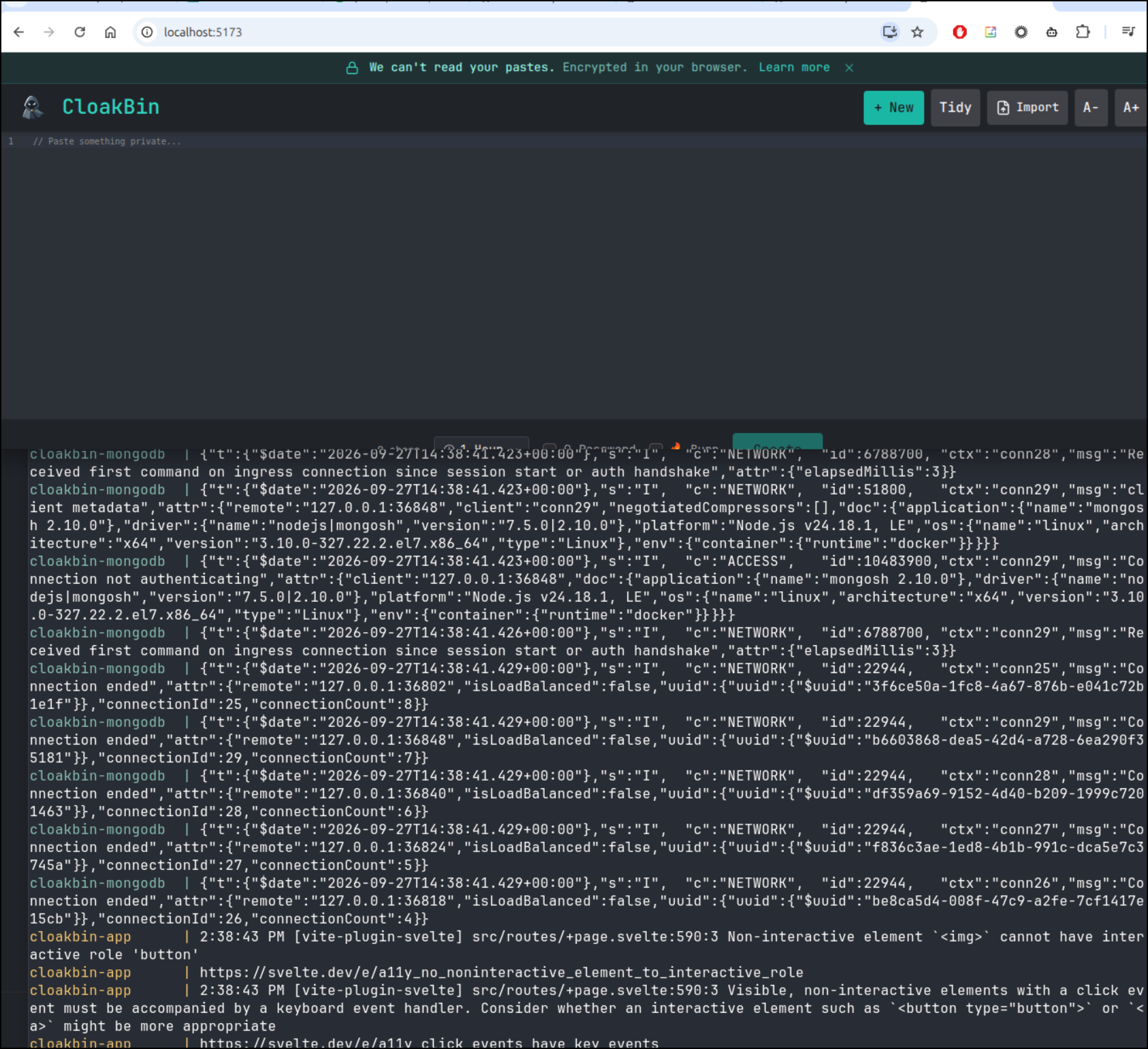
Some of the files it created were a pnpm-workspace.yaml file
$ cat pnpm-workspace.yaml
allowBuilds:
  esbuild: true
  sharp: true
onlyBuiltDependencies:
  - sharp
  - esbuild
A dockerfie
$ cat Dockerfile
FROM node:22-alpine

# Install curl for container health checks
RUN apk add --no-cache curl

# Install pnpm
RUN npm install -g pnpm

WORKDIR /app

# Copy dependency configuration files
COPY package.json pnpm-lock.yaml* pnpm-workspace.yaml* ./

# Install project dependencies
RUN pnpm install --frozen-lockfile

# Copy application source code
COPY . .

# Generate SvelteKit types and runtime
RUN pnpm exec svelte-kit sync

# Expose default SvelteKit dev server port
EXPOSE 5173

# Set default environment variables
ENV HOST=0.0.0.0 \
    PORT=5173 \
    NODE_ENV=development

# Run healthcheck against the health endpoint
HEALTHCHECK --interval=30s --timeout=5s --start-period=10s --retries=3 \
  CMD curl -f http://localhost:5173/api/health || exit 1

# Start the dev server accessible externally
CMD ["pnpm", "dev", "--host", "0.0.0.0"]
A dockeringore file
$ cat .dockerignore
node_modules
.git
.svelte-kit
.env
.env.*
!.env.example
*.log
.DS_Store
And lastly a docker-compose.yaml file
$ cat docker-compose.yml
services:
  app:
    build:
      context: .
      dockerfile: Dockerfile
    container_name: cloakbin-app
    restart: unless-stopped
    ports:
      - "${PORT:-5173}:5173"
    environment:
      - NODE_ENV=development
      - DB_TYPE=mongodb
      - MONGODB_URI=mongodb://mongodb:27017/cloakbin
      - ADMIN_USER=${ADMIN_USER:-admin}
      - ADMIN_PASS=${ADMIN_PASS:-changeme}
      - MAX_PASTE_BYTES=${MAX_PASTE_BYTES:-10485760}
    depends_on:
      mongodb:
        condition: service_healthy
    healthcheck:
      test: ["CMD", "curl", "-f", "http://localhost:5173/api/health"]
      interval: 10s
      timeout: 5s
      retries: 5
      start_period: 15s

  mongodb:
    image: mongo:7.0
    container_name: cloakbin-mongodb
    restart: unless-stopped
    ports:
      - "${MONGO_PORT:-27017}:27017"
    volumes:
      - mongodb_data:/data/db
    healthcheck:
      test: ["CMD", "mongosh", "--eval", "db.adminCommand('ping')"]
      interval: 10s
      timeout: 5s
      retries: 5
      start_period: 5s

volumes:
  mongodb_data:
    driver: local
If I want to run this in docker or Kubernetes, I best build and push
$ docker build -t idjohnson/cloakbin:latest .
[+] Building 0.2s (13/13) FINISHED                                                                                  docker:default
 => [internal] load build definition from Dockerfile                                                                          0.0s
 => => transferring dockerfile: 877B                                                                                          0.0s
 => [internal] load metadata for docker.io/library/node:22-alpine                                                             0.0s
 => [internal] load .dockerignore                                                                                             0.0s
 => => transferring context: 112B                                                                                             0.0s
 => [internal] load build context                                                                                             0.0s
 => => transferring context: 8.16kB                                                                                           0.0s
 => [1/8] FROM docker.io/library/node:22-alpine@sha256:0a7108bf6c7bf5de370ffb1a3ed6be93d405b43ff159f681a8d18c0e2bc2e402       0.0s
 => => resolve docker.io/library/node:22-alpine@sha256:0a7108bf6c7bf5de370ffb1a3ed6be93d405b43ff159f681a8d18c0e2bc2e402       0.0s
 => CACHED [2/8] RUN apk add --no-cache curl                                                                                  0.0s
 => CACHED [3/8] RUN npm install -g pnpm                                                                                      0.0s
 => CACHED [4/8] WORKDIR /app                                                                                                 0.0s
 => CACHED [5/8] COPY package.json pnpm-lock.yaml* pnpm-workspace.yaml* ./                                                    0.0s
 => CACHED [6/8] RUN pnpm install --frozen-lockfile                                                                           0.0s
 => CACHED [7/8] COPY . .                                                                                                     0.0s
 => CACHED [8/8] RUN pnpm exec svelte-kit sync                                                                                0.0s
 => exporting to image                                                                                                        0.1s
 => => exporting layers                                                                                                       0.0s
 => => exporting manifest sha256:07cbdac8c5906cf43061f9e6a487b6482ae989b73a9d564cc16f87601db96bc1                             0.0s
 => => exporting config sha256:e2638e1d5fe28346accf80c4c350a37ddf252ee6e93a1cc792d9ad152bf29409                               0.0s
 => => exporting attestation manifest sha256:ffcc30b80e5f303fb8692a73368bea9e1115e197a385f686b691e45a9098efb5                 0.0s
 => => exporting manifest list sha256:fd049a8829f4911dcf36d5f169486acde972f3143e5f44e7227b5d6250aeccbf                        0.0s
 => => naming to docker.io/idjohnson/cloakbin:latest                                                                          0.0s
 => => unpacking to docker.io/idjohnson/cloakbin:latest

$ docker push idjohnson/cloakbin:latest
The push refers to repository [docker.io/idjohnson/cloakbin]
eba7372458e3: Pushed
44136fa355b3: Mounted from opensecurity/njsscan
f7f2d304681a: Mounted from library/node
e2de96513ba9: Mounted from library/node
e554276b05e6: Mounted from library/node
d39db1cf9caa: Mounted from library/node
45cb9851fe2d: Pushed
d9239549ce97: Pushing [==========================>                        ]  28.31MB/53.21MB
d9239549ce97: Pushed
588d2ec353bd: Pushed
bc160ede21d5: Pushing [======================>                            ]  26.21MB/59.08MB
bc160ede21d5: Pushed
75b302b25bc8: Pushed
I then moved to creating some helm charts with a MongoDB helm chart.
I’m debating sharing those, however, as the author personally asked me to review his app and part of the Premium offering is a managed hosted instance at Cloakbin.com.
So in this case, I think I’ll just say if you look at the docker compose, any AI CLI can whip that into a helm chart with ease if you are going self-hosted, but otherwise I might direct you to the Cloakbin.com hosted version.
I can see the output
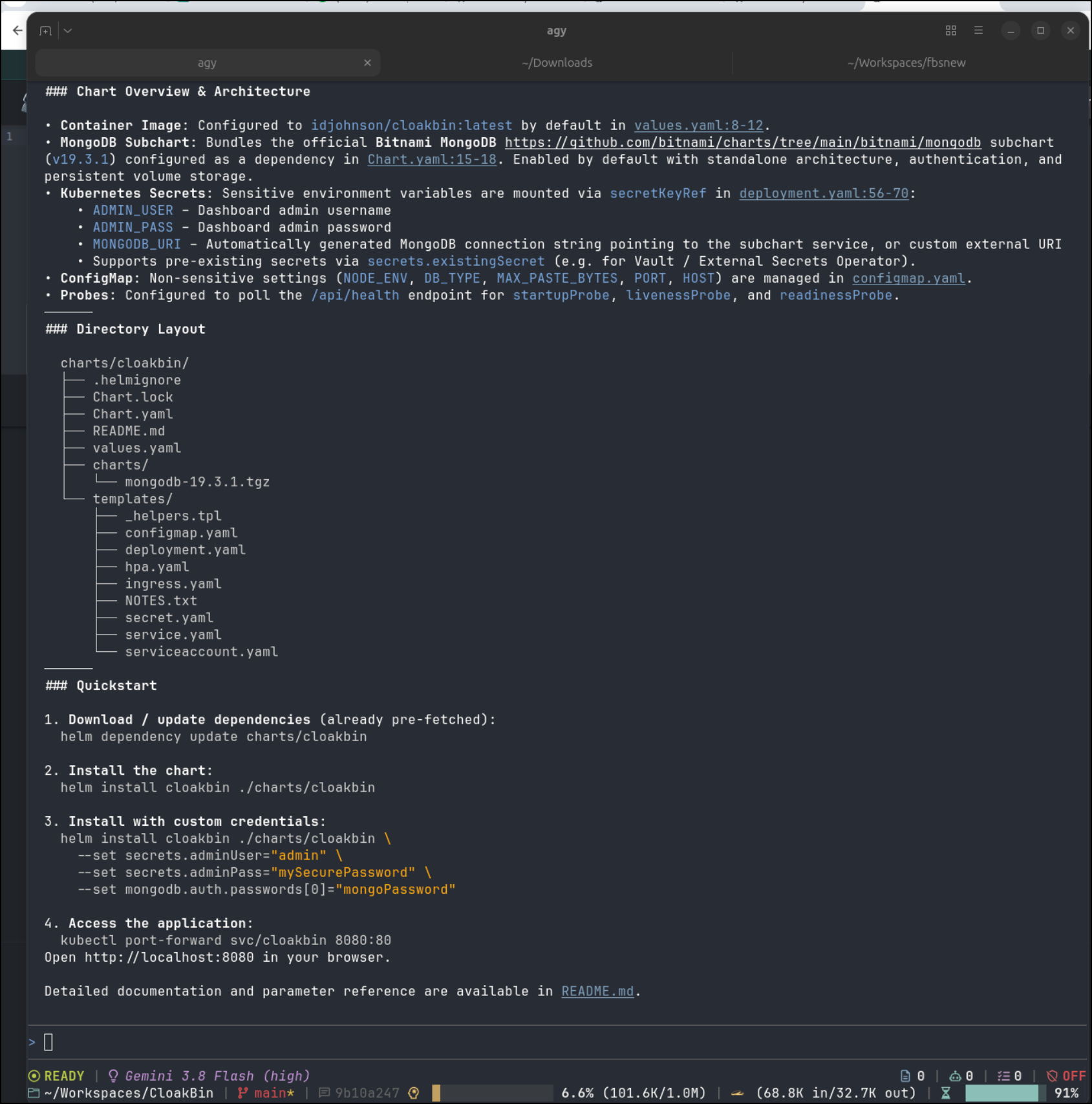
As the output suggests, we can invoke with
helm install cloakbin ./charts/cloakbin \
  --set secrets.adminUser="admin" \
  --set secrets.adminPass="mySecurePassword" \
  --set mongodb.auth.passwords[0]="mongoPassword"
The values file shows what we might need for an ingress definition
$ cat ./charts/cloakbin/values.yaml
# Default values for cloakbin.
# This is a YAML-formatted file.
# Declare variables to be passed into your templates.

replicaCount: 1

image:
  repository: idjohnson/cloakbin
  pullPolicy: IfNotPresent
  # Overrides the image tag whose default is the chart appVersion.
  tag: "latest"

imagePullSecrets: []
nameOverride: ""
fullnameOverride: ""

serviceAccount:
  # Specifies whether a service account should be created
  create: true
  # Automatically mount a ServiceAccount's API credentials?
  automount: true
  # Annotations to add to the service account
  annotations: {}
  # The name of the service account to use.
  # If not set and create is true, a name is generated using the fullname template
  name: ""

podAnnotations: {}
podLabels: {}

podSecurityContext:
  fsGroup: 1000

securityContext:
  capabilities:
    drop:
      - ALL
  readOnlyRootFilesystem: false
  runAsNonRoot: false
  runAsUser: 0

service:
  type: ClusterIP
  port: 80
  targetPort: 5173
  annotations: {}
  # nodePort: 30080

ingress:
  enabled: false
  className: ""
  annotations: {}
    # kubernetes.io/ingress.class: nginx
    # cert-manager.io/cluster-issuer: letsencrypt-prod
  hosts:
    - host: cloakbin.local
      paths:
        - path: /
          pathType: ImplementationSpecific
  tls: []
  #  - secretName: cloakbin-tls
  #    hosts:
  #      - cloakbin.local

resources: {}
  # limits:
  #   cpu: 500m
  #   memory: 512Mi
  # requests:
  #   cpu: 100m
  #   memory: 128Mi

# Liveness probe verifies the container is alive and responding
livenessProbe:
  httpGet:
    path: /api/health
    port: http
  initialDelaySeconds: 30
  periodSeconds: 15
  timeoutSeconds: 5
  failureThreshold: 3

# Readiness probe verifies the database is connected and ready to accept traffic
readinessProbe:
  httpGet:
    path: /api/health
    port: http
  initialDelaySeconds: 10
  periodSeconds: 10
  timeoutSeconds: 5
  failureThreshold: 3

# Startup probe gives the database and app sufficient time to initialize before liveness checks kick in
startupProbe:
  httpGet:
    path: /api/health
    port: http
  initialDelaySeconds: 5
  periodSeconds: 5
  timeoutSeconds: 5
  failureThreshold: 30

autoscaling:
  enabled: false
  minReplicas: 1
  maxReplicas: 5
  targetCPUUtilizationPercentage: 80
  # targetMemoryUtilizationPercentage: 80

nodeSelector: {}

tolerations: []

affinity: {}

# Non-sensitive application configuration
config:
  nodeEnv: production
  dbType: mongodb
  maxPasteBytes: 10485760 # 10 MiB
  port: 5173
  host: "0.0.0.0"
  extraEnvVars: []

# Sensitive credentials configured as Kubernetes Secrets
secrets:
  # Name of an existing Secret to use. If provided, no Secret will be created by this chart.
  existingSecret: ""
  # Admin dashboard credentials
  adminUser: "admin"
  adminPass: "changeme"
  # Override MongoDB URI connection string. If omitted, will be generated automatically
  # from the subchart or externalDatabase parameters.
  mongodbUri: ""

  # Keys inside the secret (customizable when using an existingSecret)
  adminUserKey: "ADMIN_USER"
  adminPassKey: "ADMIN_PASS"
  mongodbUriKey: "MONGODB_URI"

# External MongoDB configuration (used when mongodb.enabled is false)
externalDatabase:
  host: ""
  port: 27017
  database: "cloakbin"
  username: ""
  password: ""
  authSource: ""

# Bitnami MongoDB subchart configuration
# Ref: https://github.com/bitnami/charts/tree/main/bitnami/mongodb
mongodb:
  enabled: true
  architecture: standalone
  auth:
    enabled: true
    rootUser: root
    rootPassword: "cloakbin-root-password"
    databases:
      - cloakbin
    usernames:
      - cloakbin
    passwords:
      - cloakbin-db-password
  persistence:
    enabled: true
    size: 8Gi
I’ll create an A Record
$ az account set --subscription "Pay-As-You-Go" && az network dns record-set a add-record -g idjdnsrg -z tpk.pw -a 76.156.69.232 -n cloakbin
{
  "ARecords": [
    {
      "ipv4Address": "76.156.69.232"
    }
  ],
  "TTL": 3600,
  "etag": "556df081-6d3e-4a5b-982b-f8542ef16657",
  "fqdn": "cloakbin.tpk.pw.",
  "id": "/subscriptions/d955c0ba-13dc-44cf-a29a-8fed74cbb22d/resourceGroups/idjdnsrg/providers/Microsoft.Network/dnszones/tpk.pw/A/cloakbin",
  "name": "cloakbin",
  "provisioningState": "Succeeded",
  "resourceGroup": "idjdnsrg",
  "targetResource": {},
  "trafficManagementProfile": {},
  "type": "Microsoft.Network/dnszones/A"
}
I’ll setup my local values file
replicaCount: 1

image:
  repository: idjohnson/cloakbin
  pullPolicy: IfNotPresent
  # Overrides the image tag whose default is the chart appVersion.
  tag: "latest"

ingress:
  enabled: true
  className: "nginx"
  annotations:
    cert-manager.io/cluster-issuer: azuredns-tpkpw
    ingress.kubernetes.io/proxy-body-size: "0"
    ingress.kubernetes.io/ssl-redirect: "true"
    kubernetes.io/tls-acme: "true"
    nginx.ingress.kubernetes.io/proxy-body-size: "0"
    nginx.ingress.kubernetes.io/proxy-read-timeout: "3600"
    nginx.ingress.kubernetes.io/proxy-send-timeout: "3600"
    nginx.ingress.kubernetes.io/ssl-redirect: "true"
    nginx.org/client-max-body-size: "0"
    nginx.org/proxy-connect-timeout: "3600"
    nginx.org/proxy-read-timeout: "3600"
    # kubernetes.io/ingress.class: nginx
  hosts:
    - host: cloakbin.tpk.pw
      paths:
        - path: /
          pathType: ImplementationSpecific
  tls:
  - hosts:
    - cloakbin.tpk.pw
    secretName: cloakbin-tls

 # Sensitive credentials configured as Kubernetes Secrets

secrets:
  # Admin dashboard credentials
  adminUser: "builder"
  adminPass: "notmypassword"

mongodb:
  enabled: true
  architecture: standalone
  auth:
    enabled: true
    rootUser: root
    rootPassword: "notmypassword"
I can now install with helm
$ helm install cloakbin -f ./myvalues.yaml ./charts/cloakbin
NAME: cloakbin
LAST DEPLOYED: Sun Sep 27 10:44:14 2026
NAMESPACE: default
STATUS: deployed
REVISION: 1
DESCRIPTION: Install complete
TEST SUITE: None
NOTES:
1. Get the application URL by running these commands:
  https://cloakbin.tpk.pw/

2. Retrieve CloakBin admin credentials:
  Admin Username:
    kubectl get secret --namespace default cloakbin -o jsonpath="{.data.ADMIN_USER}" | base64 --decode
  Admin Password:
    kubectl get secret --namespace default cloakbin -o jsonpath="{.data.ADMIN_PASS}" | base64 --decode

3. Verify application and database health:
  curl http://127.0.0.1:8080/api/health
Let’s check the cert
$ kubectl get cert cloakbin-tls
NAME           READY   SECRET         AGE
cloakbin-tls   False   cloakbin-tls   38s

$ kubectl get cert cloakbin-tls
NAME           READY   SECRET         AGE
cloakbin-tls   True    cloakbin-tls   83s
I initially had a problem that I chased into productizing the app. However the cause was the MongoDB pod didn’t schedule due to cluster pressure and then the app couldn’t launch. Once the MongoDB pod was running, then the app fired up without issue
$ kubectl get po | grep cloak
cloakbin-5567dd5d57-smksc                            1/1     Running            0                  36s
cloakbin-mongodb-5d759d9bb5-wlkp9                    1/1     Running            0                  26m
My next issue was a vite issue
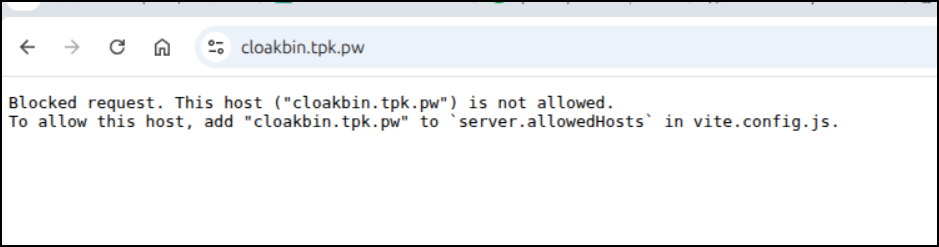
I was occupied with other things in terminal so I just fixed it in the vite.config.js myself:
export default defineConfig({
	plugins: [enhancedImages(), sveltekit(), ...tailwindPlugins],
	server: {
		// Read the host from the environment, fallback to empty array if not set
		allowedHosts: true
	},
	build: {
		target: 'es2022'
	},
	optimizeDeps: {
		exclude: [
			'svelte-codemirror-editor',
			'codemirror',
			'@codemirror/lang-javascript',
			'@codemirror/language',
			'@codemirror/state',
			'@codemirror/view',
			'@codemirror/theme-one-dark',
			'thememirror'
		]
	}
});
The “allowedHosts: true” will be good for K8s or docker-fronted traffic on a URL
I made a few other changes to move to a compiled prod version in the container (though dev would have still worked).
Let’s see the upgraded chart run (using image “1.1” now)
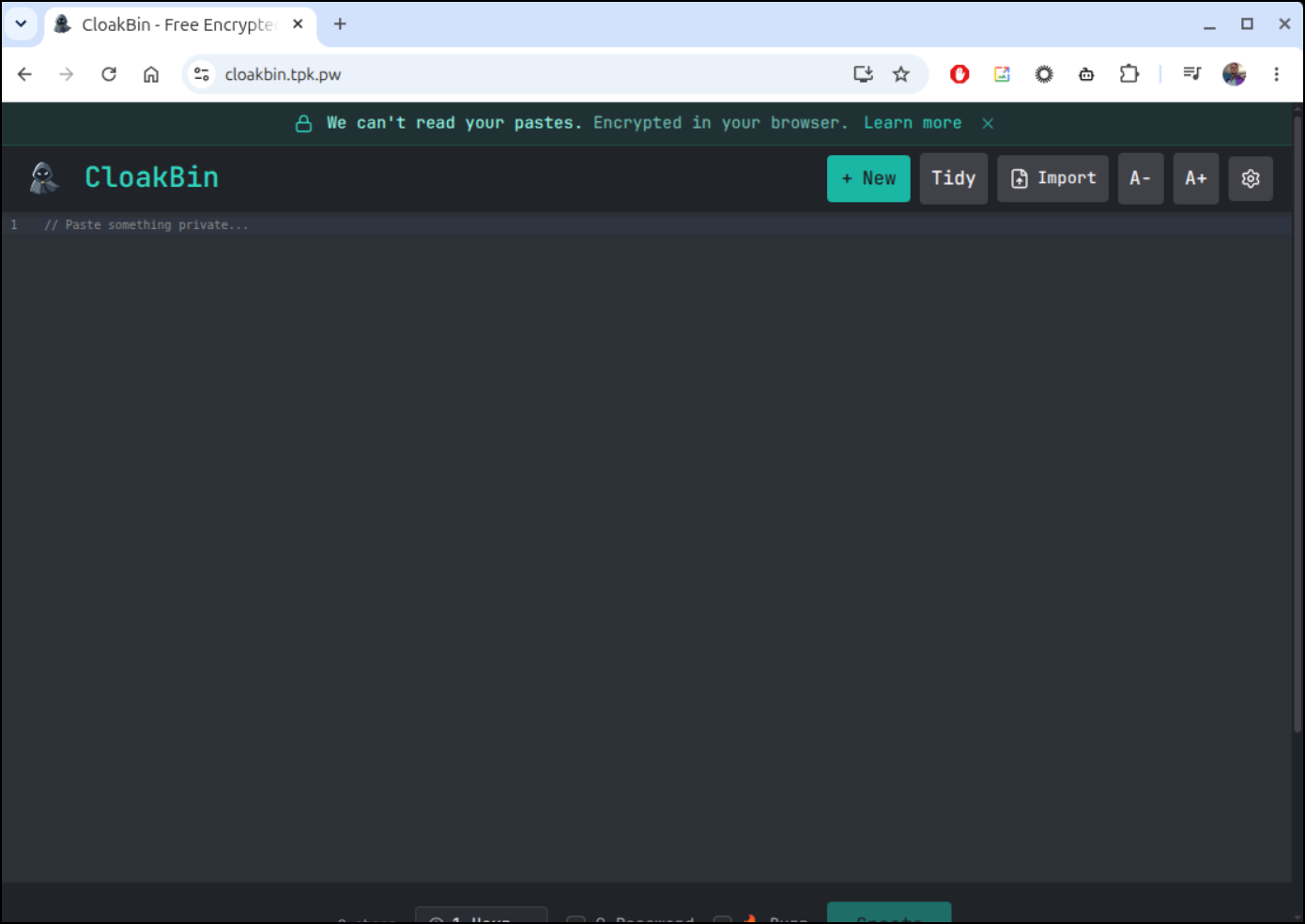
Here you can see it in action:
Summary
We looked at a few music players starting with GodAmp, then QMMP and lastly Audacious. They all had some benefits, but after playing with each of them, I settled on Audacious as it not only snapped the windows as I wanted but was really performant.
Cloakbin which you can find on GitHub at Ishannaik/CloakBin was sent by Ishan by email. They called it “a zero-setup, AGPL-3 alternative with browser-side AES-256-GCM encryption, burn-after-reading, and an npx CLI”. While I didn’t explore the CLI, i found the API worked great and the app was very solid. I never trust secrets in other people’s system (I’m just paranoid), so moving on to self-host made it work for me.
Hopefully you found either a good new music player to try or at least a secret sharing tool that works for you (or both) in this post.