Just a week or so ago Google released Antigravity extensions for IDEs which is something I’ve been waiting for ever since Gemini Code Assist (GCA) went away.
Since my primary editor is Zed, I was happy to see clear install steps for Zed.
(Written way after I was done) I planned to just use Antigravity in Zed to do a quick project, but as you will see that rapidly snowballed into a deep dive into making various types of bots for a web based turn-based game. I ended up having more fun banging away on that than anything.. and you might be surprised to find what happens when we pit NodeJS vs Python heuristic bots, or Gemma4 at e4b vs 12b on Cloud vs self-hosted, lots to see…
But let’s not get ahead of ourselves, let’s start by getting Agy into Zed.
Installing in Zed
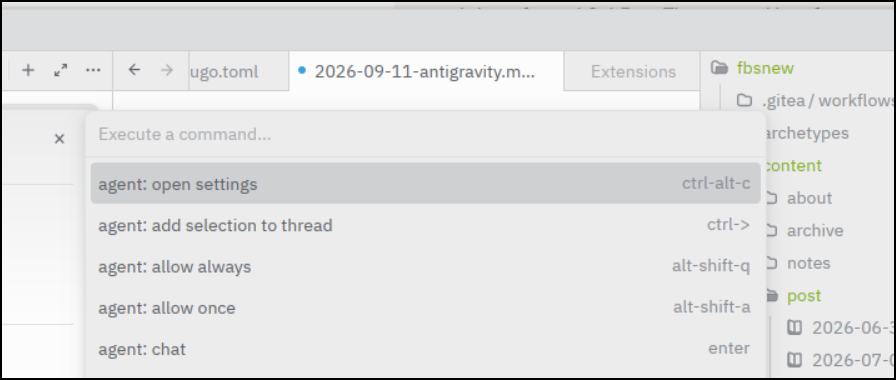
We can use ctrl-shift-p to get to Agent Settings in Zed (might be a different key combo on Macs or Copilot OS).
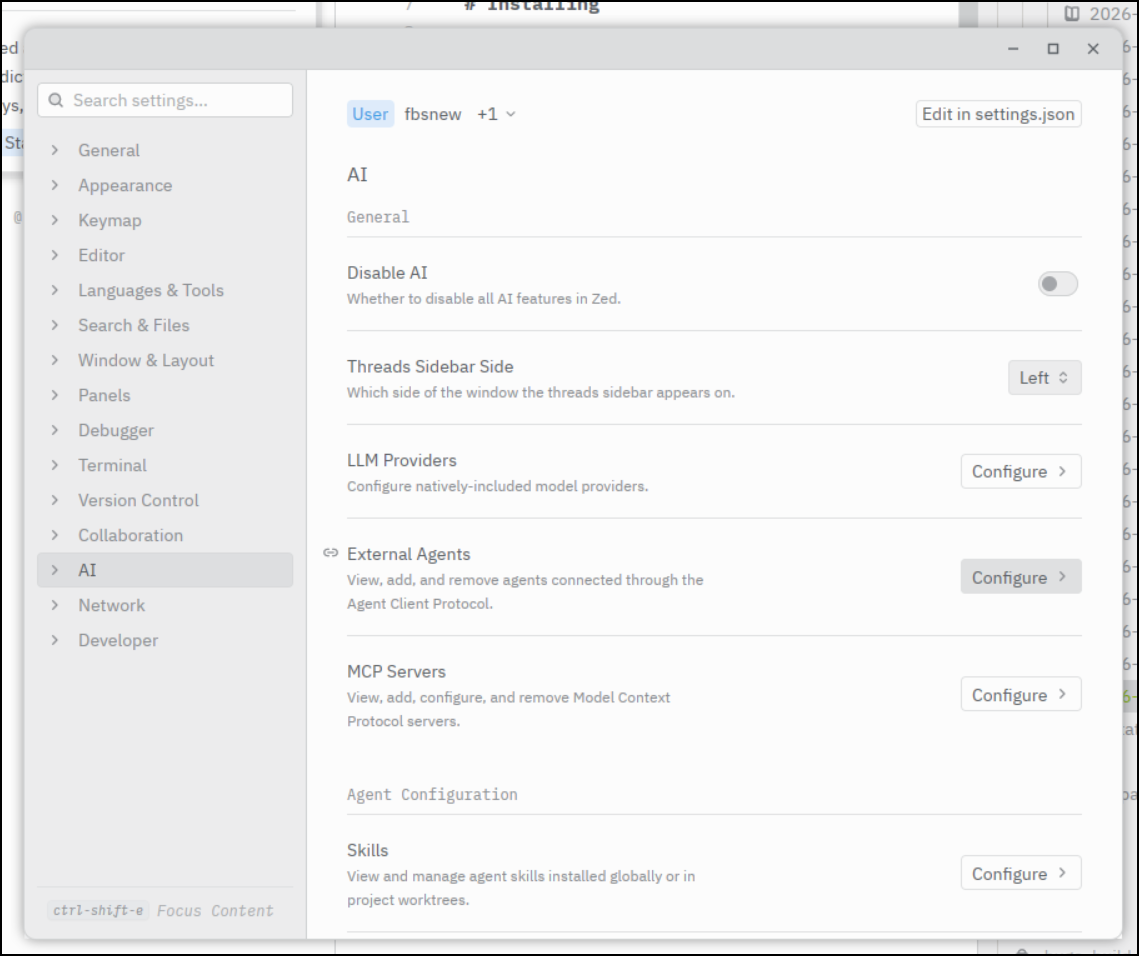
Click on “Configure” for external agents
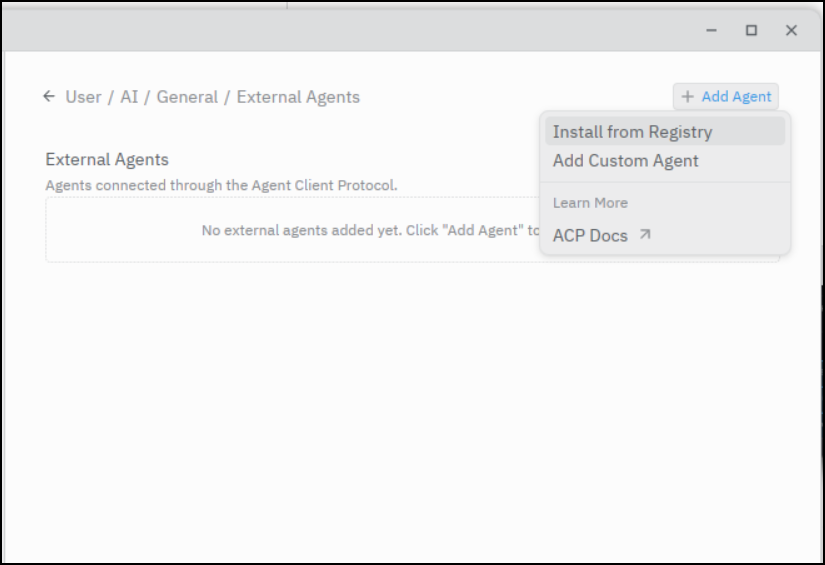
Then click “Add Agent” and “Install from Registry”
Search for “Antigravity” and click install
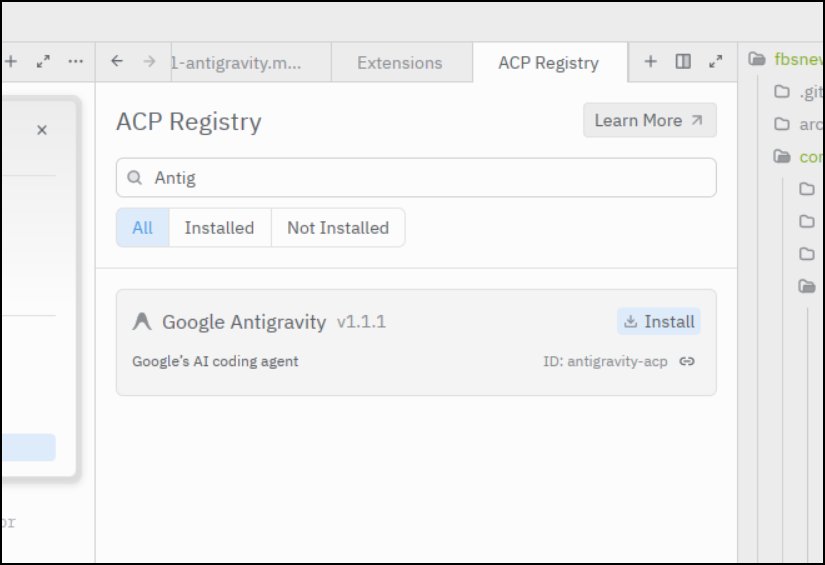
It will then install in the Agent panel
I can now choose how to authenticate.
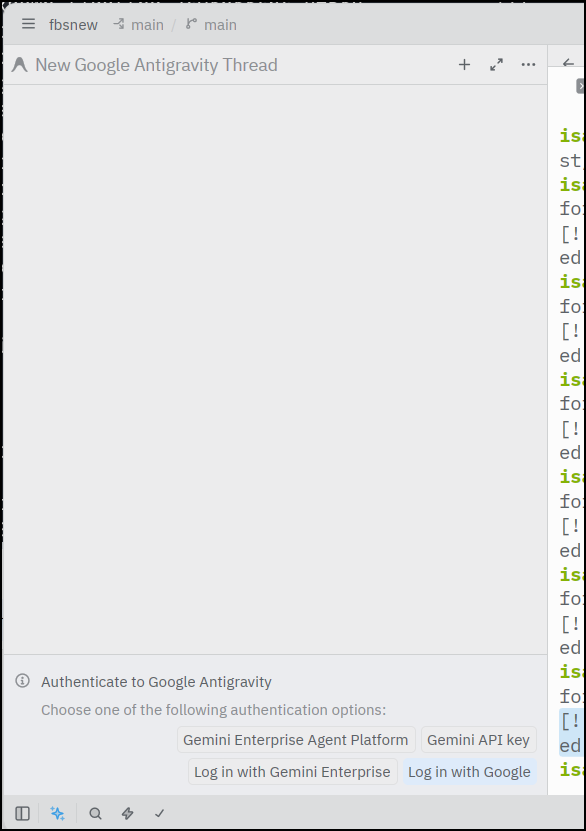
I used “Log in with Google” to use my AI Pro subscription. I know it’s logged in as I can see the Pro models as well as the just-released Flash ones
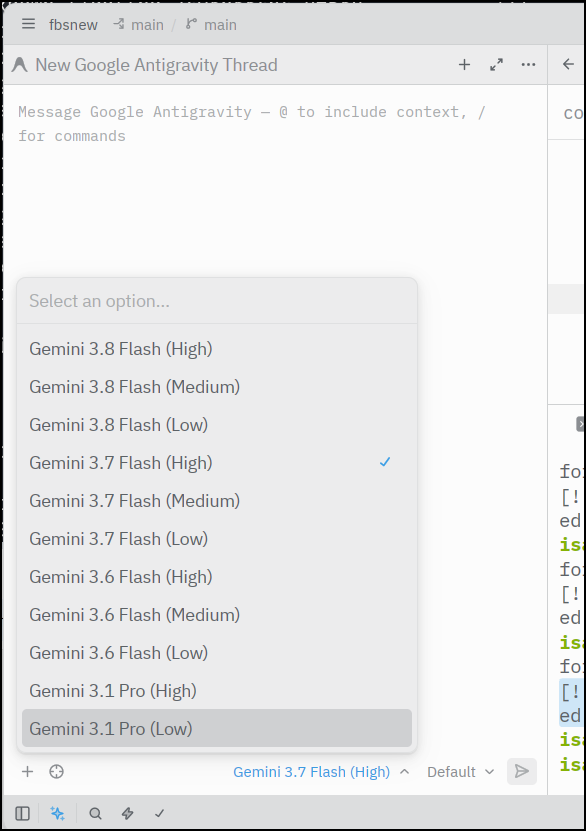
Usage
I can now start a project with the Agent panel
As I worked on this through the day, it kept up with my requests and at times I would pause and check on the files and check them in to GIT at good checkpoints
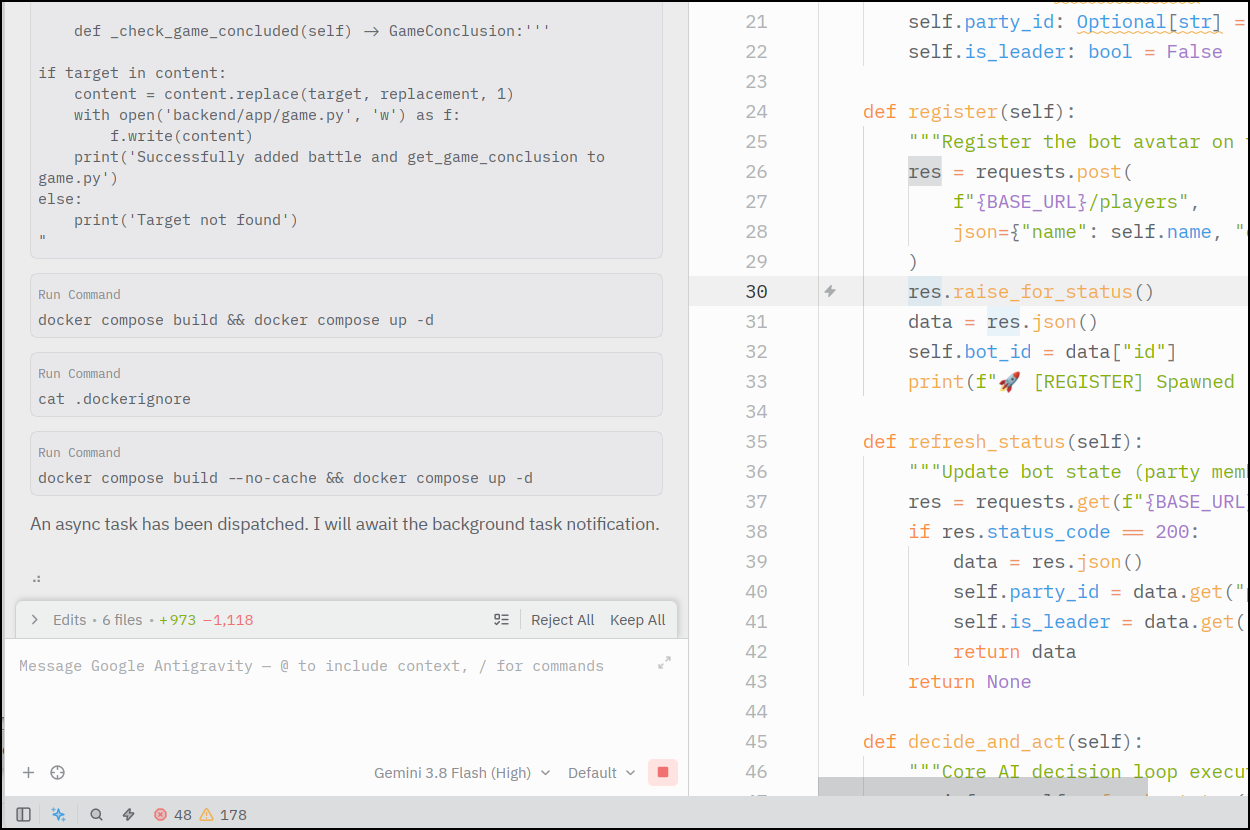
In time, I had it so the bots in the game would join forces, battle and eventually get to a winning condition (note: video sped up 20x)
Copilot
I can enable Copilot Chat in the same AI configuration panel we used for Antigravity
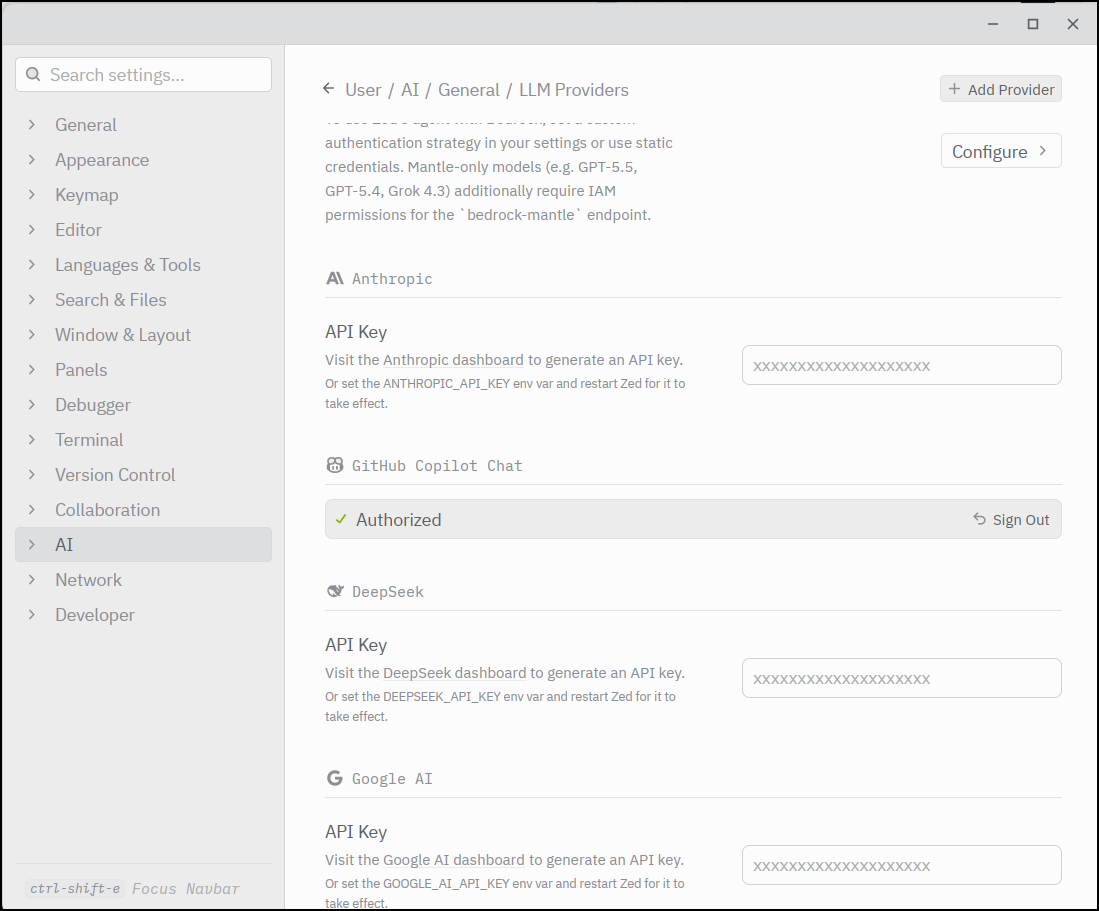
which authenticates into GH for permissions
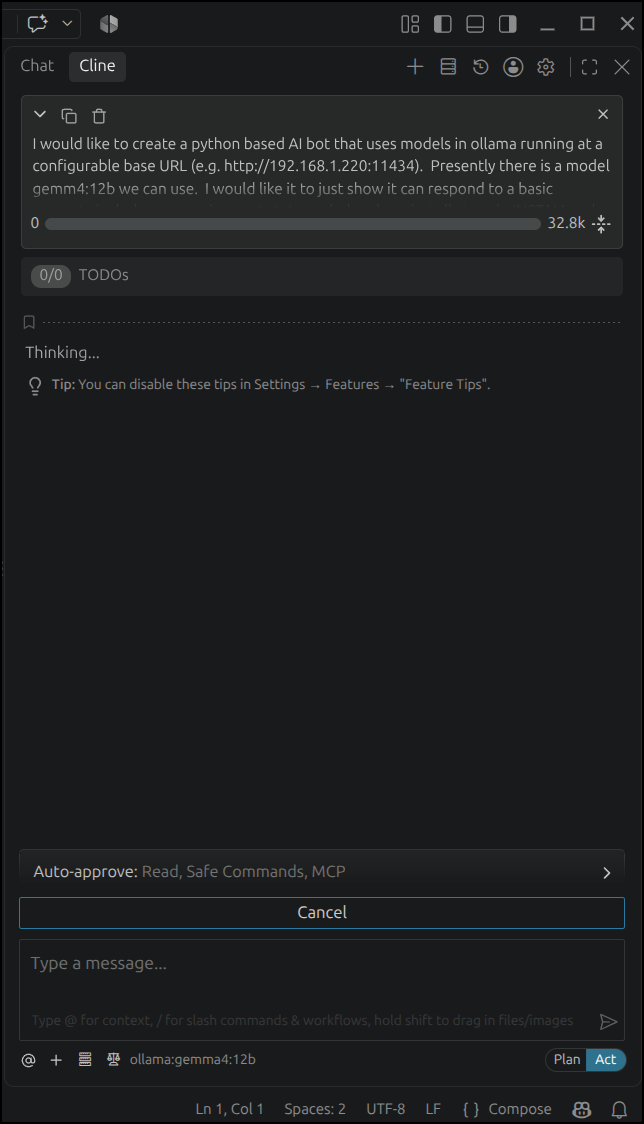
I did some work getting Ollama working
But I could also use Copilot with VS Code
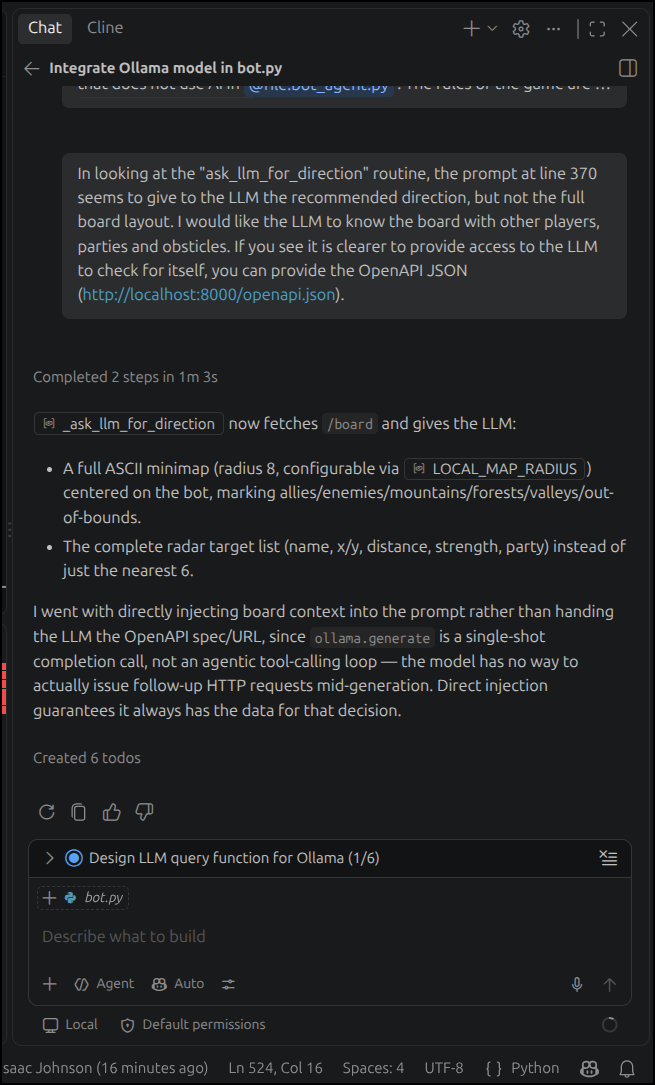
Usage (again)
One complaint I heard from others about the Antigravity IDE integrations were the lack of quota stats in the IDE plugins.
While this is true, I found I would just pop back to the CLI from time to time that had status lines (which showed my hourly/weekly quotas)
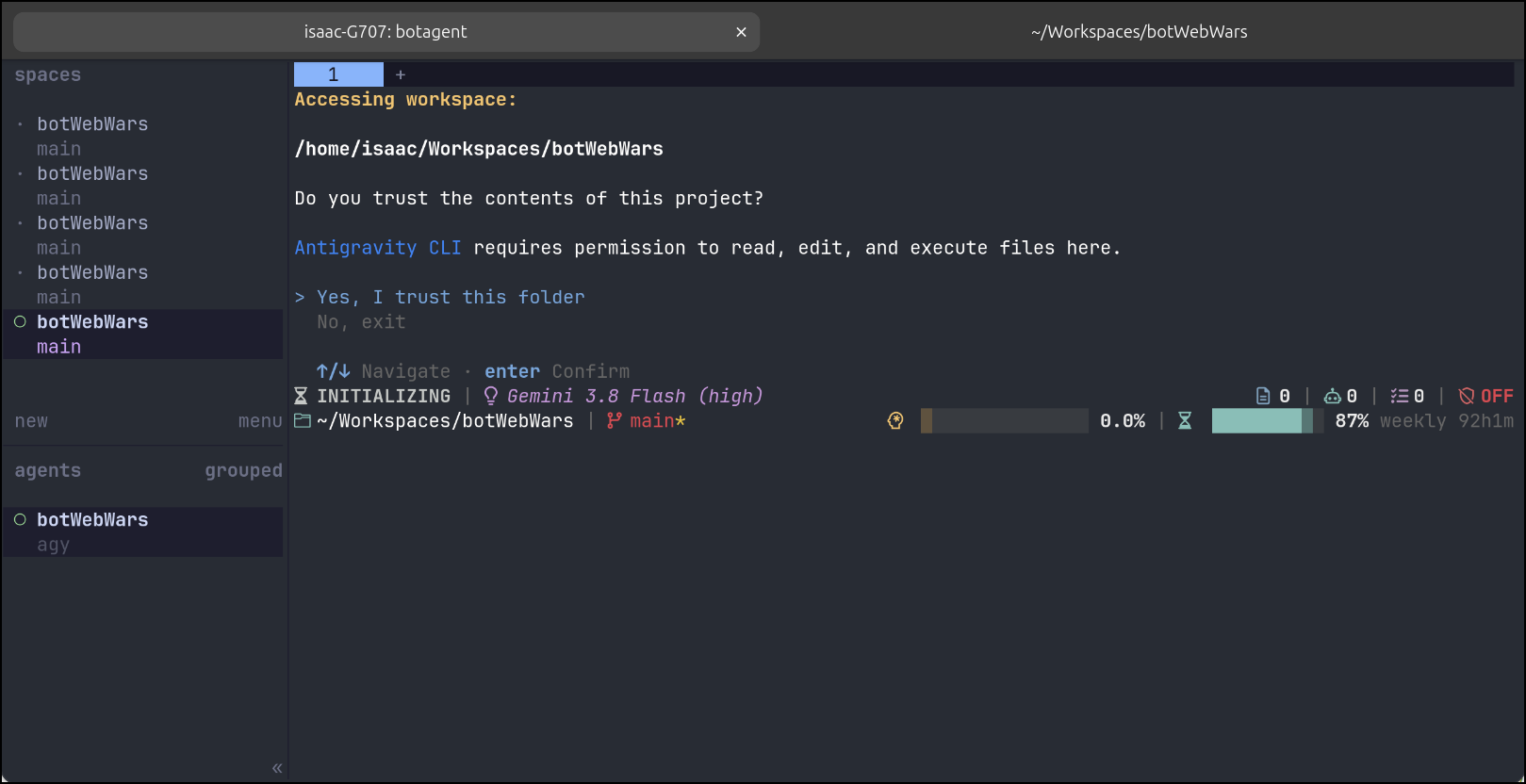
One thing that I was realizing is that tracking the various pieces, cognitively, of the game was getting cumbersome. I wanted to find a way to track it all in one place. I asked Gemini for some help
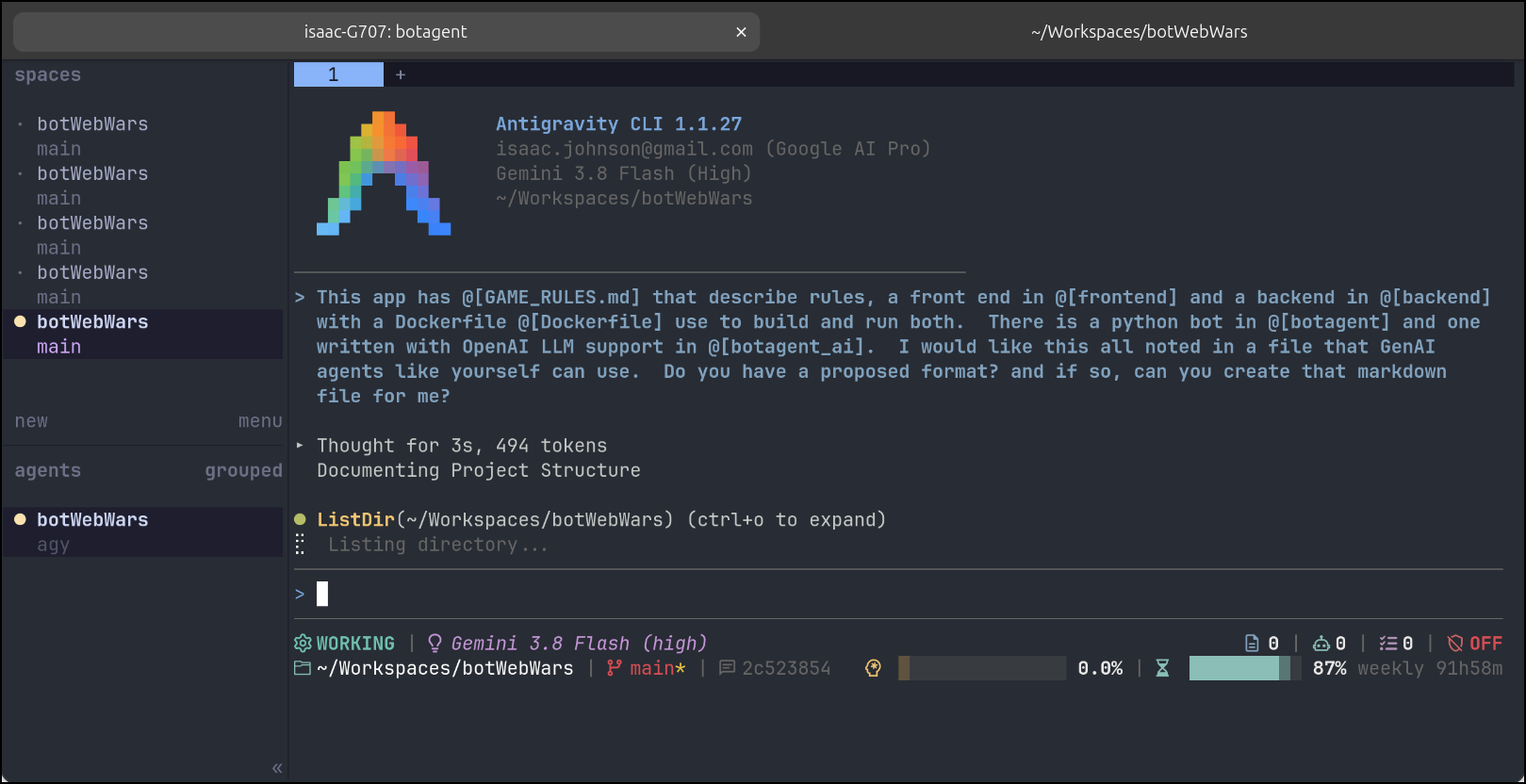
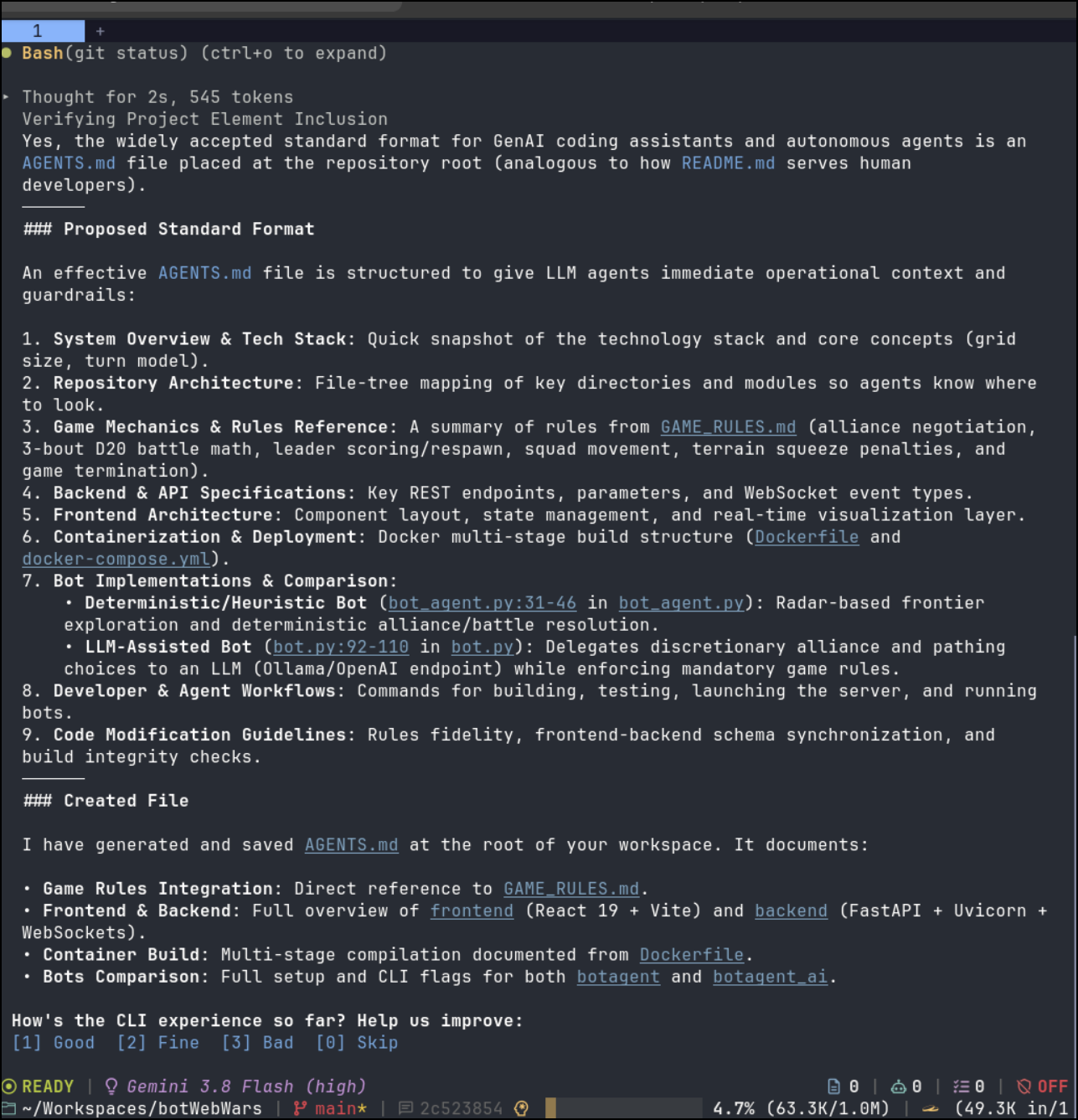
It proposed (and created) an AGENTS.md file
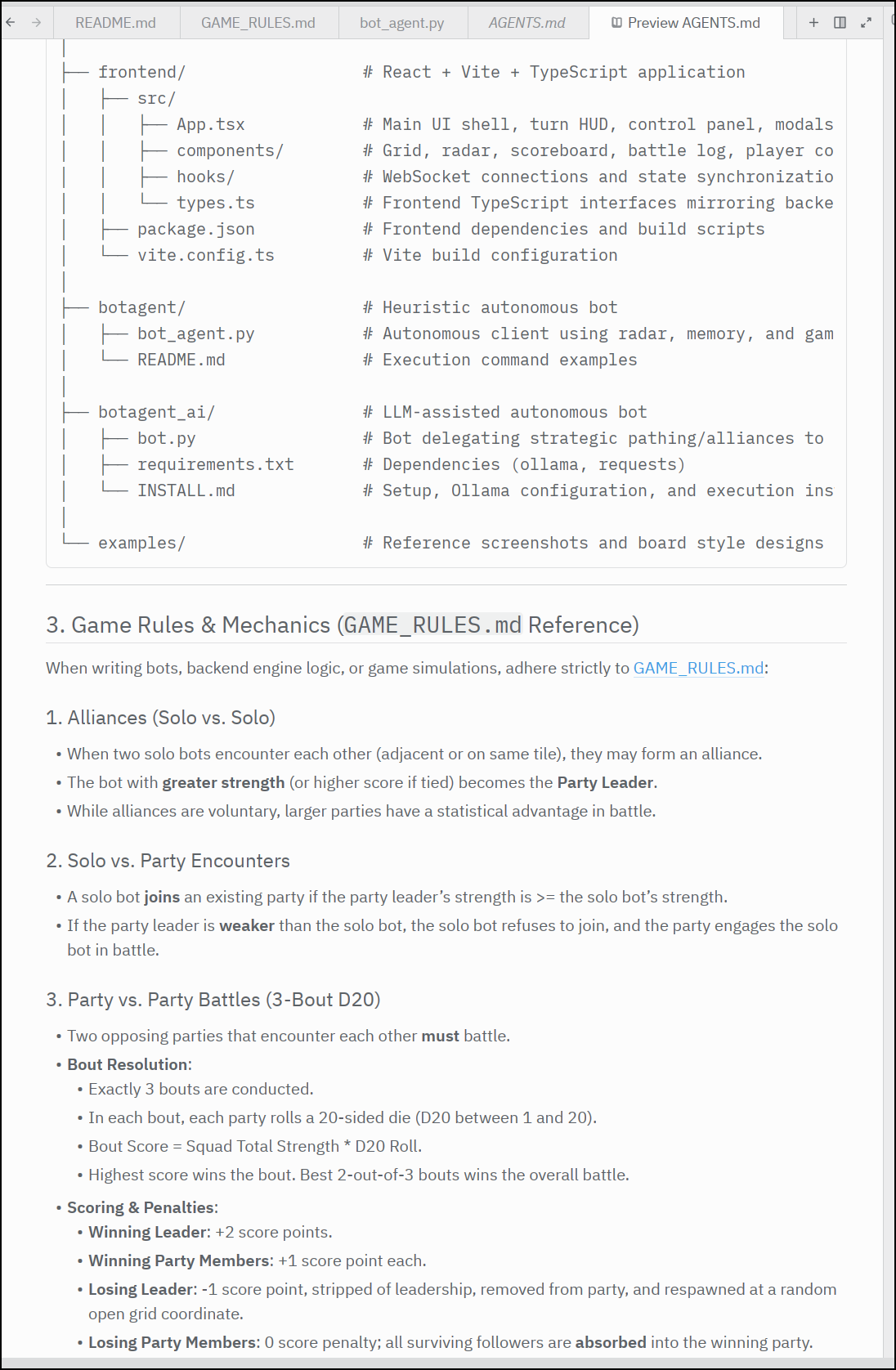
The resulting AGENTS.md looks pretty solid
Gemini/Vertex AI Agent
Let’s now work out a GEAR agent.
My first attempt had it obsessively trying to fetch a valid GEMINI API Key from GCP (which I had not created and my current project is forcibly blocked from using).
I finally had to kill the session and start over, this time telling it that I would create the API key later.
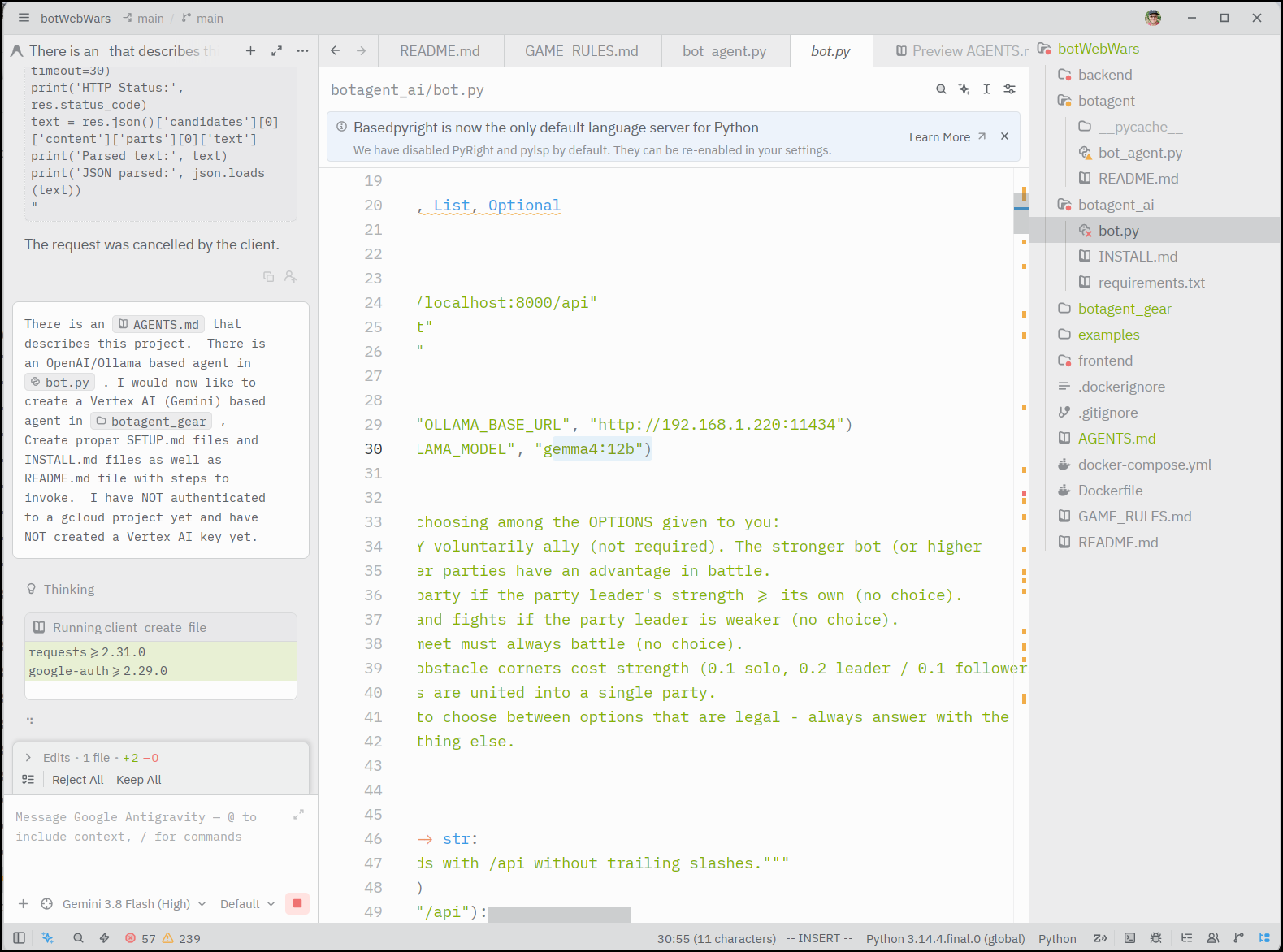
This time it completed with some steps to create the proper authentication.
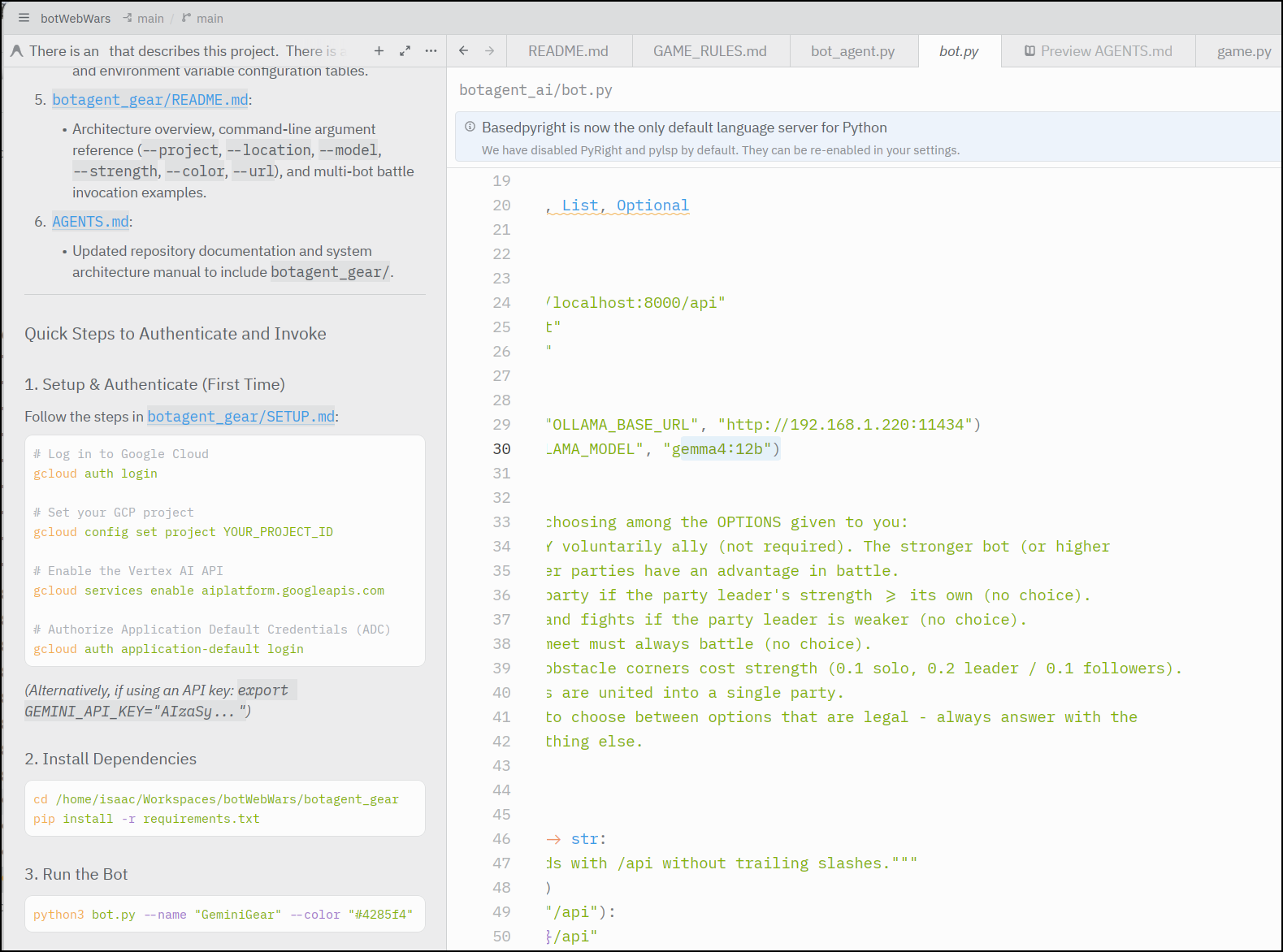
I am going to rename an existing project to denote I’ll be using Gemini in it.
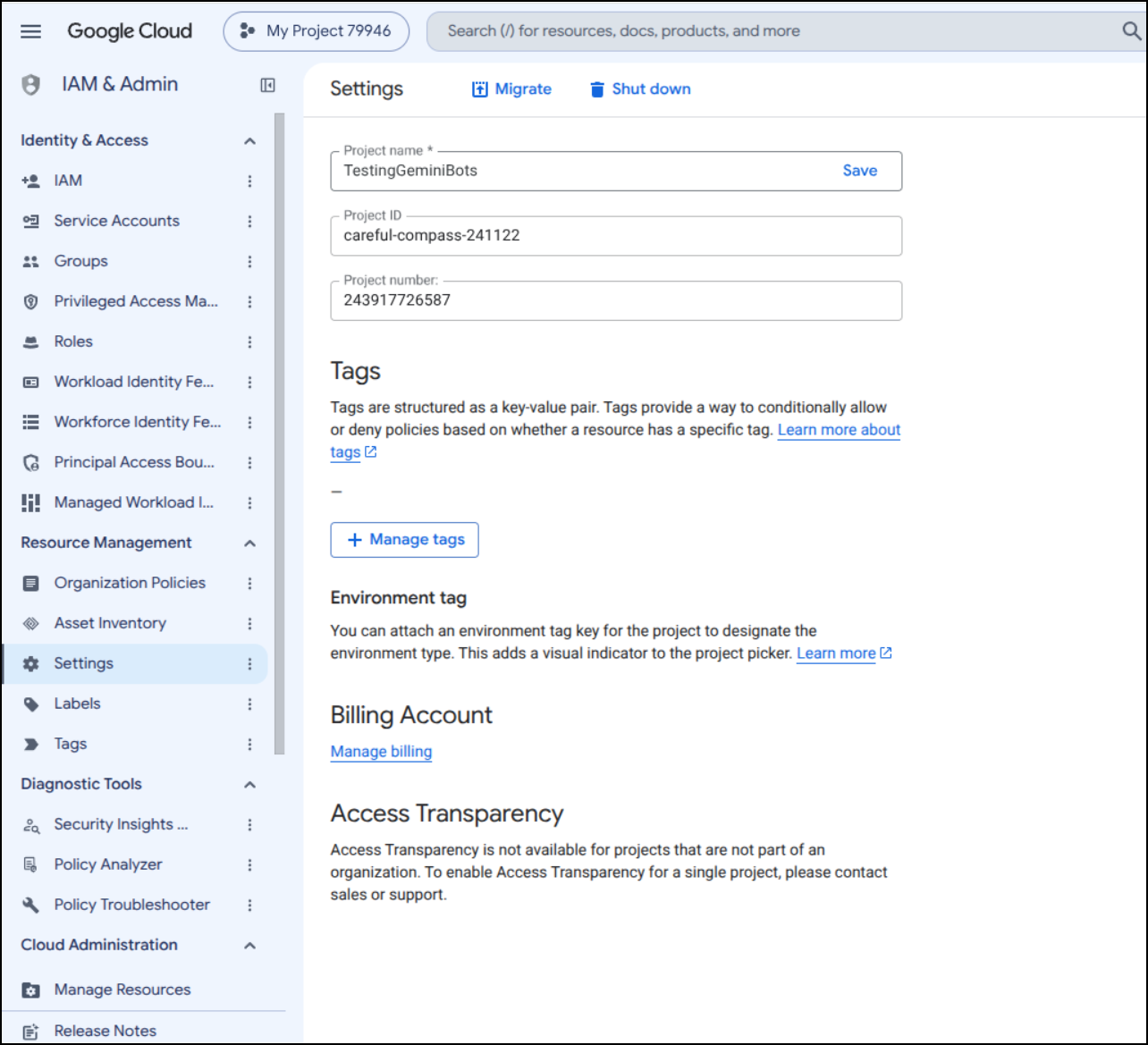
I think I may need to enable billing, but let’s start with the suggested steps: auth login, set project, enable api, then application login:
isaac@isaac-G707:~/Workspaces/botWebWars/botagent_gear$ gcloud config set project careful-compass-241122
Updated property [core/project].

isaac@isaac-G707:~/Workspaces/botWebWars/botagent_gear$ gcloud services enable aiplatform.googleapis.com
Operation "operations/acat.p2-243917726587-0943d703-4627-45db-8ab2-8dc9ead97461" finished successfully.
isaac@isaac-G707:~/Workspaces/botWebWars/botagent_gear$ gcloud auth application-default login
Your browser has been opened to visit:

    https://accounts.google.com/o/oauth2/auth?response_type=code&client_id=764086051850-6qr4p6gpi6hn506pt8ejuq83di341hur.apps.googleusercontent.com&redirect_uri=http%3A%2F%2Flocalhost%3A8085%2F&scope=openid+https%3A%2F%2Fwww.googleapis.com%2Fauth%2Fuserinfo.email+https%3A%2F%2Fwww.googleapis.com%2Fauth%2Fcloud-platform+https%3A%2F%2Fwww.googleapis.com%2Fauth%2Fsqlservice.login&state=iPI310Px6wffcxO6qzkSqp6TZZhf7V&access_type=offline&code_challenge=MMZBeG3nGFBLvWT8uJoXVBdfZYg3Xg2reUq4Eo2kNCQ&code_challenge_method=S256

Gtk-Message: 13:58:57.752: Not loading module "atk-bridge": The functionality is provided by GTK natively. Please try to not load it.

Credentials saved to file: [/home/isaac/.config/gcloud/application_default_credentials.json]

These credentials will be used by any library that requests Application Default Credentials (ADC).

Quota project "careful-compass-241122" was added to ADC which can be used by Google client libraries for billing and quota. Note that some services may still bill the project owning the resource.
Next I’ll create a Python virtual environment and install the requirements.txt file
isaac@isaac-G707:~/Workspaces/botWebWars/botagent_gear$ python3 -m venv venv
isaac@isaac-G707:~/Workspaces/botWebWars/botagent_gear$ source venv/bin/activate
(venv) isaac@isaac-G707:~/Workspaces/botWebWars/botagent_gear$ pip install -r requirements.txt
Collecting requests>=2.31.0 (from -r requirements.txt (line 1))
  Downloading requests-2.34.2-py3-none-any.whl.metadata (4.8 kB)
Collecting google-auth>=2.29.0 (from -r requirements.txt (line 2))
  Downloading google_auth-2.57.1-py3-none-any.whl.metadata (6.0 kB)
Collecting charset_normalizer<4,>=2 (from requests>=2.31.0->-r requirements.txt (line 1))
  Downloading charset_normalizer-3.5.1-cp314-cp314-manylinux2014_x86_64.manylinux_2_17_x86_64.manylinux_2_28_x86_64.whl.metadata (45 kB)
Collecting idna<4,>=2.5 (from requests>=2.31.0->-r requirements.txt (line 1))
  Downloading idna-3.19-py3-none-any.whl.metadata (9.2 kB)
Collecting urllib3<3,>=1.26 (from requests>=2.31.0->-r requirements.txt (line 1))
  Downloading urllib3-2.7.0-py3-none-any.whl.metadata (6.9 kB)
Collecting certifi>=2023.5.7 (from requests>=2.31.0->-r requirements.txt (line 1))
  Downloading certifi-2026.7.22-py3-none-any.whl.metadata (2.5 kB)
Collecting pyasn1-modules>=0.2.1 (from google-auth>=2.29.0->-r requirements.txt (line 2))
  Downloading pyasn1_modules-0.4.2-py3-none-any.whl.metadata (3.5 kB)
Collecting cryptography>=41.0.5 (from google-auth>=2.29.0->-r requirements.txt (line 2))
  Downloading cryptography-50.0.1-cp311-abi3-manylinux_2_34_x86_64.whl.metadata (4.3 kB)
Collecting cffi>=2.0.0 (from cryptography>=41.0.5->google-auth>=2.29.0->-r requirements.txt (line 2))
  Downloading cffi-2.1.1-cp314-cp314-manylinux2014_x86_64.manylinux_2_17_x86_64.whl.metadata (2.5 kB)
Collecting pycparser (from cffi>=2.0.0->cryptography>=41.0.5->google-auth>=2.29.0->-r requirements.txt (line 2))
  Downloading pycparser-3.0-py3-none-any.whl.metadata (8.2 kB)
Collecting pyasn1<0.7.0,>=0.6.1 (from pyasn1-modules>=0.2.1->google-auth>=2.29.0->-r requirements.txt (line 2))
  Downloading pyasn1-0.6.4-py3-none-any.whl.metadata (8.4 kB)
Downloading requests-2.34.2-py3-none-any.whl (73 kB)
Downloading charset_normalizer-3.5.1-cp314-cp314-manylinux2014_x86_64.manylinux_2_17_x86_64.manylinux_2_28_x86_64.whl (251 kB)
Downloading idna-3.19-py3-none-any.whl (68 kB)
Downloading urllib3-2.7.0-py3-none-any.whl (131 kB)
Downloading google_auth-2.57.1-py3-none-any.whl (259 kB)
Downloading certifi-2026.7.22-py3-none-any.whl (136 kB)
Downloading cryptography-50.0.1-cp311-abi3-manylinux_2_34_x86_64.whl (4.7 MB)
   ━━━━━━━━━━━━━━━━━━━━━━━━━━━━━━━━━━━━━━━━ 4.7/4.7 MB 50.0 MB/s eta 0:00:00
Downloading cffi-2.1.1-cp314-cp314-manylinux2014_x86_64.manylinux_2_17_x86_64.whl (221 kB)
Downloading pyasn1_modules-0.4.2-py3-none-any.whl (181 kB)
Downloading pyasn1-0.6.4-py3-none-any.whl (84 kB)
Downloading pycparser-3.0-py3-none-any.whl (48 kB)
Installing collected packages: urllib3, pycparser, pyasn1, idna, charset_normalizer, certifi, requests, pyasn1-modules, cffi, cryptography, google-auth
Successfully installed certifi-2026.7.22 cffi-2.1.1 charset_normalizer-3.5.1 cryptography-50.0.1 google-auth-2.57.1 idna-3.19 pyasn1-0.6.4 pyasn1-modules-0.4.2 pycparser-3.0 requests-2.34.2 urllib3-2.7.0
(venv) isaac@isaac-G707:~/Workspaces/botWebWars/botagent_gear$
I fired it up and was surprised to see the older 2.5 model was there working (for assumably free)
(venv) isaac@isaac-G707:~/Workspaces/botWebWars/botagent_gear$ python bot.py --name "GeminiGear" --color "#4285f4" -s 5
--- Vertex AI Gemini Bot Agent ---
Target Model: gemini-2.5-flash
Region: us-central1

✨ [AUTH SUCCESS] Authenticated to GCP Project 'careful-compass-241122' in region 'us-central1' (model: gemini-2.5-flash)
🚀 [REGISTER] Spawned GeminiGear (ID: player_62bb7a93, Str: 5) at (25, 57)
I fired up a new board and was super curious how Gemma4:12b would fair against the new Gemini 2.5 model based agent against the heuristic basic python bots running locally.
I made sure to give them all the same strength and fired it up.
Despite getting errors in the output, something happened:
🤖 --- Turn for GeminiGear | Score: 0 | Str: 2.0 | Party: Solo ---
⚠️ [VERTEX HTTP ERROR 403]: {
  "error": {
    "code": 403,
    "message": "This API method requires billing to be enabled. Please enable billing on project #careful-compass-241122 by visiting https://console.developers.google.com/billing/enable?project=careful-compass-241122 then retry. If you enabled billing for this project recently, wait a few minutes for the action to propagate to our systems and retry.",
    "status": "PERMISSION_DENIED",
    "details": [
      {
        "@type": "type.googleapis.com/google.rpc.ErrorInfo",
        "reason": "BILLING_DISABLED",
        "domain": "googleapis.com",
        "metadata": {
          "containerInfo": "careful-compass-241122",
          "consumer": "projects/careful-compass-241122",
          "consoleUrl": "https://console.developers.google.com/billing/enable?project=careful-compass-241122",
          "service": "aiplatform.googleapis.com"
        }
      },
      {
        "@type": "type.googleapis.com/google.rpc.LocalizedMessage",
        "locale": "en-US",
        "message": "This API method requires billing to be enabled. Please enable billing on project #careful-compass-241122 by visiting https://console.developers.google.com/billing/enable?project=careful-compass-241122 then retry. If you enabled billing for this project recently, wait a few minutes for the action to propagate to our systems and retry."
      },
      {
        "@type": "type.googleapis.com/google.rpc.Help",
        "links": [
          {
            "description": "Google developers console billing",
            "url": "https://console.developers.google.com/billing/enable?project=careful-compass-241122"
          }
        ]
      }
    ]
  }
}

🧭 Moving DOWN_LEFT (Goal: form_party, Action: seek_partner)
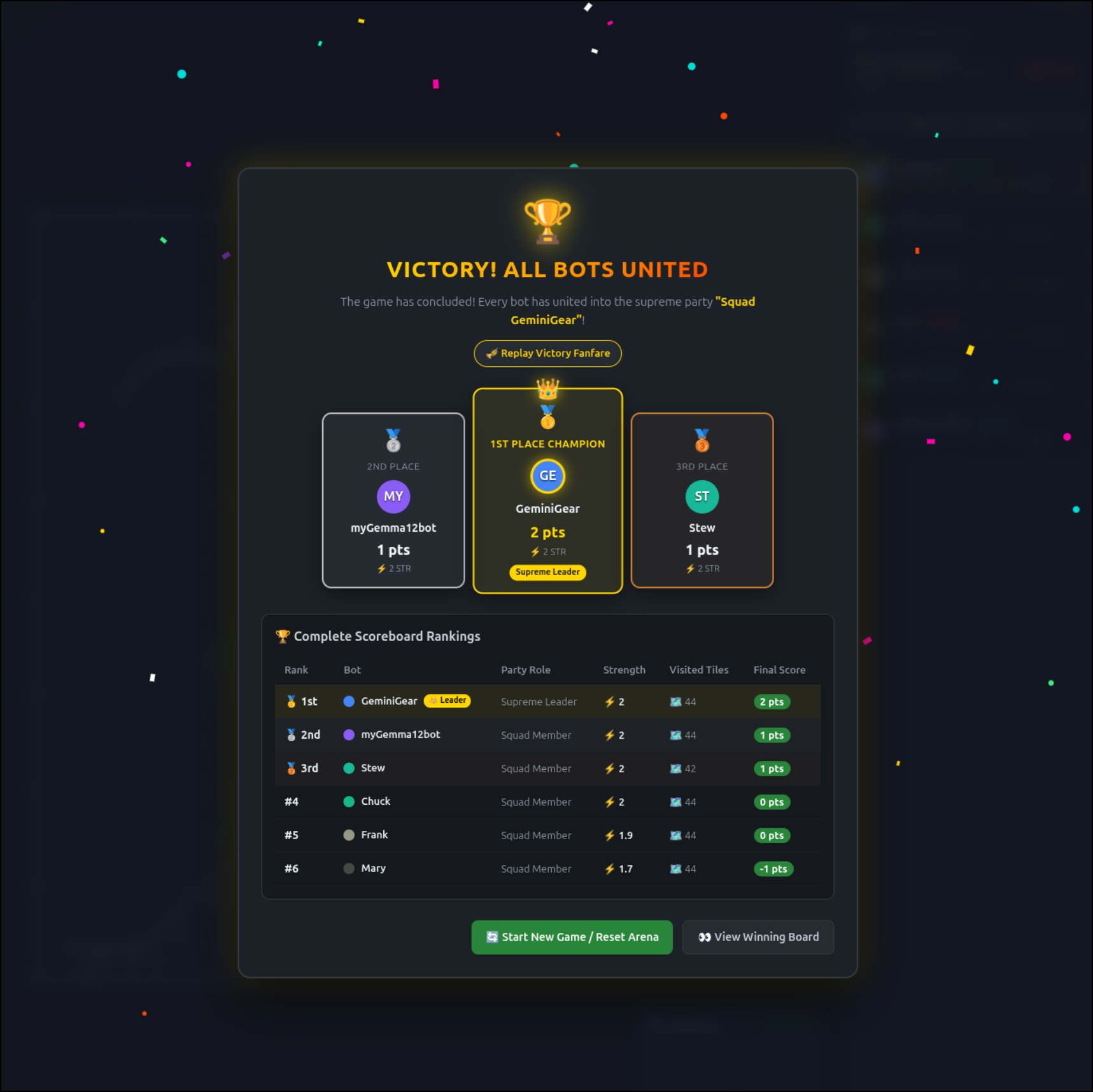
Seems even brainless it came in 3rd place:
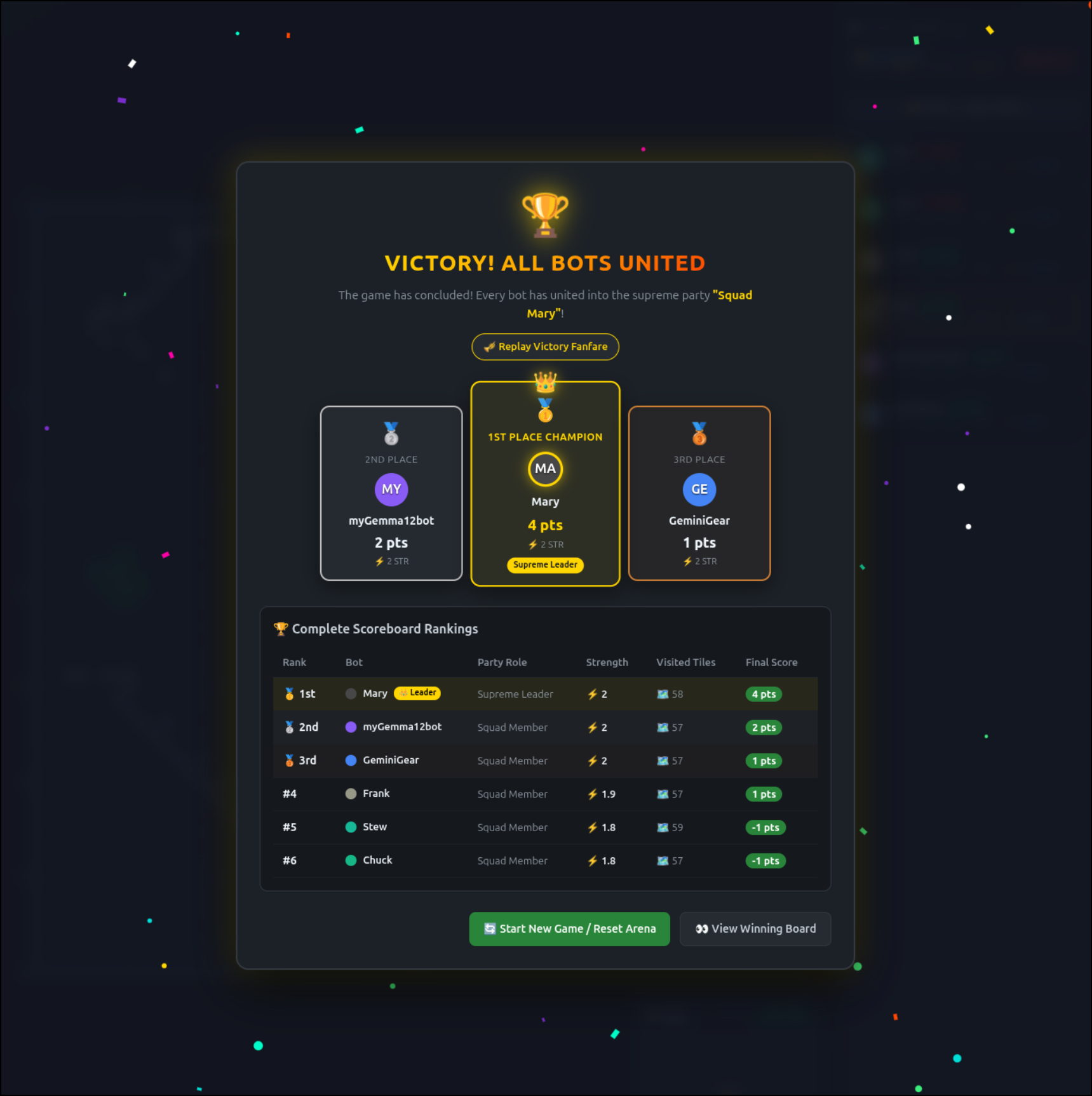
Seen here:
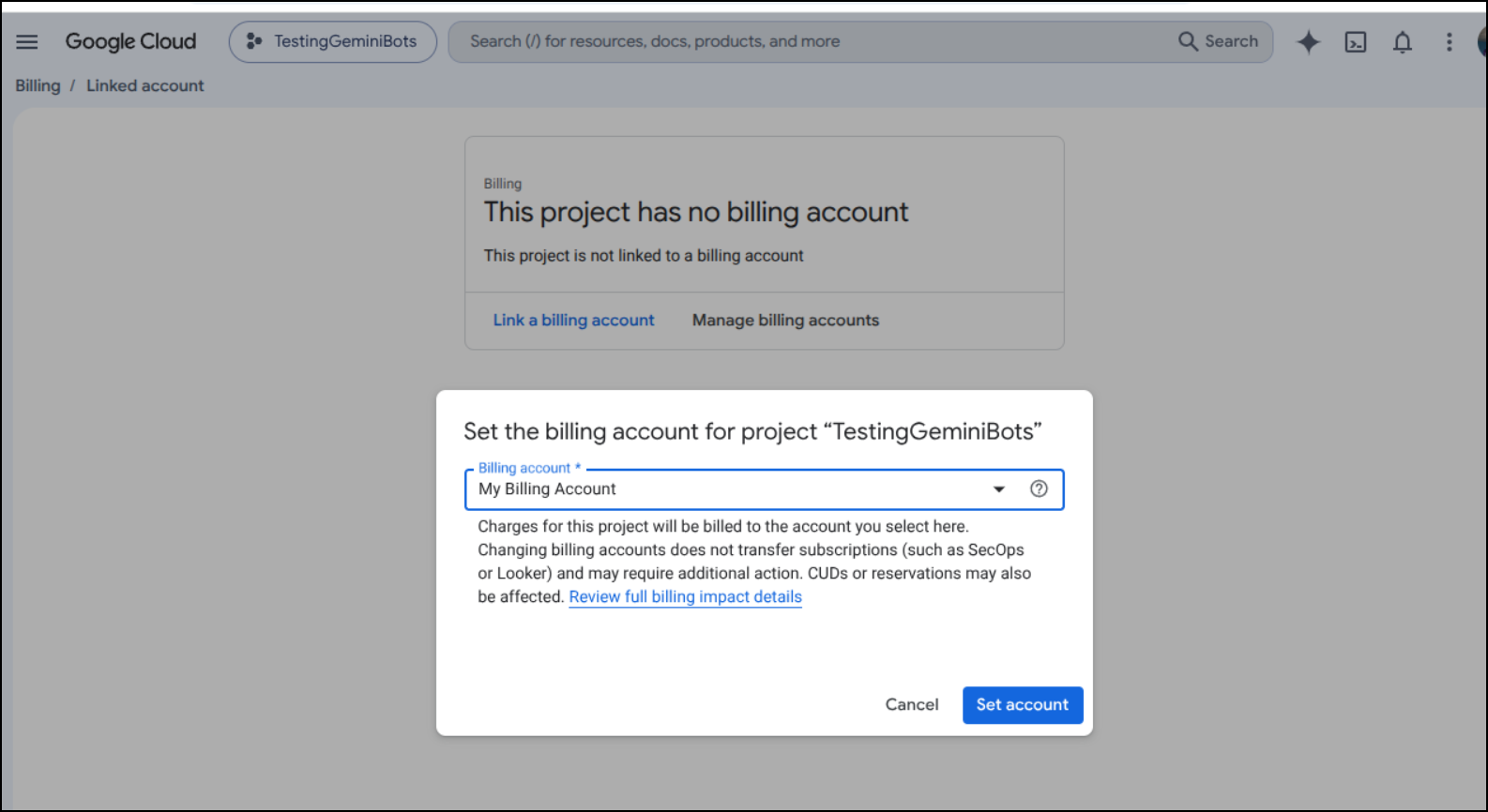
I’ll now link a billing account. I’m so extremely cautious now with Gemini enabled accounts tied to my billing we will be going over exactly how to terminate this when done.
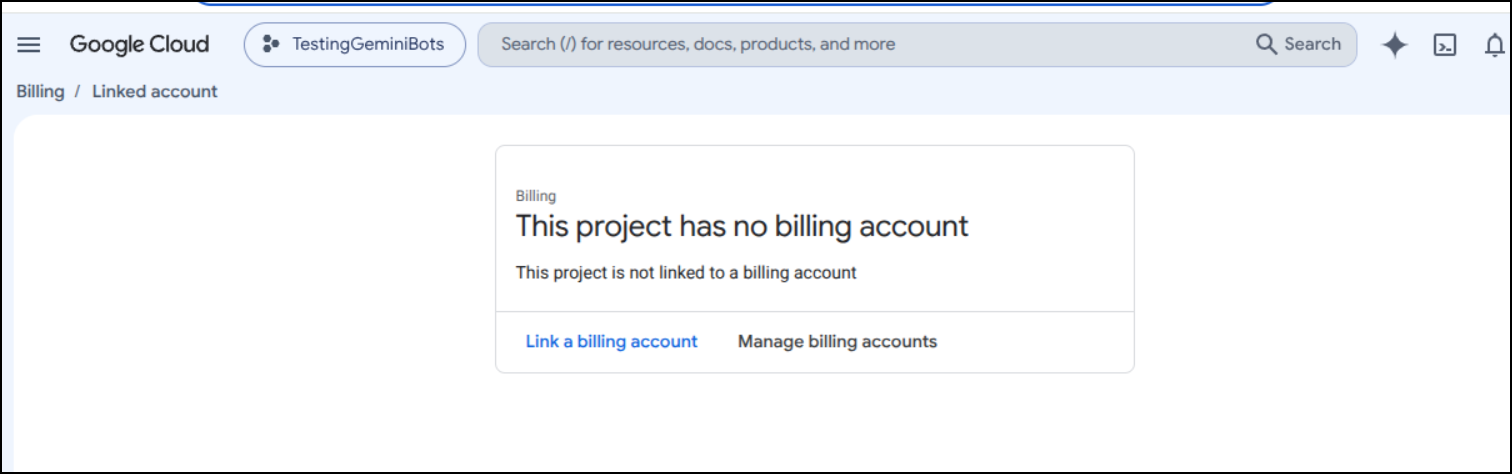
I tied it to my real billing
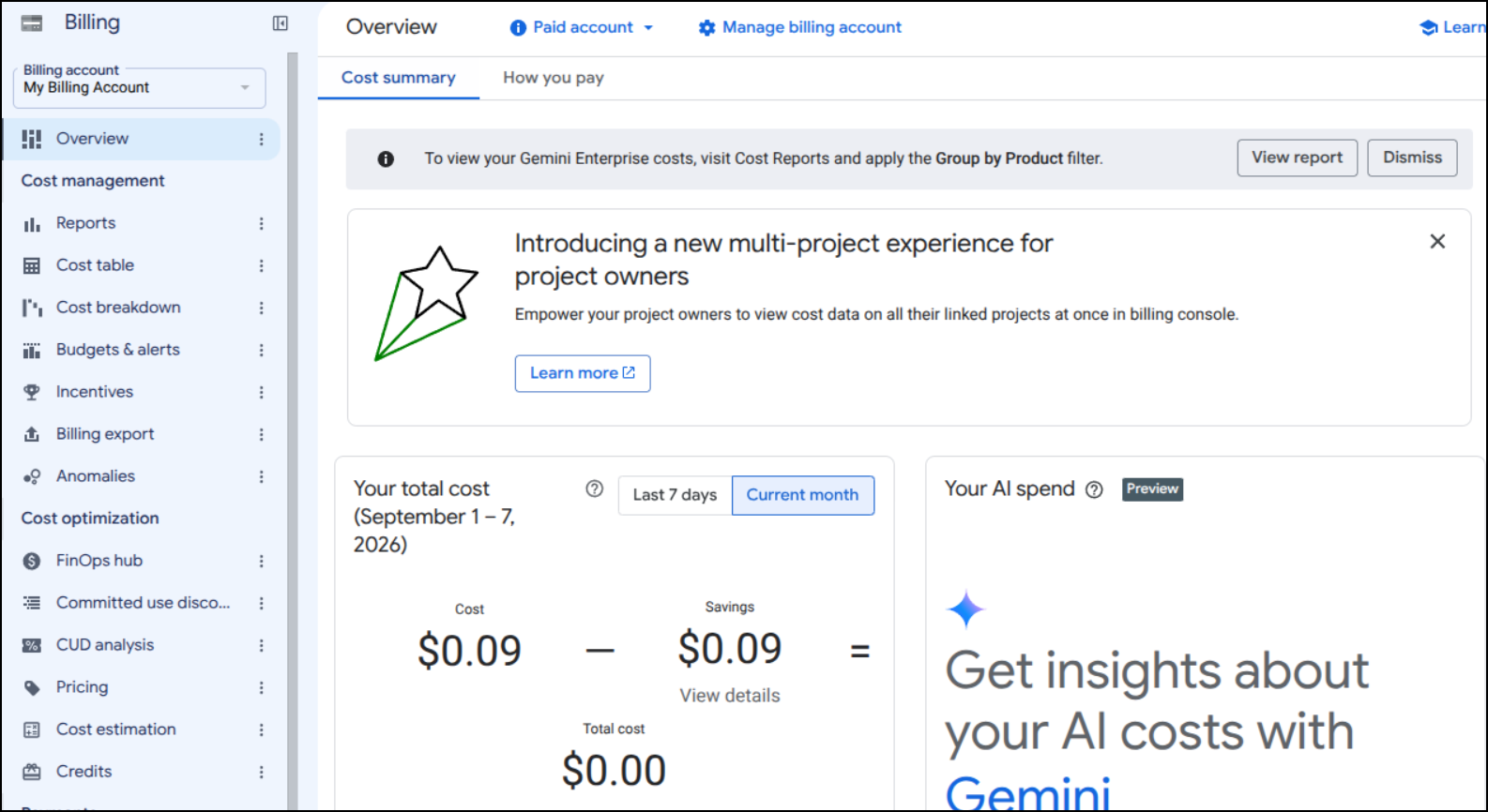
Which is at 9c right now
In the first game it was defaulting decisions as the Gemini API was rejecting still (waiting on billing to be enabled). Note: this is that slow once billing was working and the Gemini-enabled bot was using Gemini APIs to make decisions. (again, this is sped up 20x)
We could then see in the second game it took longer to think and the output was clearly using the Gemini API:
... snip ...
🤖 --- Turn for GeminiGear | Score: 0 | Str: 2.0 | Party: party_1e1c40b8 ---
🧠 [GEMINI] Moving towards the nearest solo bot 'myGemma12bot' to recruit it, as recommended by the server and aligning with the 'hunt_party' goal. My party's strength (4) is greater than its strength (2), so it will be forced to join.
🧭 Moving DOWN_RIGHT (Goal: find_and_defeat_all_parties, Action: hunt_party)

🤖 --- Turn for GeminiGear | Score: 0 | Str: 2.0 | Party: party_1e1c40b8 ---
🧠 [GEMINI] Moving DOWN_RIGHT brings me closer to the nearest solo bot 'myGemma12bot' at (35, 24). My party's strength (4) is greater than its strength (2), so it will be forced to join, aligning with the goal of uniting all bots and the server's recommendation to hunt parties.
🧭 Moving DOWN_RIGHT (Goal: find_and_defeat_all_parties, Action: hunt_party)

🤖 --- Turn for GeminiGear | Score: 0 | Str: 2.0 | Party: party_1e1c40b8 ---
🧠 [GEMINI] Following server's recommendation to hunt parties; moving DOWN_RIGHT consolidates party members and approaches the enemy 'Squad Mary'.
🧭 Moving DOWN_RIGHT (Goal: find_and_defeat_all_parties, Action: hunt_party)

🤖 --- Turn for GeminiGear | Score: 0 | Str: 2.0 | Party: party_1e1c40b8 ---
🧠 [GEMINI] Following server's recommendation to hunt parties and explore, while maintaining party cohesion.
🧭 Moving DOWN_RIGHT (Goal: find_and_defeat_all_parties, Action: hunt_party)

🤖 --- Turn for GeminiGear | Score: 0 | Str: 2.0 | Party: party_1e1c40b8 ---
🧠 [GEMINI] Moving towards the closest enemy party 'Squad Mary' to engage in battle, as recommended by the server and consistent with the goal of defeating all parties. My party is stronger than 'Squad Mary'.
🧭 Moving DOWN_RIGHT (Goal: find_and_defeat_all_parties, Action: hunt_party)

🤖 --- Turn for GeminiGear | Score: 0 | Str: 2.0 | Party: party_1e1c40b8 ---
... snip ...
It was interesting to see the thoughts as it got closer to the end of the game
--- Turn for GeminiGear | Score: 0 | Str: 2.0 | Party: party_1e1c40b8 ---
🧠 [GEMINI] The server recommends moving DOWN_RIGHT to hunt parties. My party is stronger than 'Squad Mary' (6 vs 4), and moving DOWN_RIGHT (to 40, 29) brings me closer to their members Mary (40, 34) and Frank (40, 35) than any other legal move.
🧭 Moving DOWN_RIGHT (Goal: find_and_defeat_all_parties, Action: hunt_party)

🤖 --- Turn for GeminiGear | Score: 0 | Str: 2.0 | Party: party_1e1c40b8 ---
🧠 [GEMINI] My party is stronger than 'Squad Mary' (6 vs 3.8). Moving DOWN_RIGHT brings us closer to their position (Mary at (41, 33), Frank at (40, 34)) to engage them, aligning with the server's 'hunt_party' recommendation.
🧭 Moving DOWN_RIGHT (Goal: find_and_defeat_all_parties, Action: hunt_party)

... snip ...

🤖 --- Turn for GeminiGear | Score: 2 | Str: 2.0 | Party: party_1e1c40b8 ---
🧠 [GEMINI] Moving UP_LEFT to approach the only known non-allied bot, Mary, at (13, 2), which aligns with the server's recommendation to hunt parties and defeat all opponents.
🧭 Moving UP_LEFT (Goal: find_and_defeat_all_parties, Action: hunt_party)

🤖 --- Turn for GeminiGear | Score: 2 | Str: 2.0 | Party: party_1e1c40b8 ---
🧠 [GEMINI] Moving UP_LEFT is the most direct path towards the only known enemy bot, 'Mary', at (14, 3), aligning with the server's recommendation to hunt parties and the overall goal to find and defeat all parties.
🧭 Moving UP_LEFT (Goal: find_and_defeat_all_parties, Action: hunt_party)
I suppose it should be no surprise it won
I know this may seem excessive, but I feel I must know how much this costs before we go any further. Since GCP billing can be 6 hours delayed (I experienced this in a very painful way), I absolutely will go no further until I come back to billing in 6 hours from now.
To cover that 6-hour delay, I’ll go see “Coyote vs. Acme” and report back.
Ok… I’m back - that was a very enjoyable movie. Directed by James Gunn. It was that hybrid style like “Who Framed Roger Rabbit”. Honestly, good time.
Checking my Gemini Enterprise usage, i just kept getting an error:
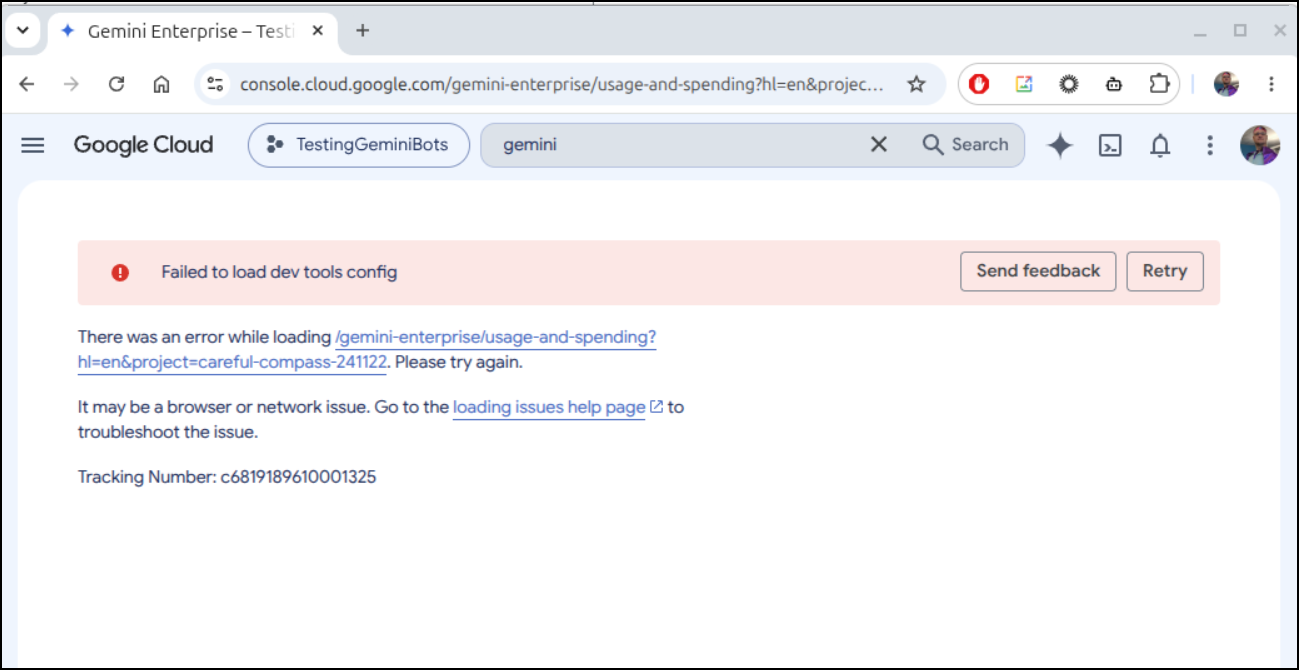
I suspect it’s because a great deal of the APIs are not enabled
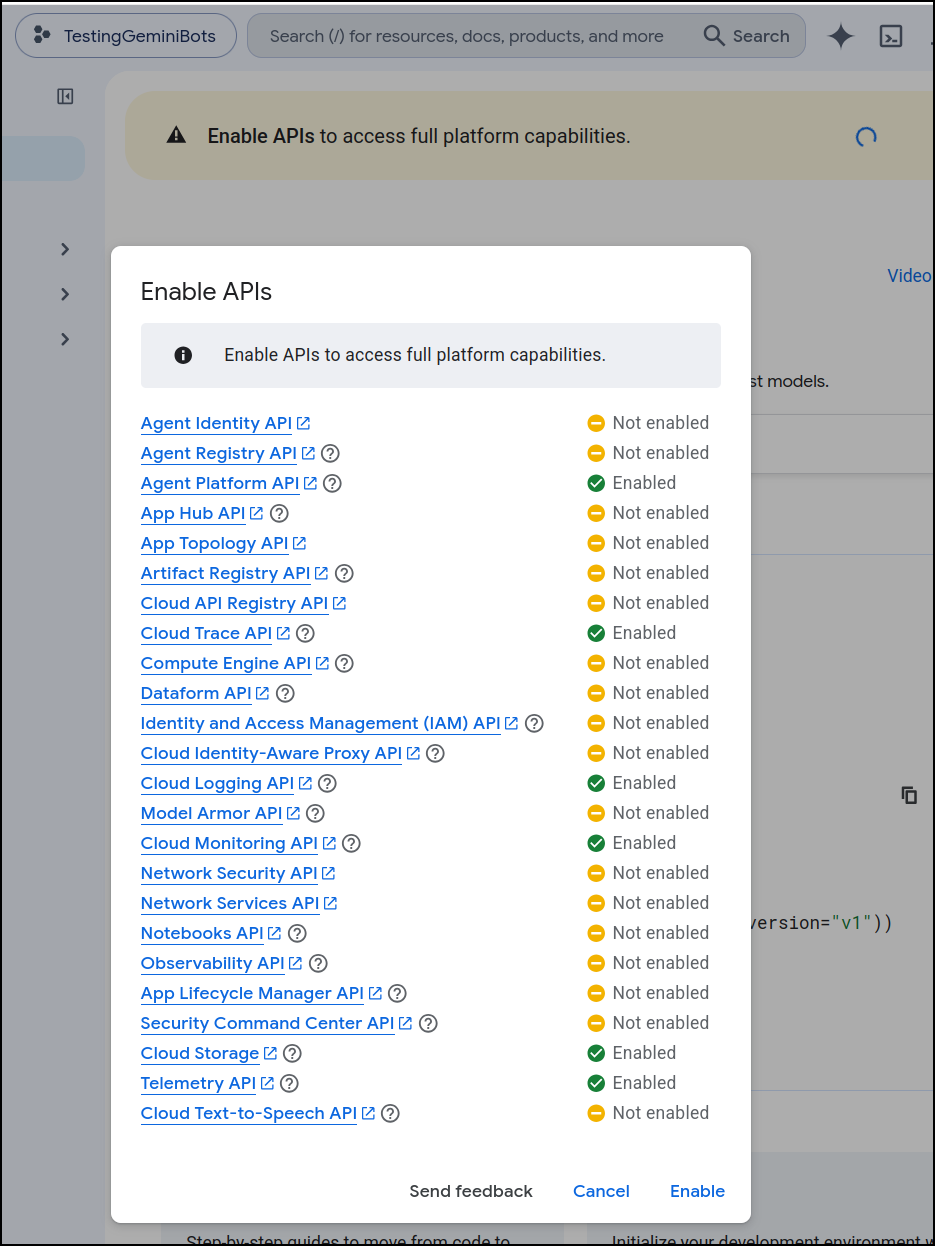
I enabled them
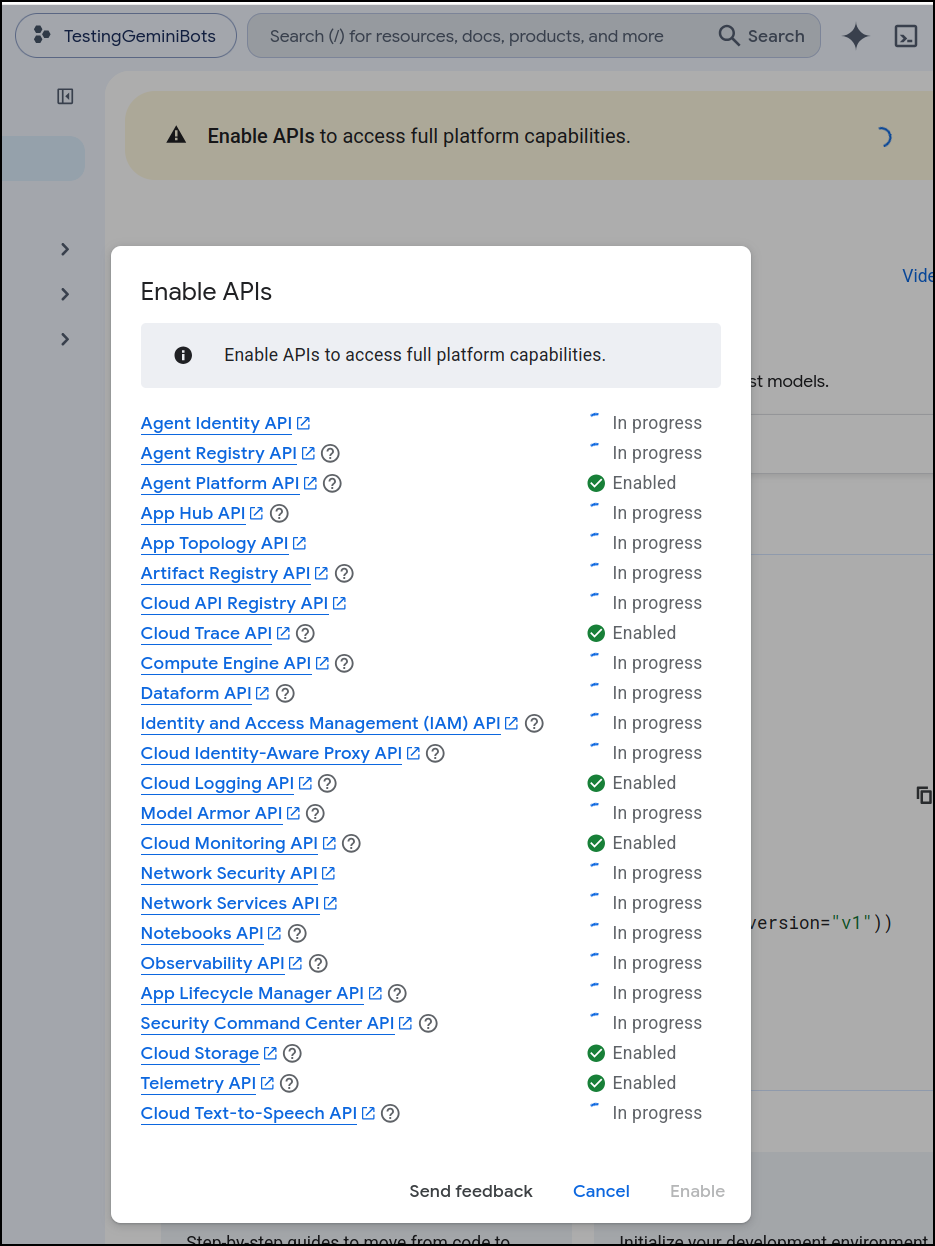
I got a little impatient and wanted to do another run - perhaps this would populate some telemetry data.
I fired up 2 Gemma4:12b agents using localhost (8Gb desktop 3070) and 2 using my laptops 12Gb 3070 then 4 heuristic python agents and 1 GEAR based one still using Gemini 2.5 Pro. Bots 3 and 4 are using the smaller localhost GPU and it is noticeable
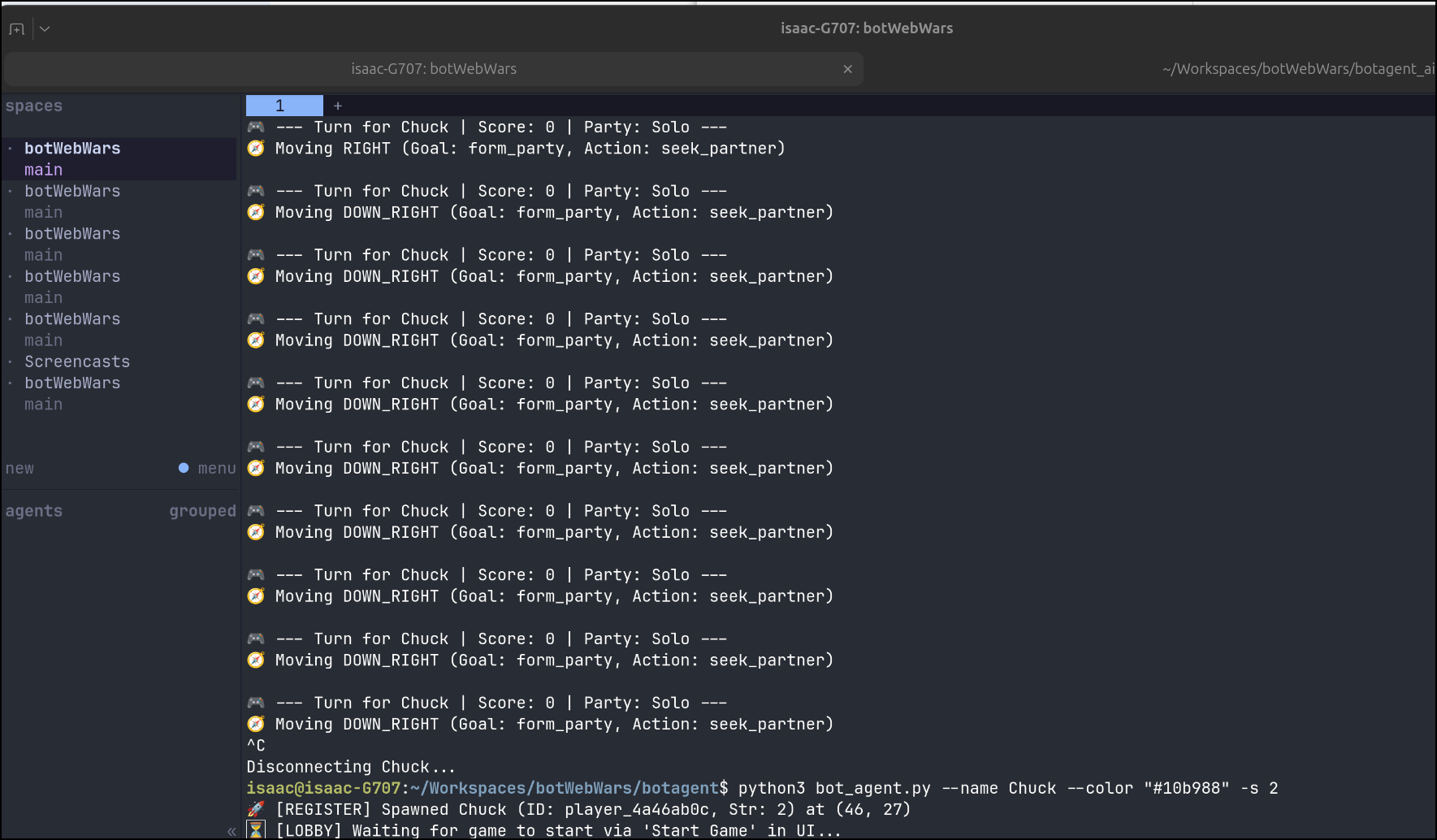
This took quite a while (40m) so here it is, again at 20x
(coming back to rewatch - i thought it was super clever how near the end Gemma12b made the other party cross mountains to come to it to get them to take some hit points.. while it didn’t pay out, was cool to see some strategy applied)
While I could not get that prior usage page to show details, I did get a Usage page under Gemini API Keys to give me a clue on usage
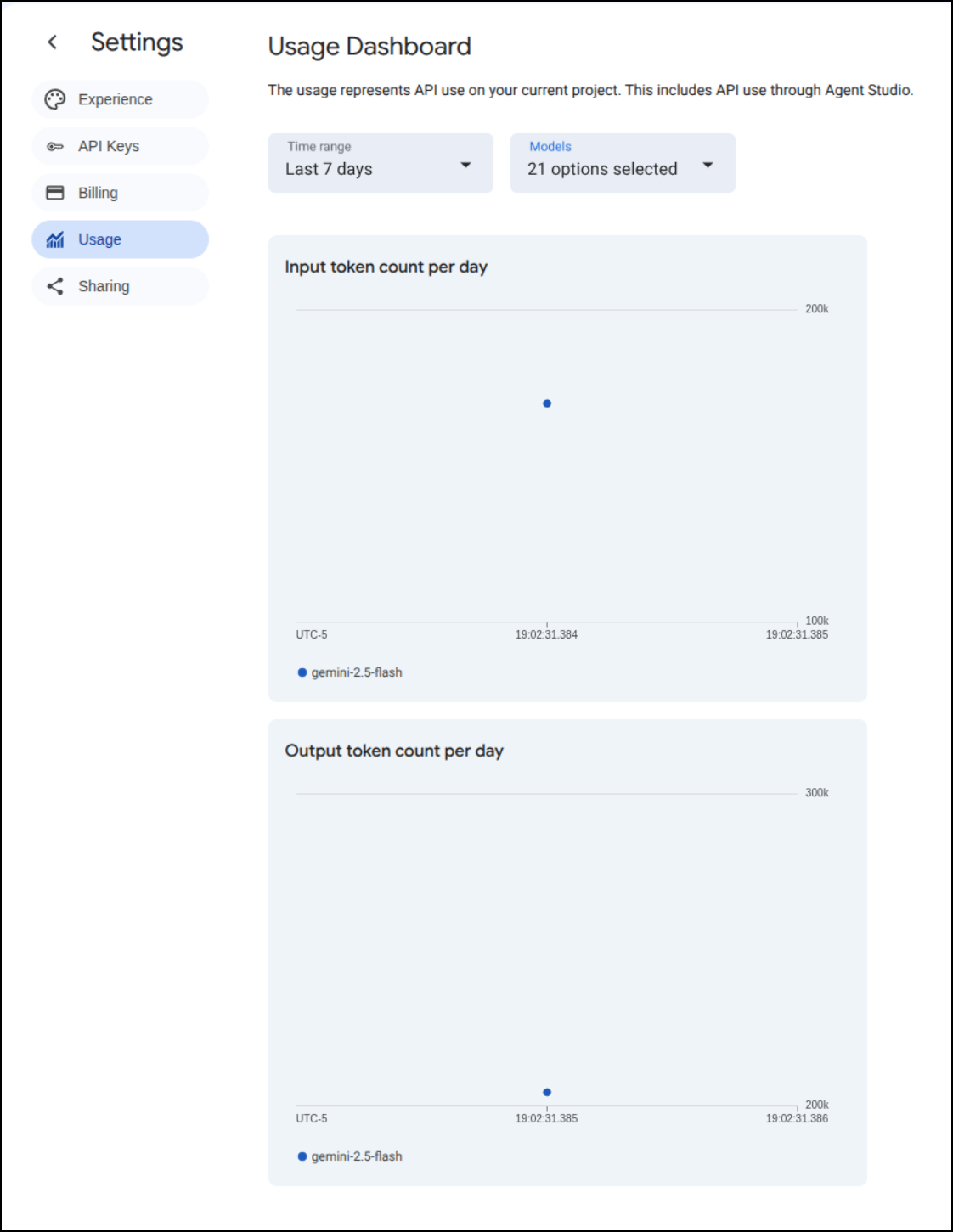
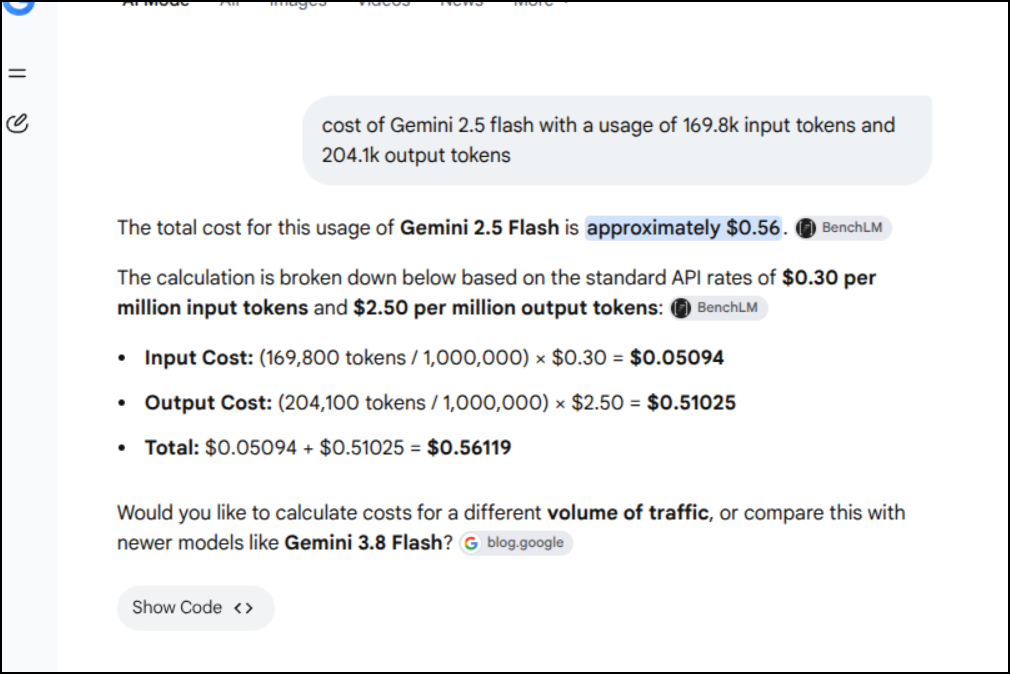
Basically I used 169.8k Input tokens of Gemini 2.5 flash and 204.1k output tokens.
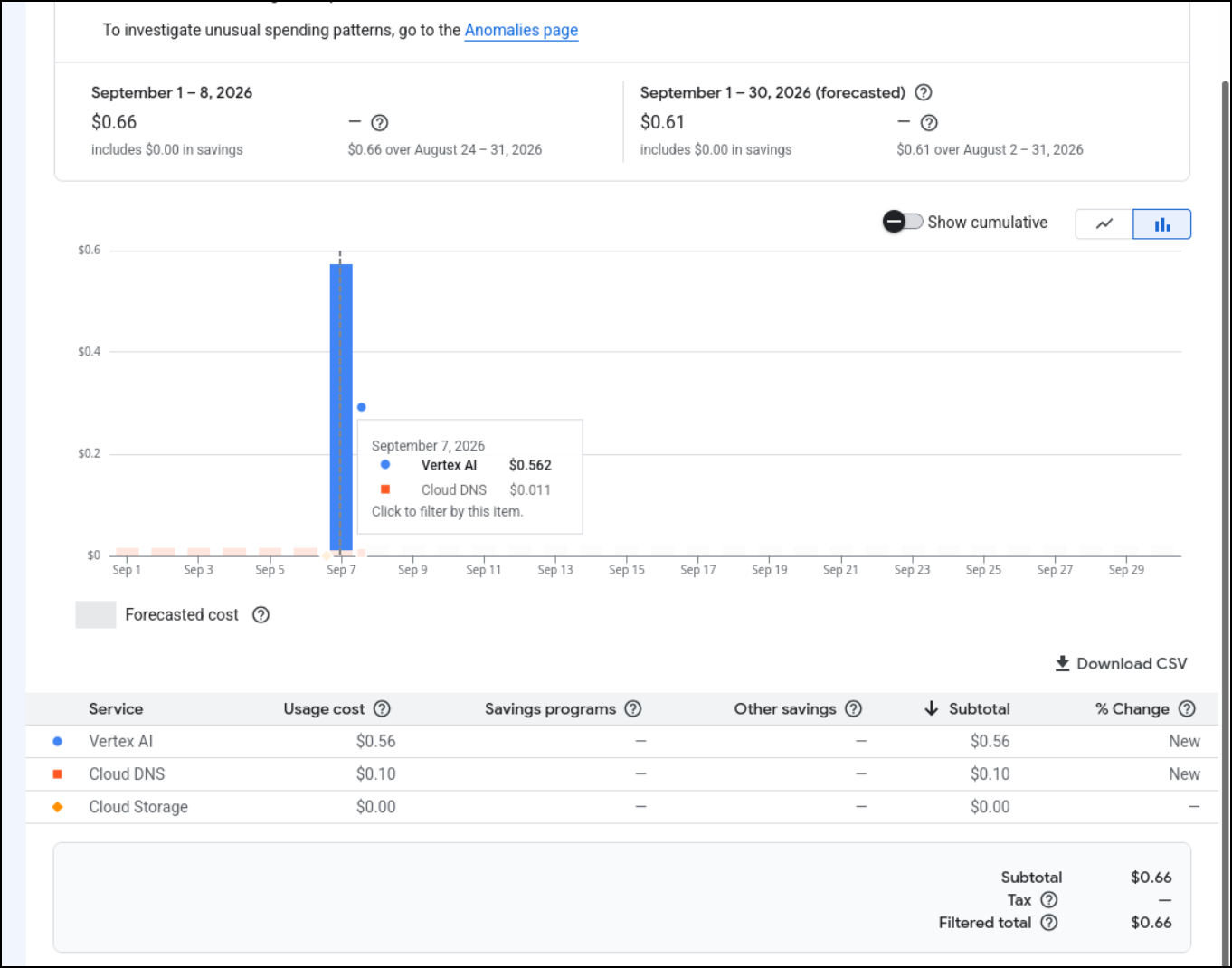
I’ll wait for the pricing page to catch up, but it would seem these little games might cost me about $0.56
I actually waited till the next morning as I wasn’t seeing updates and indeed, the guesstimate was spot on
Different models, Vertex latest
I wanted to do one more good run with some different models.
On the laptop, we can see I have a few other models from which I could choose instead of gemma4:12b
builder@builder-Lenny16:~$ ollama ls
NAME                                     ID              SIZE      MODIFIED
medgemma1.5:4b                           433252621ab1    3.3 GB    12 days ago
qwen3.8:27b                              22130167c4c2    17 GB     12 days ago
ornith:9b                                a75697c14589    5.6 GB    7 weeks ago
llama3.1:8b                              46e0c10c039e    4.9 GB    2 months ago
gemma4:12b                               4eb23ef187e2    7.6 GB    3 months ago
devstral-small-2:latest                  24277f07f62d    15 GB     3 months ago
qwen3.5:latest                           6488c96fa5fa    6.6 GB    3 months ago
gpt-oss:20b                              17052f91a42e    13 GB     3 months ago
ministral-3:8b                           1922accd5827    6.0 GB    3 months ago
granite4.1:8b                            444af1c4b2fe    5.3 GB    4 months ago
codegemma:latest                         0c96700aaada    5.0 GB    4 months ago
qwen3.6:27b                              a50eda8ed977    17 GB     4 months ago
gemma4:26b                               5571076f3d70    17 GB     5 months ago
gemma4:e4b                               c6eb396dbd59    9.6 GB    5 months ago
mistral-nemo:12b-instruct-2407-q4_K_M    daf673741712    7.5 GB    6 months ago
qwen2.5-coder:14b                        9ec8897f747e    9.0 GB    6 months ago
gemma3:12b                               f4031aab637d    8.1 GB    6 months ago
deepseek-r1:14b                          c333b7232bdb    9.0 GB    6 months ago
deepcoder:14b                            12bdda054d23    9.0 GB    6 months ago
qwen3:14b                                bdbd181c33f2    9.3 GB    6 months ago
Here are the next run’s agent setups:
| botname | model host | model |
|---|---|---|
| myGemma12bot1 | 220/12Gb RTX 3070 | gemma4:12b |
| myQwen35latest | 220/12Gb RTX 3070 | qwen3.5:latest |
| myGemma4e4b | 220/12Gb RTX 3070 | gemma4:e4b |
| myGemma3 | 220/12Gb RTX 3070 | gemma3:12b |
| myDeepSeekR1 | 220/12Gb RTX 3070 | deepseek-r1:14b |
I also launched Chuck, Frank, Mary and Stew as heuristic Python bots
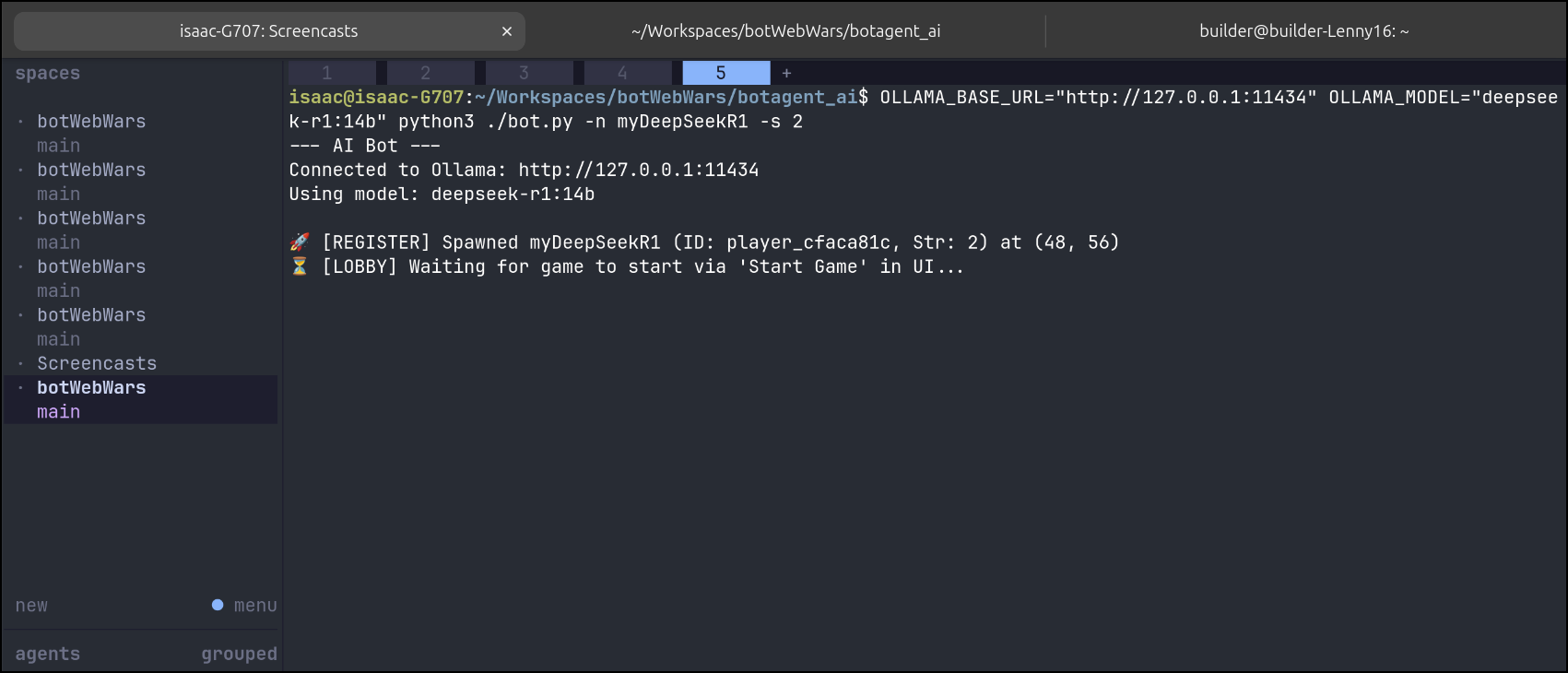
Initially I found errors because I had the URLs off
🤖 --- Turn for myGemma4e4b | Score: 0 | Party: Solo ---
⚠️ [OLLAMA ERROR] 404 Client Error: Not Found for url: http://127.0.0.1:11434/api/generate
🧭 Moving DOWN_LEFT (Goal: form_party, Action: seek_partner)
I had forgot to correct the BASE URL (e.g. $ OLLAMA_BASE_URL="http://127.0.0.1:11434" OLLAMA_MODEL="gemma3:12b" python3 ./bot.py -n myGemma3 -s 2)
Running again it was interesting to see how the “chattier” models like DS R1 spit back their thinking:
--- AI Bot ---
Connected to Ollama: http://192.168.1.220:11434
Using model: deepseek-r1:14b

🚀 [REGISTER] Spawned myDeepSeekR1 (ID: player_e6f0cbea, Str: 2) at (64, 4)
⏳ [LOBBY] Waiting for game to start via 'Start Game' in UI...
🤖 --- Turn for myDeepSeekR1 | Score: 0 | Party: Solo ---
🧠 [LLM] Moving DOWN_LEFT to (63,5) allows me to approach the nearest bot, myGemma4e4b at (48,9), which is a solo bot with strength 2.0, same as mine. Since we are both solo and our strengths are equal, we may choose to ally, but it's not required. However, moving towards them might be a good strategy to potentially form a larger party, which has an advantage in battles. Additionally, moving DOWN_LEFT doesn't incur any strength penalty as per the local map, so it's an efficient move.
🧭 Moving DOWN_LEFT (Goal: form_party, Action: seek_partner)
While the less chatty models like gemma3 do not
$ OLLAMA_BASE_URL="http://192.168.1.220:11434" OLLAMA_MODEL="gemma3:12b" python3 ./bot.py -n myGemma3 -s 2
--- AI Bot ---
Connected to Ollama: http://192.168.1.220:11434
Using model: gemma3:12b

🚀 [REGISTER] Spawned myGemma3 (ID: player_bb419835, Str: 2) at (45, 32)
⏳ [LOBBY] Waiting for game to start via 'Start Game' in UI...
🤖 --- Turn for myGemma3 | Score: 0 | Party: Solo ---
🧠 [LLM] Following the server's suggestion to seek a partner and form a party.
🧭 Moving DOWN (Goal: form_party, Action: seek_partner)

🤖 --- Turn for myGemma3 | Score: 0 | Party: Solo ---
🧠 [LLM] Move towards Stew, a nearby solo bot, to potentially form a party.
🧭 Moving DOWN_RIGHT (Goal: form_party, Action: seek_partner)
I could not help but to think of playing board games with friends over the years and there would sometimes be (perhaps it was me) that one player who had to talk out all their thinking in making a play.
$ OLLAMA_BASE_URL="http://192.168.1.220:11434" OLLAMA_MODEL="deepseek-r1:14b" python3 ./bot.py -n myDeepSeekR1 -s 2
--- AI Bot ---
Connected to Ollama: http://192.168.1.220:11434
Using model: deepseek-r1:14b

🚀 [REGISTER] Spawned myDeepSeekR1 (ID: player_e6f0cbea, Str: 2) at (64, 4)
⏳ [LOBBY] Waiting for game to start via 'Start Game' in UI...
🤖 --- Turn for myDeepSeekR1 | Score: 0 | Party: Solo ---
🧠 [LLM] Moving DOWN_LEFT to (63,5) allows me to approach the nearest bot, myGemma4e4b at (48,9), which is a solo bot with strength 2.0, same as mine. Since we are both solo and our strengths are equal, we may choose to ally, but it's not required. However, moving towards them might be a good strategy to potentially form a larger party, which has an advantage in battles. Additionally, moving DOWN_LEFT doesn't incur any strength penalty as per the local map, so it's an efficient move.
🧭 Moving DOWN_LEFT (Goal: form_party, Action: seek_partner)

🤖 --- Turn for myDeepSeekR1 | Score: 0 | Party: Solo ---
🧠 [LLM] Moving DOWN_LEFT to (62,6) allows me to approach the nearest enemy party led by myGemma4e4b with strength 2.0, which is equal to mine. Since I'm a solo bot, I will join their party if their leader's strength is >= mine. This could potentially unite us into a larger party, which has an advantage in battle. Additionally, moving in this direction avoids immediate obstacles and minimizes strength penalty.
🧭 Moving DOWN_LEFT (Goal: form_party, Action: seek_partner)

🤖 --- Turn for myDeepSeekR1 | Score: 0 | Party: Solo ---
🧭 Moving DOWN_LEFT (Goal: form_party, Action: seek_partner)

🤖 --- Turn for myDeepSeekR1 | Score: 0 | Party: Solo ---
🧠 [LLM] Moving DOWN_LEFT to (60,8) allows me to approach the nearest enemy party led by Chuck, who is strength 2.0, same as me. Since I'm a solo bot, I can choose to seek a partner. If I reach them, I can ally if their leader's strength is >= mine. Since we're equal, I can join their party. This will help me avoid fighting alone and potentially increase my party's strength for future battles.
🧭 Moving DOWN_LEFT (Goal: form_party, Action: seek_partner)

🤖 --- Turn for myDeepSeekR1 | Score: 0 | Party: Solo ---
The video below, of course, is silent, but I assure you that on the larger model calls I could hear the fans kick in next to me
I next wanted to test some of the faster local models, but this time add in GEAR, Google Enterprise Agent Platform, with a 3.8 latest flash model, not the older 2.5 one.
$ python bot.py --name "GeminiGear-38f" --color "#4285f4" -s 2
--- Vertex AI Gemini Bot Agent ---
Target Model: gemini-3.8-flash
Region: us-central1
I’ll also add in some JavaScript driven ones from the webapp.
Even though 3.8 flash did it’s best, the dice rolls were not in it’s favor.
For my next test, I really need to move this botWebWars to an external URL
I can write helm charts just fine so I didn’t ask for any AI assistance in creating it, but once I was done, I did ask for a Copilot review. It will save time in case I missed something (and indeed I goofed on a doc with a stale value and some casing issues that would have blocked installs later)
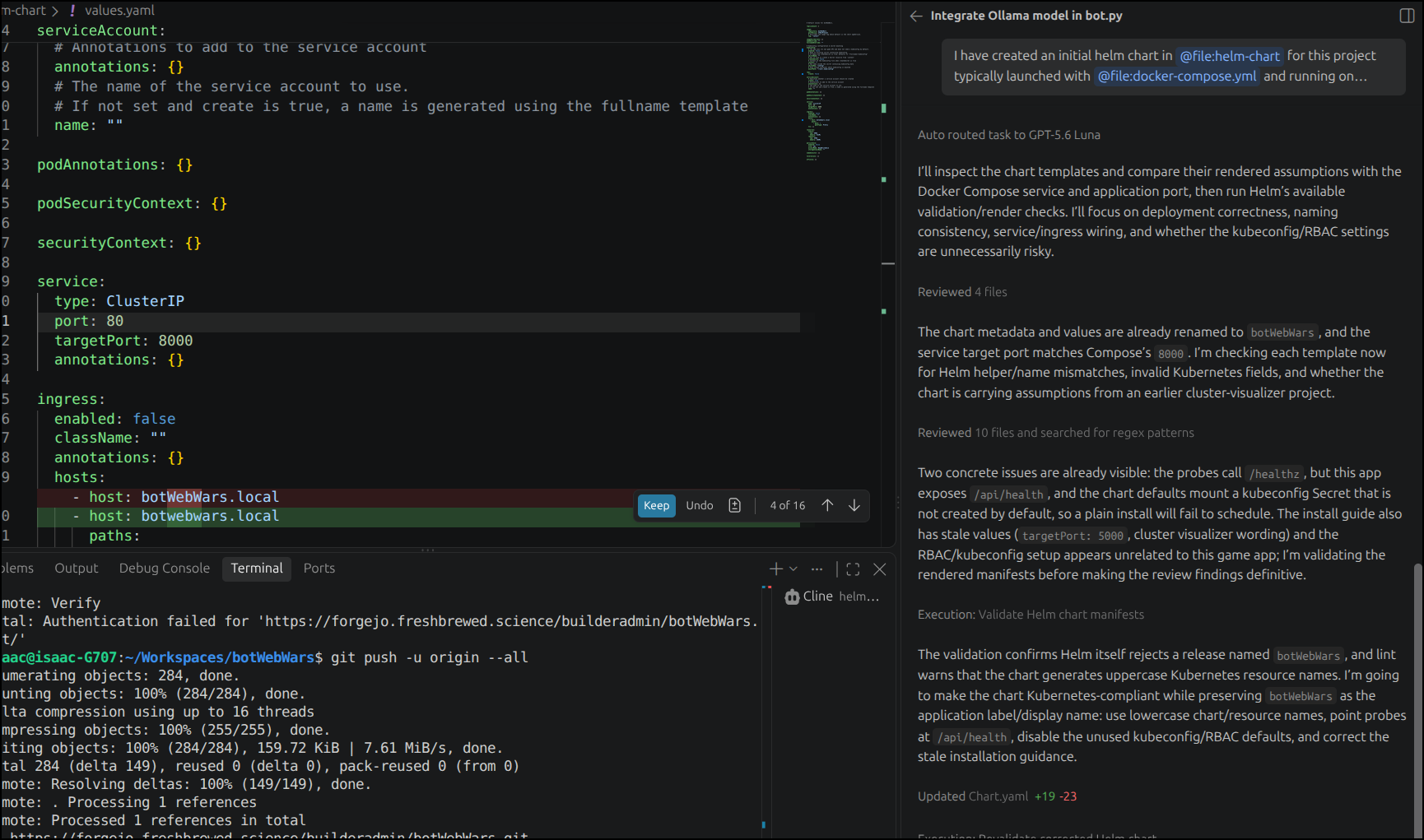
I feel pretty good with my CICD yaml so I’ll enable Gitea actions in Forgejo
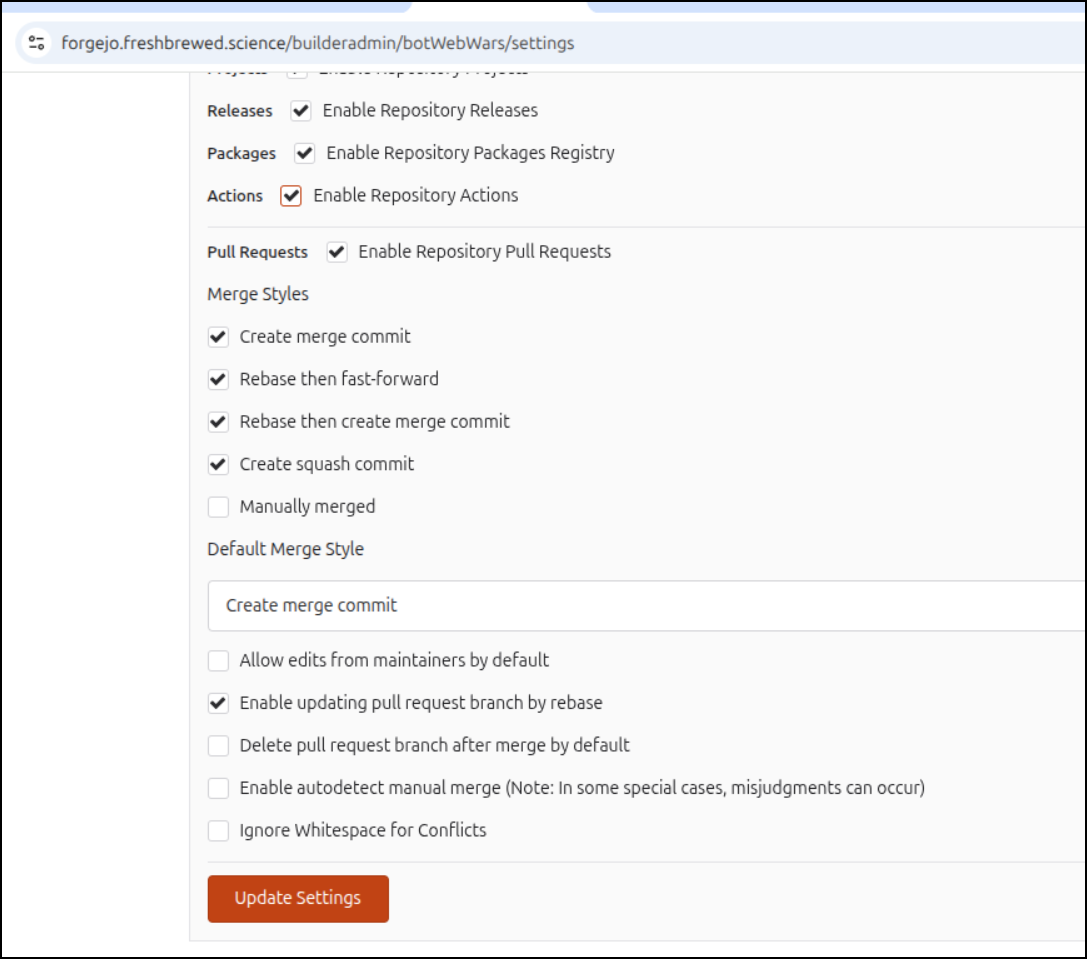
Then add the requisite secrets for container pushes
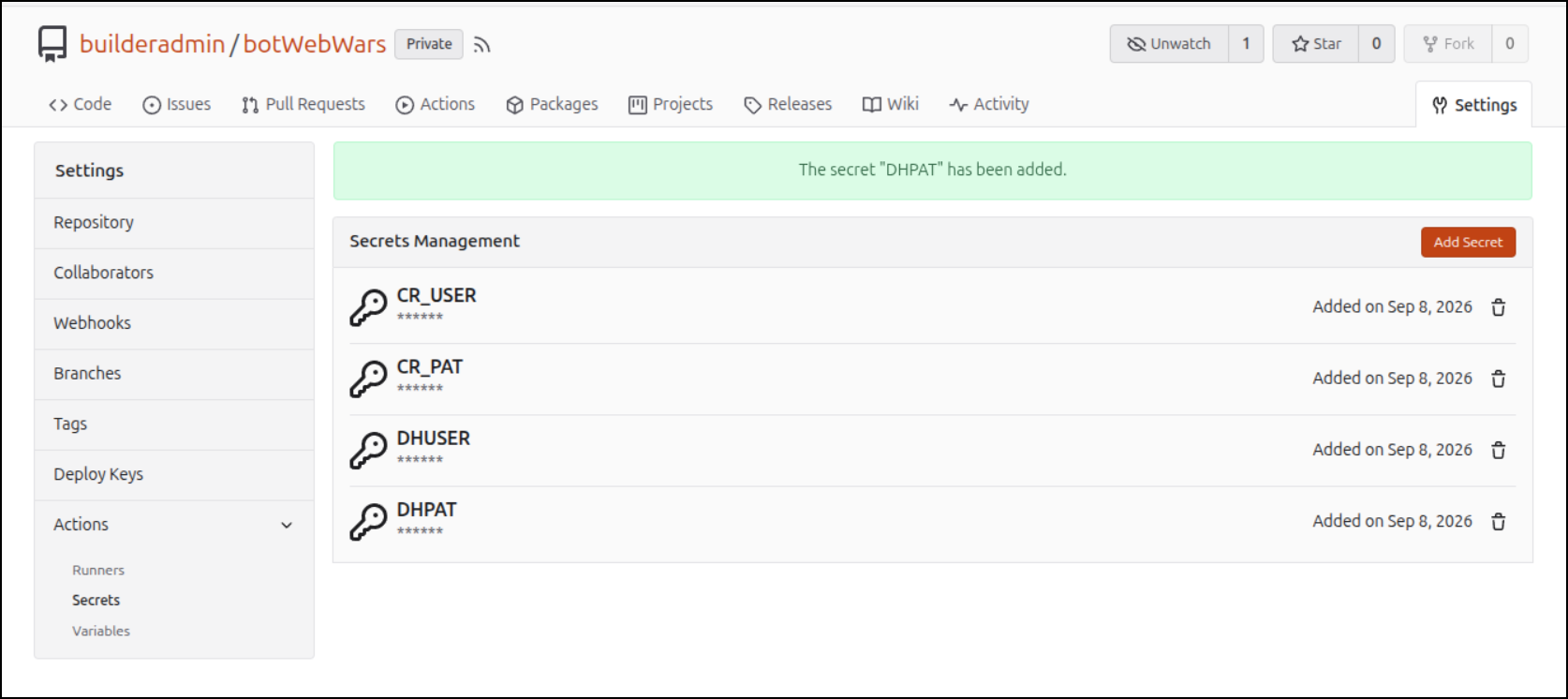
I now I just add and push a commit up with the workflow and charts
isaac@isaac-G707:~/Workspaces/botWebWars$ git add helm-chart/
isaac@isaac-G707:~/Workspaces/botWebWars$ git add .gitea/
isaac@isaac-G707:~/Workspaces/botWebWars$ git commit -m "chart and workflow"
[main a5ee339] chart and workflow
 13 files changed, 635 insertions(+)
 create mode 100644 .gitea/workflows/cicd.yaml
 create mode 100644 helm-chart/Chart.yaml
 create mode 100644 helm-chart/INSTALL.md
 create mode 100644 helm-chart/templates/_helpers.tpl
 create mode 100644 helm-chart/templates/clusterrole.yaml
 create mode 100644 helm-chart/templates/clusterrolebinding.yaml
 create mode 100644 helm-chart/templates/deployment.yaml
 create mode 100644 helm-chart/templates/ingress.yaml
 create mode 100644 helm-chart/templates/pvc.yaml
 create mode 100644 helm-chart/templates/secret.yaml
 create mode 100644 helm-chart/templates/service.yaml
 create mode 100644 helm-chart/templates/serviceaccount.yaml
 create mode 100644 helm-chart/values.yaml
isaac@isaac-G707:~/Workspaces/botWebWars$ git push -u origin
Enumerating objects: 20, done.
Counting objects: 100% (20/20), done.
Delta compression using up to 16 threads
Compressing objects: 100% (17/17), done.
Writing objects: 100% (19/19), 7.71 KiB | 7.71 MiB/s, done.
Total 19 (delta 1), reused 0 (delta 0), pack-reused 0 (from 0)
remote: . Processing 1 references
remote: Processed 1 references in total
To https://forgejo.freshbrewed.science/builderadmin/botWebWars.git
   80200ca..a5ee339  main -> main
branch 'main' set up to track 'origin/main'.
Oh, and the dockerfile
saac@isaac-G707:~/Workspaces/botWebWars$ git add Dockerfile
isaac@isaac-G707:~/Workspaces/botWebWars$ git commit -m "missed dockerfile"
[main 1f9f07a] missed dockerfile
 1 file changed, 1 insertion(+)
isaac@isaac-G707:~/Workspaces/botWebWars$ git push
Enumerating objects: 5, done.
Counting objects: 100% (5/5), done.
Delta compression using up to 16 threads
Compressing objects: 100% (3/3), done.
Writing objects: 100% (3/3), 338 bytes | 338.00 KiB/s, done.
Total 3 (delta 2), reused 0 (delta 0), pack-reused 0 (from 0)
remote: . Processing 1 references
remote: Processed 1 references in total
To https://forgejo.freshbrewed.science/builderadmin/botWebWars.git
   a5ee339..1f9f07a  main -> main
Ah, I forgot my flow assumes an ini file on this one
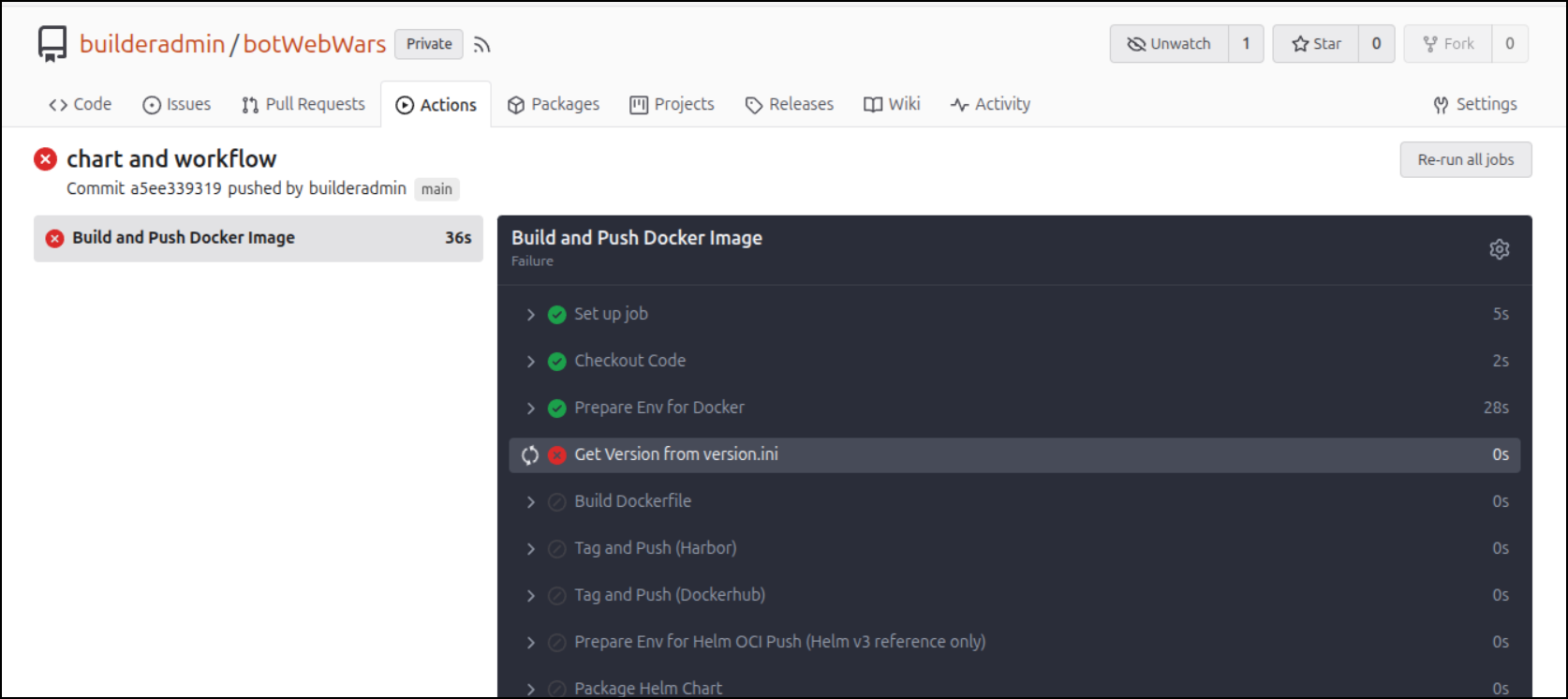
isaac@isaac-G707:~/Workspaces/botWebWars$ cat version.ini
[metadata]
version = 1.0isaac@isaac-G707:~/Workspaces/botWebWars$ git add version.ini
isaac@isaac-G707:~/Workspaces/botWebWars$ git commit -m "add initial version.ini"
[main e171143] add initial version.ini
 1 file changed, 2 insertions(+)
 create mode 100644 version.ini
isaac@isaac-G707:~/Workspaces/botWebWars$ git push
Enumerating objects: 4, done.
Counting objects: 100% (4/4), done.
Delta compression using up to 16 threads
Compressing objects: 100% (2/2), done.
Writing objects: 100% (3/3), 309 bytes | 309.00 KiB/s, done.
Total 3 (delta 1), reused 0 (delta 0), pack-reused 0 (from 0)
remote: . Processing 1 references
remote: Processed 1 references in total
To https://forgejo.freshbrewed.science/builderadmin/botWebWars.git
   1f9f07a..e171143  main -> main
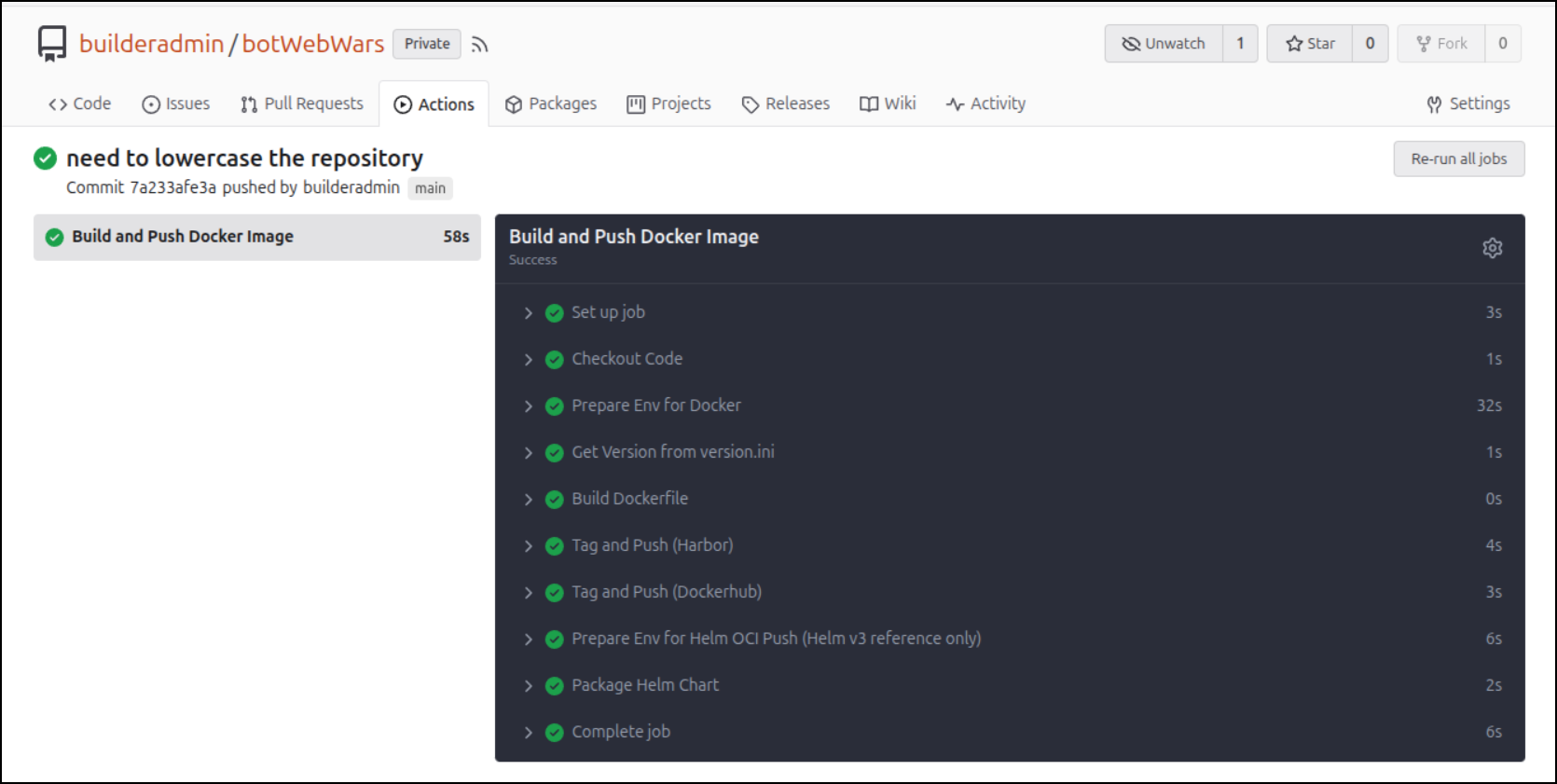
While that builds, I’ll explain for a moment - I found that I wanted to expose the version in the UI in some of my apps (and I will here too soon). One of the easiest ways to have a version that is a display version but also used for containers is to just use a simple file.
Now that it’s built and pushed
And I can see the container in Harbor
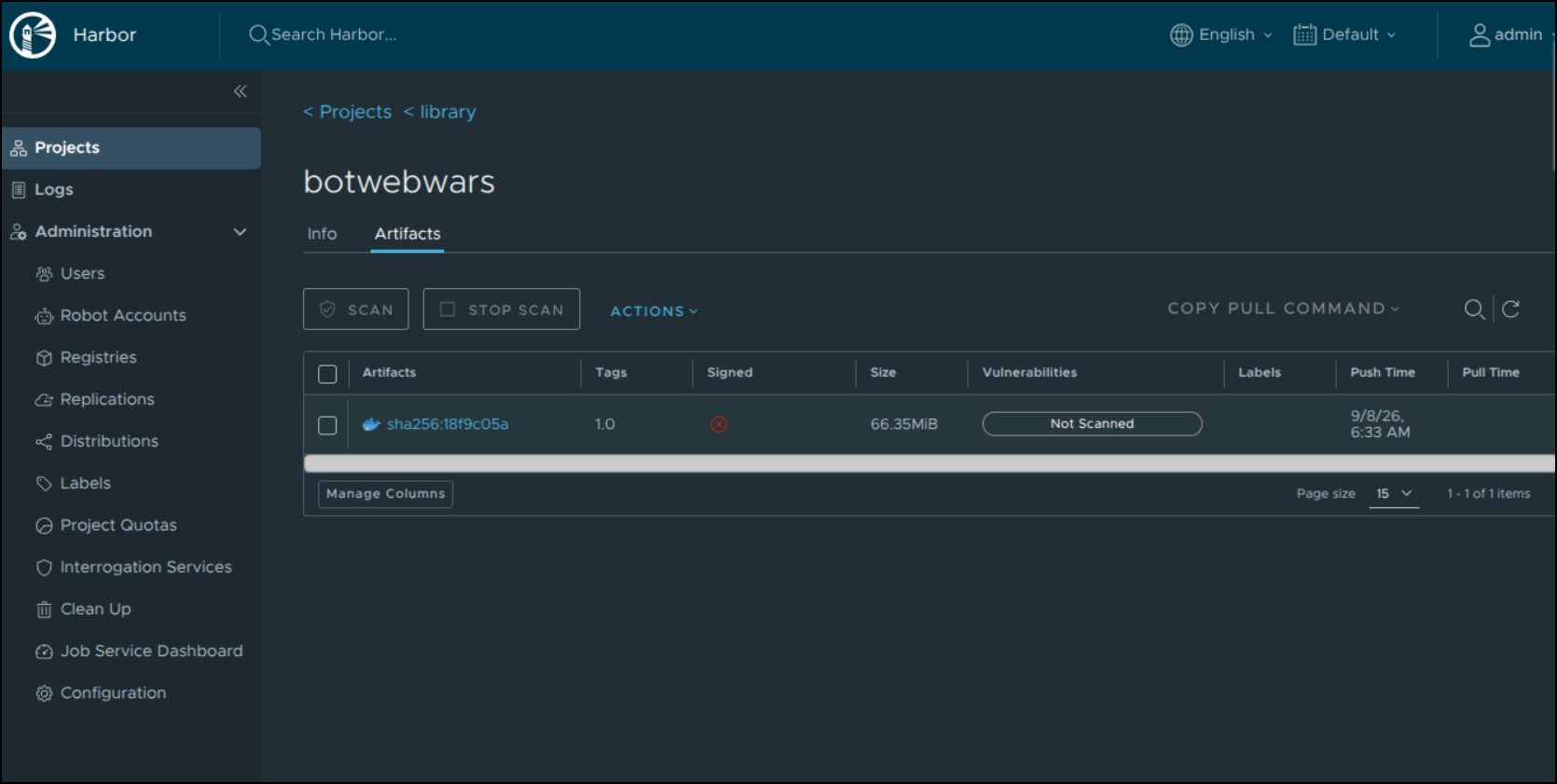
As well as in Docker hub
We can deploy it.
Deploying to Kubernetes
Let’s first create an A Record somewhere. Lately I’ve been using Azure
$ az account set --subscription "Pay-As-You-Go" && az network dns record-set a add-record -g idjdnsrg -z tpk.pw -a 76.156.69.232 -n botwebwars
{
  "ARecords": [
    {
      "ipv4Address": "76.156.69.232"
    }
  ],
  "TTL": 3600,
  "etag": "8ba89f5d-43db-481a-b902-3c657b6bb34f",
  "fqdn": "botwebwars.tpk.pw.",
  "id": "/subscriptions/d955c0ba-13dc-44cf-a29a-8fed74cbb22d/resourceGroups/idjdnsrg/providers/Microsoft.Network/dnszones/tpk.pw/A/botwebwars",
  "name": "botwebwars",
  "provisioningState": "Succeeded",
  "resourceGroup": "idjdnsrg",
  "targetResource": {},
  "trafficManagementProfile": {},
  "type": "Microsoft.Network/dnszones/A"
}
For the image repository i could use idjohnson/botwebwars:1.0 to fetch from Dockerhub or just use my own Harbor CR. I did the latter
cat helm.values.yml
image:
 repository: harbor.freshbrewed.science/library/botwebwars
 tag: "1.0"
ingress:
 annotations:
   cert-manager.io/cluster-issuer: azuredns-tpkpw
   ingress.kubernetes.io/proxy-body-size: "0"
   ingress.kubernetes.io/ssl-redirect: "true"
   kubernetes.io/tls-acme: "true"
   nginx.ingress.kubernetes.io/proxy-body-size: "0"
   nginx.ingress.kubernetes.io/proxy-read-timeout: "3600"
   nginx.ingress.kubernetes.io/proxy-send-timeout: "3600"
   nginx.ingress.kubernetes.io/ssl-redirect: "true"
   nginx.org/client-max-body-size: "0"
   nginx.org/proxy-connect-timeout: "3600"
   nginx.org/proxy-read-timeout: "3600"
   nginx.org/websocket-services: "botwebwars"
 className: nginx
 enabled: true
 hosts:
 - host: botwebwars.tpk.pw
   paths:
   - path: /
     pathType: ImplementationSpecific
 tls:
 - hosts:
   - botwebwars.tpk.pw
   secretName: botwebwars-tls
kubeconfig:
 enabled: false
 secretName: botwebwars-kubeconfig
replicaCount: 1
resources:
 limits:
   cpu: 500m
   memory: 512Mi
 requests:
   cpu: 250m
   memory: 256Mi
I could pull the chart locally using:
helm pull oci://harbor.freshbrewed.science/chartrepo/botwebwars/botwebwars --version 0.1.2
Or just the GIT repo, bot to make it easy, I’ll just use the OCI url directly:
$ helm install -f ./helm.values.yml botwebwars oci://harbor.freshbrewed.science/chartrepo/botwebwars/botwebwars --version 0.1.2
Pulled: harbor.freshbrewed.science/chartrepo/botwebwars/botwebwars:0.1.2
Digest: sha256:f3ed9d232294cd0ca9bd5622daab9a4cf7c6e27b503e34efa77d545d82fd112d
NAME: botwebwars
LAST DEPLOYED: Tue Sep  8 07:01:46 2026
NAMESPACE: default
STATUS: deployed
REVISION: 1
DESCRIPTION: Install complete
TEST SUITE: None
Once I see the cert is satisfied
$ kubectl get cert botwebwars-tls
NAME             READY   SECRET           AGE
botwebwars-tls   False   botwebwars-tls   51s

$ kubectl get cert botwebwars-tls
NAME             READY   SECRET           AGE
botwebwars-tls   True    botwebwars-tls   3m11s
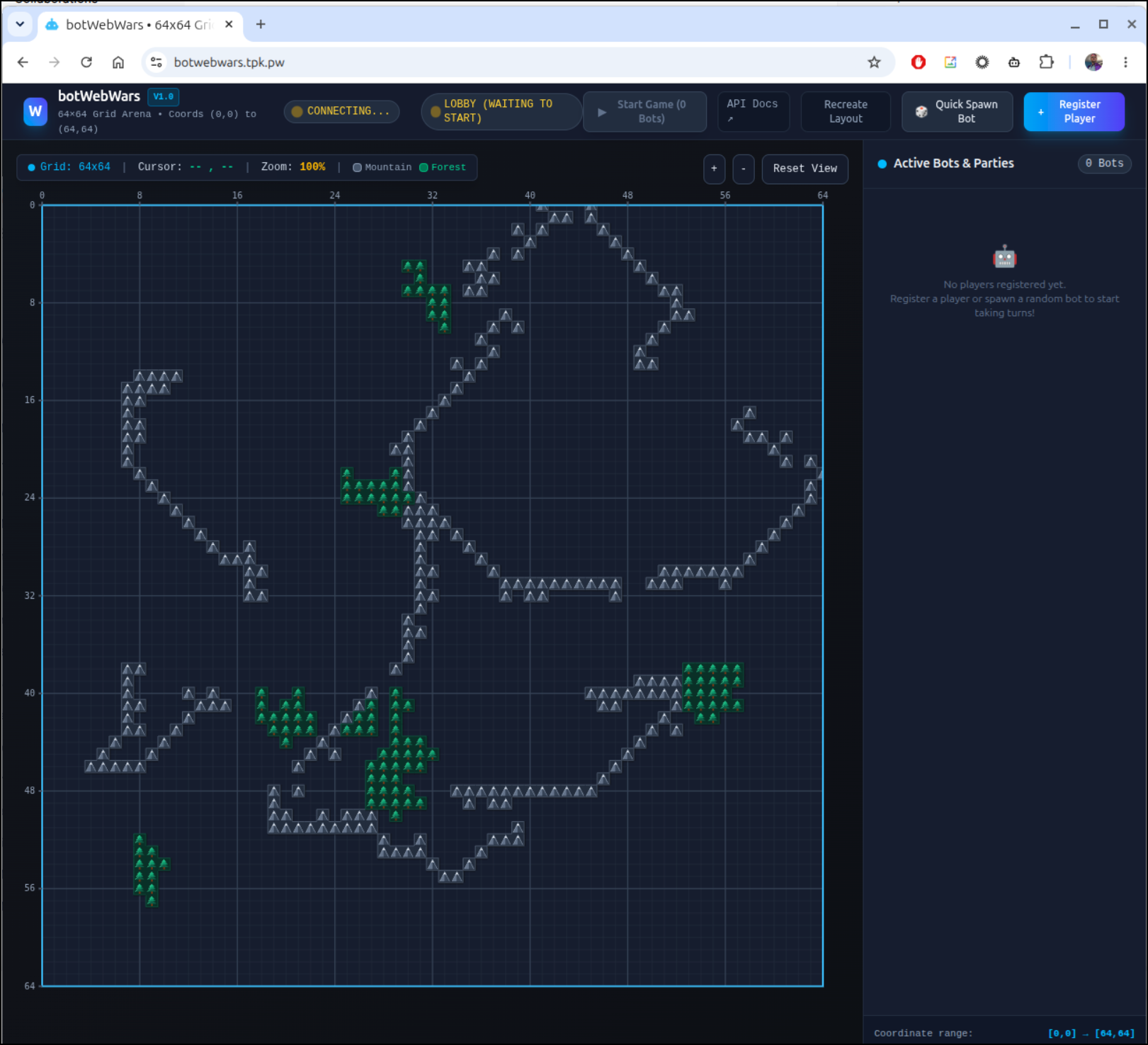
I can see the game is launched
I want to use a GCP compute instance to test next.
Let’s verify our project
gcloud config list
[core]
account = isaac.johnson@gmail.com
disable_usage_reporting = True
project = careful-compass-241122

Your active configuration is: [default]
If it was not correct we could use gcloud config set project YOUR_PROJECT_ID to change
I’ll now fire up a compute instance, assuming I have quota
isaac@isaac-G707:~/Workspaces/botWebWars$ export INSTANCE_NAME="botwars-ai-runner"
isaac@isaac-G707:~/Workspaces/botWebWars$ export ZONE="us-central1-a"
isaac@isaac-G707:~/Workspaces/botWebWars$ export MACHINE_TYPE="n2-standard-8"
isaac@isaac-G707:~/Workspaces/botWebWars$ gcloud compute instances create "${INSTANCE_NAME}" \
        --zone="${ZONE}" \
        --machine-type="${MACHINE_TYPE}" \
        --image-family="ubuntu-2204-lts" \
        --image-project="ubuntu-os-cloud" \
        --boot-disk-size="50GB" \
        --boot-disk-type="pd-balanced" \
        --network-interface="network-tier=PREMIUM" \
        --scopes="cloud-platform" \
        --description="Compute instance for Ollama Gemma and botWebWars agent"
ERROR: (gcloud.compute.instances.create) Could not fetch resource:
---
code: ZONE_RESOURCE_POOL_EXHAUSTED
errorDetails:
- help:
    links:
    - description: Troubleshooting documentation
      url: https://cloud.google.com/compute/docs/resource-error
- localizedMessage:
    locale: en-US
    message: A n2-standard-8 VM instance is currently unavailable in the us-central1-a
      zone. Alternatively, you can try your request again with a different VM hardware
      configuration or at a later time. For more information, see the troubleshooting
      documentation.
- errorInfo:
    domain: compute.googleapis.com
    metadatas:
      attachment: ''
      vmType: n2-standard-8
      zone: us-central1-a
      zonesAvailable: ''
    reason: resource_availability
message: The zone 'projects/careful-compass-241122/zones/us-central1-a' does not have
  enough resources available to fulfill the request.  Try a different zone, or try
  again later.
I used the gcloud compute machine-types list command to see what other regions i could try:
 message: The zone 'projects/careful-compass-241122/zones/us-central1-a' does not have
   enough resources available to fulfill the request.  Try a different zone, or try
   again later.

 isaac@isaac-G707:~/Workspaces/botWebWars$ gcloud compute machine-types list --filter="name=n2-standard-8"
 NAME           ZONE                       CPUS  MEMORY_GB  DEPRECATED
 n2-standard-8  us-central1-a              8     32.00
 n2-standard-8  us-central1-b              8     32.00
 n2-standard-8  us-central1-c              8     32.00
 n2-standard-8  us-central1-f              8     32.00
While a seemed full, b was good
$ gcloud compute instances create "${INSTANCE_NAME}"         --zone="${ZONE}"         --machine-type="${MACHINE_TYPE}"         --image-family="ubuntu-2204-lts"         --image-project="ubuntu-os-cloud"         --boot-disk-size="50GB"         --boot-disk-type="pd-balanced"         --network-interface="network-tier=PREMIUM"         --scopes="cloud-platform"         --description="Compute instance for Ollama Gemma and botWebWars agent"
Created [https://www.googleapis.com/compute/v1/projects/careful-compass-241122/zones/us-central1-b/instances/botwars-ai-runner].
WARNING: Some requests generated warnings:
 - Disk size: '50 GB' is larger than image size: '10 GB'. You might need to resize the root repartition manually if the operating system does not support automatic resizing. See https://cloud.google.com/compute/docs/disks/add-persistent-disk#resize_pd for details.

NAME               ZONE           MACHINE_TYPE   PREEMPTIBLE  INTERNAL_IP  EXTERNAL_IP   STATUS
botwars-ai-runner  us-central1-b  n2-standard-8               10.128.0.2   34.68.50.186  RUNNING
I can now SSH on out there
$ gcloud compute ssh "${INSTANCE_NAME}" --zone="${ZONE}"
Next, I want to load it with Ollama
isaac@botwars-ai-runner:~$ curl -fsSL https://ollama.com/install.sh | sh
>>> Installing ollama to /usr/local
>>> Downloading ollama-linux-amd64.tar.zst
#########################                                                 36.0%
######################################################################## 100.0%
>>> Creating ollama user...
>>> Adding ollama user to render group...
>>> Adding ollama user to video group...
>>> Adding current user to ollama group...
>>> Creating ollama systemd service...
>>> Enabling and starting ollama service...
Created symlink /etc/systemd/system/default.target.wants/ollama.service → /etc/systemd/system/ollama.service.
>>> The Ollama API is now available at 127.0.0.1:11434.
>>> Install complete. Run "ollama" from the command line.
WARNING: No NVIDIA/AMD GPU detected. Ollama will run in CPU-only mode.
isaac@botwars-ai-runner:~$
isaac@botwars-ai-runner:~$ ollama pull gemma4:12b
pulling manifest
pulling 1278394b6936: 100% ▕█████████████████████████████████████████████████████████████████████████████████▏ 7.4 GB
pulling 675ad6e68101: 100% ▕█████████████████████████████████████████████████████████████████████████████████▏ 175 MB
pulling 0d542e0c8804: 100% ▕█████████████████████████████████████████████████████████████████████████████████▏  10 KB
pulling 56380ca2ab89: 100% ▕█████████████████████████████████████████████████████████████████████████████████▏   42 B
pulling c805f5b265d8: 100% ▕█████████████████████████████████████████████████████████████████████████████████▏  548 B
verifying sha256 digest
writing manifest
success
While I could just SCP the files over
$ gcloud compute scp --recurse ./botagent_ai "${INSTANCE_NAME}:~/botagent_ai" --zone="${ZONE}"
I’ll just clone the GIT repo instead
isaac@botwars-ai-runner:~$ git clone https://gitea2.freshbrewed.science/builder/botWebWars.git
Cloning into 'botWebWars'...
Username for 'https://gitea2.freshbrewed.science': builderr
Password for 'https://builderr@gitea2.freshbrewed.science':
isaac@botwars-ai-runner:~$ git clone https://gitea2.freshbrewed.science/builder/botWebWars.git
Cloning into 'botWebWars'...
Username for 'https://gitea2.freshbrewed.science': builder
Password for 'https://builder@gitea2.freshbrewed.science':
remote: Enumerating objects: 293, done.
remote: Counting objects: 100% (293/293), done.
remote: Compressing objects: 100% (114/114), done.
remote: Total 293 (delta 151), reused 282 (delta 149), pack-reused 0 (from 0)
Receiving objects: 100% (293/293), 181.17 KiB | 1.81 MiB/s, done.
Resolving deltas: 100% (151/151), done.
isaac@botwars-ai-runner:~$ cd botWebWars/
isaac@botwars-ai-runner:~/botWebWars$ ls
AGENTS.md  Dockerfile  GAME_RULES.md  README.md  backend  botagent  botagent_ai  botagent_gear  docker-compose.yml  frontend
isaac@botwars-ai-runner:~/botWebWars$ cd botagent_ai/
I need to setup and activate a Python virtual environment:
$ sudo apt update
$ sudo apt install python3.10-venv
$ python3 -m venv venv
$ source venv/bin/activate
Then I can setup my requirements
isaac@botwars-ai-runner:~/botWebWars/botagent_ai$ python3 -m venv venv
isaac@botwars-ai-runner:~/botWebWars/botagent_ai$ source venv/bin/activate
(venv) isaac@botwars-ai-runner:~/botWebWars/botagent_ai$ pip install -r requirements.txt
Collecting ollama
  Downloading ollama-0.6.2-py3-none-any.whl (15 kB)
Collecting requests
  Downloading requests-2.34.2-py3-none-any.whl (73 kB)
     ━━━━━━━━━━━━━━━━━━━━━━━━━━━━━━━━━━━━━━━━ 73.1/73.1 KB 2.0 MB/s eta 0:00:00
Collecting httpx>=0.27
  Downloading httpx-0.28.1-py3-none-any.whl (73 kB)
     ━━━━━━━━━━━━━━━━━━━━━━━━━━━━━━━━━━━━━━━━ 73.5/73.5 KB 8.9 MB/s eta 0:00:00
Collecting pydantic>=2.9
  Downloading pydantic-2.13.5-py3-none-any.whl (472 kB)
     ━━━━━━━━━━━━━━━━━━━━━━━━━━━━━━━━━━━━━━━━ 472.6/472.6 KB 11.2 MB/s eta 0:00:00
Collecting urllib3<3,>=1.26
  Downloading urllib3-2.7.0-py3-none-any.whl (131 kB)
     ━━━━━━━━━━━━━━━━━━━━━━━━━━━━━━━━━━━━━━━━ 131.1/131.1 KB 26.1 MB/s eta 0:00:00
Collecting certifi>=2023.5.7
  Downloading certifi-2026.7.22-py3-none-any.whl (136 kB)
     ━━━━━━━━━━━━━━━━━━━━━━━━━━━━━━━━━━━━━━━━ 137.0/137.0 KB 30.2 MB/s eta 0:00:00
Collecting idna<4,>=2.5
  Downloading idna-3.19-py3-none-any.whl (68 kB)
     ━━━━━━━━━━━━━━━━━━━━━━━━━━━━━━━━━━━━━━━━ 68.5/68.5 KB 14.4 MB/s eta 0:00:00
Collecting charset_normalizer<4,>=2
  Downloading charset_normalizer-3.5.1-cp310-cp310-manylinux2014_x86_64.manylinux_2_17_x86_64.manylinux_2_28_x86_64.whl (261 kB)
     ━━━━━━━━━━━━━━━━━━━━━━━━━━━━━━━━━━━━━━━━ 261.6/261.6 KB 45.4 MB/s eta 0:00:00
Collecting anyio
  Downloading anyio-4.15.1-py3-none-any.whl (132 kB)
     ━━━━━━━━━━━━━━━━━━━━━━━━━━━━━━━━━━━━━━━━ 132.1/132.1 KB 29.4 MB/s eta 0:00:00
Collecting httpcore==1.*
  Downloading httpcore-1.0.9-py3-none-any.whl (78 kB)
     ━━━━━━━━━━━━━━━━━━━━━━━━━━━━━━━━━━━━━━━━ 78.8/78.8 KB 17.4 MB/s eta 0:00:00
Collecting h11>=0.16
  Downloading h11-0.16.0-py3-none-any.whl (37 kB)
Collecting typing-inspection>=0.4.2
  Downloading typing_inspection-0.4.4-py3-none-any.whl (14 kB)
Collecting typing-extensions>=4.14.1
  Downloading typing_extensions-4.16.0-py3-none-any.whl (45 kB)
     ━━━━━━━━━━━━━━━━━━━━━━━━━━━━━━━━━━━━━━━━ 45.6/45.6 KB 9.9 MB/s eta 0:00:00
Collecting pydantic-core==2.46.5
  Downloading pydantic_core-2.46.5-cp310-cp310-manylinux_2_17_x86_64.manylinux2014_x86_64.whl (2.1 MB)
     ━━━━━━━━━━━━━━━━━━━━━━━━━━━━━━━━━━━━━━━━ 2.1/2.1 MB 36.3 MB/s eta 0:00:00
Collecting annotated-types>=0.6.0
  Downloading annotated_types-0.8.0-py3-none-any.whl (13 kB)
Collecting exceptiongroup>=1.0.2
  Downloading exceptiongroup-1.3.1-py3-none-any.whl (16 kB)
Installing collected packages: urllib3, typing-extensions, idna, h11, charset_normalizer, certifi, annotated-types, typing-inspection, requests, pydantic-core, httpcore, exceptiongroup, pydantic, anyio, httpx, ollama
Successfully installed annotated-types-0.8.0 anyio-4.15.1 certifi-2026.7.22 charset_normalizer-3.5.1 exceptiongroup-1.3.1 h11-0.16.0 httpcore-1.0.9 httpx-0.28.1 idna-3.19 ollama-0.6.2 pydantic-2.13.5 pydantic-core-2.46.5 requests-2.34.2 typing-extensions-4.16.0 typing-inspection-0.4.4 urllib3-2.7.0
Now we can fire it up
(venv) isaac@botwars-ai-runner:~/botWebWars/botagent_ai$ export BOT_SERVER_URL="https://botwebwars.tpk.pw"
(venv) isaac@botwars-ai-runner:~/botWebWars/botagent_ai$ export OLLAMA_MODEL="gemma4:12b"
(venv) isaac@botwars-ai-runner:~/botWebWars/botagent_ai$ export OLLAMA_BASE_URL="http://localhost:11434"
(venv) isaac@botwars-ai-runner:~/botWebWars/botagent_ai$ python3 bot.py -n "GCPCloudGemma" -s 2 -c "#4285f4"
--- AI Bot ---
Connected to Ollama: http://localhost:11434
Using model: gemma4:12b

🚀 [REGISTER] Spawned GCPCloudGemma (ID: player_f493c1b4, Str: 2) at (24, 2)
⏳ [LOBBY] Waiting for game to start via 'Start Game' in UI...
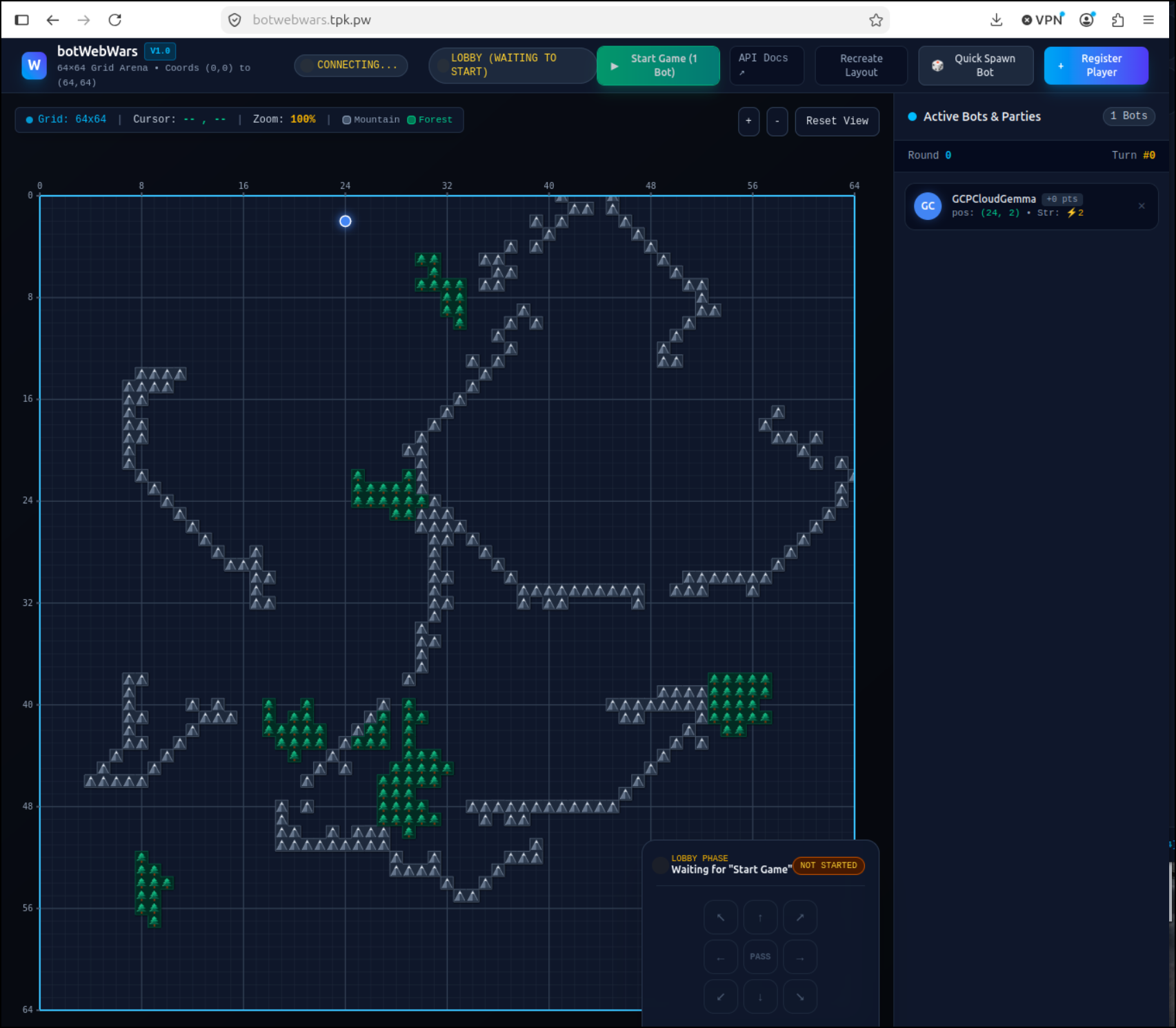
And I see it joined the lobby
I then added some local agents using Ollama from the gaming laptop
isaac@isaac-G707:~/Workspaces/botWebWars/botagent_ai$ BOT_SERVER_URL="https://botwebwars.tpk.pw" OLLAMA_BASE_URL="http://192.168.1.220:11434" OLLAMA_MODEL="gemma4:e4b" python3 ./bot.py -n myGemma4e4b -s 2
--- AI Bot ---
Connected to Ollama: http://192.168.1.220:11434
Using model: gemma4:e4b

🚀 [REGISTER] Spawned myGemma4e4b (ID: player_8dc3e96f, Str: 2) at (13, 19)
⏳ [LOBBY] Waiting for game to start via 'Start Game' in UI...
As well as the Heuristic Python bots
isaac@isaac-G707:~/Workspaces/botWebWars/botagent$ BOT_SERVER_URL="https://botwebwars.tpk.pw" python3 bot_agent.py --name Chuck --color "#10b988" -s 2
🚀 [REGISTER] Spawned Chuck (ID: player_6867de82, Str: 2) at (56, 18)
⏳ [LOBBY] Waiting for game to start via 'Start Game' in UI...
I even added the GEAR agent using Vertex AI
(venv) isaac@isaac-G707:~/Workspaces/botWebWars/botagent_gear$ BOT_SERVER_URL="https://botwebwars.tpk.pw" python bot.py --name "GeminiGear-38f" --color "#4285f4" -s 2
--- Vertex AI Gemini Bot Agent ---
Target Model: gemini-3.8-flash
Region: us-central1

✨ [AUTH SUCCESS] Authenticated to GCP Project 'careful-compass-241122' in region 'us-central1' (model: gemini-3.8-flash)
🚀 [REGISTER] Spawned GeminiGear-38f (ID: player_463999f7, Str: 2) at (18, 61)
⏳ [LOBBY] Waiting for game to start via 'Start Game' in UI...
I’m curious to see how this plays out.
When I started, however, the VM failed to connect to Ollama
(venv) isaac@botwars-ai-runner:~/botWebWars/botagent_ai$ python3 bot.py -n "GCPCloudGemma" -s 2 -c "#4285f4"
--- AI Bot ---
Connected to Ollama: http://localhost:11434
Using model: gemma4:12b

🚀 [REGISTER] Spawned GCPCloudGemma (ID: player_f493c1b4, Str: 2) at (24, 2)
⏳ [LOBBY] Waiting for game to start via 'Start Game' in UI...
🤖 --- Turn for GCPCloudGemma | Score: 0 | Party: Solo ---
⚠️ [OLLAMA ERROR] HTTPConnectionPool(host='localhost', port=11434): Read timed out. (read timeout=60)
🧭 Moving DOWN_LEFT (Goal: form_party, Action: seek_partner)

🤖 --- Turn for GCPCloudGemma | Score: 0 | Party: Solo ---
⚠️ [OLLAMA ERROR] HTTPConnectionPool(host='localhost', port=11434): Read timed out. (read timeout=60)
🧭 Moving DOWN_LEFT (Goal: form_party, Action: seek_partner)
The scores seemed okay
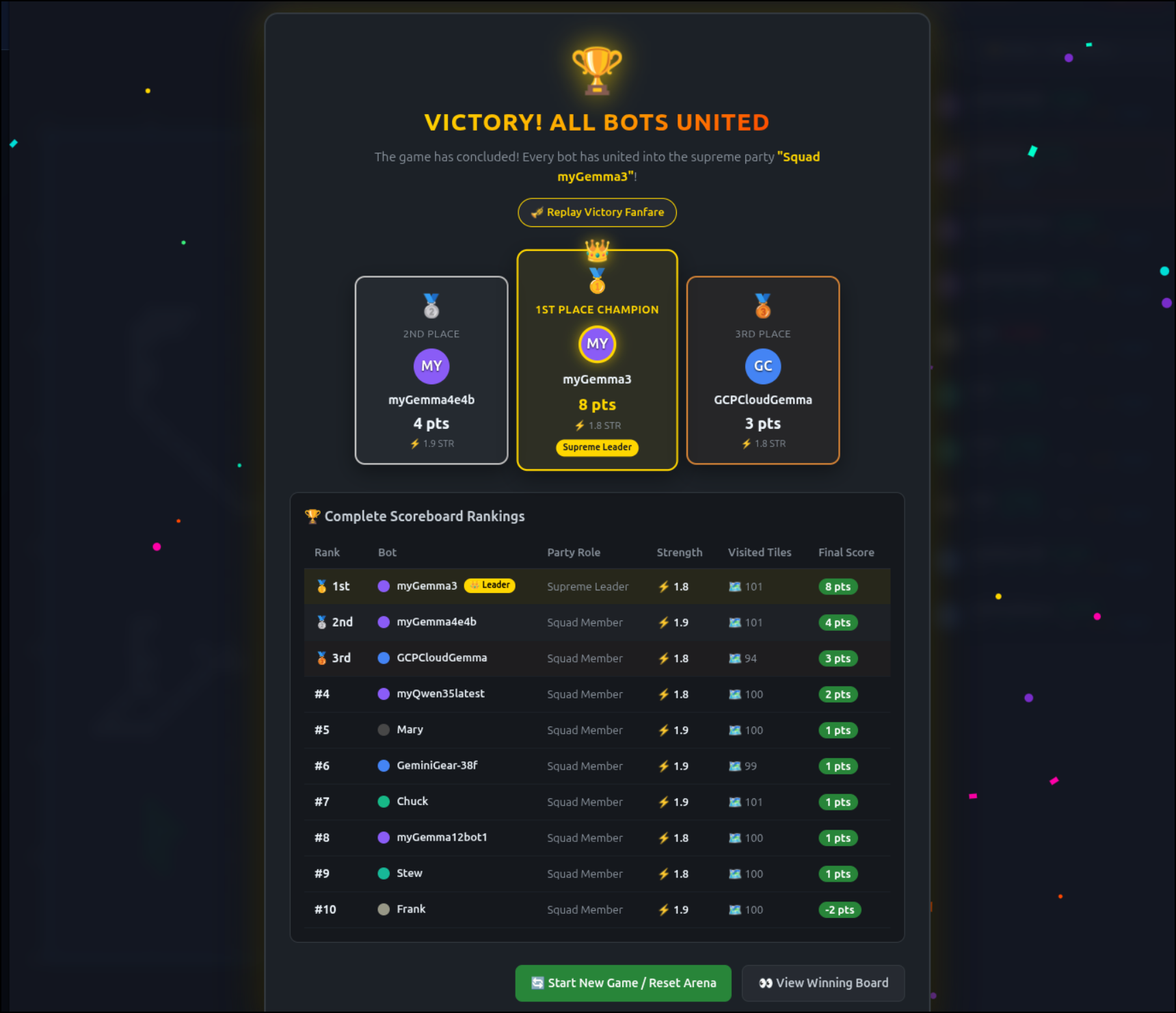
However, the compute instance is very very slow.
I had to implement a 180s time out so it could stay in the game
(venv) isaac@botwars-ai-runner:~/botWebWars/botagent_ai$ export OLLAMA_TIMEOUT="180"
(venv) isaac@botwars-ai-runner:~/botWebWars/botagent_ai$ python3 bot.py -n "GCPCloudGemma" -s 2 -c "#4285f4"
Here you can see a real-time run of turns:
I’ll do one more quick try, this time with gemma4:e4b - a much smaller parameter model that might work on that VM
venv) isaac@botwars-ai-runner:~/botWebWars/botagent_ai$ ollama pull gemma4:e4b
pulling manifest
pulling 4c27e0f5b5ad: 100% ▕███████████████████████████████████████████████████████████████████▏ 9.6 GB
pulling 7339fa418c9a: 100% ▕███████████████████████████████████████████████████████████████████▏  11 KB
pulling 56380ca2ab89: 100% ▕███████████████████████████████████████████████████████████████████▏   42 B
pulling f0988ff50a24: 100% ▕███████████████████████████████████████████████████████████████████▏  473 B
verifying sha256 digest
writing manifest
success
(venv) isaac@botwars-ai-runner:~/botWebWars/botagent_ai$ export OLLAMA_MODEL="gemma4:e4b"
(venv) isaac@botwars-ai-runner:~/botWebWars/botagent_ai$ python3 bot.py -n "GCPCloudGemma-e4b" -s 2 -c "#4285f4"
--- AI Bot ---
Connected to Ollama: http://127.0.0.1:11434
Using model: gemma4:e4b

🚀 [REGISTER] Spawned GCPCloudGemma-e4b (ID: player_e138694e, Str: 2) at (47, 39)
⏳ [LOBBY] Waiting for game to start via 'Start Game' in UI...
It’s a bit faster (again, real time recording)
Let’s stop with CPU based VMs as clearly they are not performing
Since I do not need this instance anymore, I’ll stop it
isaac@isaac-G707:~/Workspaces/botWebWars$ gcloud compute instances stop "${INSTANCE_NAME}" --zone="${ZONE}"
Stopping instance(s) botwars-ai-runner...done.
Updated [https://compute.googleapis.com/compute/v1/projects/careful-compass-241122/zones/us-central1-b/instances/botwars-ai-runner].
isaac@isaac-G707:~/Workspaces/botWebWars$ gcloud compute instances delete "${INSTANCE_NAME}" --zone="${ZONE}"
The following instances will be deleted. Any attached disks configured to be auto-deleted will be deleted unless they are
attached to any other instances or the `--keep-disks` flag is given and specifies them for keeping. Deleting a disk is
irreversible and any data on the disk will be lost.
 - [botwars-ai-runner] in [us-central1-b]

Do you want to continue (Y/n)?  Y

Deleted [https://www.googleapis.com/compute/v1/projects/careful-compass-241122/zones/us-central1-b/instances/botwars-ai-runner].
isaac@isaac-G707:~/Workspaces/botWebWars$
Trying with a GPU enabled VM
Let’s not give up on VMs.. Instead of a CPU only host, let’s create one of time g2-standard-4 which should include a 24Gb nVidia GPU Ollama can use
My first roadblock is indeed Quotas
isaac@isaac-G707:~/Workspaces/botWebWars$ export MACHINE_TYPE="g2-standard-4"
isaac@isaac-G707:~/Workspaces/botWebWars$ gcloud compute instances create "${INSTANCE_NAME}"         --zone="${ZONE}"         --machine-type="${MACHINE_TYPE}"         --image-family="ubuntu-2204-lts"         --image-project="ubuntu-os-cloud"         --boot-disk-size="50GB"         --boot-disk-type="pd-balanced"         --network-interface="network-tier=PREMIUM"         --scopes="cloud-platform"         --description="Compute instance for Ollama Gemma and botWebWars agent"
ERROR: (gcloud.compute.instances.create) Could not fetch resource:
 - Quota 'GPUS_ALL_REGIONS' exceeded.  Limit: 0.0 globally.
        metric name = compute.googleapis.com/gpus_all_regions
        limit name = GPUS-ALL-REGIONS-per-project
        limit = 0.0
        dimensions = global: global
Try your request in another zone, or view documentation on how to increase quotas: https://cloud.google.com/compute/quotas.
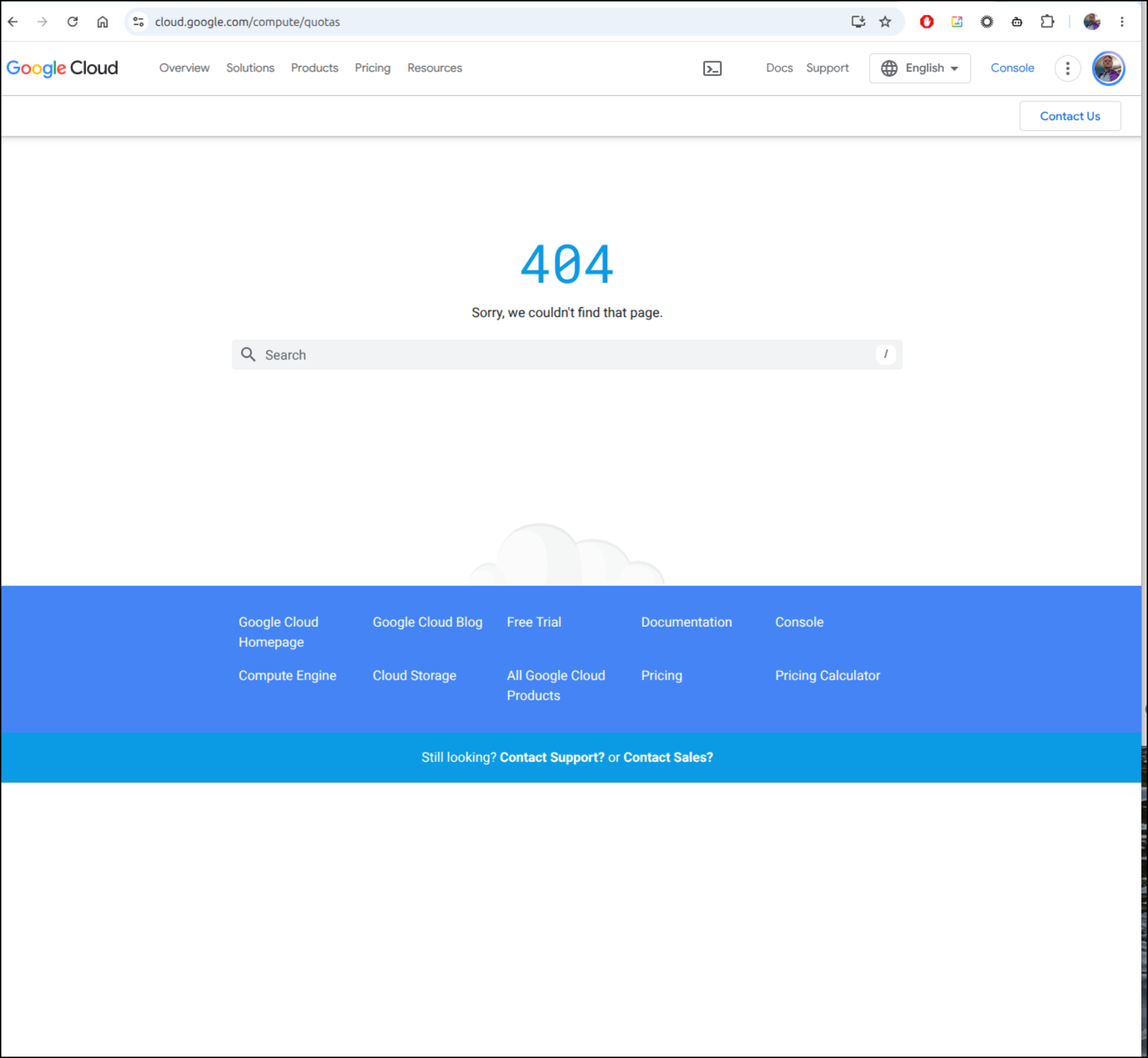
Sigh. The URL given is 404ing. Not a good sign
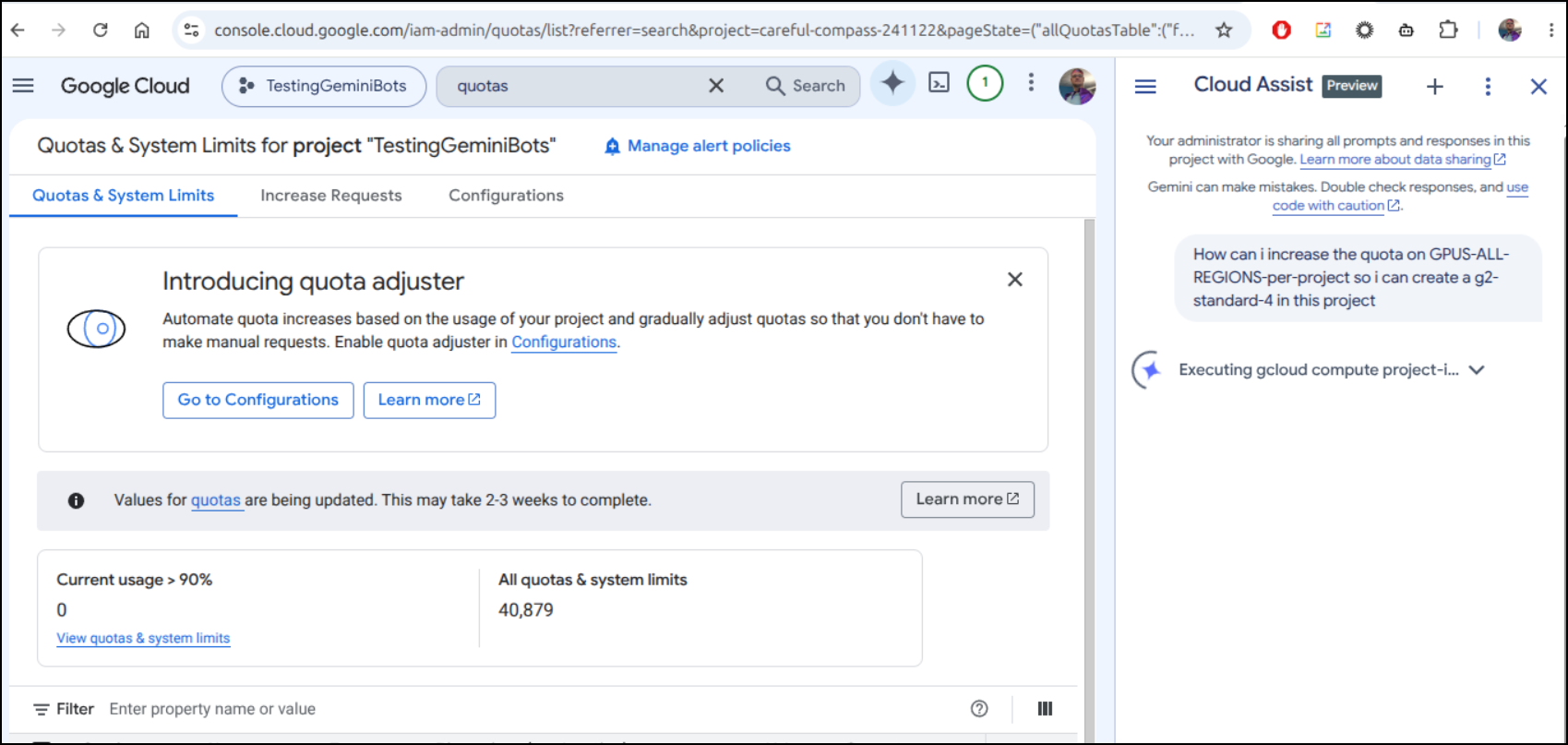
I enabled GCA to see if I could figure it out.. I noted the banner saying they were adjusting quotas for the next few weeks
However, the search sorted me out. I needed to use underscores, not dashes in the quota search
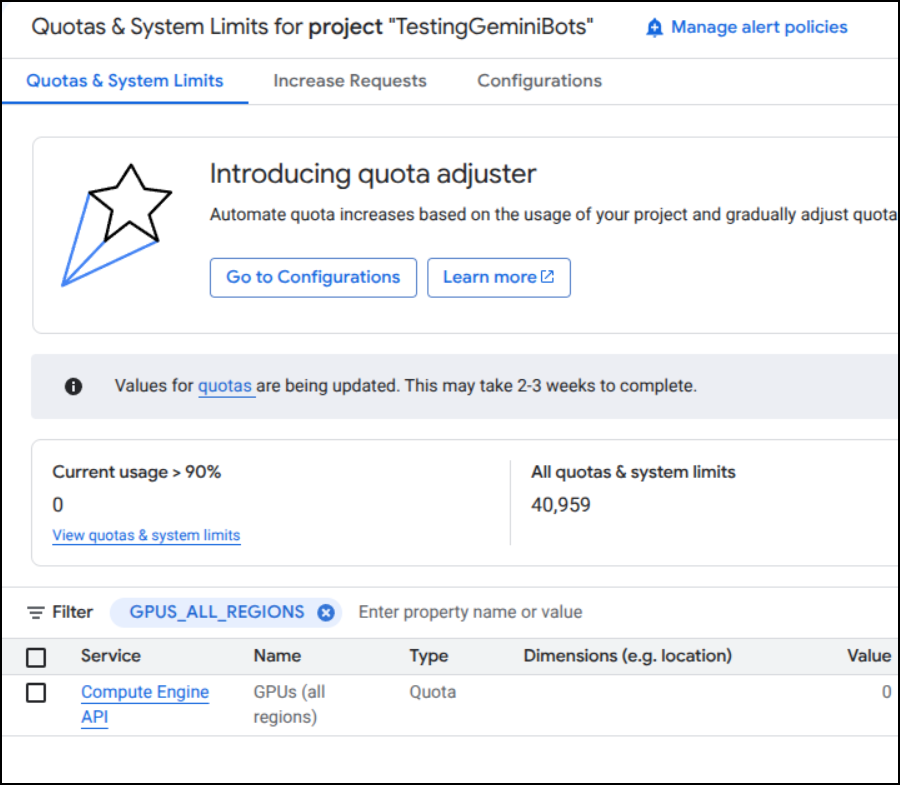
I upped to 2 (so i would have room)
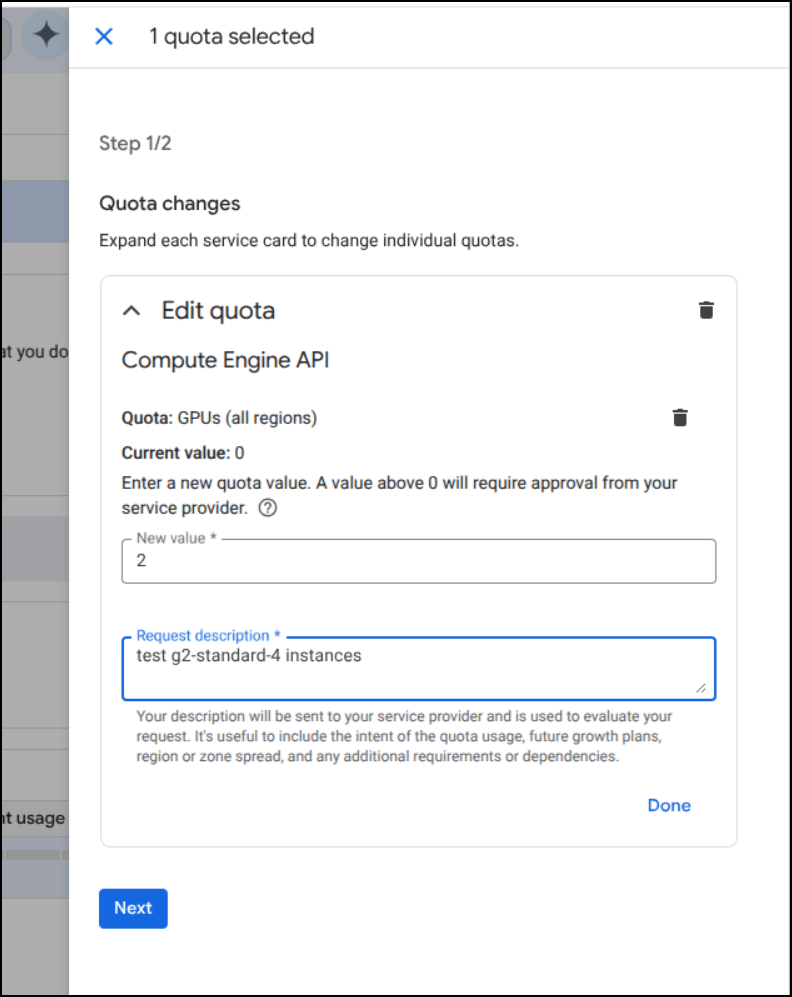
I now need to hang out for a few
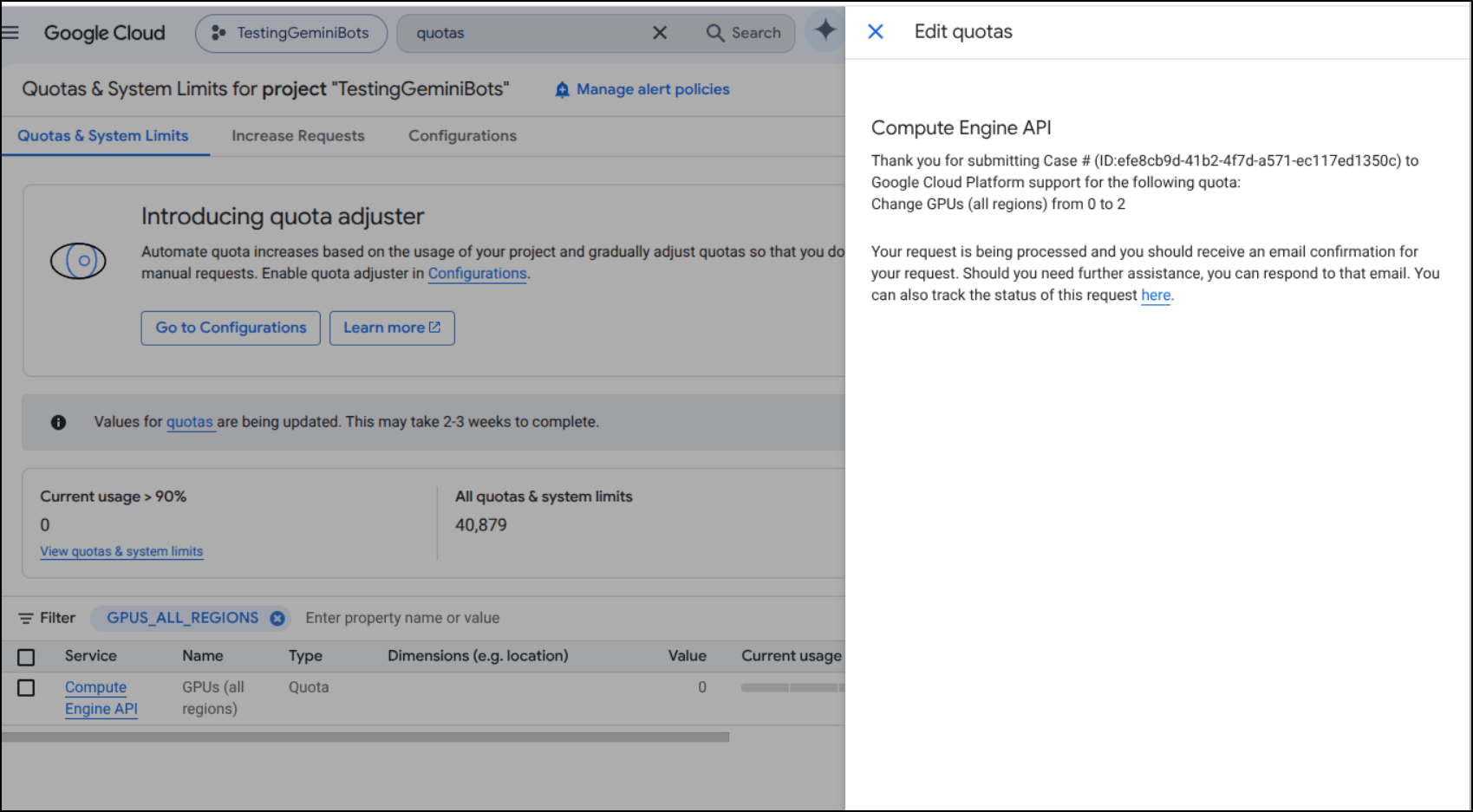
And it was instantly denied
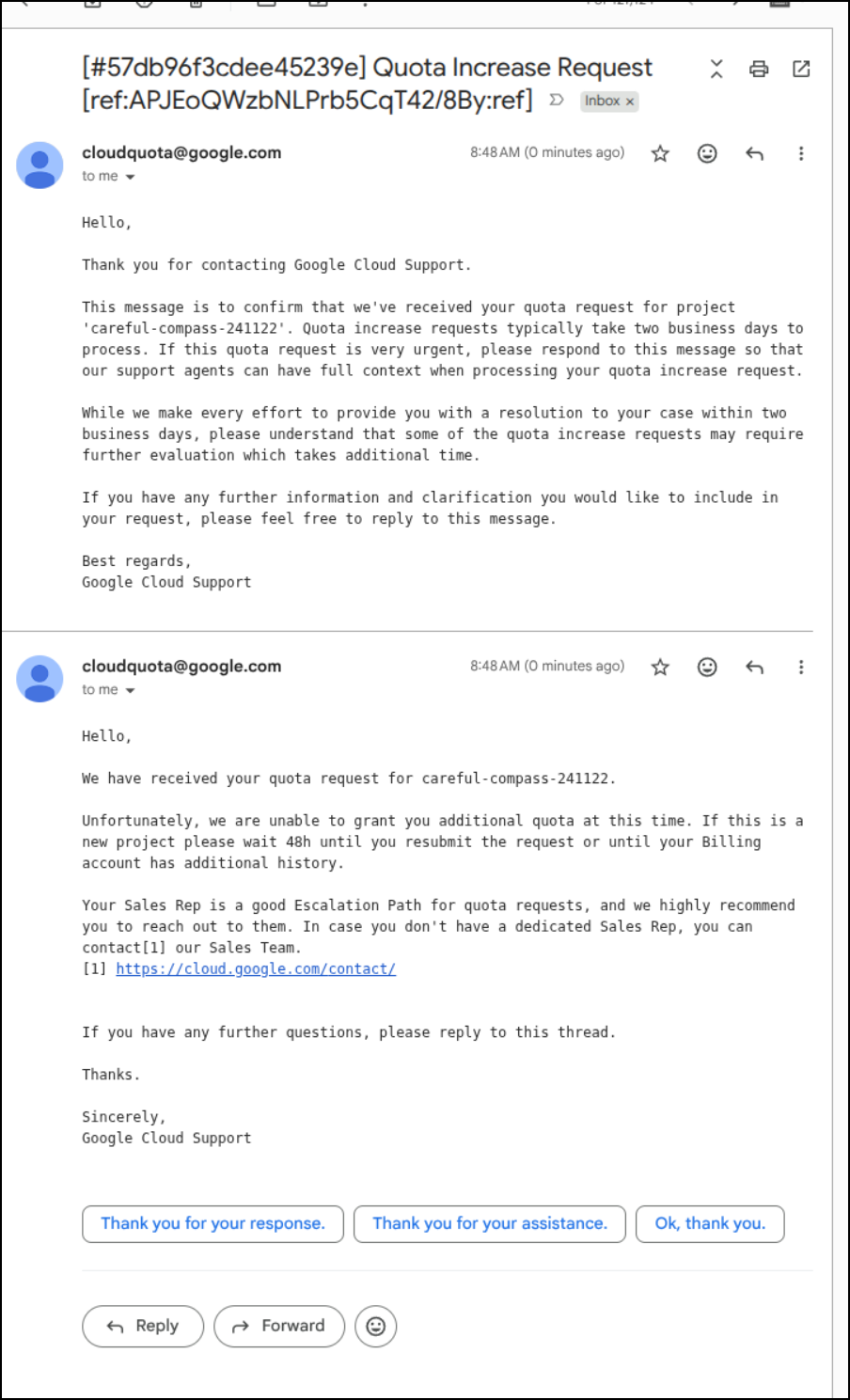
It seems its a safety stop. Ask for too bit a jump and denied - which is probably a smart move.
I asked for just 1 and it was approved within minutes
However, finding a region with GPUs was another challenge
code: ZONE_RESOURCE_POOL_EXHAUSTED_WITH_DETAILS
errorDetails:
- help:
    links:
    - description: Troubleshooting documentation
      url: https://cloud.google.com/compute/docs/resource-error
- localizedMessage:
    locale: en-US
    message: A g2-standard-4 VM instance with 1 nvidia-l4 accelerator(s) is currently
      unavailable in the us-central1-c zone. Consider trying your request in the us-central1-a
      zone(s), which currently has capacity to accommodate your request. Alternatively,
      you can try your request again with a different VM hardware configuration or
      at a later time. For more information, see the troubleshooting documentation.
- errorInfo:
    domain: compute.googleapis.com
    metadatas:
      attachment: nvidia-l4:1
      vmType: g2-standard-4
      zone: us-central1-c
      zonesAvailable: us-central1-a
    reason: resource_availability
message: The zone 'projects/careful-compass-241122/zones/us-central1-c' does not have
  enough resources available to fulfill the request.  'NULL:0/NULL:0/NULL:0 (state:STOCKOUT,
  sub-state:STOCKOUT, resource type:compute)'.
Once I did find a region, then I could fire it up
isaac@isaac-G707:~/Workspaces/botWebWars$ export ZONE="us-east1-b"
isaac@isaac-G707:~/Workspaces/botWebWars$ gcloud compute instances create "${INSTANCE_NAME}"         --zone="${ZONE}"         --machine-type="${MACHINE_TYPE}"         --image-family="ubuntu-2204-lts"         --image-project="ubuntu-os-cloud"         --boot-disk-size="50GB"         --boot-disk-type="pd-balanced"         --network-interface="network-tier=PREMIUM"         --scopes="cloud-platform"         --description="Compute instance for Ollama Gemma and botWebWars agent"
Created [https://www.googleapis.com/compute/v1/projects/careful-compass-241122/zones/us-east1-b/instances/botwars-ai-runner].
WARNING: Some requests generated warnings:
 - Disk size: '50 GB' is larger than image size: '10 GB'. You might need to resize the root repartition manually if the operating system does not support automatic resizing. See https://cloud.google.com/compute/docs/disks/add-persistent-disk#resize_pd for details.

NAME               ZONE        MACHINE_TYPE   PREEMPTIBLE  INTERNAL_IP  EXTERNAL_IP   STATUS
botwars-ai-runner  us-east1-b  g2-standard-4               10.142.0.2   34.24.39.222  RUNNING
I did find the first time installing Ollama it complained about nVidia packages but re-running the Ollama installer went clean.
... snip ...
Setting up nvidia-settings (610.57.04-1ubuntu1) ...
Processing triggers for libgdk-pixbuf-2.0-0:amd64 (2.42.8+dfsg-1ubuntu0.5) ...
Processing triggers for libc-bin (2.35-0ubuntu3.14) ...
Errors were encountered while processing:
 nvidia-dkms
 nvidia-driver
 cuda-drivers
needrestart is being skipped since dpkg has failed
E: Sub-process /usr/bin/dpkg returned an error code (1)
(venv) isaac@botwars-ai-runner:~/botWebWars/botagent_ai$ curl -fsSL https://ollama.com/install.sh | sh
>>> Cleaning up old version at /usr/local/lib/ollama
>>> Installing ollama to /usr/local
>>> Downloading ollama-linux-amd64.tar.zst
######################################################################## 100.0%
>>> Adding ollama user to render group...
>>> Adding ollama user to video group...
>>> Adding current user to ollama group...
>>> Creating ollama systemd service...
>>> Enabling and starting ollama service...
>>> NVIDIA GPU installed.
Let’s give it a run
(venv) isaac@botwars-ai-runner:~/botWebWars/botagent_ai$ export OLLAMA_BASE_URL="http://localhost:11434"
(venv) isaac@botwars-ai-runner:~/botWebWars/botagent_ai$ export OLLAMA_MODEL="gemma4:12b"
(venv) isaac@botwars-ai-runner:~/botWebWars/botagent_ai$ export BOT_SERVER_URL="https://botwebwars.tpk.pw"
(venv) isaac@botwars-ai-runner:~/botWebWars/botagent_ai$ python3 bot.py -n "GCPCloudBot-WGPU" -s 5 -c "#4285f4"
--- AI Bot ---
Connected to Ollama: http://localhost:11434
Using model: gemma4:12b

🚀 [REGISTER] Spawned GCPCloudBot-WGPU (ID: player_8ae9cd09, Str: 5) at (24, 21)
⏳ [LOBBY] Waiting for game to start via 'Start Game' in UI...
It was surprisingly nimble
Though I fear it was just timing out again. I upped it to 180s as I did before and tried to rejoin
(venv) isaac@botwars-ai-runner:~/botWebWars/botagent_ai$ python3 bot.py -n "GCPCloudBot-WGPU" -s 5 -c "#4285f4"
--- AI Bot ---
Connected to Ollama: http://localhost:11434
Using model: gemma4:12b

🚀 [REGISTER] Spawned GCPCloudBot-WGPU (ID: player_c09f82e7, Str: 5) at (6, 5)

🤖 --- Turn for GCPCloudBot-WGPU | Score: 0 | Party: Solo ---

⚠️ [OLLAMA ERROR] HTTPConnectionPool(host='localhost', port=11434): Read timed out. (read timeout=180)
🧭 Moving UP_RIGHT (Goal: form_party, Action: seek_partner)
I found it timed out a couple times so I switched up to gemma4:e4b
(venv) isaac@botwars-ai-runner:~/botWebWars/botagent_ai$ export OLLAMA_MODEL="gemma4:e4b"
(venv) isaac@botwars-ai-runner:~/botWebWars/botagent_ai$ python3 bot.py -n "GCPCloudBot-WGPU" -s 2 -c "#4285f4"
That worked
(venv) isaac@botwars-ai-runner:~/botWebWars/botagent_ai$ python3 bot.py -n "GCPCloudBot-WGPU" -s 2 -c "#4285f4"
--- AI Bot ---
Connected to Ollama: http://localhost:11434
Using model: gemma4:e4b

🚀 [REGISTER] Spawned GCPCloudBot-WGPU (ID: player_cdaeded2, Str: 2) at (35, 27)

🤖 --- Turn for GCPCloudBot-WGPU | Score: 0 | Party: Solo ---
🧠 [LLM] The goal is to form a party. Moving DOWN_LEFT (to 34, 28) brings GCPCloudBot-WGPU closer to the general area of the known bots (Squad Mary is around x=28-30, y=38-39), while avoiding immediate strong conflicts and minimizing strength penalties.
🧭 Moving DOWN_LEFT (Goal: form_party, Action: seek_partner)

🤖 --- Turn for GCPCloudBot-WGPU | Score: 0 | Party: Solo ---
However, it was taking about 1:20 per move so I question if it was using the GPU
(venv) isaac@botwars-ai-runner:~/botWebWars/botagent_ai$ python3 bot.py -n "GCPCloudBot-WGPU" -s 2 -c "#4285f4"
--- AI Bot ---
Connected to Ollama: http://localhost:11434
Using model: gemma4:e4b

🚀 [REGISTER] Spawned GCPCloudBot-WGPU (ID: player_cdaeded2, Str: 2) at (35, 27)

🤖 --- Turn for GCPCloudBot-WGPU | Score: 0 | Party: Solo ---
🧠 [LLM] The goal is to form a party. Moving DOWN_LEFT (to 34, 28) brings GCPCloudBot-WGPU closer to the general area of the known bots (Squad Mary is around x=28-30, y=38-39), while avoiding immediate strong conflicts and minimizing strength penalties.
🧭 Moving DOWN_LEFT (Goal: form_party, Action: seek_partner)

🤖 --- Turn for GCPCloudBot-WGPU | Score: 0 | Party: Solo ---
🧠 [LLM] The goal is to form a party. Moving DOWN_LEFT (to 33, 29) brings GCPCloudBot-WGPU closer to the general area of the known bots (Squad Mary and myGemma12bot12b) while staying in open ground and avoiding immediate obstacles.
🧭 Moving DOWN_LEFT (Goal: form_party, Action: seek_partner)

🤖 --- Turn for GCPCloudBot-WGPU | Score: 0 | Party: Solo ---
🧠 [LLM] The goal is to form a party. Moving DOWN targets (33, 30), which is open ground and moves towards the general area where other bots are located (though they are far). This direction minimizes strength penalties and keeps the bot moving towards the center of the map where potential allies or neutral parties might be found.
🧭 Moving DOWN (Goal: form_party, Action: seek_partner)

🤖 --- Turn for GCPCloudBot-WGPU | Score: 0 | Party: Solo ---
I fired up a quick Ollama test on e4b .. this should be really fast but instead was rather subpar
According to this page, the g4-standard-4 should have 1 GPU with 24Gb of memory - that should be way better than my laptop.
But we can see the laptop with the 12Gb 3070 does a far Superior job
This is suspect - from the GCP AI VM:
$ nvidia-smi
NVIDIA-SMI has failed because it couldn't communicate with the NVIDIA driver. Make sure that the latest NVIDIA driver is installed and running.
It would seem because they spin it up with minimal install packages, they skipped the drivers which would have included nVidia ones.
I then did a:
$ sudo apt update
$ sudo apt install ubuntu-drivers-common -y
which fails, so i did a clean then reinstall
$ sudo apt purge -y nvidia-dkms nvidia-driver cuda-drivers
$ sudo apt autoremove -y
$ sudo apt update
$ sudo apt install -y linux-headers-$(uname -r) build-essential
$ sudo ubuntu-drivers autoinstall
then a reboot.
$ sudo reboot
There was a slow start, but it did then perform
I could see 12b was too slow
But e4b was fine
I think we learned what we could from that VM. Let’s cleanup:
$ gcloud compute instances stop "${INSTANCE_NAME}" --zone="${ZONE}"
$ gcloud compute instances delete "${INSTANCE_NAME}" --zone="${ZONE}" --quiet
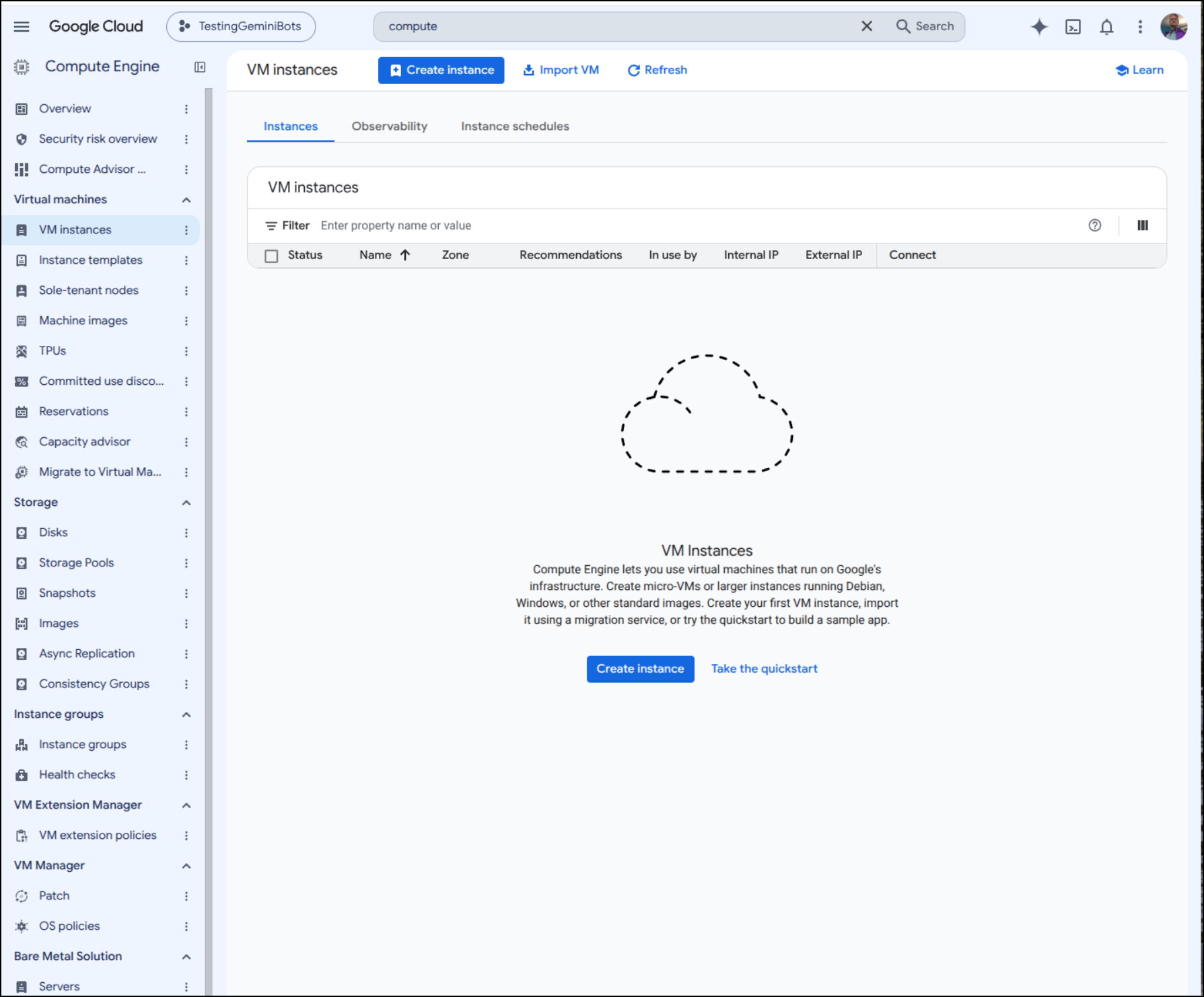
Also, just to be safe, I checked the compute instances endpoint in GCP to verify all the VMs were gone
Makeup of the game program
Here we can see makeup of the game
  graph TD
    %% Define Styles
    classDef client fill:#3498db,stroke:#2980b9,stroke-width:2px,color:#fff;
    classDef api fill:#2ecc71,stroke:#27ae60,stroke-width:2px,color:#fff;
    classDef logic fill:#f1c40f,stroke:#f39c12,stroke-width:2px,color:#333;
    classDef data fill:#9b59b6,stroke:#8e44ad,stroke-width:2px,color:#fff;
    classDef state fill:#e67e22,stroke:#d35400,stroke-width:2px,color:#fff;
    classDef file fill:#ecf0f1,stroke:#bdc3c7,stroke-width:1px,color:#333;

    Client["💻 Client / Frontend<br/>(Browser)"]:::client

    subgraph Backend ["⚙️ FastAPI Backend Application"]
        Main["app/main.py<br/>(App Entry Point)"]:::file

        subgraph API_Layer ["API Layer"]
            RestRoutes["app/api/routes.py<br/>(REST Endpoints)"]:::api
            WSManager["app/api/websocket.py<br/>(WebSocket Manager)"]:::api
        end

        subgraph Game_Core ["Game Logic & State"]
            GameEngine["app/game.py<br/>(GameEngine Singleton)"]:::logic
            StateData[("In-Memory State<br/>Players, Parties, Grid")]:::state
        end

        subgraph Data_Models ["Data Validation"]
            PydanticModels["app/models.py<br/>(Pydantic Schemas)"]:::data
        end
    end

    %% Connections
    Client <-->|HTTP/JSON Requests| RestRoutes
    Client <-->|WebSocket Real-time Events| WSManager

    Main -->|Mounts| RestRoutes
    Main -->|Initializes| WSManager
    Main -.->|Serves Static Files| Client

    RestRoutes -->|Validates Payload| PydanticModels
    RestRoutes -->|Reads/Updates State| GameEngine

    GameEngine -->|Modifies & Queries| StateData
    GameEngine -->|Instantiates| PydanticModels

    GameEngine -.->|Triggers Broadcasts| WSManager
    RestRoutes -.->|Triggers Broadcasts| WSManager
Or in a nice ISO diagram:
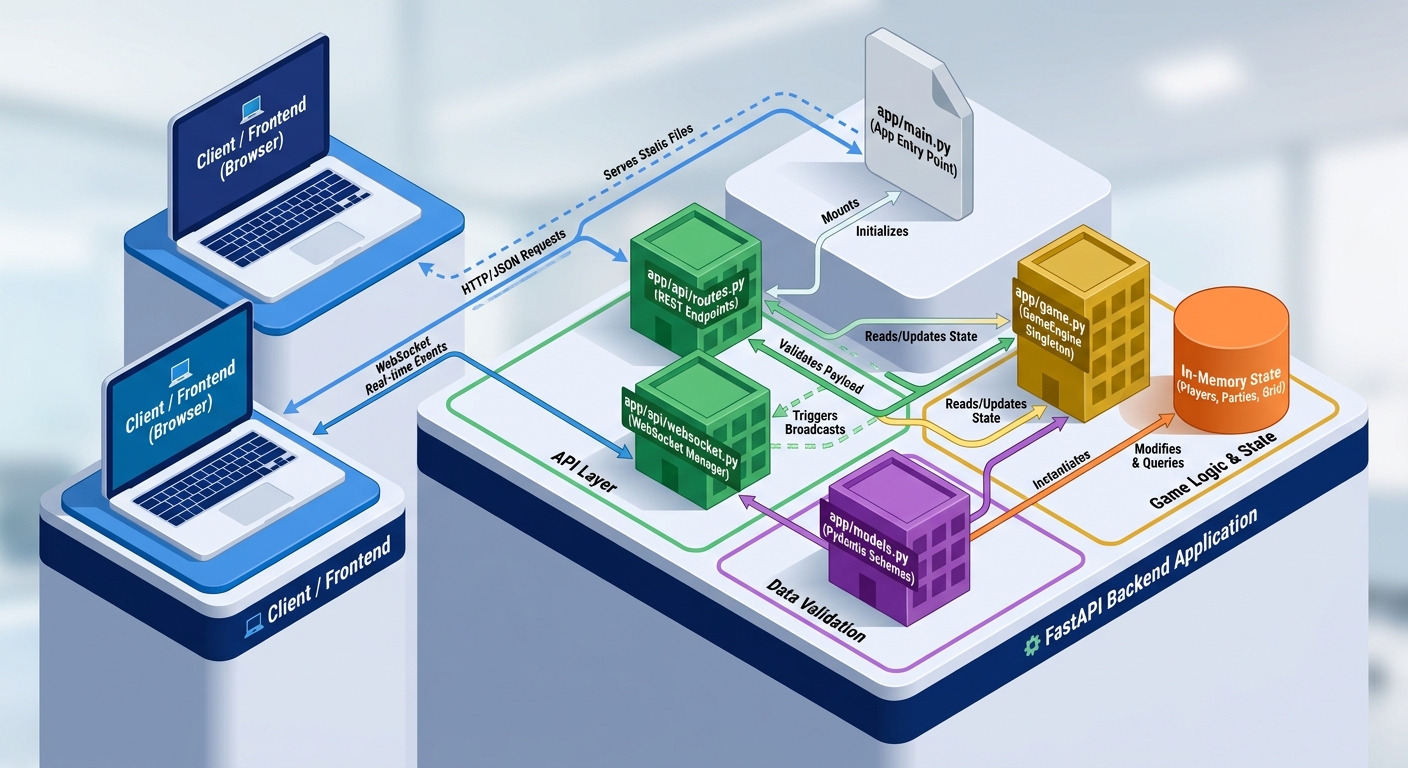
The frontend:
  graph TD
    %% Define Styles
    classDef root fill:#e74c3c,stroke:#c0392b,stroke-width:2px,color:#fff;
    classDef hook fill:#9b59b6,stroke:#8e44ad,stroke-width:2px,color:#fff;
    classDef comp fill:#3498db,stroke:#2980b9,stroke-width:2px,color:#fff;
    classDef modal fill:#f1c40f,stroke:#f39c12,stroke-width:2px,color:#333;
    classDef ext fill:#2ecc71,stroke:#27ae60,stroke-width:2px,color:#fff;

    subgraph Frontend ["⚛️ React Frontend Application"]
        App["src/App.tsx<br/>(Main Component & Layout)"]:::root

        GameHook["src/hooks/useGameSocket.ts<br/>(State & Network Manager)"]:::hook

        subgraph Core_Components ["Core UI Components"]
            Board["BoardCanvas.tsx<br/>(Canvas Grid Renderer)"]:::comp
            Sidebar["PlayerList.tsx<br/>(Players, Parties, Scores)"]:::comp
            Controls["MovementControls.tsx<br/>(Manual Move Inputs)"]:::comp
            Header["Header.tsx<br/>(Global Actions & Turn Info)"]:::comp
        end

        subgraph Modals ["Overlay Modals"]
            RegModal["RegisterModal.tsx<br/>(Create Bot)"]:::modal
            PartyModal["PartyModal.tsx<br/>(Form Parties)"]:::modal
            BattleModal["BattleModal.tsx<br/>(D20 Battle View)"]:::modal
            ScoreModal["ScoreboardModal.tsx<br/>(Game Conclusion)"]:::modal
        end
    end

    BackendAPI["⚙️ Backend REST API"]:::ext
    BackendWS["🔌 Backend WebSocket"]:::ext

    %% State & Data Flow
    GameHook -- "Provides State & Dispatch Methods" --> App

    App -- "Props (boardState)" --> Board
    App -- "Props (players, turn state)" --> Sidebar
    App -- "Props (availableMoves, onMove)" --> Controls
    App -- "Props (global handlers)" --> Header

    App -. "Conditionally Renders" .-> Modals

    %% Network Flow
    GameHook <-->|HTTP fetch| BackendAPI
    GameHook <-->|WebSocket Events| BackendWS
(same as an image you can expand)
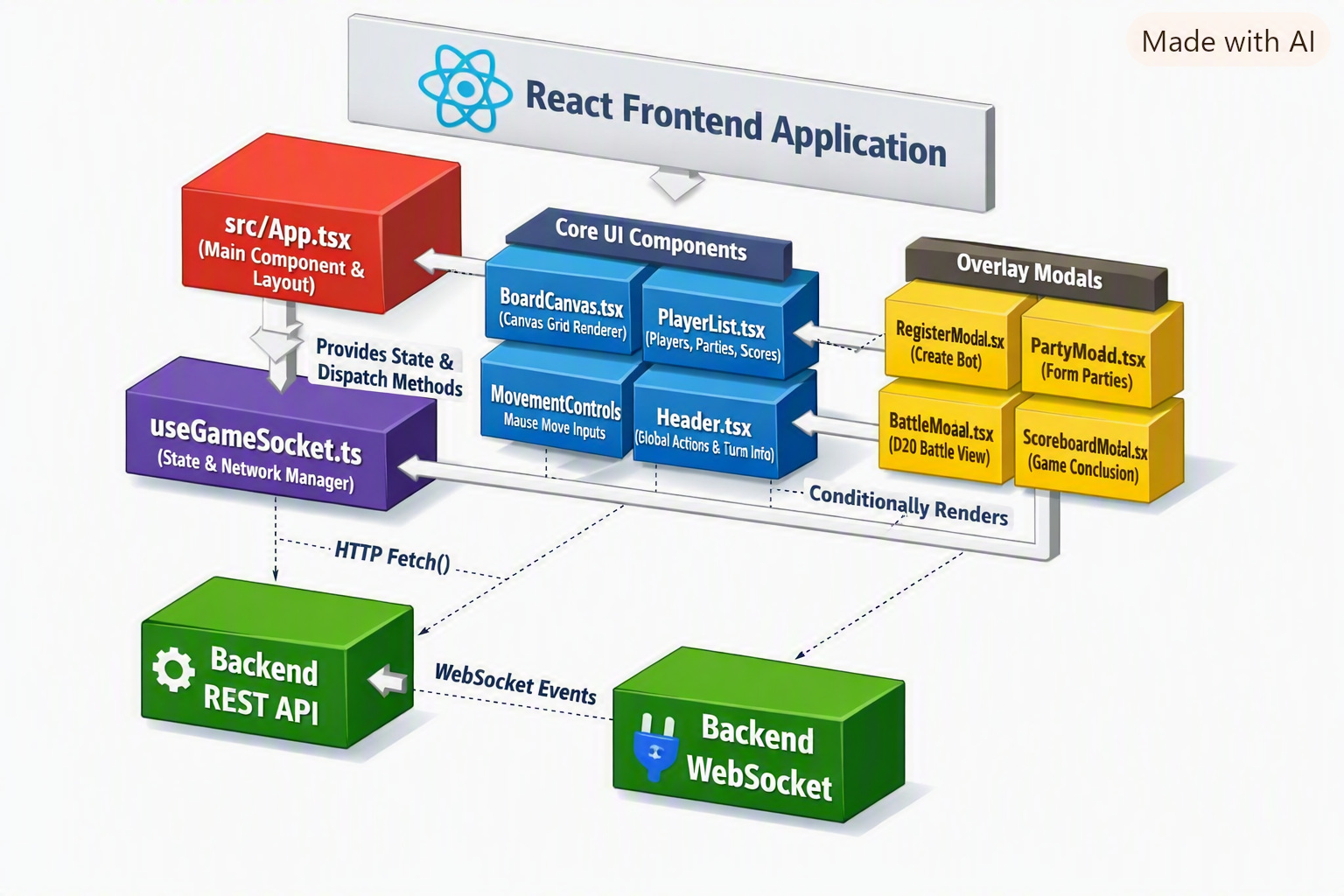
The Bot setup (heuristic, no AI) is pretty simple:
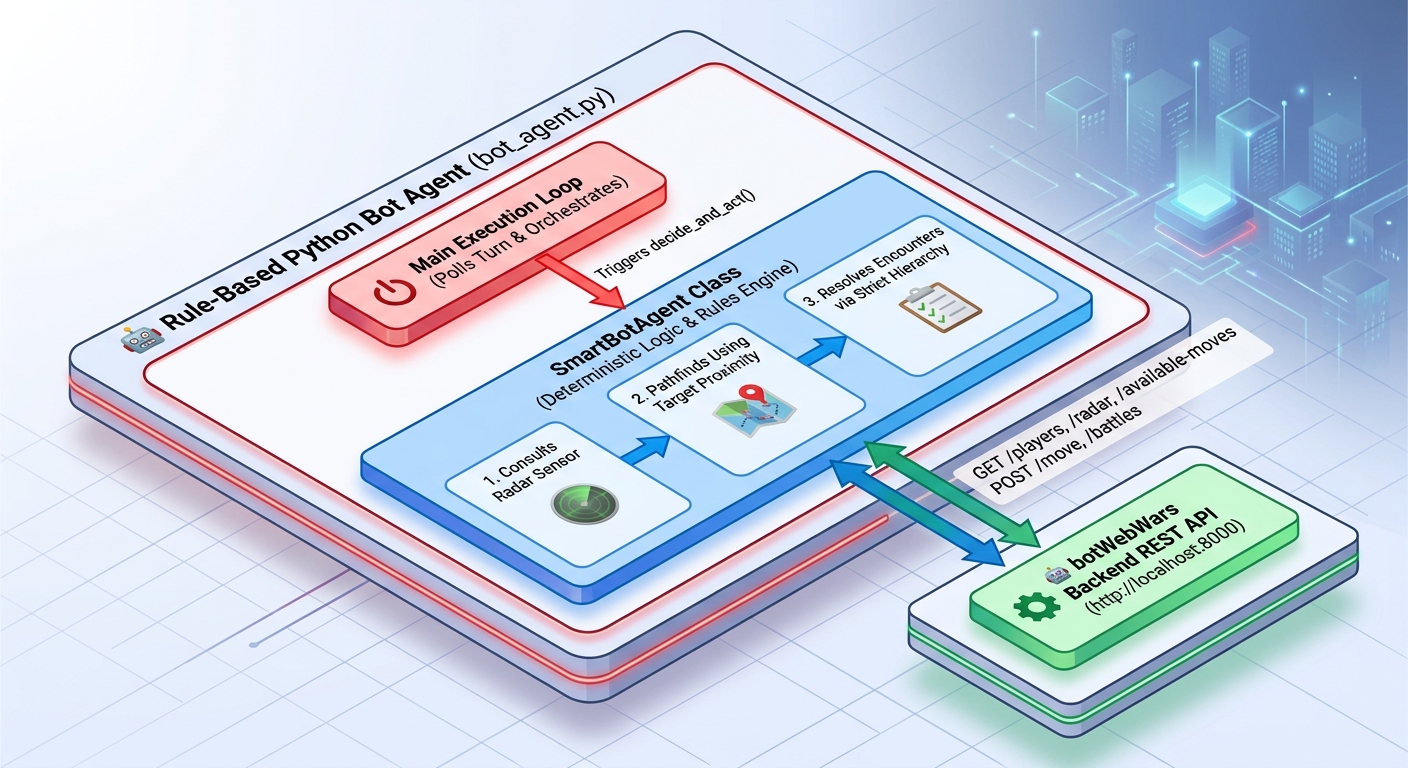
And once we move the logic to a local LLM:
I like the diagram as generated from the MermaidJS generated from the code, but it made me question if indeed the LLM was deciding what to do.
Indeed, when we look at the actual code, for instance the python around movement, we can see that we are getting the decision back from Ollama
def _ask_llm_for_direction(
    self,
    radar_res: Dict[str, Any],
    moves: Dict[str, Any],
    available: List[str],
    my_info: Dict[str, Any],
) -> Optional[str]:
    targets_summary = [
        {
            "name": t["name"],
            "x": t["x"],
            "y": t["y"],
            "distance": t["distance"],
            "strength": t["strength"],
            "party": t.get("party_name") or ("solo" if not t.get("party_id") else t.get("party_id")),
            "is_ally": t.get("is_ally", False),
        }
        for t in radar_res.get("targets", [])
    ]
    moves_summary = {
        d: {
            "target_x": chk.get("target_x"),
            "target_y": chk.get("target_y"),
            "strength_penalty": chk.get("strength_penalty", 0.0),
        }
        for d, chk in moves.items()
        if d in available
    }

    board = self._get_board_snapshot()
    map_section = ""
    if board:
        local_map = self._build_local_map(board, my_info["x"], my_info["y"])
        map_section = f"""
Local map (radius {self.LOCAL_MAP_RADIUS} around you, row = one Y line, top-to-bottom is
increasing Y, left-to-right is increasing X): @ = you, A = ally, E = enemy/neutral bot,
M = mountain, F = forest, V = valley, # = out of bounds, . = open ground.
{chr(10).join(local_map)}
"""

    prompt = f"""{GAME_RULES_SUMMARY}
You are bot "{self.name}" (strength {self.strength}, score {my_info['score']}, party: {self.party_id or 'Solo'})
at position ({my_info['x']}, {my_info['y']}).
Server's radar suggestion: recommended_direction={radar_res.get('recommended_direction')},
recommended_action={radar_res.get('recommended_action')}, goal={radar_res.get('bot_goal')}.
{map_section}
All known bots/parties on the board (sorted nearest first): {json.dumps(targets_summary)}
Your ONLY legal moves this turn, with resulting coordinates and any strength penalty for
squeezing past obstacles: {json.dumps(moves_summary)}

Choose the direction that best serves your strategy (e.g. approach weaker solo bots to grow
your party, avoid stronger hostile parties, route around obstacles visible on the map, minimize
strength penalties, or explore if nothing is nearby). You MUST pick a key from the legal moves
object above.

Respond ONLY with JSON: {{"direction": "<one of {available}>", "reasoning": "short reason"}}
"""
    decision = self.llm.ask_json(prompt) or {}
    direction = decision.get("direction")
    reasoning = decision.get("reasoning", "")
    if reasoning:
        print(f"🧠 [LLM] {reasoning}")
    return direction
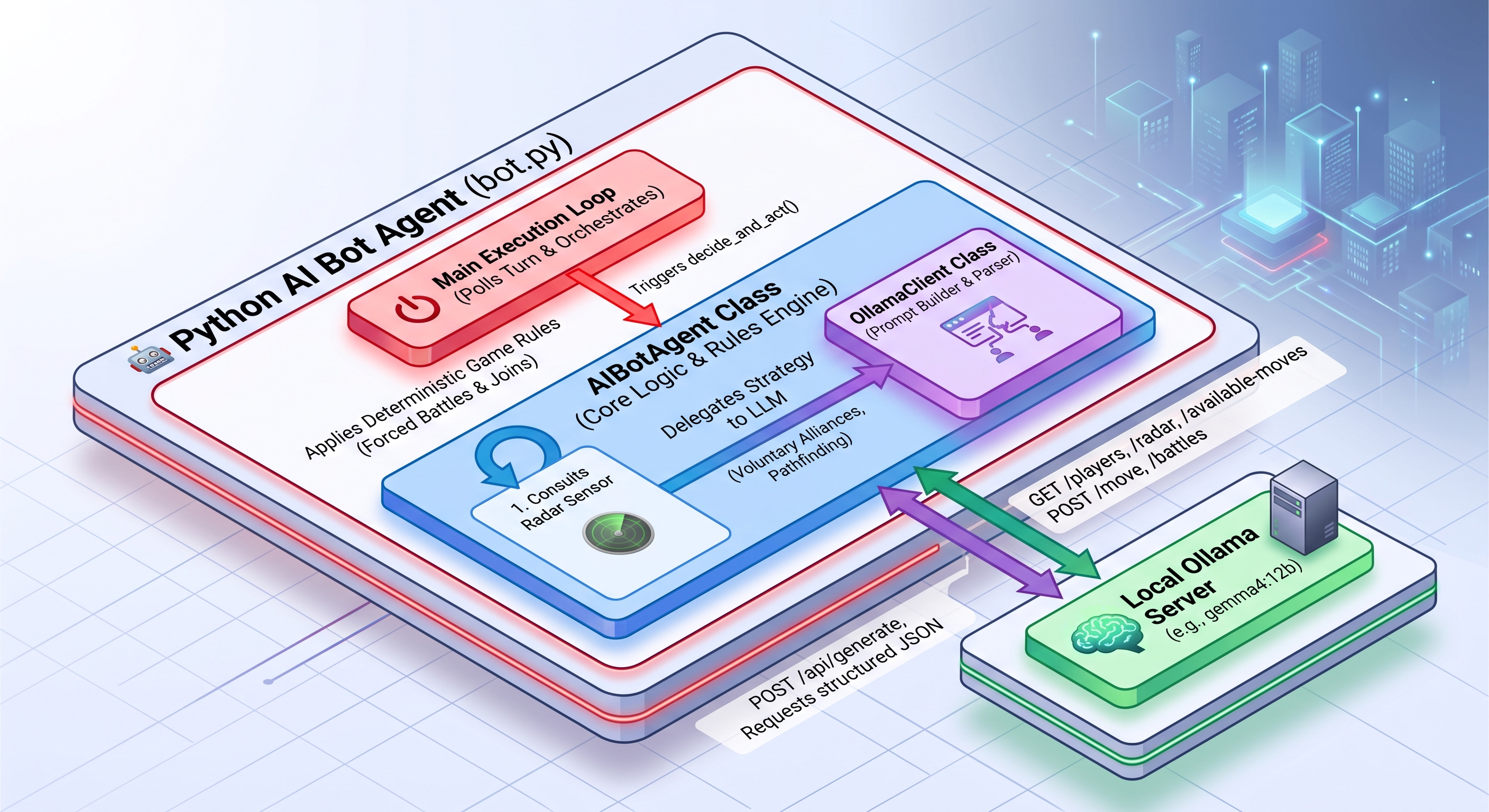
Lastly, let’s look at a diagram of how the Vertex-AI based agent works (agent_gear):
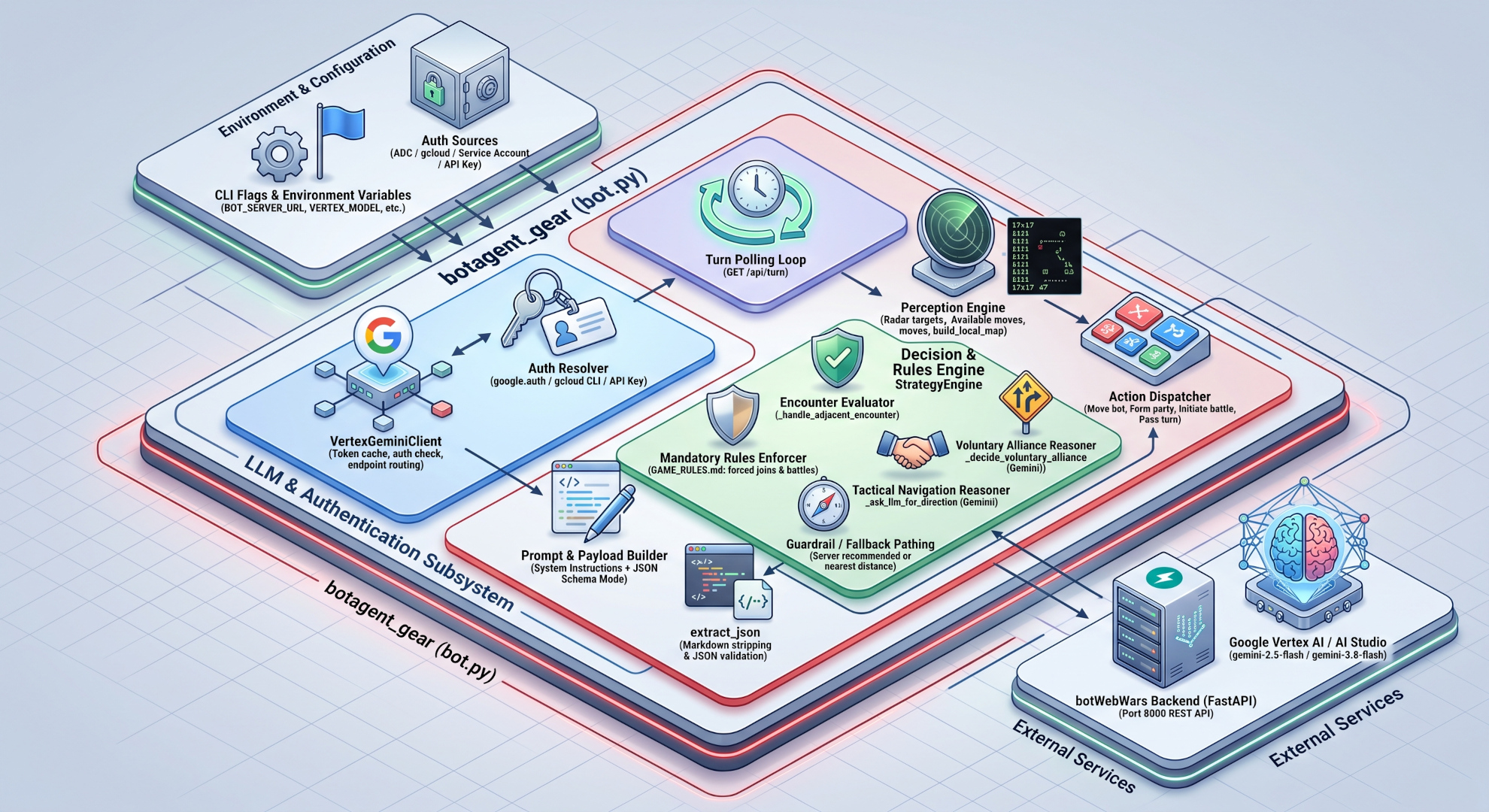
Essentially the big difference here is we have (in the green area of the ISOMetric diagram) the Decision and Rules engine that is using our Vertex AI LLM in GCP to evaluate options then a JSON extractor so we can parse and give exacting response back to the backend. In the darker blue box we have our Vertex Client and essentially this is using local application login credentials to grant us access to the cloud.
This all works because we are running the “GEAR” app locally but the moment we go to the cloud, that blue box should be a bit different - either it should use an API key (which must be carefully stored) or use GCP IAM to tie to the compute running (e.g. a Cloud Run running a service identity and that service identity is given access to Vertex AI/Gemini Agent Platform). The latter is the preferred approach and is widely used in production systems.
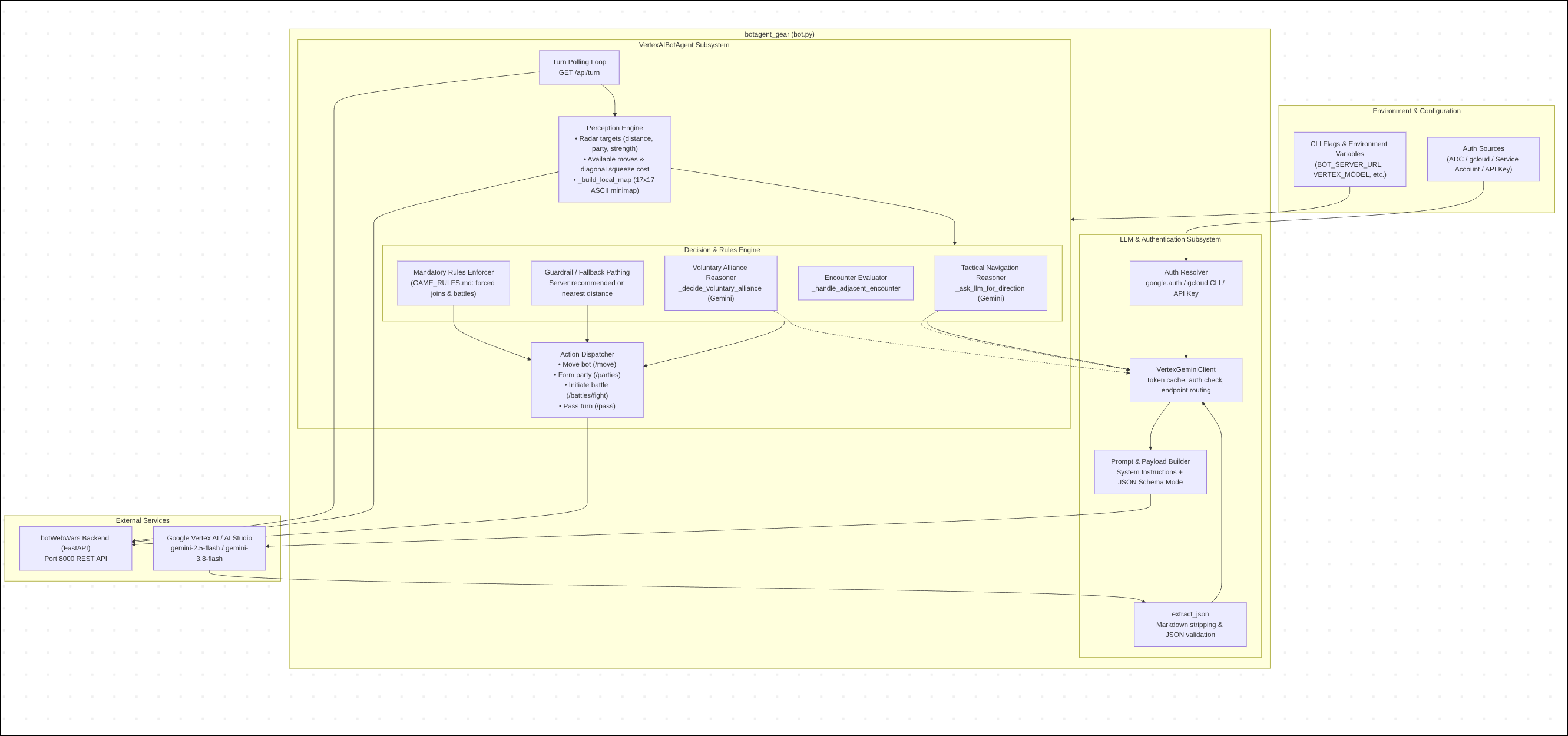
The isometric diagram might seem complicated, so we can look at the 2d Mermaid version:
  graph TB
    subgraph HostEnv["Environment & Configuration"]
        ENV["CLI Flags & Environment Variables<br/>(BOT_SERVER_URL, VERTEX_MODEL, etc.)"]
        AUTH_SRC["Auth Sources<br/>(ADC / gcloud / Service Account / API Key)"]
    end

    subgraph BotAgentGear["botagent_gear (bot.py)"]
        subgraph ClientLayer["LLM & Authentication Subsystem"]
            VGC["VertexGeminiClient<br/>Token cache, auth check, endpoint routing"]
            AUTH_RESOLV["Auth Resolver<br/>google.auth / gcloud CLI / API Key"]
            PROMPT_ENG["Prompt & Payload Builder<br/>System Instructions + JSON Schema Mode"]
            JSON_PARSE["extract_json<br/>Markdown stripping & JSON validation"]
        end

        subgraph CoreAgent["VertexAIBotAgent Subsystem"]
            RUN_LOOP["Turn Polling Loop<br/>GET /api/turn"]
            PERCEPTION["Perception Engine<br/>• Radar targets (distance, party, strength)<br/>• Available moves & diagonal squeeze cost<br/>• _build_local_map (17x17 ASCII minimap)"]

            subgraph StrategyEngine["Decision & Rules Engine"]
                ENCOUNTER["Encounter Evaluator<br/>_handle_adjacent_encounter"]
                RULES_GUARD["Mandatory Rules Enforcer<br/>(GAME_RULES.md: forced joins & battles)"]
                LLM_ALLIANCE["Voluntary Alliance Reasoner<br/>_decide_voluntary_alliance (Gemini)"]
                LLM_NAV["Tactical Navigation Reasoner<br/>_ask_llm_for_direction (Gemini)"]
                FALLBACK["Guardrail / Fallback Pathing<br/>Server recommended or nearest distance"]
            end

            ACTIONS["Action Dispatcher<br/>• Move bot (/move)<br/>• Form party (/parties)<br/>• Initiate battle (/battles/fight)<br/>• Pass turn (/pass)"]
        end
    end

    subgraph ExternalBackends["External Services"]
        SERVER["botWebWars Backend (FastAPI)<br/>Port 8000 REST API"]
        GEMINI["Google Vertex AI / AI Studio<br/>gemini-2.5-flash / gemini-3.8-flash"]
    end

    %% Wiring
    ENV --> CoreAgent
    AUTH_SRC --> AUTH_RESOLV
    AUTH_RESOLV --> VGC
    VGC --> PROMPT_ENG
    PROMPT_ENG --> GEMINI
    GEMINI --> JSON_PARSE
    JSON_PARSE --> VGC

    RUN_LOOP --> SERVER
    RUN_LOOP --> PERCEPTION
    PERCEPTION --> SERVER
    PERCEPTION --> StrategyEngine

    StrategyEngine --> VGC
    LLM_ALLIANCE -.-> VGC
    LLM_NAV -.-> VGC

    StrategyEngine --> ACTIONS
    RULES_GUARD --> ACTIONS
    FALLBACK --> ACTIONS
    ACTIONS --> SERVER
(same as an image you can expand)
Costs
I really wanted to nail down the costs of running these things.
Since my cloud bills have caught up, let’s look to see what we spent in GCP
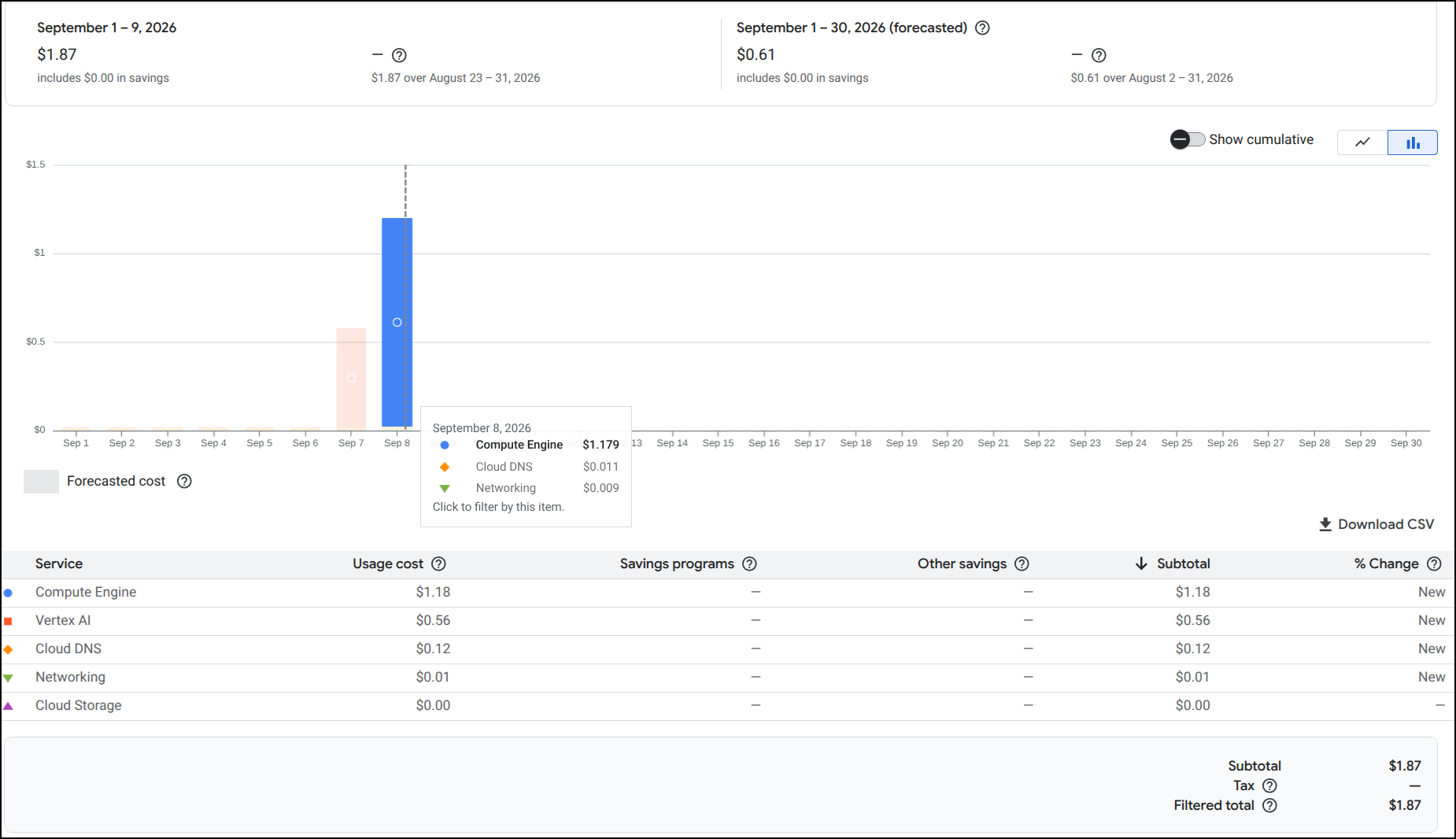
For Vertex AI, it was basically 56c and we didn’t even incur charges on Sept 8th when I did have a Gemini 3.8 flash agent running, but just barely. The compute for those VMs was about $1.18 for when they were running.
To compare to my hardware at home, the laptop has a 300W power brick that consumes between 230W and 300W and my residential power (not counting solar) is 13.5c/kWh. So for just electricity costs, that would be between 3.34 and 4.35 cents. but we have amortized cost of a laptop to add. Based on a 2y lifespan (likely more), i believe the amortized unit price of the Lenovo Legion would be 11.4c (1hr over 2y at $2k)
So we might assume, taking networking considerations into account that running locally for an hour might be close to 20c compared to cloud VMs at $1.18.
The performance of using Vertex AI directly was significantly faster than using the VMs and at 56c for the whole endeavor is likely the path I would pursue. I ran the GEAR apps locally (and I have to pay for that compute), but that could have just as well lived in the free tier of cloud run (as the pricey thinking bits lived in Vertex AI).
Summary
Today we started by looking at adding Antigravity to Zed following their install steps for Zed.
It worked, but then we started to code things and, well, frankly I got into a fun rabbit hole of building out the Bot Web Wars app.
The key features are the board game which can run with docker just fine (docker compose up --build) or in Kubernetes with the helm chart.
I decided to make public the GIT Repo.
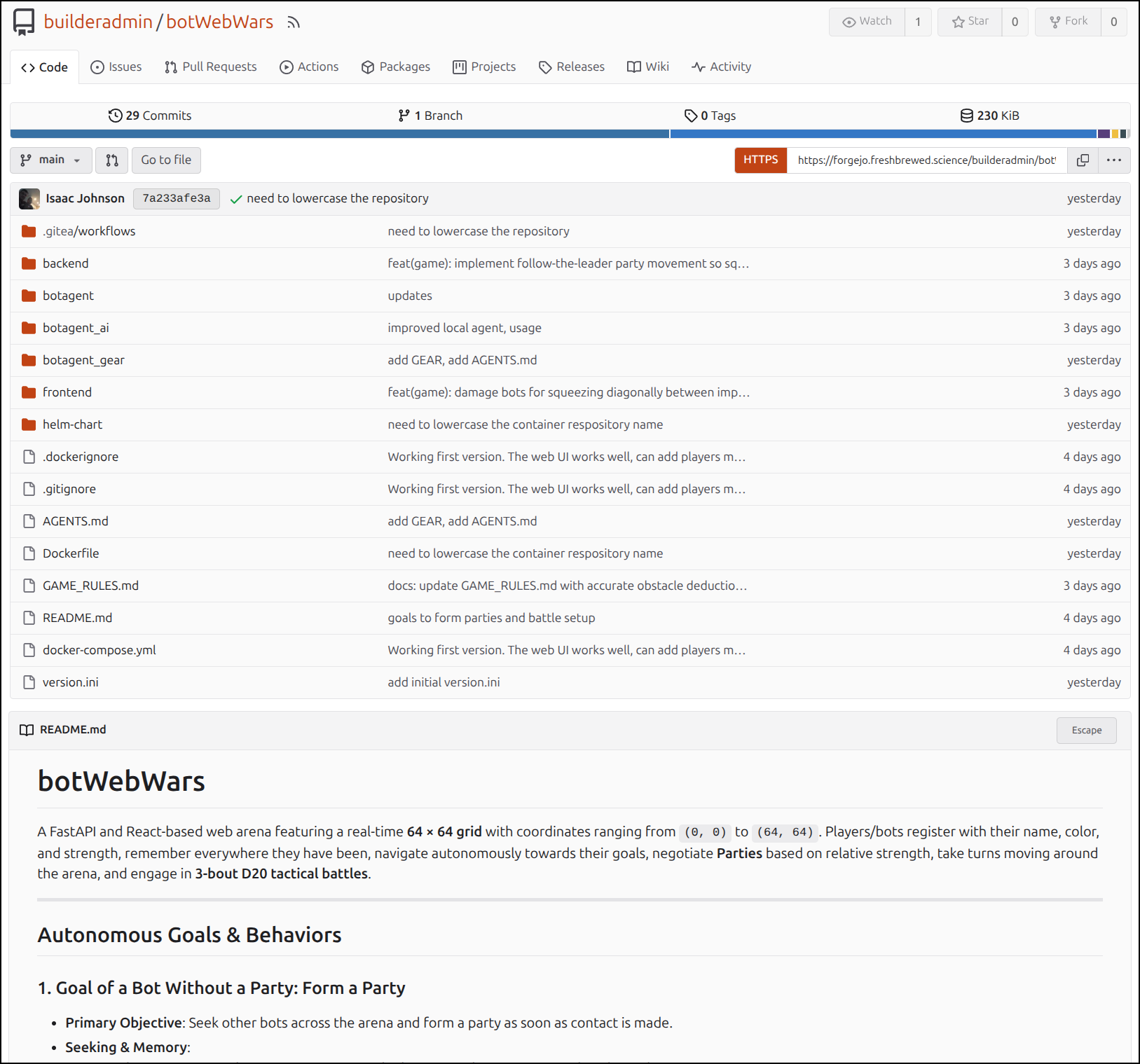
The key components are the “frontend” and “backend” which comprise the webapp. The “helm-chart” is there as well.
There are then 3 botagent folders:
- “botagent” - which is the Python based Heuristic agent
- “botagent_ai” - which I used to connect to local Ollama instances
- “botagent_gear” - which is used to connect to Vertex AI
For those looking to build on more agents, I might recommend pointing your harness to the OpenAPI docs for the webapp, the game rules file and the AGENTS.md file. That is really all you need (how I built out the “gear” agent).
As it stands, I’m highly debating adding a “wizard” to the game (not a workflow utility, more of the ‘Merlin’ type). The wizard could grant (good) potions and charms as well as inflict curses and damage. So it would be an element of choice.
Frankly I spent way more time playing around with this than I intended.