In my last article I spoke on CLoudflare tunnels as well as Ngrok ones.
As we were wrapping that, I found a clean approach to just adding a sidecar to a Kubernetes pod to create tunnels on the fly. I was using a Wilderness app demo to do that but thought it might be something I would want to do again (and of course share with others)
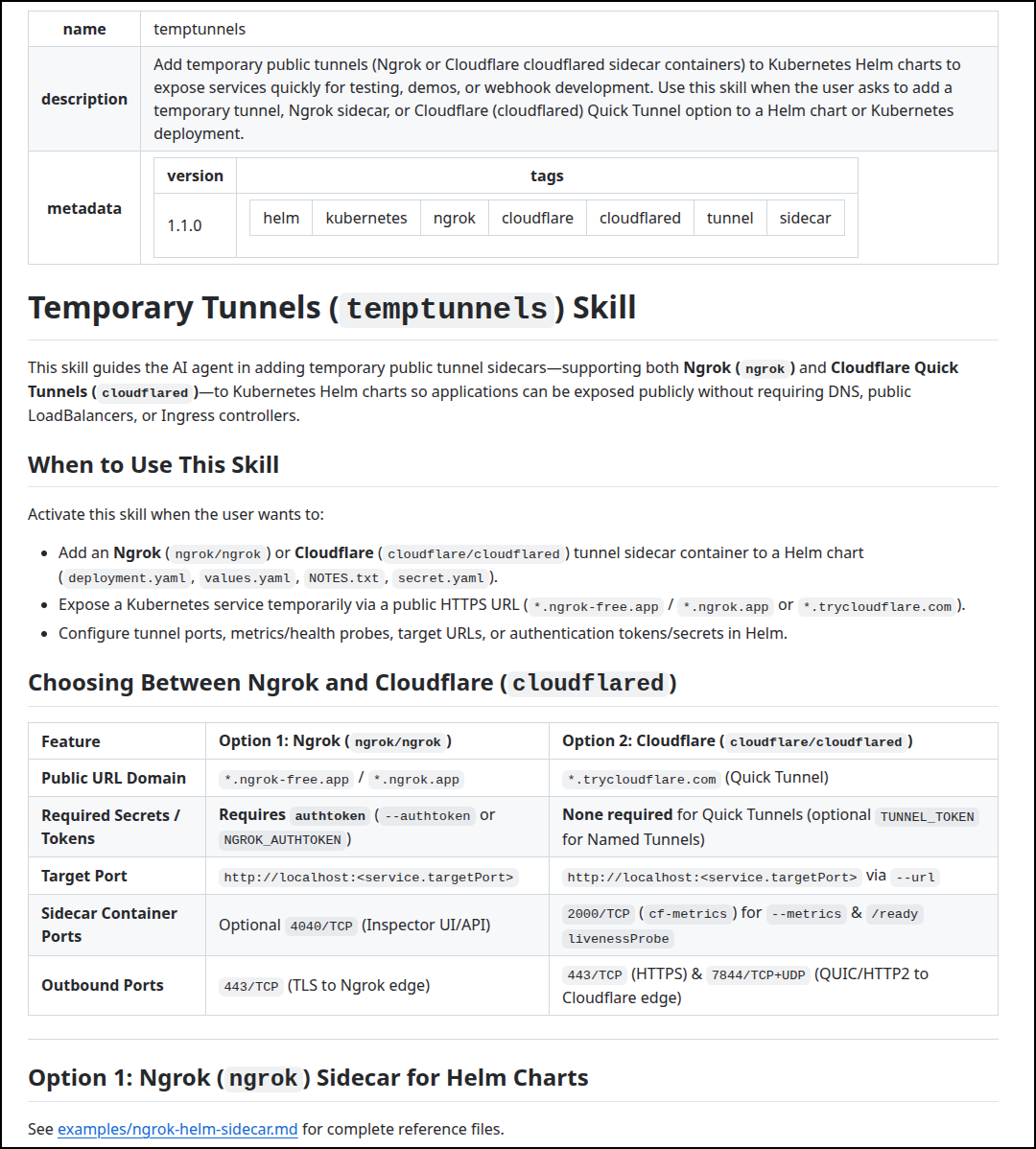
Creating an AI Skill
Using Antigravity with Argon 4, I started by getting on the right branch and asking it to make a Skill for the helm chart:

Once that looked good, I then changed branches and asked:
You added ngrok to /home/builder/Workspaces/aiskills/skills/temptunnels. I have changed branches and now my local ./helm shows an example with Cloudflare (cloudflared). Can you add that to the ai skill now as another option besides ngrok?
I reviewed the skill and pushed up to my AI Skills repo in Github
Here we can see the top-level skill definition
Docker Compose
I wanted to expand it a bit to include docker compose files as well since that covers most of the paths I might take - local docker or Kubernetes deployments
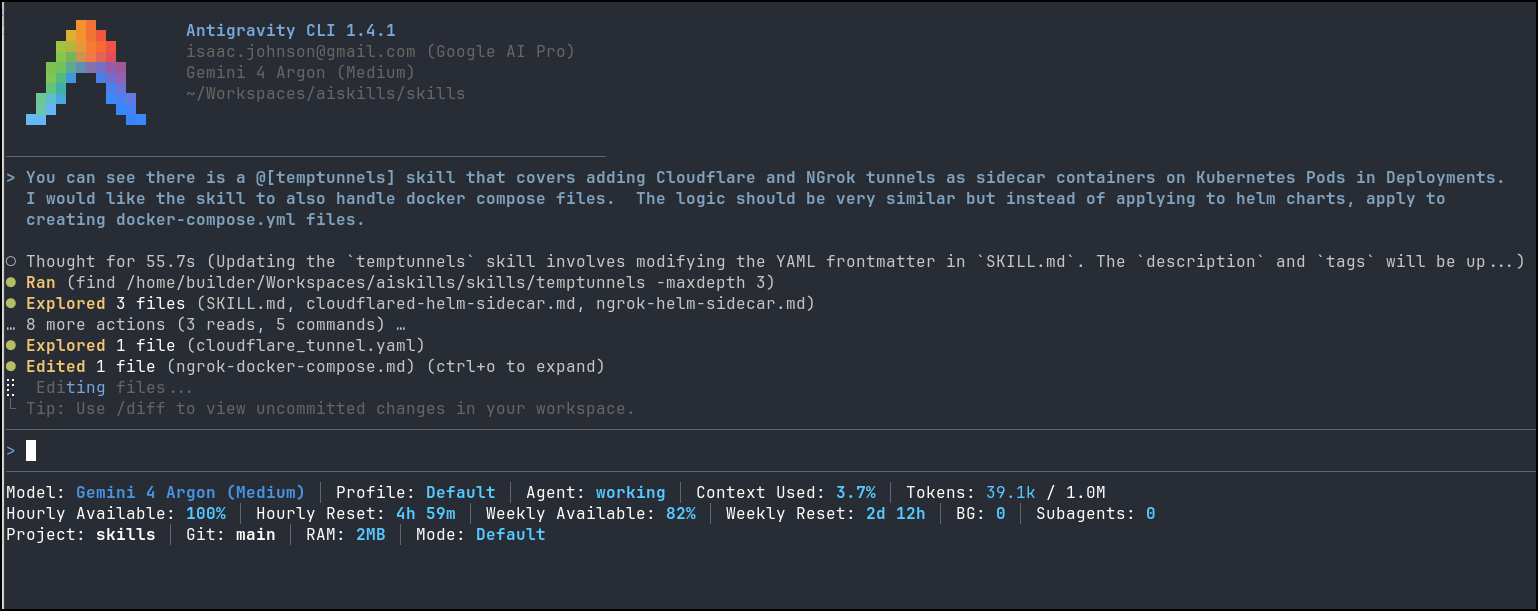
When it got done
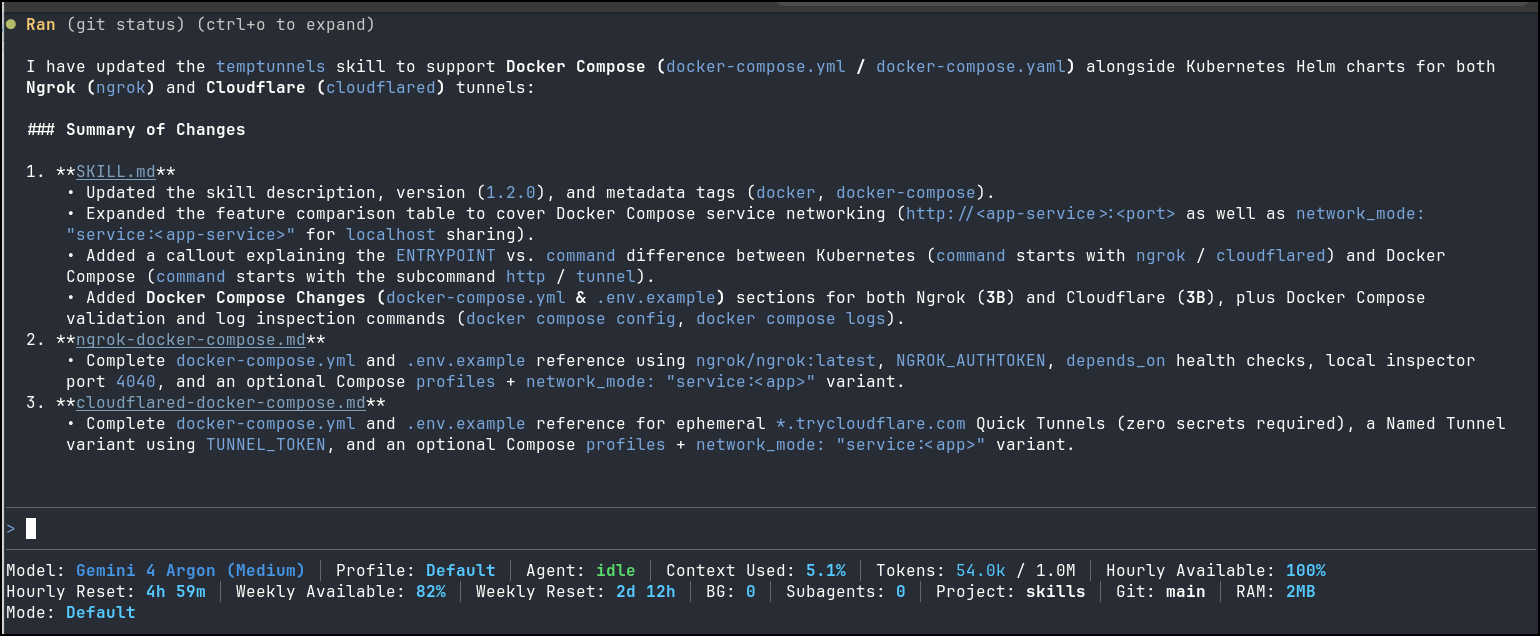
I rather wanted to test them… so i made a silly game with Agy
containers
I now see the skill listed in Agy
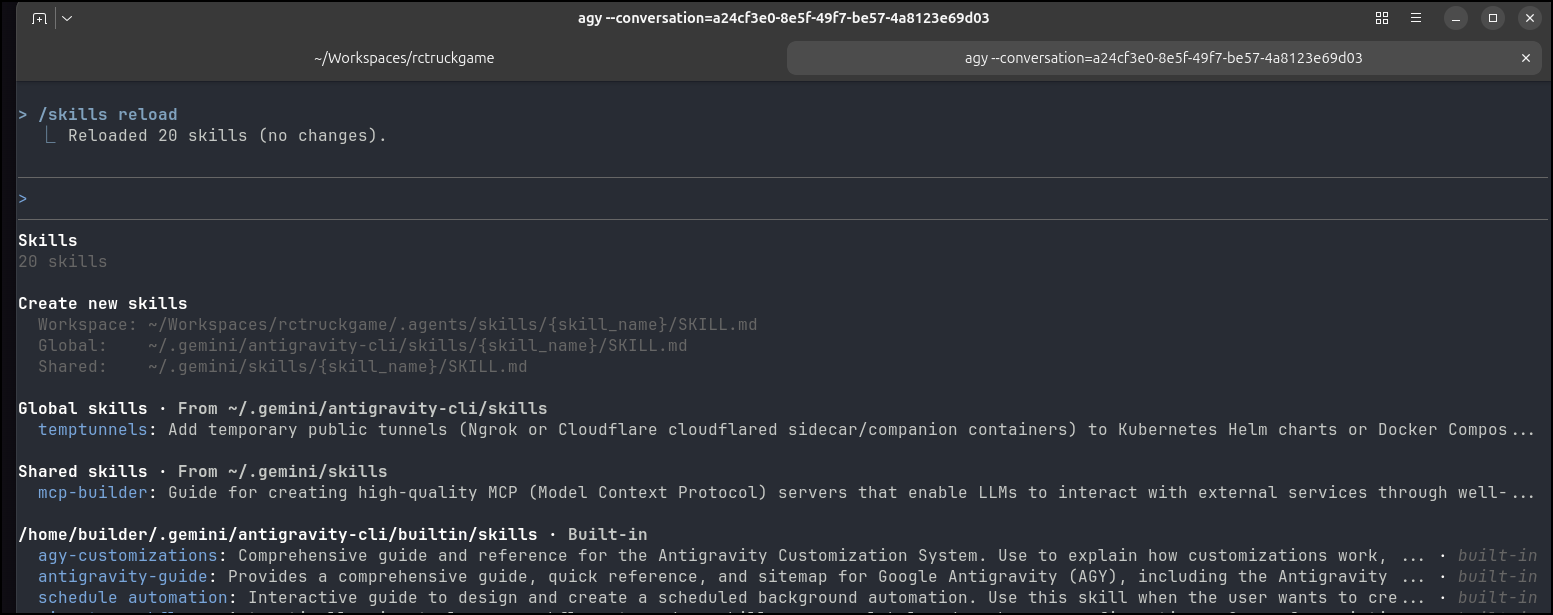
So let’s see if we can create the docker compose and add the temp tunnel:

It worked great and left me a .env.example to use as a basis for docker compose (needed an ngrok API key)
I set that and launched
$ docker compose up --build
[+] Running 17/17
✔ ngrok Pulled 18.5s
✔ 88466a243658 Pull complete 13.9s
✔ 09248e48d65e Pull complete 14.0s
✔ 57437e90f8d7 Pull complete 14.1s
✔ 579aacf8fd31 Pull complete 14.2s
✔ 96490f2f2481 Pull complete 14.2s
✔ d9e26d197b94 Pull complete 14.3s
✔ 5ac22054bb7e Pull complete 14.4s
✔ 757e84b4a473 Pull complete 14.5s
✔ cca9325f5928 Pull complete 14.6s
✔ 83823bf5514d Pull complete 14.7s
✔ 3ab5db9af32c Pull complete 15.0s
✔ 506c0e34cfb3 Pull complete 15.6s
✔ e987a8fe9dc9 Pull complete 16.5s
✔ a5ae2dcd59a3 Pull complete 16.6s
✔ ccdda7d56bb5 Pull complete 16.8s
✔ 40215e2b6a3c Pull complete 16.9s
[+] Building 5.4s (16/16) FINISHED
=> [internal] load local bake definitions 0.0s
=> => reading from stdin 553B 0.0s
=> [internal] load build definition from Dockerfile 0.1s
=> => transferring dockerfile: 631B 0.0s
=> [internal] load metadata for docker.io/library/node:20-alpine 1.3s
=> [auth] library/node:pull token for registry-1.docker.io 0.0s
=> [internal] load .dockerignore 0.1s
=> => transferring context: 89B 0.0s
=> [1/8] FROM docker.io/library/node:20-alpine@sha256:fb4cd12c85ee03686f6af5362a0b0d56d50c58a04632e6c0fb8363f609372293 0.3s
=> => resolve docker.io/library/node:20-alpine@sha256:fb4cd12c85ee03686f6af5362a0b0d56d50c58a04632e6c0fb8363f609372293 0.0s
=> => sha256:fb4cd12c85ee03686f6af5362a0b0d56d50c58a04632e6c0fb8363f609372293 7.67kB / 7.67kB 0.0s
=> => sha256:afdf98210b07b586eb71fa22ba2e432e058e4cd1304d31ed60888755b8c865fb 1.72kB / 1.72kB 0.0s
=> => sha256:11cedc39e663e7c5d5cb9cc77a461a0d2adc25537b94e6831a6108f09cb2001b 6.52kB / 6.52kB 0.0s
=> [internal] load build context 0.1s
=> => transferring context: 4.65MB 0.1s
=> [2/8] WORKDIR /app 0.1s
=> [3/8] COPY package.json package-lock.json ./ 0.1s
=> [4/8] RUN npm ci --omit=dev && npm cache clean --force 2.1s
=> [5/8] COPY server.js ./ 0.1s
=> [6/8] COPY public ./public 0.1s
=> [7/8] COPY graphics ./graphics 0.1s
=> [8/8] COPY sounds ./sounds 0.1s
=> exporting to image 0.4s
=> => exporting layers 0.3s
=> => writing image sha256:08490c8a398164630d9d0f3a83bfc319fa2e42dd7dc1a07979f22e233acc8618 0.0s
=> => naming to docker.io/library/rctruckgame-rctruckgame 0.0s
=> resolving provenance for metadata file 0.0s
[+] Running 4/4
✔ rctruckgame-rctruckgame Built 0.0s
✔ Network rctruckgame_default Created 0.1s
✔ Container rctruckgame Created 0.1s
✔ Container rctruckgame-ngrok Created 0.1s
Attaching to rctruckgame, rctruckgame-ngrok
rctruckgame |
rctruckgame | > rc-truck-retro-racer@1.0.0 start
rctruckgame | > node server.js
rctruckgame |
rctruckgame | RC Truck Retro Racer server running at http://localhost:3000 (Cow Launch Interval: 5s)
rctruckgame-ngrok | t=2026-10-20T17:30:10+0000 lvl=info msg="open config file" path=/var/lib/ngrok/ngrok.yml err=nil
rctruckgame-ngrok | t=2026-10-20T17:30:10+0000 lvl=info msg="open config file" path=/var/lib/ngrok/auth-config.yml err=nil
rctruckgame-ngrok | t=2026-10-20T17:30:10+0000 lvl=info msg="FIPS 140 mode" enabled=false
rctruckgame-ngrok | t=2026-10-20T17:30:10+0000 lvl=info msg="starting web service" obj=web addr=0.0.0.0:4040 allow_hosts=[]
rctruckgame-ngrok | t=2026-10-20T17:30:11+0000 lvl=info msg="update available" obj=updater
rctruckgame-ngrok | t=2026-10-20T17:30:15+0000 lvl=info msg="client session established" obj=tunnels.session
rctruckgame-ngrok | t=2026-10-20T17:30:15+0000 lvl=info msg="tunnel session started" obj=tunnels.session
rctruckgame-ngrok | t=2026-10-20T17:30:15+0000 lvl=info msg="started tunnel" obj=tunnels name=command_line addr=http://rctruckgame:3000 url=https://2e48-165-225-57-52.ngrok-free.app
rctruckgame-ngrok | t=2026-10-20T17:31:54+0000 lvl=info msg="join connections" obj=join id=ffb728e29eac l=172.28.0.2:3000 r=[2607:fb91:bce:2f:ac39:bd12:83e3:620d]:44636
rctruckgame-ngrok | t=2026-10-20T17:31:54+0000 lvl=info msg="join connections" obj=join id=1bc9d85f88c8 l=172.28.0.2:3000 r=[2607:fb91:bce:2f:ac39:bd12:83e3:620d]:44636
rctruckgame-ngrok | t=2026-10-20T17:31:54+0000 lvl=info msg="join connections" obj=join id=d48e52f59f00 l=172.28.0.2:3000 r=[2607:fb91:bce:2f:ac39:bd12:83e3:620d]:44636
rctruckgame-ngrok | t=2026-10-20T17:31:55+0000 lvl=info msg="join connections" obj=join id=a7330d4c4962 l=172.28.0.2:3000 r=[2607:fb91:bce:2f:ac39:bd12:83e3:620d]:44654
rctruckgame-ngrok | t=2026-10-20T17:32:04+0000 lvl=info msg="join connections" obj=join id=16ec3b9bb4a7 l=172.28.0.2:3000 r=[2607:fb91:bce:2f:ac39:bd12:83e3:620d]:44636
rctruckgame-ngrok | t=2026-10-20T17:32:04+0000 lvl=info msg="join connections" obj=join id=b478998893f7 l=172.28.0.2:3000 r=[2607:fb91:bce:2f:ac39:bd12:83e3:620d]:44636
rctruckgame-ngrok | t=2026-10-20T17:32:04+0000 lvl=info msg="join connections" obj=join id=0230f46bac58 l=172.28.0.2:3000 r=[2607:fb91:bce:2f:ac39:bd12:83e3:620d]:44636
rctruckgame-ngrok | t=2026-10-20T17:32:05+0000 lvl=info msg="join connections" obj=join id=653246265e59 l=172.28.0.2:3000 r=[2607:fb91:bce:2f:ac39:bd12:83e3:620d]:50028
Gracefully Stopping... press Ctrl+C again to force
Container rctruckgame-ngrok Stopping
rctruckgame-ngrok | t=2026-10-20T17:34:22+0000 lvl=info msg="received stop request" obj=app stopReq="{err:<nil> restart:false}"
rctruckgame-ngrok | t=2026-10-20T17:34:22+0000 lvl=info msg="session closing" obj=tunnels.session err=nil
rctruckgame-ngrok | t=2026-10-20T17:34:22+0000 lvl=info msg="accept failed" obj=tunnels.session obj=csess id=e59c2f3eccef err="reconnecting session closed"
rctruckgame-ngrok | t=2026-10-20T17:34:22+0000 lvl=info msg="failed to accept connection: Listener closed" obj=tunnels.session clientid=33f9bbad4b2e75735a1a0eb4868ea95b
Container rctruckgame-ngrok Stopped
Container rctruckgame Stopping
rctruckgame-ngrok exited with code 0
rctruckgame | npm error path /app
rctruckgame | npm error command failed
rctruckgame | npm error signal SIGTERM
rctruckgame | npm error command sh -c node server.js
rctruckgame | npm notice
rctruckgame | npm notice New major version of npm available! 10.8.2 -> 12.2.0
rctruckgame | npm notice Changelog: https://github.com/npm/cli/releases/tag/v12.2.0
rctruckgame | npm notice To update run: npm install -g npm@12.2.0
rctruckgame | npm notice
rctruckgame | npm error A complete log of this run can be found in: /home/node/.npm/_logs/2026-10-20T17_30_04_827Z-debug-0.log
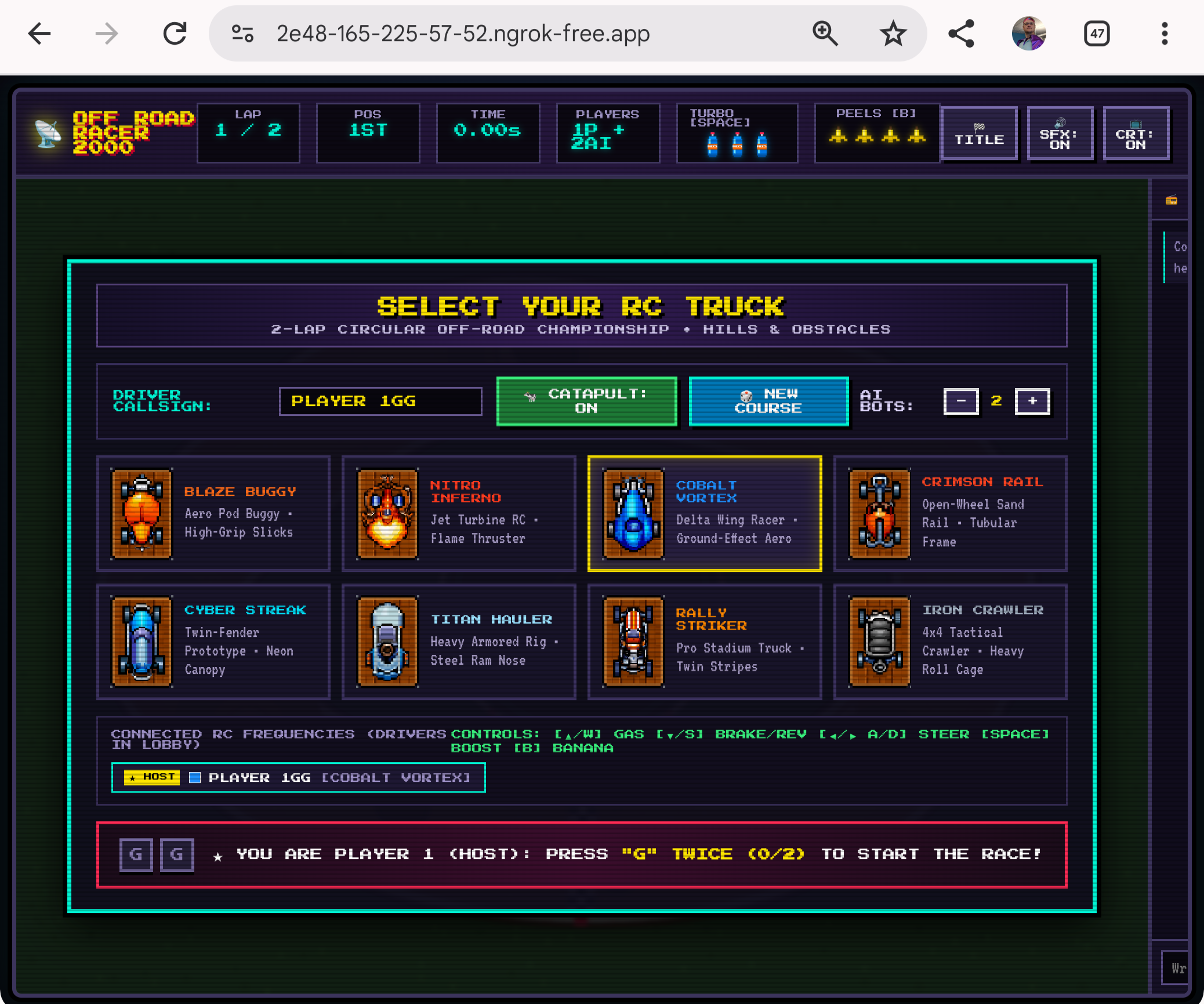
While it doesn’t have mobile controls, I could test on my phone which was off network
Now let’s try Cloudflare instead

It easily used the skill to change that over
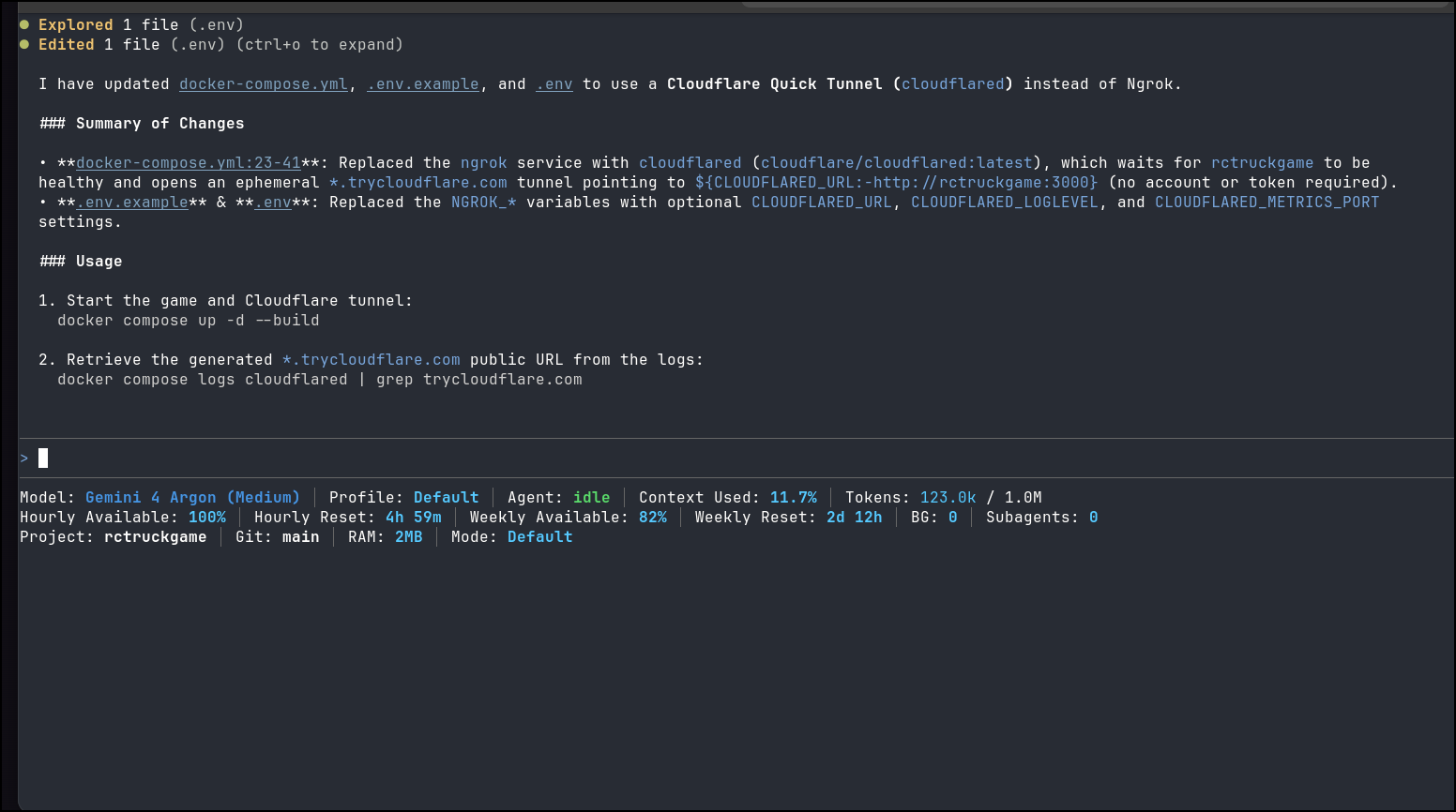
I built and launched with the updates
(base) builder@LuiGi:~/Workspaces/rctruckgame$ docker compose up --build
[+] Running 19/19
✔ cloudflared Pulled 12.4s
✔ 2cc7ee286bf3 Pull complete 1.0s
✔ c172f21841df Pull complete 1.1s
✔ 218cf840d0d9 Pull complete 1.3s
✔ f6069939f718 Pull complete 1.8s
✔ d6b1b89eccac Pull complete 1.9s
✔ 2780920e5dbf Pull complete 2.0s
✔ 7c12895b777b Pull complete 2.1s
✔ 3214acf345c0 Pull complete 2.2s
✔ 52630fc75a18 Pull complete 2.3s
✔ dd64bf2dd177 Pull complete 2.6s
✔ b839dfae01f6 Pull complete 2.7s
✔ ebddc55facdc Pull complete 2.7s
✔ a0921f9d8de9 Pull complete 3.3s
✔ b96fe2995f90 Pull complete 5.6s
✔ 810e2b405a08 Pull complete 5.8s
✔ bd8962e29291 Pull complete 5.9s
✔ cac2ae0193cb Pull complete 6.0s
✔ 03735750cd57 Pull complete 10.9s
[+] Building 0.9s (16/16) FINISHED
=> [internal] load local bake definitions 0.0s
=> => reading from stdin 553B 0.0s
=> [internal] load build definition from Dockerfile 0.0s
=> => transferring dockerfile: 631B 0.0s
=> [internal] load metadata for docker.io/library/node:20-alpine 0.4s
=> [auth] library/node:pull token for registry-1.docker.io 0.0s
=> [internal] load .dockerignore 0.0s
=> => transferring context: 89B 0.0s
=> [1/8] FROM docker.io/library/node:20-alpine@sha256:fb4cd12c85ee03686f6af5362a0b0d56d50c58a04632e6c0fb8363f609372293 0.0s
=> [internal] load build context 0.0s
=> => transferring context: 578B 0.0s
=> CACHED [2/8] WORKDIR /app 0.0s
=> CACHED [3/8] COPY package.json package-lock.json ./ 0.0s
=> CACHED [4/8] RUN npm ci --omit=dev && npm cache clean --force 0.0s
=> CACHED [5/8] COPY server.js ./ 0.0s
=> CACHED [6/8] COPY public ./public 0.0s
=> CACHED [7/8] COPY graphics ./graphics 0.0s
=> CACHED [8/8] COPY sounds ./sounds 0.0s
=> exporting to image 0.0s
=> => exporting layers 0.0s
=> => writing image sha256:08490c8a398164630d9d0f3a83bfc319fa2e42dd7dc1a07979f22e233acc8618 0.0s
=> => naming to docker.io/library/rctruckgame-rctruckgame 0.0s
=> resolving provenance for metadata file 0.0s
WARN[0013] Found orphan containers ([rctruckgame-ngrok]) for this project. If you removed or renamed this service in your compose file, you can run this command with the --remove-orphans flag to clean it up.
[+] Running 3/3
✔ rctruckgame-rctruckgame Built 0.0s
✔ Container rctruckgame Recreated 0.2s
✔ Container rctruckgame-cloudflared Created 0.1s
Attaching to rctruckgame, rctruckgame-cloudflared
rctruckgame |
rctruckgame | > rc-truck-retro-racer@1.0.0 start
rctruckgame | > node server.js
rctruckgame |
rctruckgame | RC Truck Retro Racer server running at http://localhost:3000 (Cow Launch Interval: 5s)
rctruckgame-cloudflared | 2026-10-20T17:40:10Z INF Thank you for trying Cloudflare Tunnel. Doing so, without a Cloudflare account, is a quick way to experiment and try it out. However, be aware that these account-less Tunnels have no uptime guarantee, are subject to the Cloudflare Online Services Terms of Use (https://www.cloudflare.com/website-terms/), and Cloudflare reserves the right to investigate your use of Tunnels for violations of such terms. If you intend to use Tunnels in production you should use a pre-created named tunnel by following: https://developers.cloudflare.com/cloudflare-one/connections/connect-apps
rctruckgame-cloudflared | 2026-10-20T17:40:10Z INF Requesting new quick Tunnel on trycloudflare.com...
rctruckgame-cloudflared | 2026-10-20T17:40:15Z INF +--------------------------------------------------------------------------------------------+
rctruckgame-cloudflared | 2026-10-20T17:40:15Z INF | Your quick Tunnel has been created! Visit it at (it may take some time to be reachable): |
rctruckgame-cloudflared | 2026-10-20T17:40:15Z INF | https://suse-springfield-remainder-environments.trycloudflare.com |
rctruckgame-cloudflared | 2026-10-20T17:40:15Z INF +--------------------------------------------------------------------------------------------+
rctruckgame-cloudflared | 2026-10-20T17:40:15Z INF Cannot determine default configuration path. No file [config.yml config.yaml] in [~/.cloudflared ~/.cloudflare-warp ~/cloudflare-warp /etc/cloudflared /usr/local/etc/cloudflared]
rctruckgame-cloudflared | 2026-10-20T17:40:15Z INF Version 2026.10.2 (Checksum b059c1551c4933717fa6ea848ec1fd12d1b5a925f33715d537392e7ad7e2879e)
rctruckgame-cloudflared | 2026-10-20T17:40:15Z INF GOOS: linux, GOVersion: go1.27.3, GoArch: amd64
rctruckgame-cloudflared | 2026-10-20T17:40:15Z INF Settings: map[ha-connections:1 loglevel:info metrics:0.0.0.0:2000 no-autoupdate:true protocol:quic url:http://rctruckgame:3000]
rctruckgame-cloudflared | 2026-10-20T17:40:15Z INF Generated Connector ID: 01d823e0-43c2-488f-8a51-d6ba96b94948
rctruckgame-cloudflared | 2026-10-20T17:40:15Z INF Initial protocol quic
rctruckgame-cloudflared | 2026-10-20T17:40:15Z INF ICMP proxy will use 172.28.0.3 as source for IPv4
rctruckgame-cloudflared | 2026-10-20T17:40:15Z INF ICMP proxy will use ::1 in zone lo as source for IPv6
rctruckgame-cloudflared | 2026-10-20T17:40:15Z INF ICMP proxy will use 172.28.0.3 as source for IPv4
rctruckgame-cloudflared | 2026-10-20T17:40:15Z INF ICMP proxy will use ::1 in zone lo as source for IPv6
rctruckgame-cloudflared | 2026-10-20T17:40:15Z INF Starting metrics server on [::]:2000/metrics
rctruckgame-cloudflared | 2026-10-20T17:40:15Z INF Tunnel connection curve preferences: [X25519MLKEM768 CurveID(65074) CurveP256] connIndex=0 event=0 ip=198.41.192.27
rctruckgame-cloudflared | 2026-10-20T17:40:16Z INF Registered tunnel connection connIndex=0 connection=77cac37d-7431-4547-911c-9fee7fb0a819 event=0 ip=198.41.192.27 location=ord06 protocol=quic
rctruckgame-cloudflared | 2026-10-20T17:40:22Z INF +-------------------------------------------------------------------------------------+
rctruckgame-cloudflared | 2026-10-20T17:40:22Z INF | CONNECTIVITY PRE-CHECKS |
rctruckgame-cloudflared | 2026-10-20T17:40:22Z INF +-------------------------------------------------------------------------------------+
rctruckgame-cloudflared | 2026-10-20T17:40:22Z INF | COMPONENT TARGET STATUS DETAILS |
rctruckgame-cloudflared | 2026-10-20T17:40:22Z INF | DNS Resolution region1.v2.argotunnel.com PASS DNS Resolved successfully |
rctruckgame-cloudflared | 2026-10-20T17:40:22Z INF | DNS Resolution region2.v2.argotunnel.com PASS DNS Resolved successfully |
rctruckgame-cloudflared | 2026-10-20T17:40:22Z INF | UDP Connectivity region1.v2.argotunnel.com PASS QUIC connection successful |
rctruckgame-cloudflared | 2026-10-20T17:40:22Z INF | UDP Connectivity region2.v2.argotunnel.com PASS QUIC connection successful |
rctruckgame-cloudflared | 2026-10-20T17:40:22Z INF | TCP Connectivity region1.v2.argotunnel.com PASS HTTP/2 connection successful |
rctruckgame-cloudflared | 2026-10-20T17:40:22Z INF | TCP Connectivity region2.v2.argotunnel.com PASS HTTP/2 connection successful |
rctruckgame-cloudflared | 2026-10-20T17:40:22Z INF | Cloudflare API api.cloudflare.com:443 PASS API is reachable |
rctruckgame-cloudflared | 2026-10-20T17:40:22Z INF | |
rctruckgame-cloudflared | 2026-10-20T17:40:22Z INF | SUMMARY: Environment is healthy. cloudflared will use 'quic' as primary protocol. |
rctruckgame-cloudflared | 2026-10-20T17:40:22Z INF +-------------------------------------------------------------------------------------+
rctruckgame-cloudflared | 2026-10-20T17:40:22Z INF precheck component="DNS Resolution" details="DNS Resolved successfully" run_id=f1f394ee-943c-494d-a59d-e192d420cc1f status=pass target=region1.v2.argotunnel.com
rctruckgame-cloudflared | 2026-10-20T17:40:22Z INF precheck component="DNS Resolution" details="DNS Resolved successfully" run_id=f1f394ee-943c-494d-a59d-e192d420cc1f status=pass target=region2.v2.argotunnel.com
rctruckgame-cloudflared | 2026-10-20T17:40:22Z INF precheck component="UDP Connectivity" details="QUIC connection successful" run_id=f1f394ee-943c-494d-a59d-e192d420cc1f status=pass target=region1.v2.argotunnel.com
rctruckgame-cloudflared | 2026-10-20T17:40:22Z INF precheck component="UDP Connectivity" details="QUIC connection successful" run_id=f1f394ee-943c-494d-a59d-e192d420cc1f status=pass target=region2.v2.argotunnel.com
rctruckgame-cloudflared | 2026-10-20T17:40:22Z INF precheck component="TCP Connectivity" details="HTTP/2 connection successful" run_id=f1f394ee-943c-494d-a59d-e192d420cc1f status=pass target=region1.v2.argotunnel.com
rctruckgame-cloudflared | 2026-10-20T17:40:22Z INF precheck component="TCP Connectivity" details="HTTP/2 connection successful" run_id=f1f394ee-943c-494d-a59d-e192d420cc1f status=pass target=region2.v2.argotunnel.com
rctruckgame-cloudflared | 2026-10-20T17:40:22Z INF precheck component="Cloudflare API" details="API is reachable" run_id=f1f394ee-943c-494d-a59d-e192d420cc1f status=pass target=api.cloudflare.com:443
rctruckgame-cloudflared | 2026-10-20T17:40:22Z INF precheck complete hard_fail=false run_id=f1f394ee-943c-494d-a59d-e192d420cc1f suggested_protocol=quic
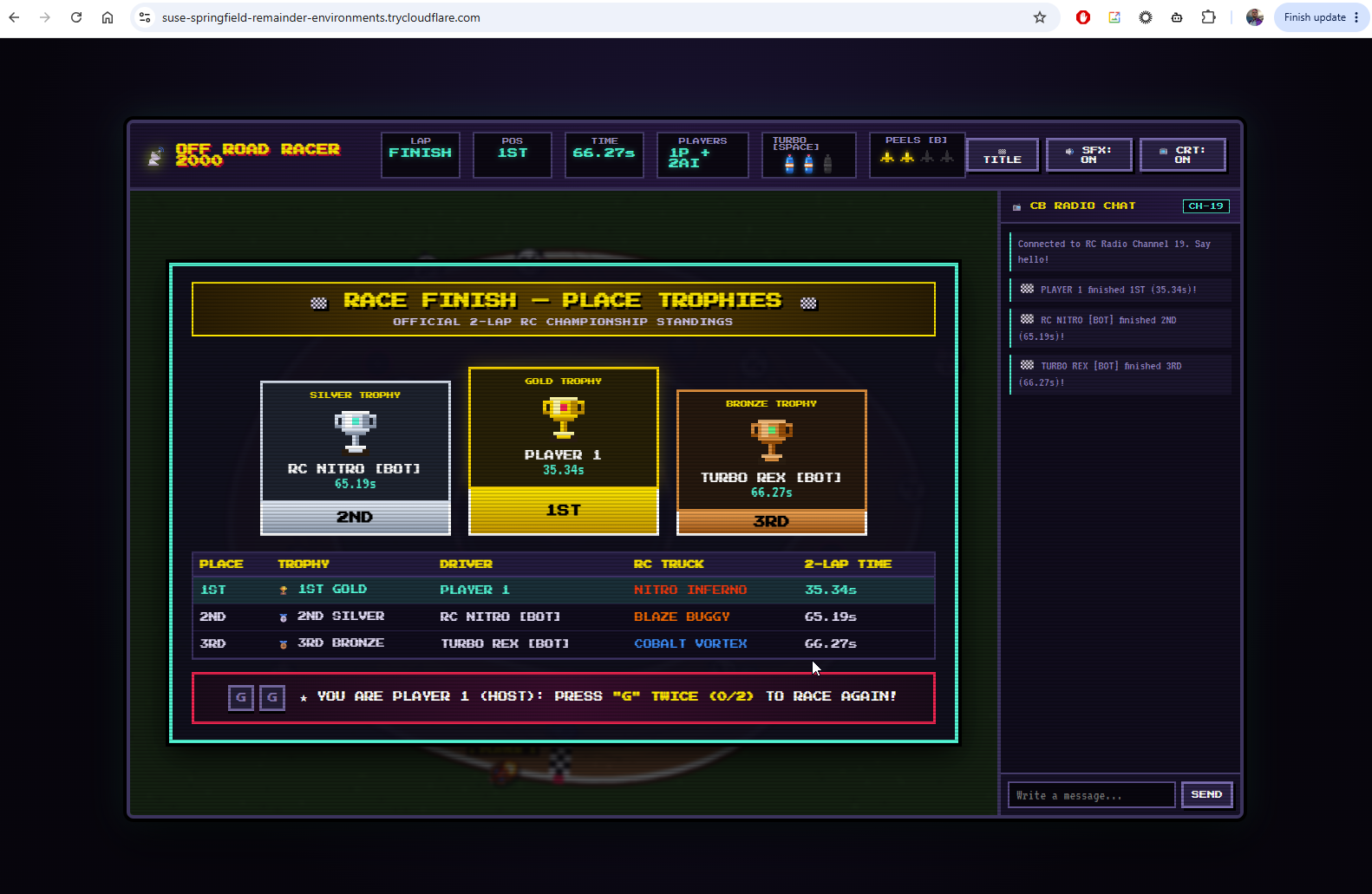
and as we see, it worked great
Another Example
Lets update a local machine with the new skill from the aiskills repo:
First, I’ll get the latest from the repo
isaac@isaac-G707:~/Workspaces/aiskills/skills$ git pull
remote: Enumerating objects: 18, done.
remote: Counting objects: 100% (18/18), done.
remote: Compressing objects: 100% (10/10), done.
remote: Total 16 (delta 7), reused 15 (delta 6), pack-reused 0 (from 0)
Unpacking objects: 100% (16/16), 10.67 KiB | 260.00 KiB/s, done.
From https://github.com/idjohnson/aiskills
   9aefc46..3507a41  main       -> origin/main
Updating 9aefc46..3507a41
Fast-forward
 skills/temptunnels/SKILL.md                               | 353 ++++++++++++++++++++++++++++++++++++++++++++++++++++++++++++++++++++++++++++++++++++++++++++++++++++
 skills/temptunnels/examples/cloudflared-docker-compose.md | 136 +++++++++++++++++++++++++++++++++++++++
 skills/temptunnels/examples/cloudflared-helm-sidecar.md   | 135 ++++++++++++++++++++++++++++++++++++++
 skills/temptunnels/examples/ngrok-docker-compose.md       | 110 +++++++++++++++++++++++++++++++
 skills/temptunnels/examples/ngrok-helm-sidecar.md         | 124 +++++++++++++++++++++++++++++++++++
 5 files changed, 858 insertions(+)
 create mode 100644 skills/temptunnels/SKILL.md
 create mode 100644 skills/temptunnels/examples/cloudflared-docker-compose.md
 create mode 100644 skills/temptunnels/examples/cloudflared-helm-sidecar.md
 create mode 100644 skills/temptunnels/examples/ngrok-docker-compose.md
 create mode 100644 skills/temptunnels/examples/ngrok-helm-sidecar.md
I want to link that in my Agy CLI skills folder so Antigravity can see it
isaac@isaac-G707:~/Workspaces/aiskills/skills$ ln -s /home/isaac/Workspaces/aiskills/skills/temptunnels /home/isaac/.gemini/antigravity-cli/skills/temptunnels
isaac@isaac-G707:~/Workspaces/aiskills/skills$
I have a repo with a helm chart, but never launched it. It’s a dad joke app that I will be showing in a demo tomorrow in Cloud Run for IaCConf. However, what if we launched it in K8s locally, but let it get an ingress for us:
isaac@isaac-G707:~/Workspaces/iacconfDemo2026$ ls -l
total 65
-rw-rw-r-- 1 isaac isaac  402 Sep 19 15:53 Dockerfile
-rw-rw-r-- 1 isaac isaac 9983 Sep 21 06:34 app.py
-rw-rw-r-- 1 isaac isaac 2388 Oct  6 06:58 asdf.bak
drwxrwxr-x 2 isaac isaac    4 Oct  6 10:07 awx
-rw-rw-r-- 1 isaac isaac    0 Sep 19 15:48 cicd.yaml
-rw-rw-r-- 1 isaac isaac  357 Sep 21 06:22 docker-compose.yaml
-rw-rw-r-- 1 isaac isaac  149 Sep 21 06:14 function_app.py
drwxrwxr-x 3 isaac isaac    6 Sep 21 06:22 helm-chart
-rw-rw-r-- 1 isaac isaac  289 Sep 21 06:12 host.json
drwxrwxr-x 3 isaac isaac   11 Sep 21 17:05 iac
drwxrwxr-x 2 isaac isaac    2 Sep 21 18:50 iac2
-rw-rw-r-- 1 isaac isaac   46 Sep 21 06:11 requirements.txt
-rw-rw-r-- 1 isaac isaac   25 Sep 19 11:19 version.ini
Let’s see if we can use the skill to get that done
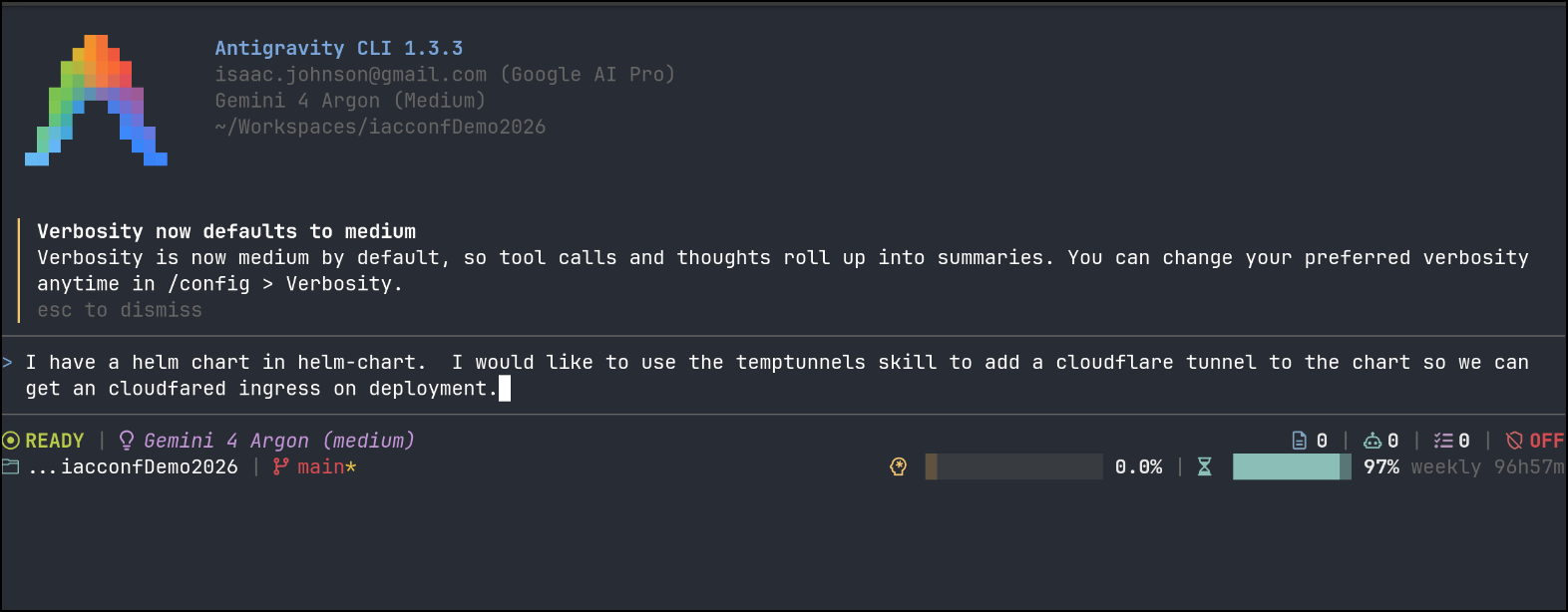
It worked through the changes and told me it was good to go
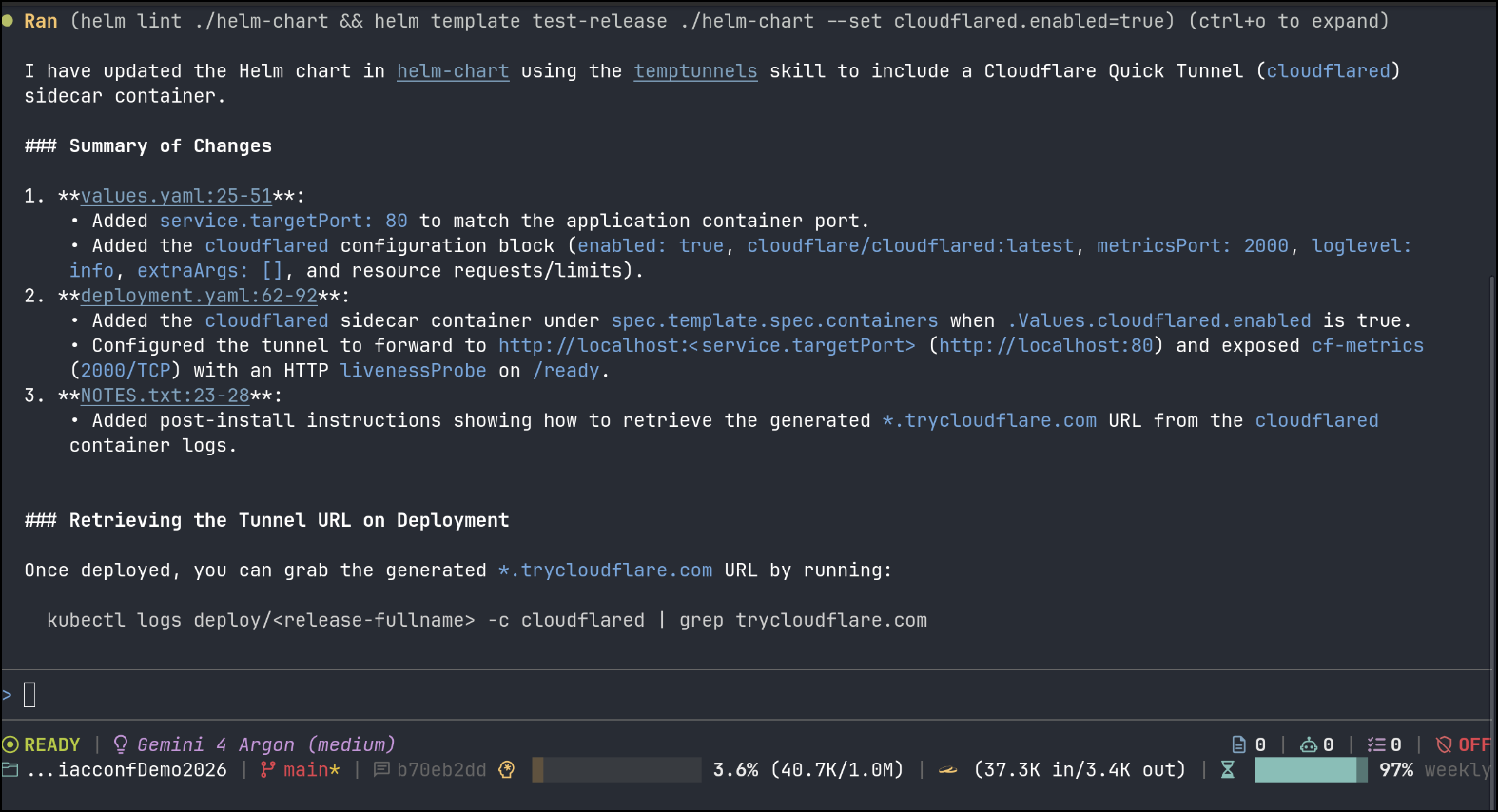
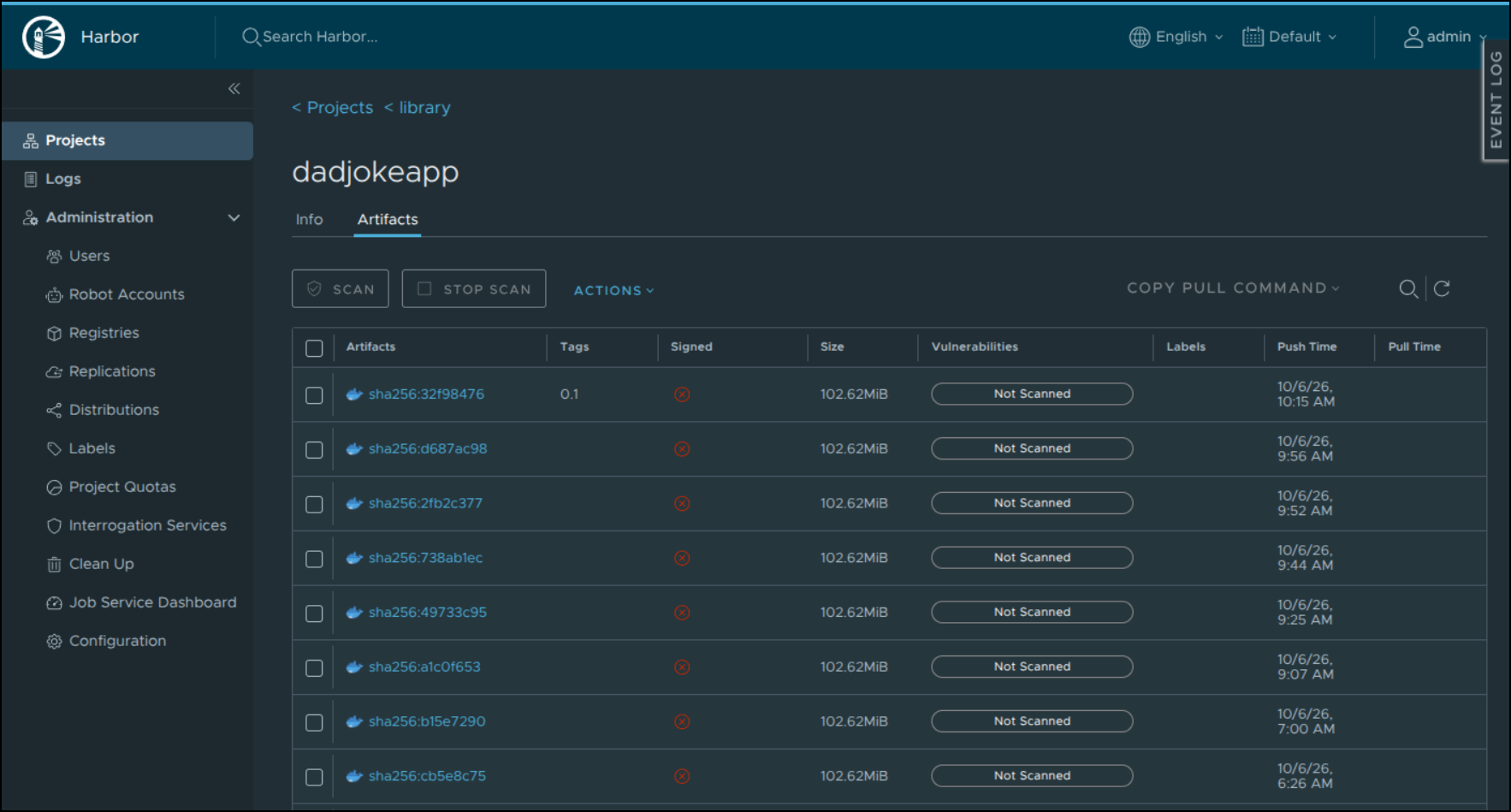
I needed to double check I pushed tags for the dad joke app as I saw it had a Harbor CR image in the values file
isaac@isaac-G707:~/Workspaces/iacconfDemo2026$ cat ./helm-chart/values.yaml
replicaCount: 1

image:
  repository: harbor.freshbrewed.science/library/dadjokeapp
  pullPolicy: IfNotPresent
  tag: ""
Having verified it was good
I went ahead and launched
$ helm install dadjokeapp --set image.tag="0.1" ./helm-chart/
NAME: dadjokeapp
LAST DEPLOYED: Tue Oct 20 17:09:15 2026
NAMESPACE: default
STATUS: deployed
REVISION: 1
DESCRIPTION: Install complete
TEST SUITE: None
NOTES:
1. Get the application URL by running these commands:
  http://dadjoke.local/

Cloudflare Ephemeral Quick Tunnel is enabled!
To retrieve your generated *.trycloudflare.com URL, run:
  kubectl --namespace default logs deploy/dadjokeapp-dadjoke-app -c cloudflared | grep trycloudflare.com
I actually had many many issues on this only later realizing some firewall issues in a fedora node were blocking CoreDNS and making it look like Cloudflared was failing.
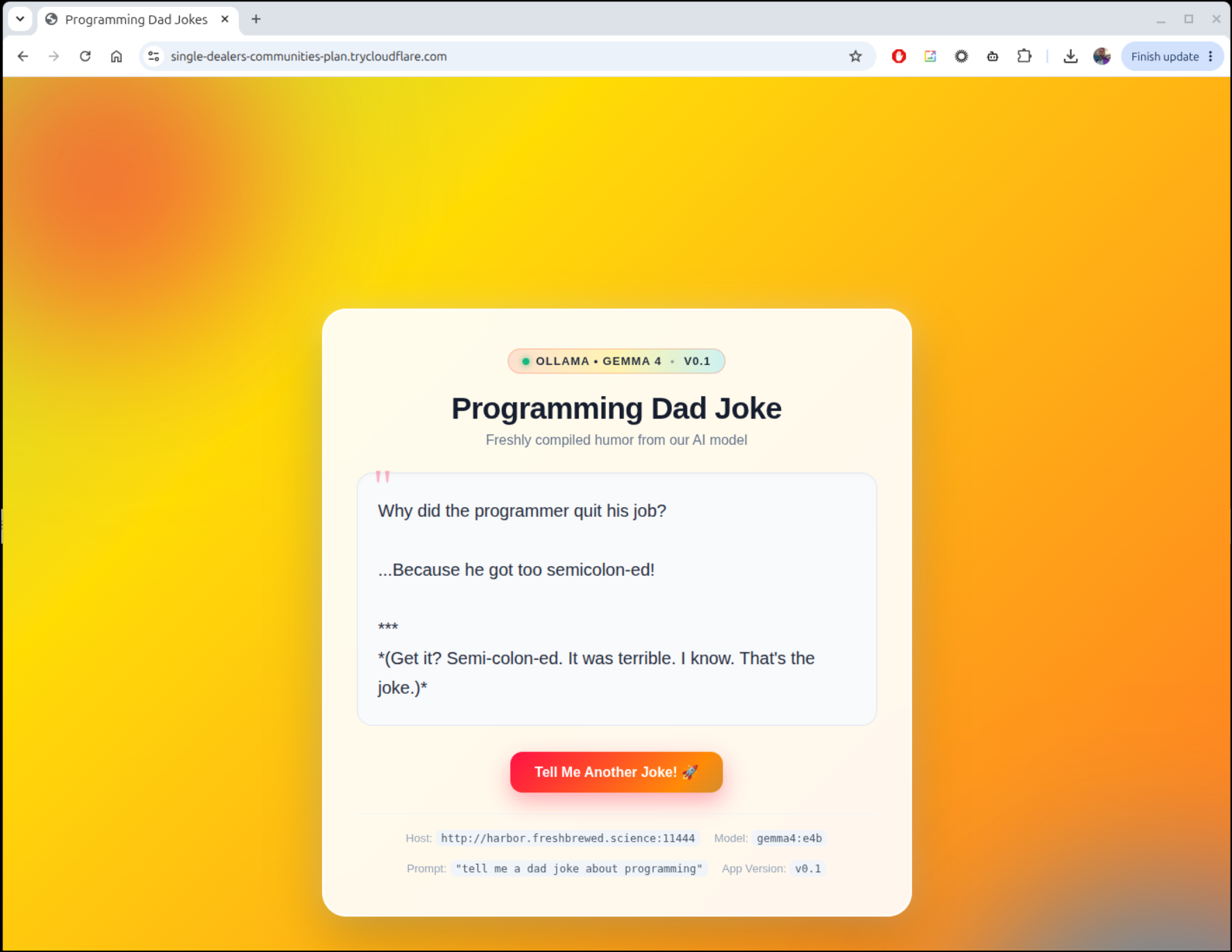
I now have it running without issue
kubectl logs dadjokeapp-dadjoke-app-6468b7465-485x7 -c cloudflared
2026-10-21T10:31:42Z INF Thank you for trying Cloudflare Tunnel. Doing so, without a Cloudflare account, is a quick way to experiment and try it out. However, be aware that these account-less Tunnels have no uptime guarantee, are subject to the Cloudflare Online Services Terms of Use (https://www.cloudflare.com/website-terms/), and Cloudflare reserves the right to investigate your use of Tunnels for violations of such terms. If you intend to use Tunnels in production you should use a pre-created named tunnel by following: https://developers.cloudflare.com/cloudflare-one/connections/connect-apps
2026-10-21T10:31:42Z INF Requesting new quick Tunnel on trycloudflare.com...
2026-10-21T10:31:46Z INF +--------------------------------------------------------------------------------------------+
2026-10-21T10:31:46Z INF |  Your quick Tunnel has been created! Visit it at (it may take some time to be reachable):  |
2026-10-21T10:31:46Z INF |  https://single-dealers-communities-plan.trycloudflare.com                                 |
2026-10-21T10:31:46Z INF +--------------------------------------------------------------------------------------------+
As we see, it works fantastic
Summary
I hope you saw some interesting use of AI Skills in this project, specifically the temptunnels one we built. We showed using this with docker as well as Kubernetes (by way of helm). We looked at ngrok as well as cloudflare.
I found while some corporate Wifi blocked ngrok endpoints, I usually had success with Cloudflare.