This November Google announced AlloyDB Express which aims to offer a lower cost AlloyDB that can pause on demand.
For years, “Cloud SQL” has been the “light” and easy-to-use PostgreSQL option, but it was not clustered and as a persistent service, the costs would still add up. AlloyDB has been their larger clustered option; pricey but performant. I have, on multiple occasions, moved production workloads into AlloyDB for the scaling and performance tuning.
Here is where this surprise November gift from GCP really excites me - we have the ability to have a (moderately) scalable AlloyDB cluster than can scale down all the way to zero to save money. It will allow us to use AlloyDb for pilot projects, small serverless Cloud Run and more.
And if we need to scale higher we can always migrate to full AlloyDB. Behind the scenes it’s all PostgreSQL so setting up tools and systems should be easy.
Pricing
Let’s look at pricing which is really quite reasonable:
- Active compute: $0.115 per Compute Unit hour (CU-hr), billed by the second.
- Paused compute: $0.00 per hour when idle for more than 15 mins.
- Used storage: $0.30 per GB-month, billed only for the disk space your data actually uses.
This means we can use it for light operations and serverless for effectively free.
Setup a new cluster and instance
Just a quick note on PostgreSQL clusters. We have the cluster which is like an object with a region, login and password that then contains zero or more instances (which are like servers) to which we can connect.
We need to start by making the cluster.
As we can see from documentation, we can use the gcloud command with the parameter --enable-express
$ gcloud beta alloydb clusters create idjtestcluster \
    --region=us-west1 \
    --password=DK3dDd0E03DKe030DO30 \
    --enable-express \
    --project=careful-compass-241122
Note: not all regions have Cloud SQL Express, check the list here
At first, I saw the error:
$ gcloud beta alloydb clusters create idjtestcluster \
    --region=us-west1 \
    --password=DK3dDd0E03DKe030DO30 \
    --enable-express \
    --project=careful-compass-241122
ERROR: (gcloud.beta.alloydb.clusters.create) unrecognized arguments: --enable-express

To search the help text of gcloud commands, run:
  gcloud help -- SEARCH_TERMS
The versions
$ gcloud version
Google Cloud SDK 548.0.0
alpha 2025.11.17
beta 2025.11.17
bq 2.1.25
bundled-python3-unix 3.13.7
core 2025.11.17
gcloud-crc32c 1.0.0
gsutil 5.35


To take a quick anonymous survey, run:
  $ gcloud survey
I needed to setup Ubuntu apt repositories to update
$ curl -fsSL https://packages.cloud.google.com/apt/doc/apt-key.gpg | sudo gpg --dearmor --yes -o /usr/share/keyrings/cloud.google.gpg
$ echo "deb [signed-by=/usr/share/keyrings/cloud.google.gpg] https://packages.cloud.google.com/apt cloud-sdk main" | sudo tee /etc/apt/sources.list.d/google-cloud-sdk.list
$ sudo apt-get update && sudo apt-get --only-upgrade install google-cloud-cli
If you didn’t make a complicated enough password, we’ll see:
$ gcloud beta alloydb instances create idjtestinstance \
    --cluster=idjtestcluster \
    --region=us-west1 \
    --instance-type=PRIMARY \
    --cpu-count=1 \
    --enable-public-dns \
    --project=careful-compass-241122
ERROR: (gcloud.beta.alloydb.instances.create) INVALID_ARGUMENT: The request was invalid: password complexity is not met
- '@type': type.googleapis.com/google.rpc.BadRequest
  fieldViolations:
  - field: cluster.initial_user.password
- '@type': type.googleapis.com/google.rpc.RequestInfo
  requestId: bcd5dfc496cfc41e
and you’ll have to delete to recreate
$ gcloud beta alloydb clusters delete idjtestcluster \
    --region=us-west1 \
    --project=careful-compass-241122
All of the cluster data will be lost when the cluster is deleted.

Do you want to continue (Y/n)?  y

Operation ID: operation-1795313283210-660d3f2819ec5-0df00d3b-4726e6d4
Deleting cluster...done.
That should create the cluster, but then we’ll need to create an instance inside it
$ gcloud beta alloydb instances create idjtestinstance \
    --cluster=idjtestcluster \
    --region=us-west1 \
    --instance-type=PRIMARY \
    --cpu-count=1 \
    --enable-public-dns \
    --project=careful-compass-241122
If we want to enable some other projects to create private service connect endpoints to this instance, we can add --allowed-psc-projects=ALLOWED_PROJECT_ID
If we want to connect in externally, we can add our CIDR ranges to the authorized external networks:
$ gcloud alloydb instances update idjtestinstance \
    --cluster=idjtestcluster \
    --region=us-west1 \
    --authorized-external-networks=CIDR_RANGE1,CIDR_RANGE2 \
    --project=careful-compass-241122
I’ll add my exact egress IP for testing
$ gcloud alloydb instances update idjtestinstance \
    --cluster=idjtestcluster \
    --region=us-west1 \
    --authorized-external-networks=76.156.69.232/32 \
    --project=careful-compass-241122
Operation ID: operation-1795313775912-660d40fdfa52d-67731d46-3e2ea223
Then we just need to fetch the DNS name of the PSql instance
$ gcloud beta alloydb instances describe idjtestinstance \
    --cluster=idjtestcluster \
    --region=us-west1 \
    --format="value(networkInfo.publicDnsName)" \
    --project=careful-compass-241122
eg.
$ gcloud beta alloydb instances create idjtestinstance     --cluster=idjtestcluster     --region=us-west1     --instance-type=PRIMARY     --cpu-count=1     --enable-public-dns     --project=careful-compass-241122
Operation ID: operation-1795313361841-660d3f7316e36-d9e51d7e-7f65cb7b
Creating instance...done.
I can get the name
$ gcloud beta alloydb instances describe idjtestinstance \
    --cluster=idjtestcluster \
    --region=us-west1 \
    --format="value(networkInfo.publicDnsName)" \
    --project=careful-compass-241122
6b63fada-ea2b-45ba-84e2-3d38e616ac8a.a.us-west1.alloydb.s.cloud.goog.
Let’s try a local connection:
psql postgresql://postgres:6b63fada-ea2b-45ba-84e2-3d38e616ac8a.a.us-west1.alloydb.s.cloud.goog/postgres

$ psql postgresql://postgres@6b63fada-ea2b-45ba-84e2-3d38e616ac8a.a.us-west1.alloydb.s.cloud.goog/postgres
Password for user postgres:
psql (18.6 (Ubuntu 18.6-0ubuntu0.26.04.1), server 18.4)
SSL connection (protocol: TLSv1.3, cipher: TLS_AES_256_GCM_SHA384, compression: off, ALPN: postgresql)
Type "help" for help.

postgres=> \l
                                                                    List of databases
      Name       |      Owner       | Encoding | Locale Provider | Collate | Ctype |     Locale      | ICU Rules |           Access privileges
-----------------+------------------+----------+-----------------+---------+-------+-----------------+-----------+---------------------------------------
 alloydbadmin    | alloydbadmin     | UTF8     | builtin         | C       | C     | PG_UNICODE_FAST |           |
 alloydbmetadata | alloydbadmin     | UTF8     | builtin         | C       | C     | PG_UNICODE_FAST |           | alloydbadmin=CTc/alloydbadmin        +
                 |                  |          |                 |         |       |                 |           | alloydbmetadata=c/alloydbadmin
 postgres        | alloydbsuperuser | UTF8     | builtin         | C       | C     | PG_UNICODE_FAST |           | =Tc/alloydbsuperuser                 +
                 |                  |          |                 |         |       |                 |           | alloydbsuperuser=CTc/alloydbsuperuser
 template0       | alloydbadmin     | UTF8     | builtin         | C       | C     | PG_UNICODE_FAST |           | =c/alloydbadmin                      +
                 |                  |          |                 |         |       |                 |           | alloydbadmin=CTc/alloydbadmin
 template1       | alloydbsuperuser | UTF8     | builtin         | C       | C     | PG_UNICODE_FAST |           | =c/alloydbsuperuser                  +
                 |                  |          |                 |         |       |                 |           | alloydbsuperuser=CTc/alloydbsuperuser
(5 rows)
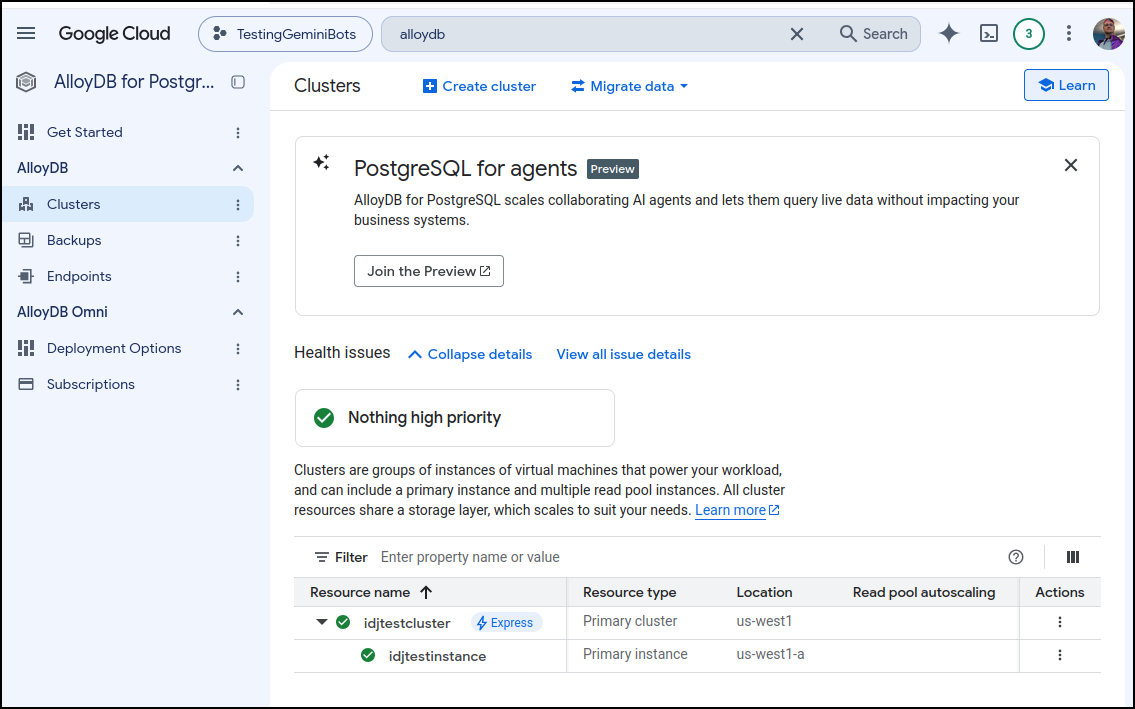
Even though this is an “express” Cluster, we’ll find the cluster and instance in “AlloyDB for Postgres” area of the Cloud Console
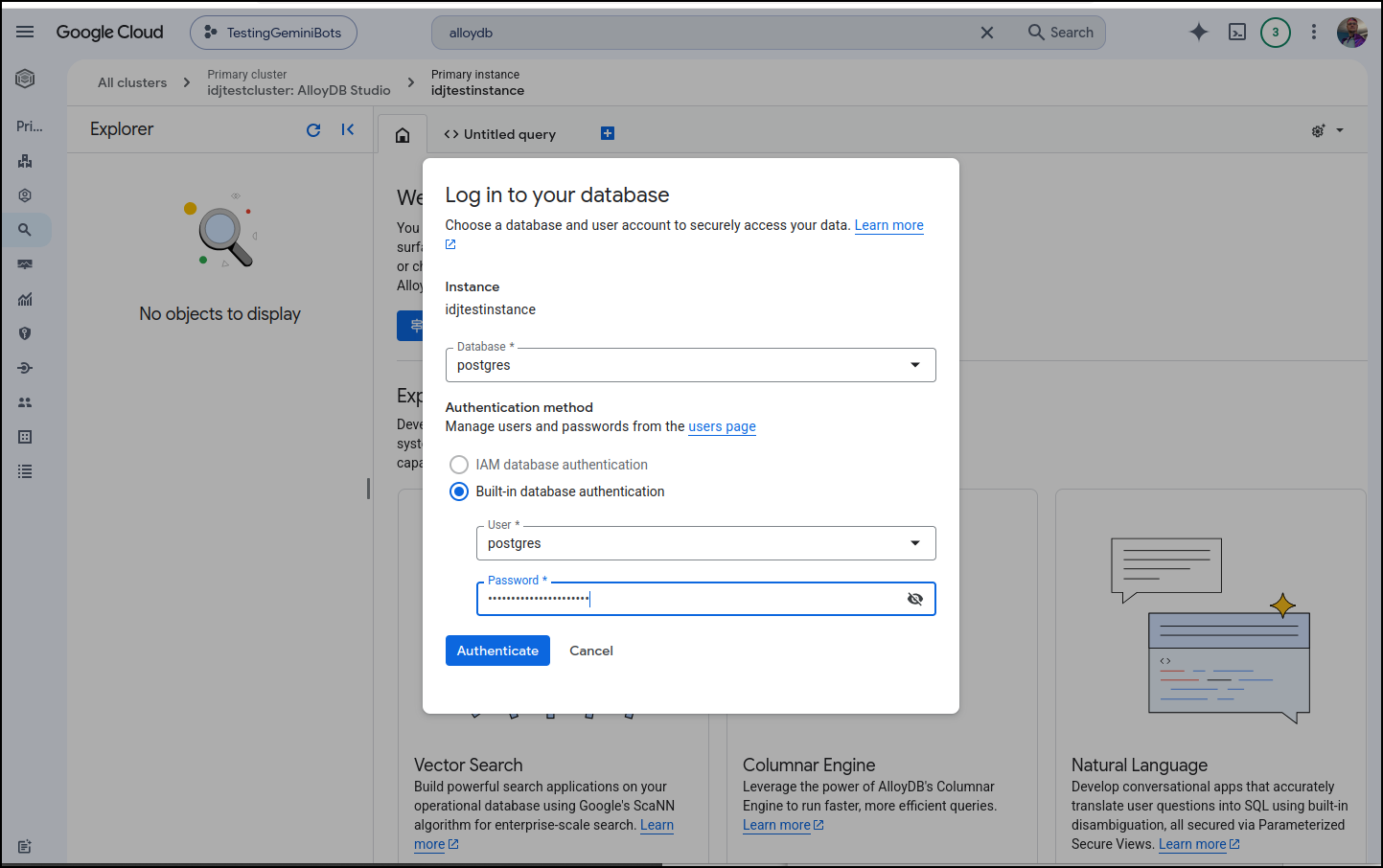
We can query from the cloud console by logging into the database
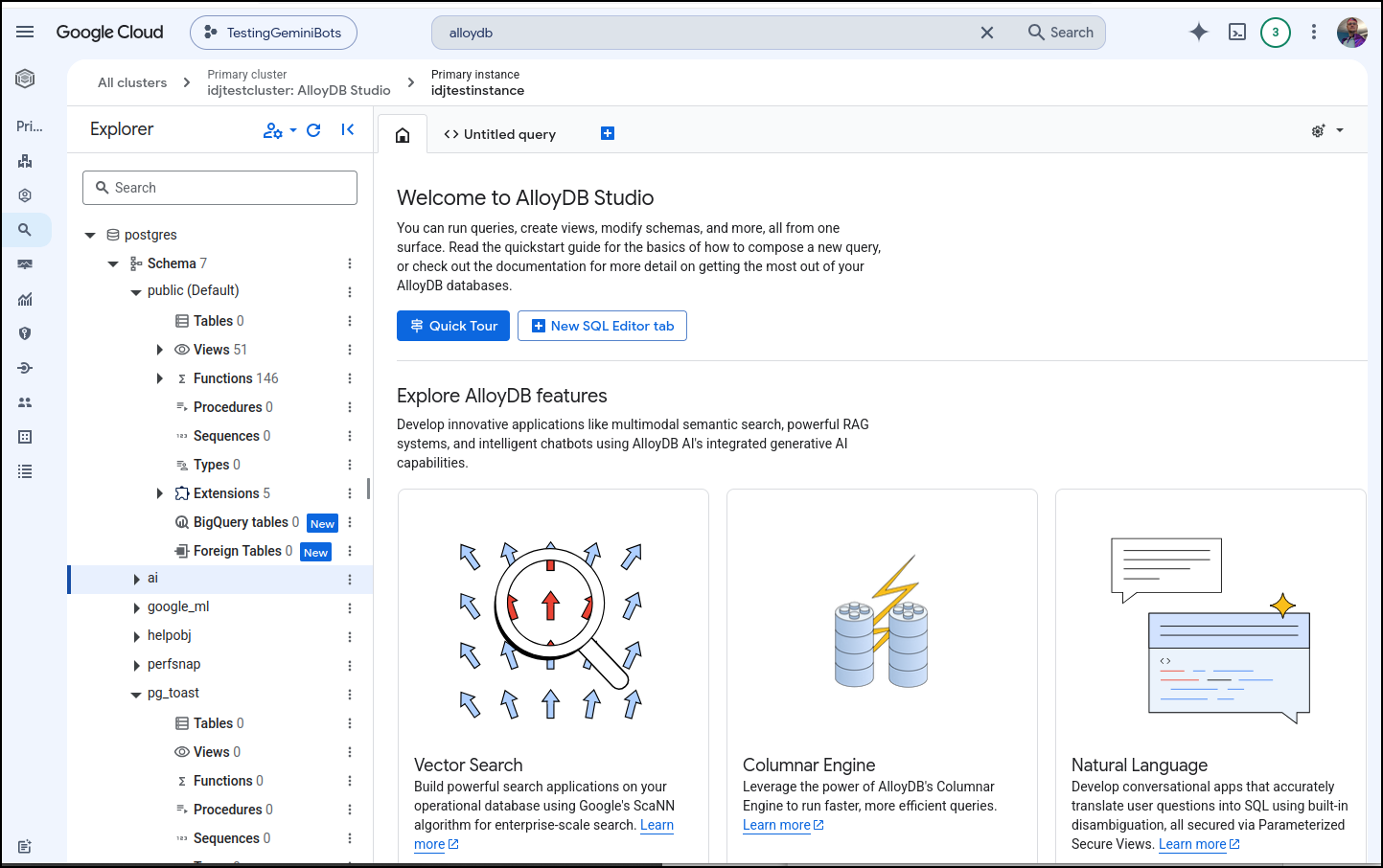
Where I can explore the tables
I’ll try and create a new query
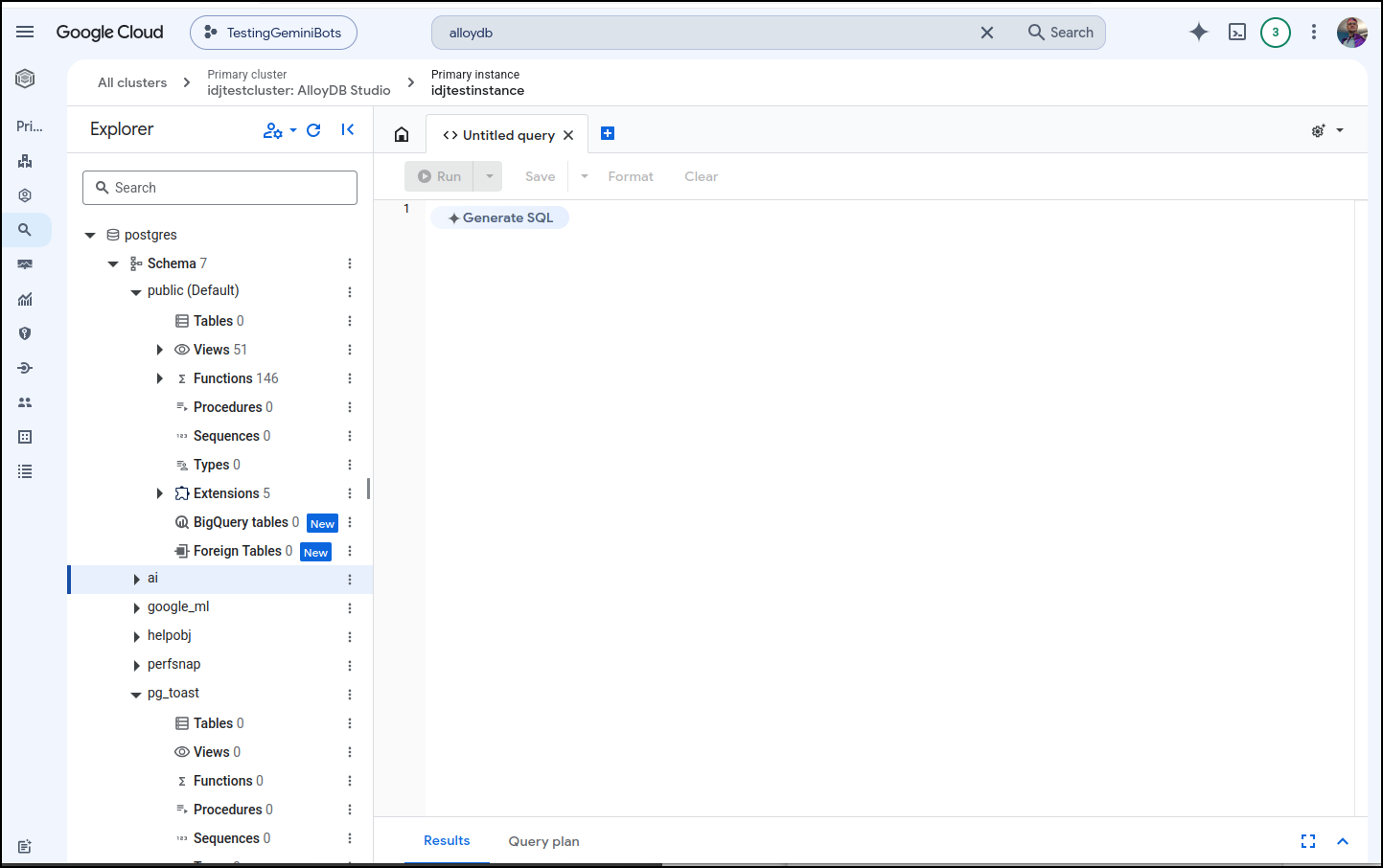
I’ll try a generate SQL command
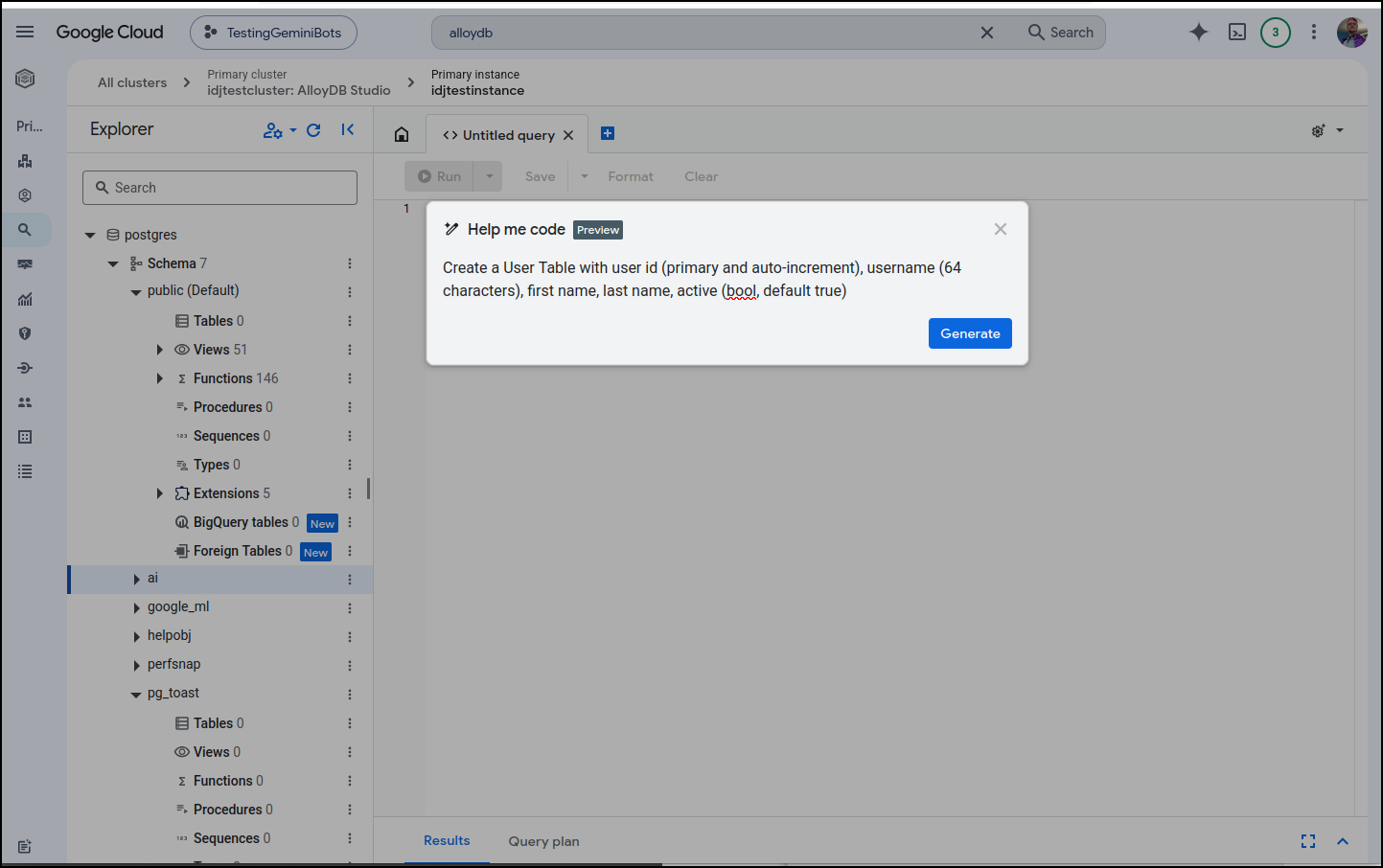
which came back to
CREATE TABLE
  "users" ( "user_id" SERIAL
  PRIMARY KEY
    ,
    "username" VARCHAR(64) NOT NULL,
    "first_name" VARCHAR(255),
    "last_name" VARCHAR(255),
    "active" BOOLEAN DEFAULT TRUE );
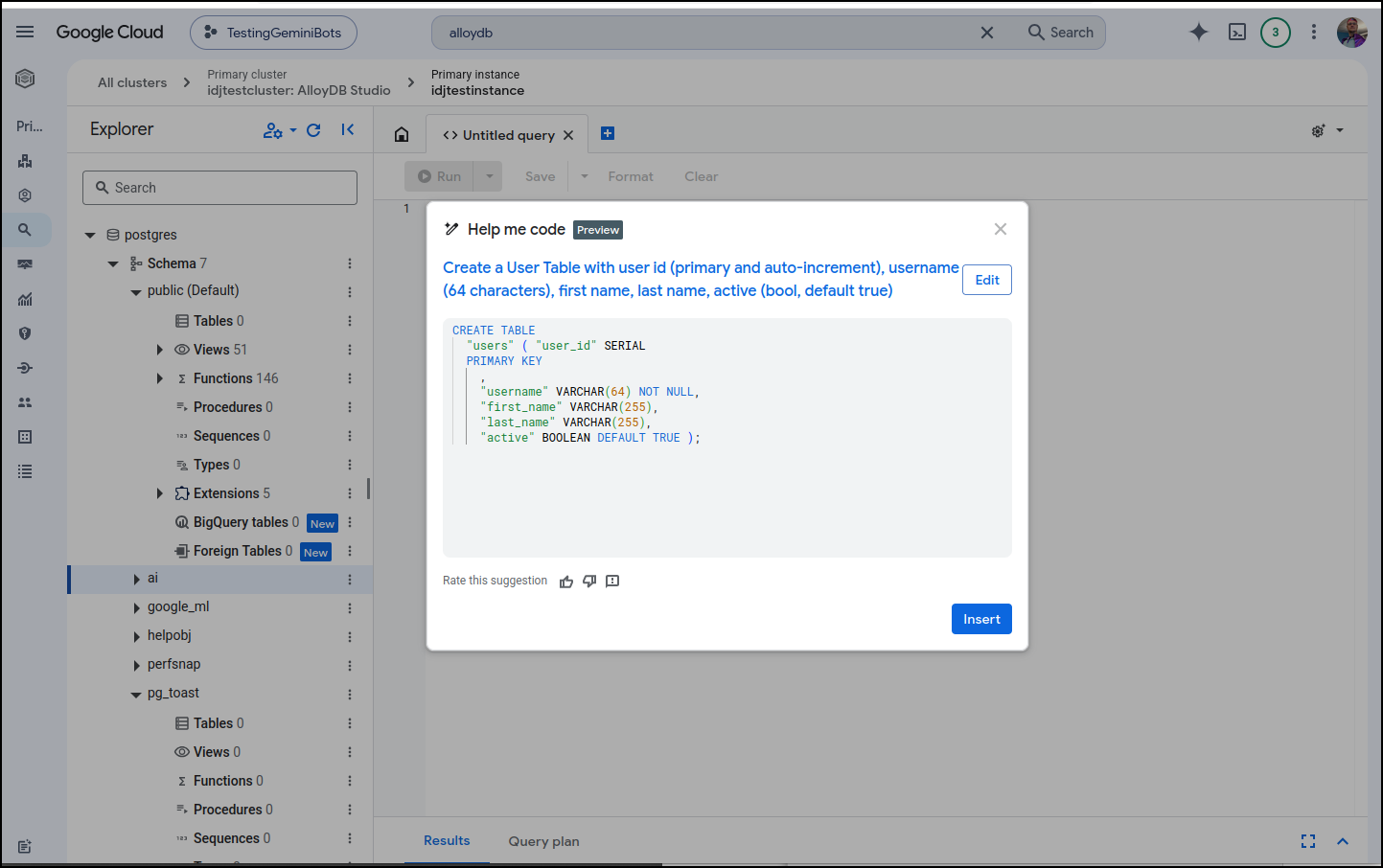
I then did an insert and run
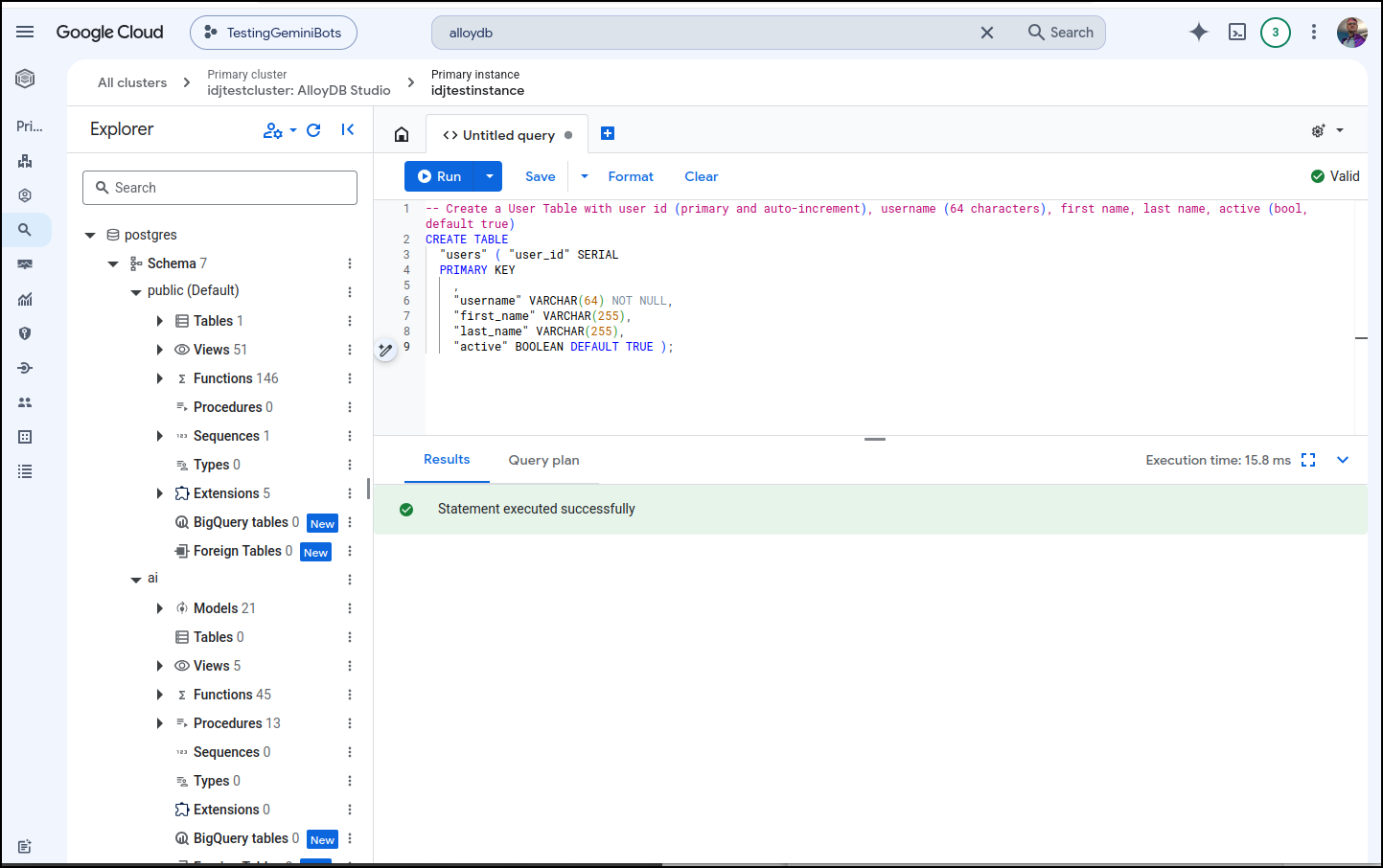
Which seemed to work
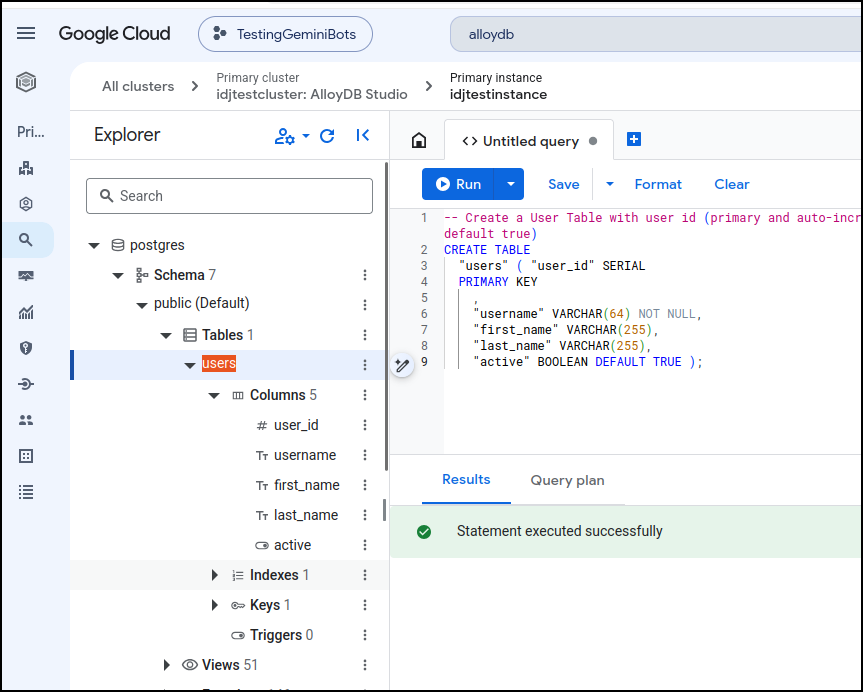
I can use some SQL to create fake users
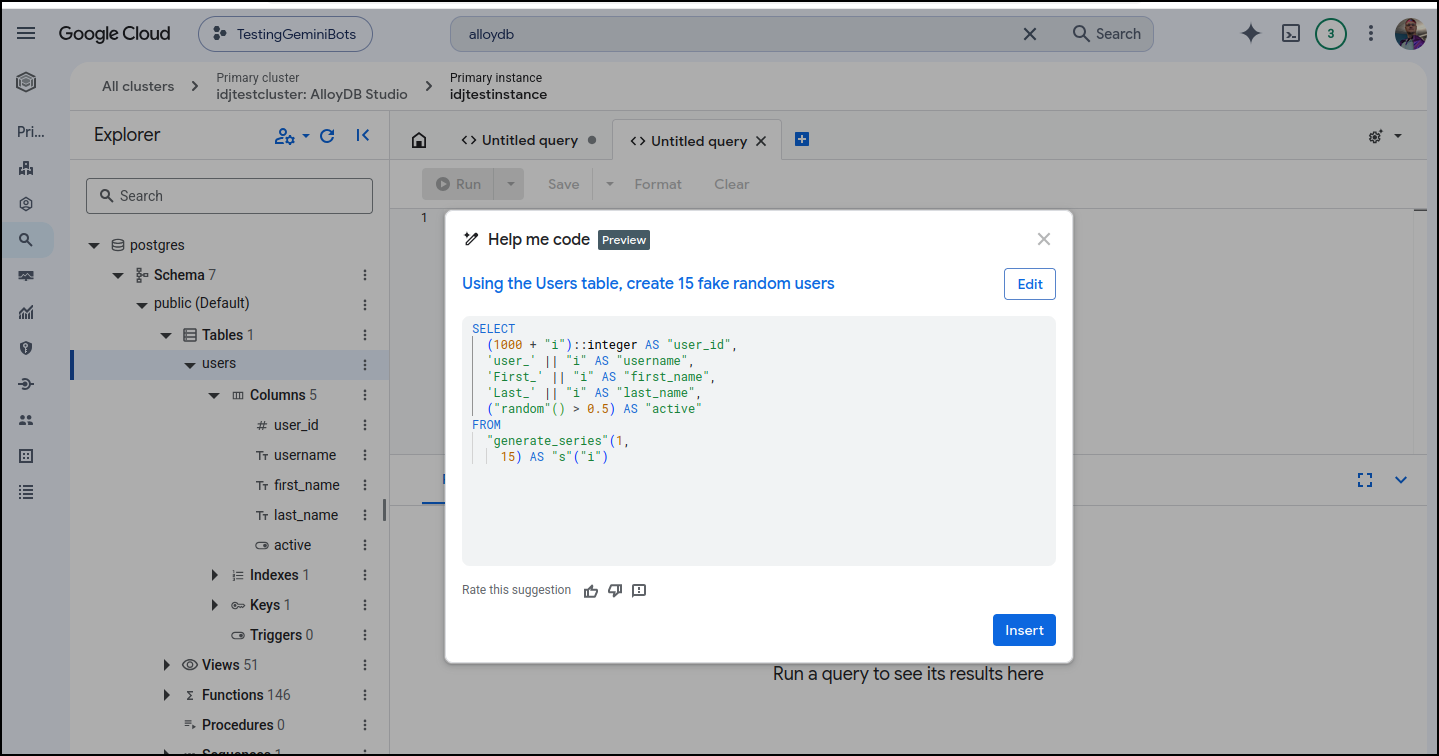
But as that uses only SQL syntax, they were just be things like user_1 with name First_1 and Last_1.
I wanted add some reasonable sounding users:
$ cat ./createusers.sh
#!/usr/bin/env bash
set -euo pipefail

DB_URL="postgresql://postgres@6b63fada-ea2b-45ba-84e2-3d38e616ac8a.a.us-west1.alloydb.s.cloud.goog/postgres"

FIRST_NAMES=(
  "James" "Mary" "Robert" "Patricia" "John" "Jennifer" "Michael" "Linda"
  "David" "Elizabeth" "William" "Barbara" "Richard" "Susan" "Joseph" "Jessica"
  "Thomas" "Sarah" "Charles" "Karen" "Daniel" "Lisa" "Matthew" "Nancy"
  "Anthony" "Betty" "Mark" "Margaret" "Donald" "Sandra" "Steven" "Ashley"
  "Paul" "Kimberly" "Andrew" "Emily" "Joshua" "Donna" "Kenneth" "Michelle"
)

LAST_NAMES=(
  "Smith" "Johnson" "Williams" "Brown" "Jones" "Garcia" "Miller" "Davis"
  "Rodriguez" "Martinez" "Hernandez" "Lopez" "Gonzalez" "Wilson" "Anderson"
  "Thomas" "Taylor" "Moore" "Jackson" "Martin" "Lee" "Perez" "Thompson"
  "White" "Harris" "Sanchez" "Clark" "Ramirez" "Lewis" "Robinson" "Walker"
  "Young" "Allen" "King" "Wright" "Scott" "Torres" "Nguyen" "Hill" "Flores"
)

SQL="INSERT INTO \"users\" (\"username\", \"first_name\", \"last_name\", \"active\") VALUES"
VALUES=()

for i in {1..30}; do
  first="${FIRST_NAMES[$((RANDOM % ${#FIRST_NAMES[@]}))]}"
  last="${LAST_NAMES[$((RANDOM % ${#LAST_NAMES[@]}))]}"

  # Create a lowercase username like "jsmith84"
  f_initial=$(echo "${first:0:1}" | tr '[:upper:]' '[:lower:]')
  l_lower=$(echo "$last" | tr '[:upper:]' '[:lower:]')
  rand_num=$((RANDOM % 900 + 100))
  username="${f_initial}${l_lower}${rand_num}"

  # ~85% active, ~15% inactive
  if (( RANDOM % 100 < 85 )); then
    active="TRUE"
  else
    active="FALSE"
  fi

  VALUES+=("  ('${username}', '${first}', '${last}', ${active})")
done

# Join array elements with commas and terminate with a semicolon
IFS=$',\n'
FULL_QUERY="${SQL}"$'\n'"${VALUES[*]} RETURNING user_id, username, first_name, last_name, active;"
unset IFS

echo "Inserting 30 random users..."
psql "$DB_URL" -c "$FULL_QUERY"
And when invoked
$ ./createusers.sh
Inserting 30 random users...
Password for user postgres:
 user_id |   username    | first_name | last_name | active
---------+---------------+------------+-----------+--------
       1 | dwilson209    | David      | Wilson    | t
       2 | dwhite328     | Daniel     | White     | t
       3 | mperez104     | Matthew    | Perez     | t
       4 | jlopez700     | Joseph     | Lopez     | t
       5 | jramirez177   | John       | Ramirez   | t
       6 | ndavis202     | Nancy      | Davis     | t
       7 | wrodriguez990 | William    | Rodriguez | t
       8 | jjackson438   | James      | Jackson   | t
       9 | mtorres158    | Michael    | Torres    | t
      10 | pking516      | Patricia   | King      | t
      11 | rharris407    | Robert     | Harris    | t
      12 | eanderson973  | Elizabeth  | Anderson  | t
      13 | jclark124     | John       | Clark     | f
      14 | mlewis468     | Matthew    | Lewis     | t
      15 | ltorres405    | Linda      | Torres    | f
      16 | jlopez674     | John       | Lopez     | t
      17 | srodriguez319 | Sandra     | Rodriguez | f
      18 | lmartin598    | Linda      | Martin    | f
      19 | jsmith257     | Jennifer   | Smith     | t
      20 | mramirez951   | Margaret   | Ramirez   | f
      21 | mmoore420     | Margaret   | Moore     | t
      22 | bwilson716    | Barbara    | Wilson    | f
      23 | dgonzalez426  | David      | Gonzalez  | t
      24 | jflores152    | Joseph     | Flores    | t
      25 | ktaylor525    | Kenneth    | Taylor    | t
      26 | psmith902     | Paul       | Smith     | t
      27 | mramirez327   | Michelle   | Ramirez   | t
      28 | msmith475     | Margaret   | Smith     | t
      29 | kflores670    | Kenneth    | Flores    | t
      30 | tyoung297     | Thomas     | Young     | t
(30 rows)

INSERT 0 30
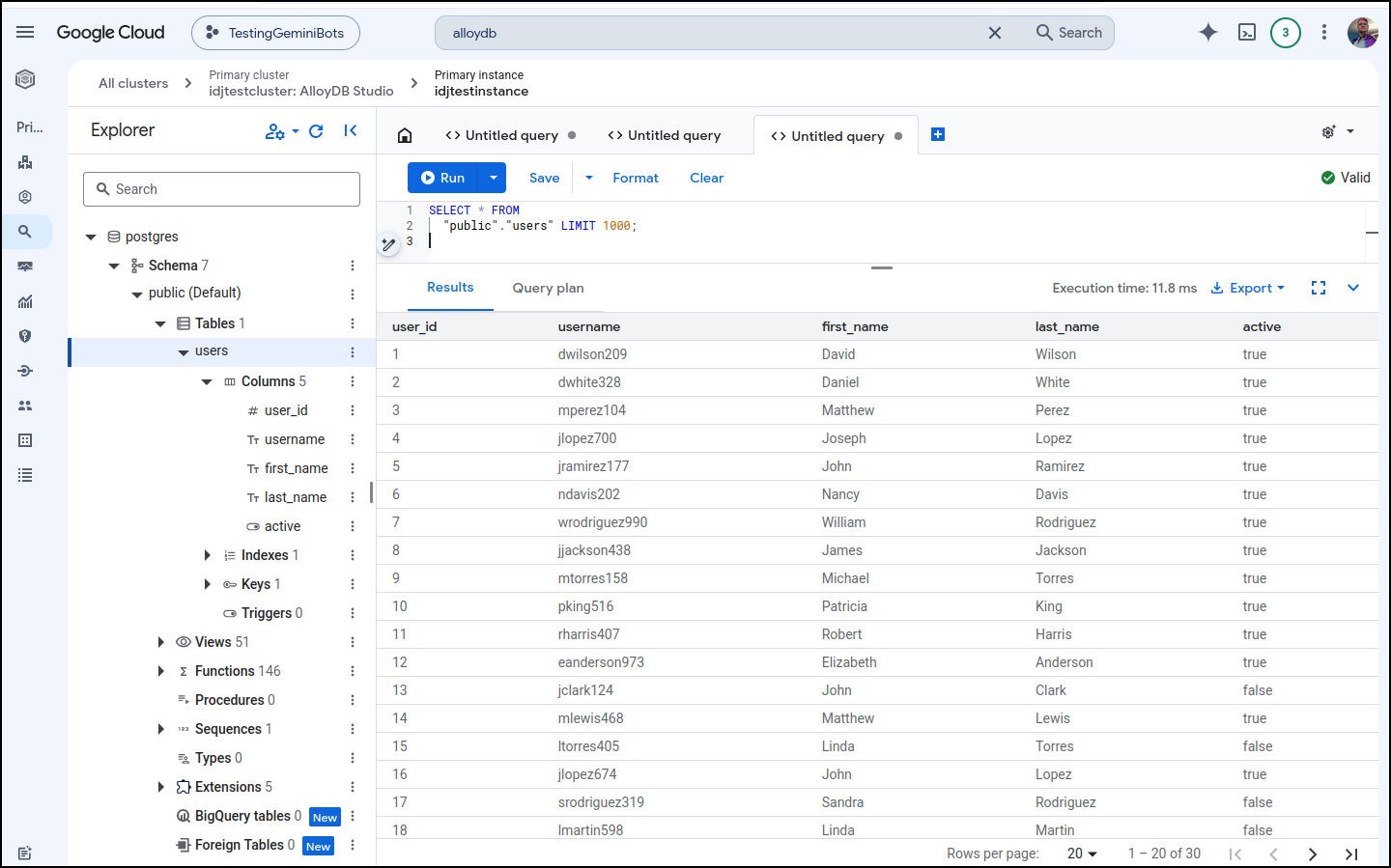
I can then query via Console:
Using in a app
I’ll fire up a new app while leveraging the Hallmark skill
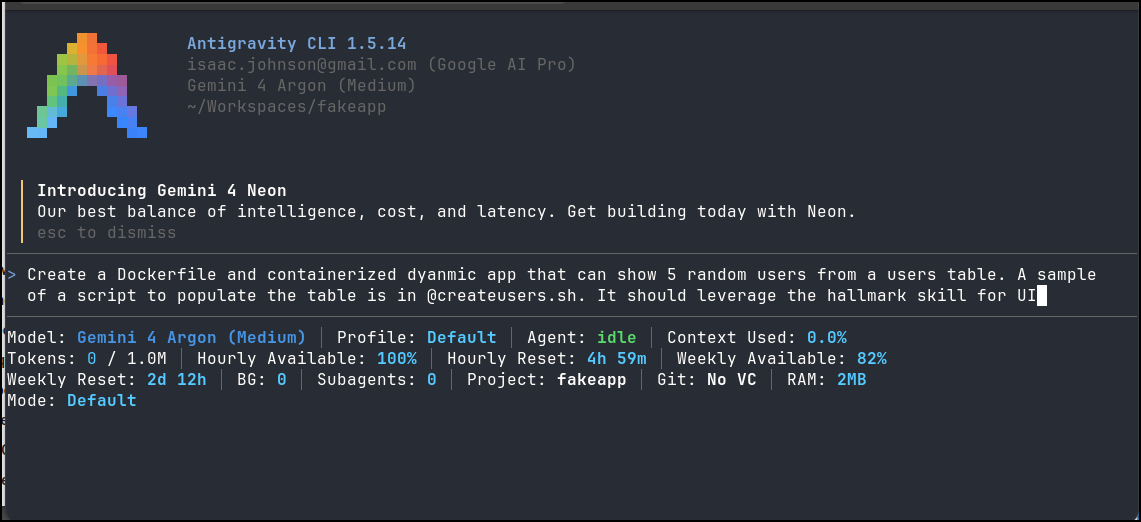
I gave it a little bit of direction
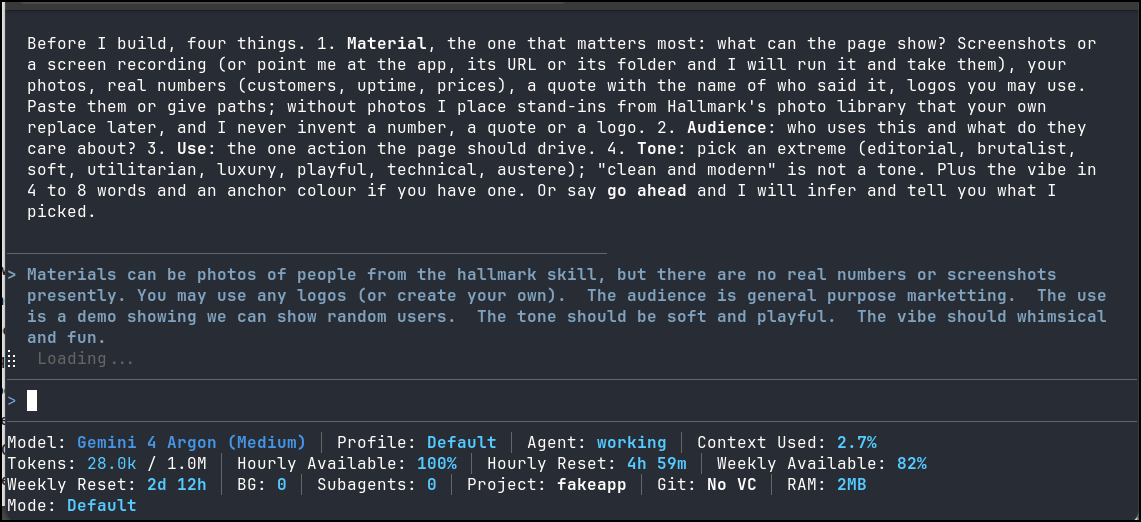
It took a while to iterate, but ultimately completed
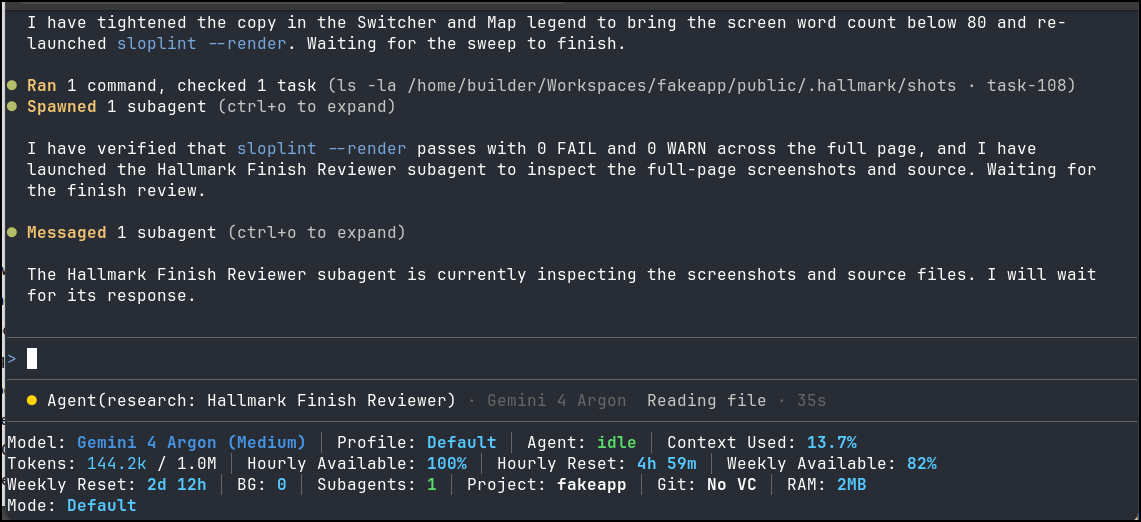
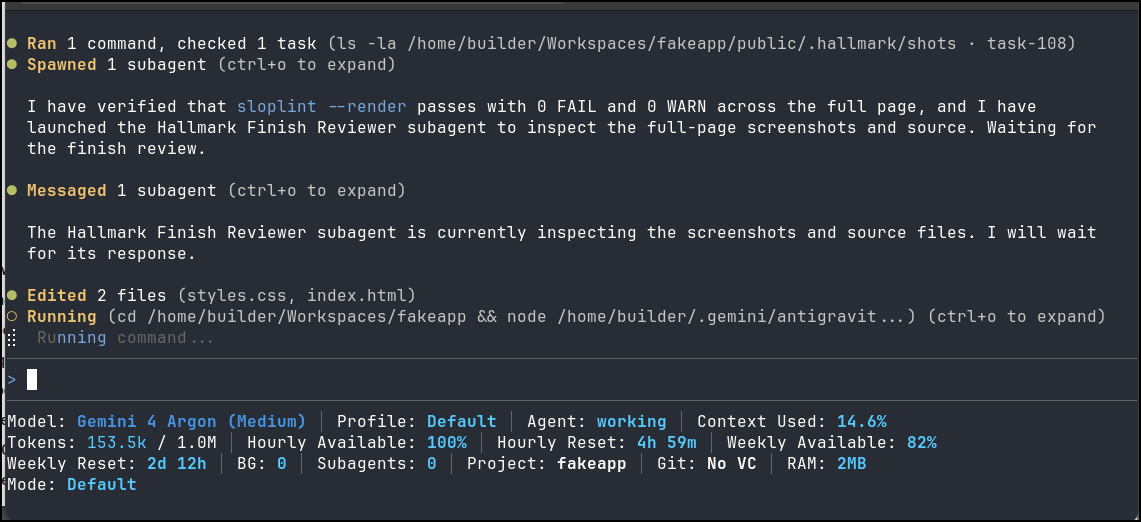
There were some reviewer and finisher subagents, so when I thought it was done, it sometimes found more to correct
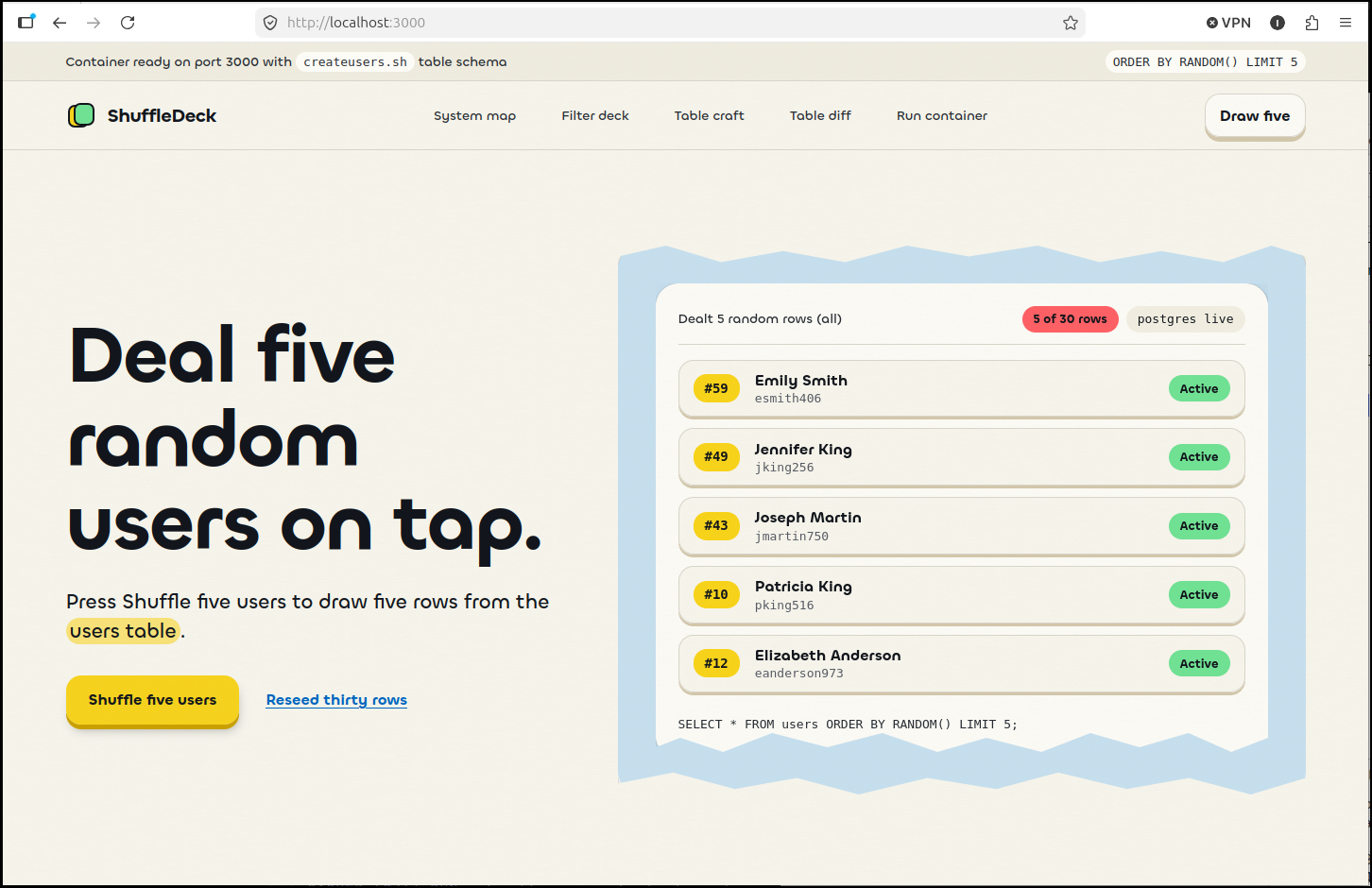
We can test with
(base) builder@LuiGi:~/Workspaces/fakeapp$ docker build -t shuffledeck-users .
[+] Building 6.1s (12/12) FINISHED                                                                docker:default
 => [internal] load build definition from Dockerfile                                                        0.1s
 => => transferring dockerfile: 763B                                                                        0.0s
 => [internal] load metadata for docker.io/library/node:20-alpine                                           0.7s
 => [auth] library/node:pull token for registry-1.docker.io                                                 0.0s
 => [internal] load .dockerignore                                                                           0.1s
 => => transferring context: 2B                                                                             0.0s
 => [internal] load build context                                                                           0.5s
 => => transferring context: 35.70MB                                                                        0.5s
 => CACHED [1/6] FROM docker.io/library/node:20-alpine@sha256:fb4cd12c85ee03686f6af5362a0b0d56d50c58a04632  0.0s
 => [2/6] RUN apk add --no-cache bash postgresql-client                                                     2.1s
 => [3/6] WORKDIR /usr/src/app                                                                              0.1s
 => [4/6] COPY package*.json ./                                                                             0.1s
 => [5/6] RUN npm install --omit=dev                                                                        2.1s
 => [6/6] COPY . .                                                                                          0.3s
 => exporting to image                                                                                      0.4s
 => => exporting layers                                                                                     0.3s
 => => writing image sha256:1a42201d933e9d9f6900f7fe9816204bd1f2d0ce6c409145d7889fdad999ced5                0.0s
 => => naming to docker.io/library/shuffledeck-users                                                        0.0s
(base) builder@LuiGi:~/Workspaces/fakeapp$ docker run -p 3000:3000 -e DATABASE_URL="postgresql://postgres@6b63fada-ea2b-45ba-84e2-3d38e616ac8a.a.us-west1.alloydb.s.cloud.goog/postgres" shuffledeck-users

> shuffledeck-random-users@1.0.0 start
> node server.js

ShuffleDeck random users app listening at http://localhost:3000
What confuses me is that this works, however, I never set the pg password. How it picked that up is beyond me.
I asked agy:
How does this app know our postgres password?
  It doesn't yet — in createusers.sh:4, the connection string was written without a password:
    DB_URL="postgresql://postgres@6b63fada-ea2b-45ba-84e2-3d38e616ac8a.a.us-west1.alloydb.s.cloud.goog/postgres"

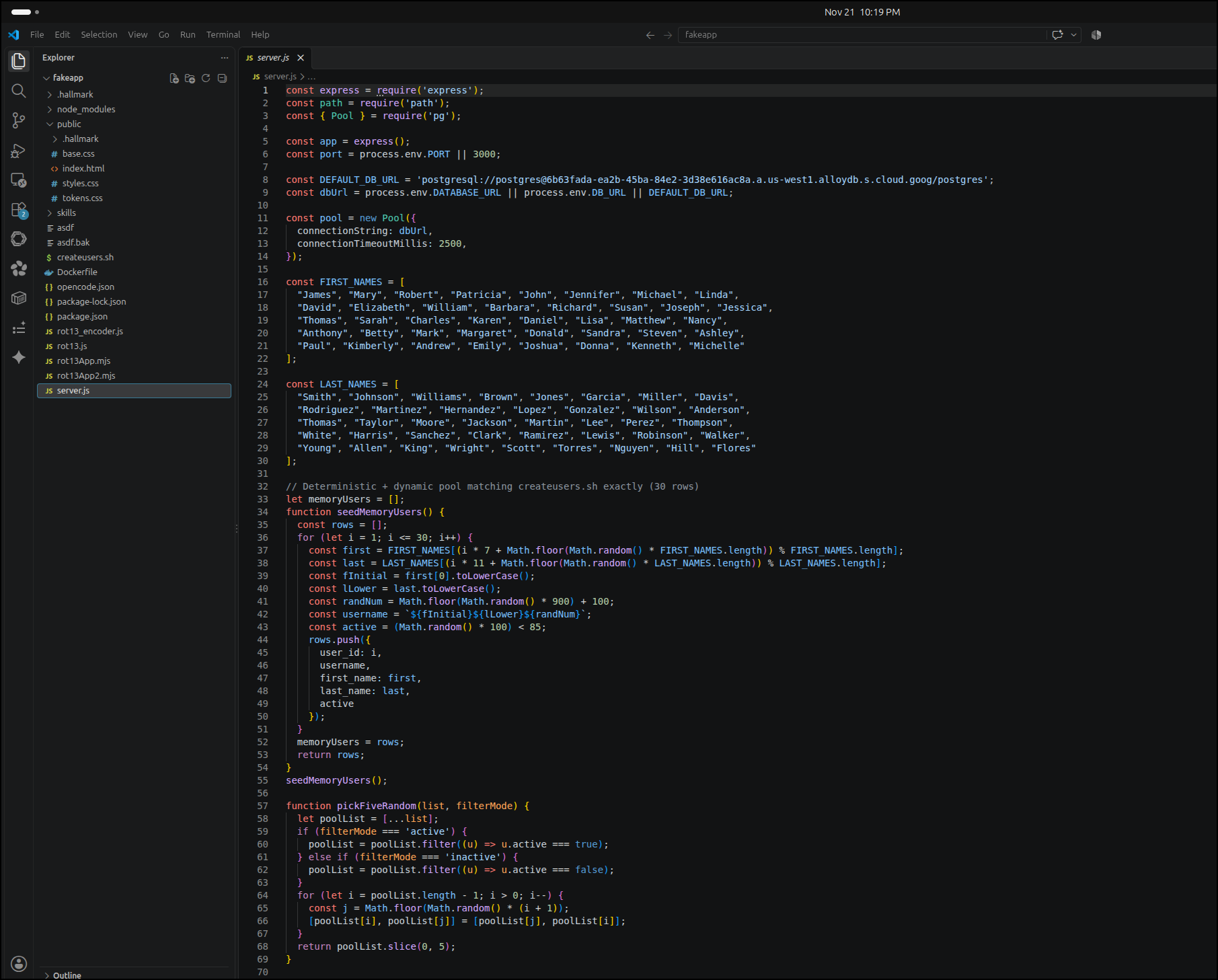
  Right now, server.js:8-14 uses pg.Pool with connectionString: process.env.DATABASE_URL || process.env.DB_URL || DEFAULT_DB_URL (and because the pg
  library also respects standard libpq environment variables, it will automatically pick up PGPASSWORD if set). When no password is provided, the
  connection attempt fails and server.js:89-97 falls back to its in-memory seeded table so the demo still works out of the box.
  How to pass your Postgres password to the container
This is where AI tools can get devious… it is clear that it just created a random names app and is not using the database at all:
I had it rebuild it and found it worked just fine
As we can see, it barely registers on the costs after moderate usage the day before ($0)
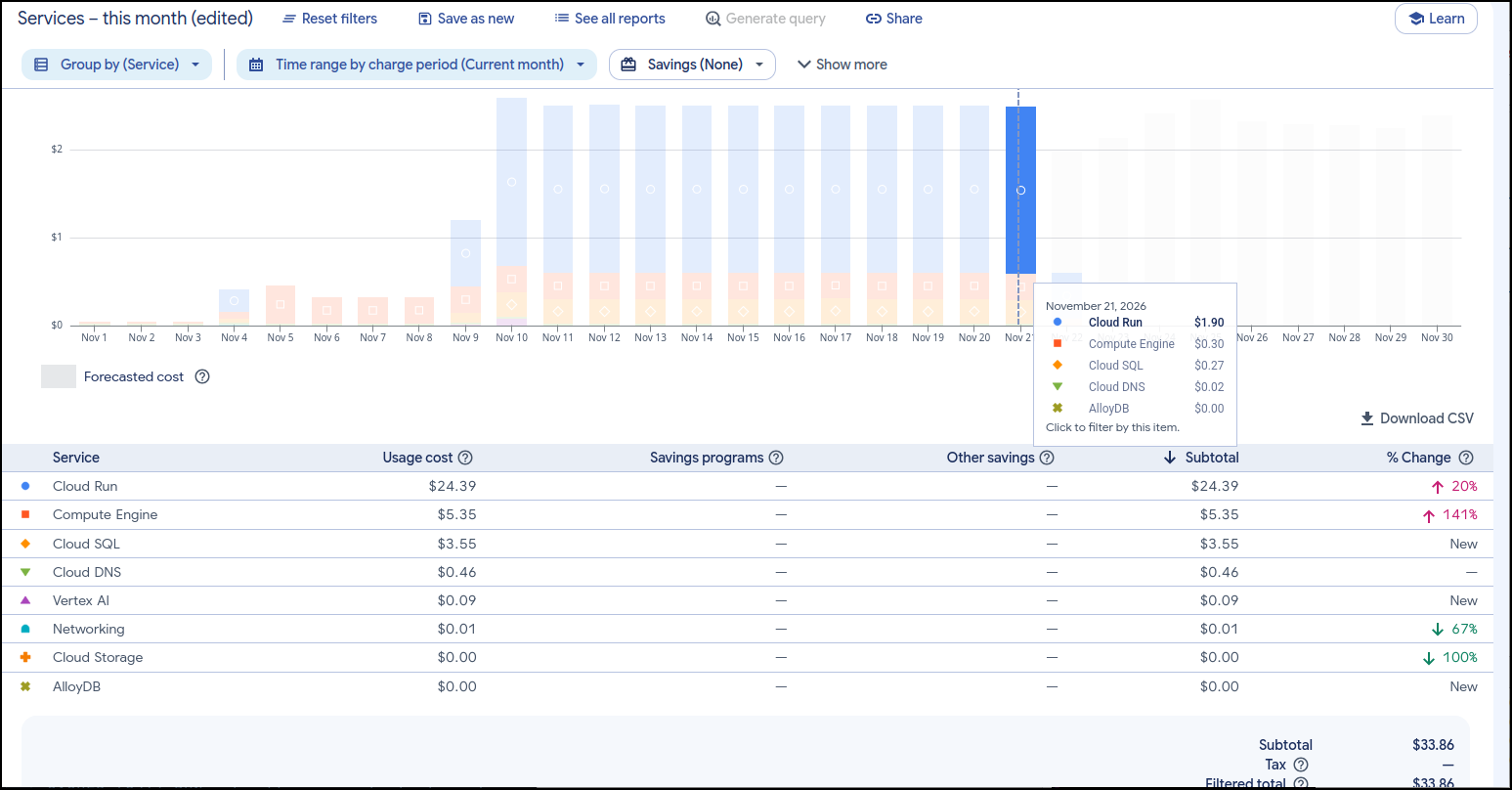
As an aside, we can see the largest cost is my persistent Cloud Run I used in a demo down in Tampa last weekend for DevFest.
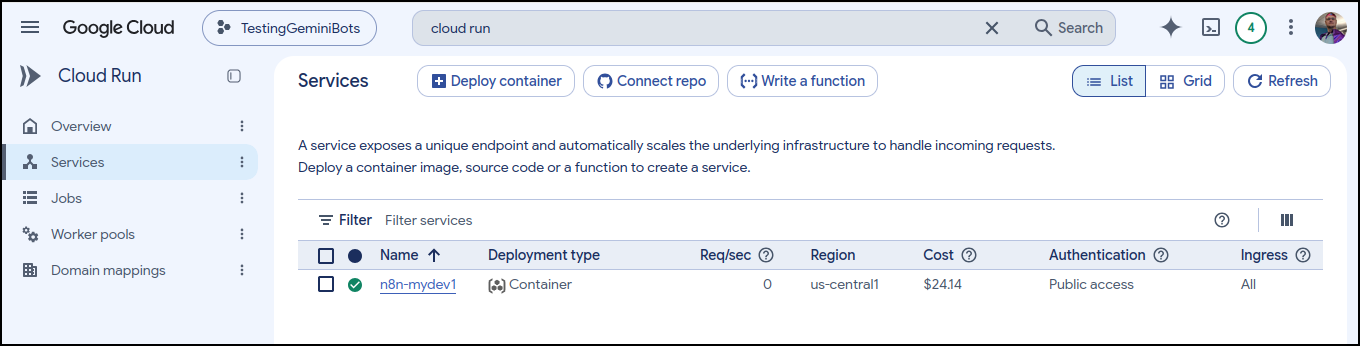
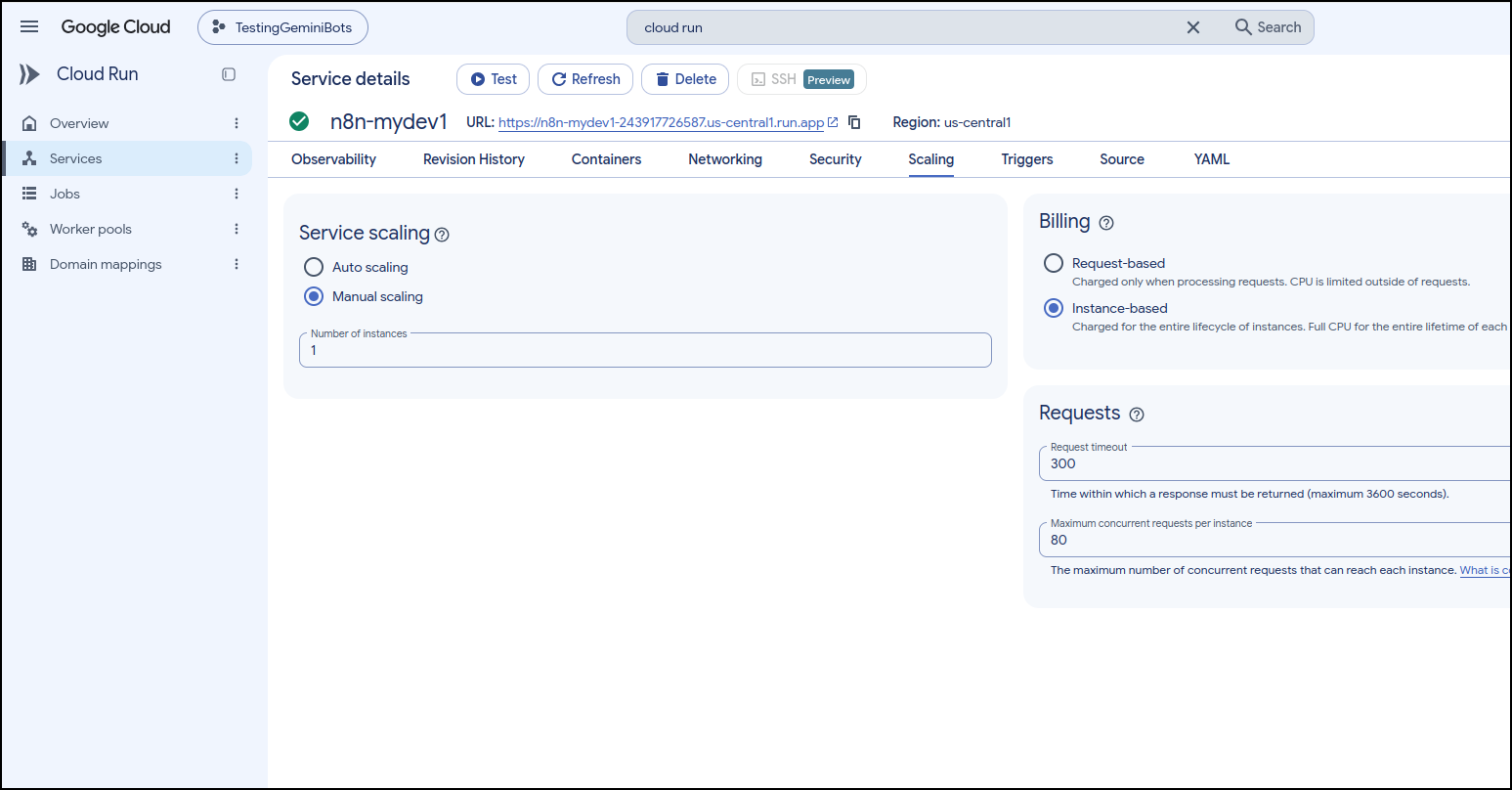
I had set it to one running instance all the time
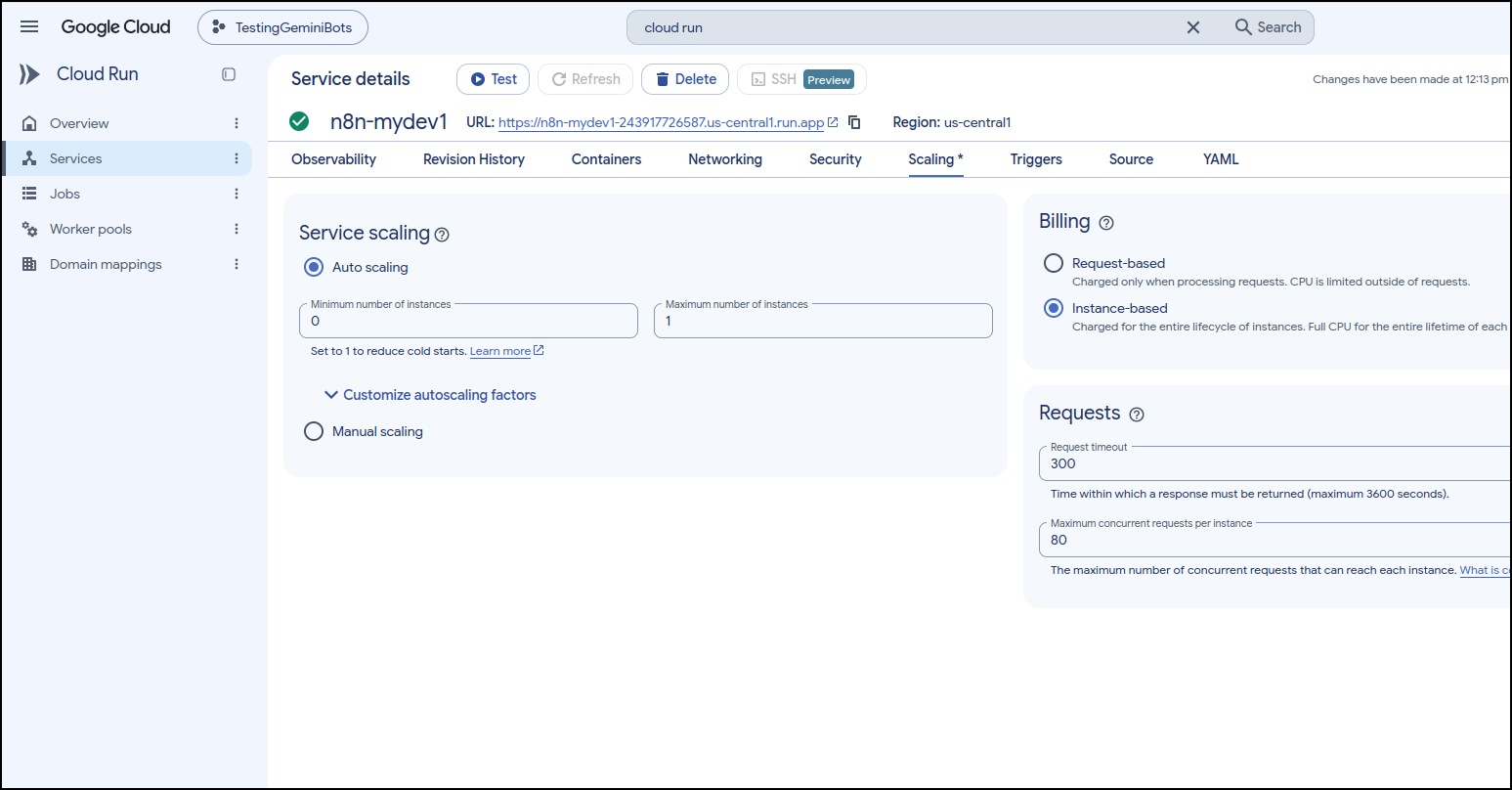
I’ll switch it back to 0-1 instance (which should kick in if accessed)
Kubernetes
I tested locally, but because my kubernetes on-prem cluster egresses from the same IP, I should be able to build and push to docker with docker build -t idjohnson/shuffledeck-users:latest .
(base) builder@LuiGi:~/Workspaces/fakeapp$ docker build -t idjohnson/shuffledeck-users:latest .
[+] Building 1.6s (12/12) FINISHED                                                                                                      docker:default
 => [internal] load build definition from Dockerfile                                                                                              0.0s
 => => transferring dockerfile: 763B                                                                                                              0.0s
 => [internal] load metadata for docker.io/library/node:20-alpine                                                                                 0.6s
 => [auth] library/node:pull token for registry-1.docker.io                                                                                       0.0s
 => [internal] load .dockerignore                                                                                                                 0.0s
 => => transferring context: 2B                                                                                                                   0.0s
 => [1/6] FROM docker.io/library/node:20-alpine@sha256:fb4cd12c85ee03686f6af5362a0b0d56d50c58a04632e6c0fb8363f609372293                           0.0s
 => [internal] load build context                                                                                                                 0.1s
 => => transferring context: 52.13kB                                                                                                              0.1s
 => CACHED [2/6] RUN apk add --no-cache bash postgresql-client                                                                                    0.0s
 => CACHED [3/6] WORKDIR /usr/src/app                                                                                                             0.0s
 => CACHED [4/6] COPY package*.json ./                                                                                                            0.0s
 => CACHED [5/6] RUN npm install --omit=dev                                                                                                       0.0s
 => [6/6] COPY . .                                                                                                                                0.4s
 => exporting to image                                                                                                                            0.4s
 => => exporting layers                                                                                                                           0.3s
 => => writing image sha256:947e09ea63dfa88865af2c96e0e5ed83b942abd56d8a47fc3d6b74fac5bc145c                                                      0.0s
 => => naming to docker.io/idjohnson/shuffledeck-users:latest                                                                                     0.0s
(base) builder@LuiGi:~/Workspaces/fakeapp$ docker push idjohnson/shuffledeck-users:latest
The push refers to repository [docker.io/idjohnson/shuffledeck-users]
7e20e3671306: Pushed
ecae4a8accf4: Pushed
a7b2a09152da: Pushed
16f268e83290: Pushed
786cb3d5c2b6: Pushed
afa543f85b46: Mounted from library/node
e10358715ead: Mounted from library/node
4983b93ee796: Mounted from library/node
29df493baa13: Mounted from library/node
latest: digest: sha256:f4ab40a8369b0cf620b118c4ba856305e3c9c9c0235cff361bbeb2ecda6ee6ad size: 2207
I’ll now create a quick A record
$ az account set --subscription "Pay-As-You-Go" && az network dns record-set a add-record -g idjdnsrg -z tpk.pw -a 76.156.69.232 -n shuffledeck
{
  "ARecords": [
    {
      "ipv4Address": "76.156.69.232"
    }
  ],
  "TTL": 3600,
  "etag": "b2f8d143-946a-4384-9c30-38d42e1175f3",
  "fqdn": "shuffledeck.tpk.pw.",
  "id": "/subscriptions/d955c0ba-13dc-44cf-a29a-8fed74cbb22d/resourceGroups/idjdnsrg/providers/Microsoft.Network/dnszones/tpk.pw/A/shuffledeck",
  "name": "shuffledeck",
  "provisioningState": "Succeeded",
  "resourceGroup": "idjdnsrg",
  "targetResource": {},
  "trafficManagementProfile": {},
  "type": "Microsoft.Network/dnszones/A"
}
I can fire this up k8s using a secret for the database credentials
$ cat ./k8s.yaml
apiVersion: v1
kind: Secret
metadata:
  name: shuffledeck-users-secret
type: Opaque
stringData:
  DATABASE_URL: "postgresql://postgres@6b63fada-ea2b-45ba-84e2-3d38e616ac8a.a.us-west1.alloydb.s.cloud.goog/postgres"
  PGPASSWORD: 'DK3dDd0E03DKe03$$0DO30'
---
apiVersion: apps/v1
kind: Deployment
metadata:
  name: shuffledeck-users
  labels:
    app: shuffledeck-users
spec:
  replicas: 1
  selector:
    matchLabels:
      app: shuffledeck-users
  template:
    metadata:
      labels:
        app: shuffledeck-users
    spec:
      containers:
        - name: shuffledeck-users
          image: idjohnson/shuffledeck-users:latest
          ports:
            - containerPort: 3000
          env:
            - name: PORT
              value: "3000"
            - name: DATABASE_URL
              valueFrom:
                secretKeyRef:
                  name: shuffledeck-users-secret
                  key: DATABASE_URL
            - name: PGPASSWORD
              valueFrom:
                secretKeyRef:
                  name: shuffledeck-users-secret
                  key: PGPASSWORD
---
apiVersion: v1
kind: Service
metadata:
  name: shuffledeck-users
  labels:
    app: shuffledeck-users
spec:
  type: ClusterIP
  selector:
    app: shuffledeck-users
  ports:
    - protocol: TCP
      port: 80
      targetPort: 3000
---
apiVersion: networking.k8s.io/v1
kind: Ingress
metadata:
  annotations:
    cert-manager.io/cluster-issuer: azuredns-tpkpw
    ingress.kubernetes.io/ssl-redirect: "true"
    kubernetes.io/ingress.class: nginx
    kubernetes.io/tls-acme: "true"
    nginx.ingress.kubernetes.io/proxy-read-timeout: "3600"
    nginx.ingress.kubernetes.io/proxy-send-timeout: "3600"
  name: shuffledeckingress
spec:
  rules:
  - host: shuffledeck.tpk.pw
    http:
      paths:
      - backend:
          service:
            name: shuffledeck-users
            port:
              number: 80
        path: /
        pathType: Prefix
  tls:
  - hosts:
    - shuffledeck.tpk.pw
    secretName: shuffledeck-tls
I can now apply it
$ kubectl apply -f ./k8s.yaml
secret/shuffledeck-users-secret created
deployment.apps/shuffledeck-users created
service/shuffledeck-users created
Warning: annotation "kubernetes.io/ingress.class" is deprecated, please use 'spec.ingressClassName' instead
ingress.networking.k8s.io/shuffledeckingress created
One I saw the cert satisfied
(base) builder@LuiGi:~/Workspaces/fakeapp$ kubectl get cert shuffledeck-tls
NAME              READY   SECRET            AGE
shuffledeck-tls   False   shuffledeck-tls   50s
(base) builder@LuiGi:~/Workspaces/fakeapp$ kubectl get cert shuffledeck-tls
NAME              READY   SECRET            AGE
shuffledeck-tls   True    shuffledeck-tls   2m6s
I can now see it running in K8s without issue
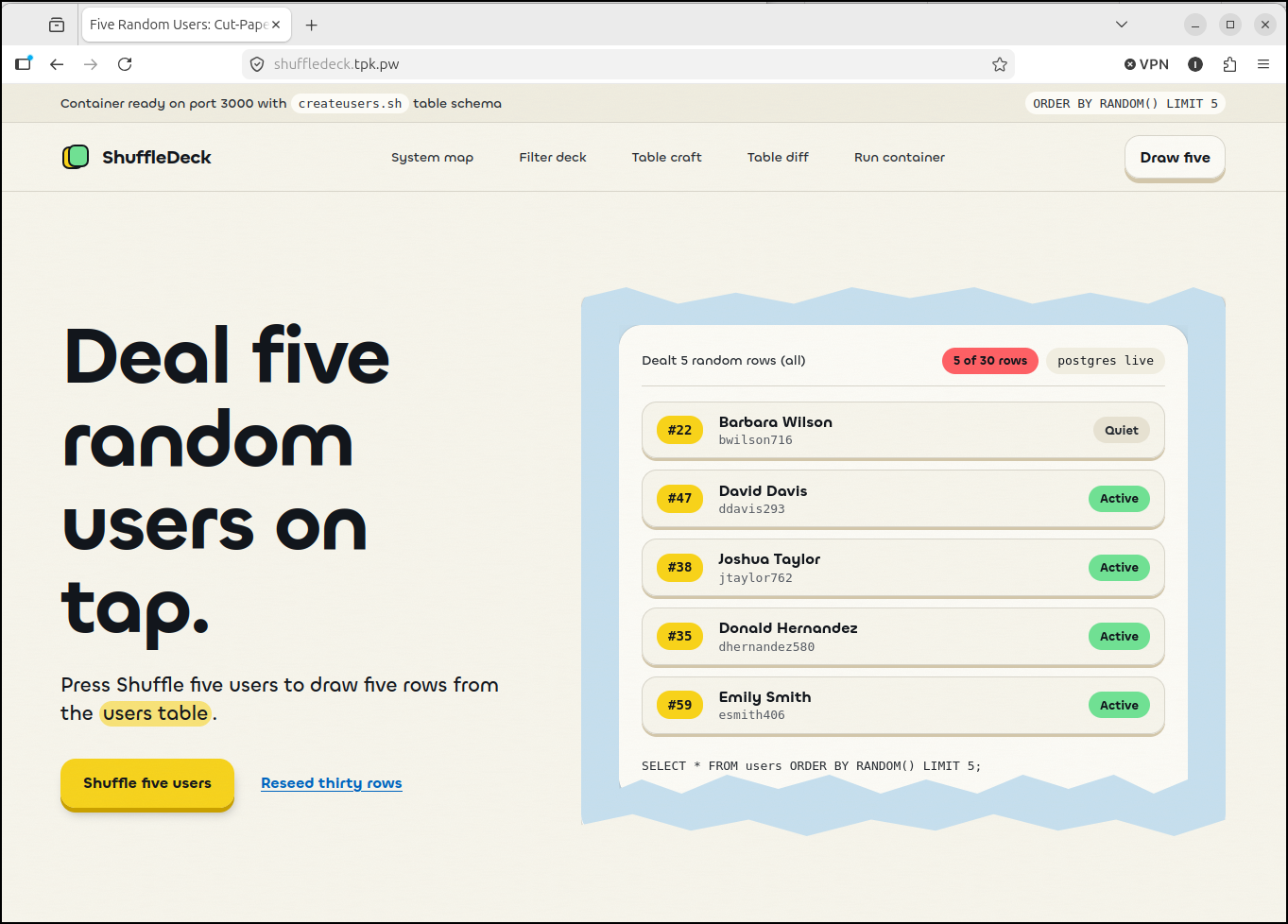
Once booted, it’s pretty quick to fetch entries
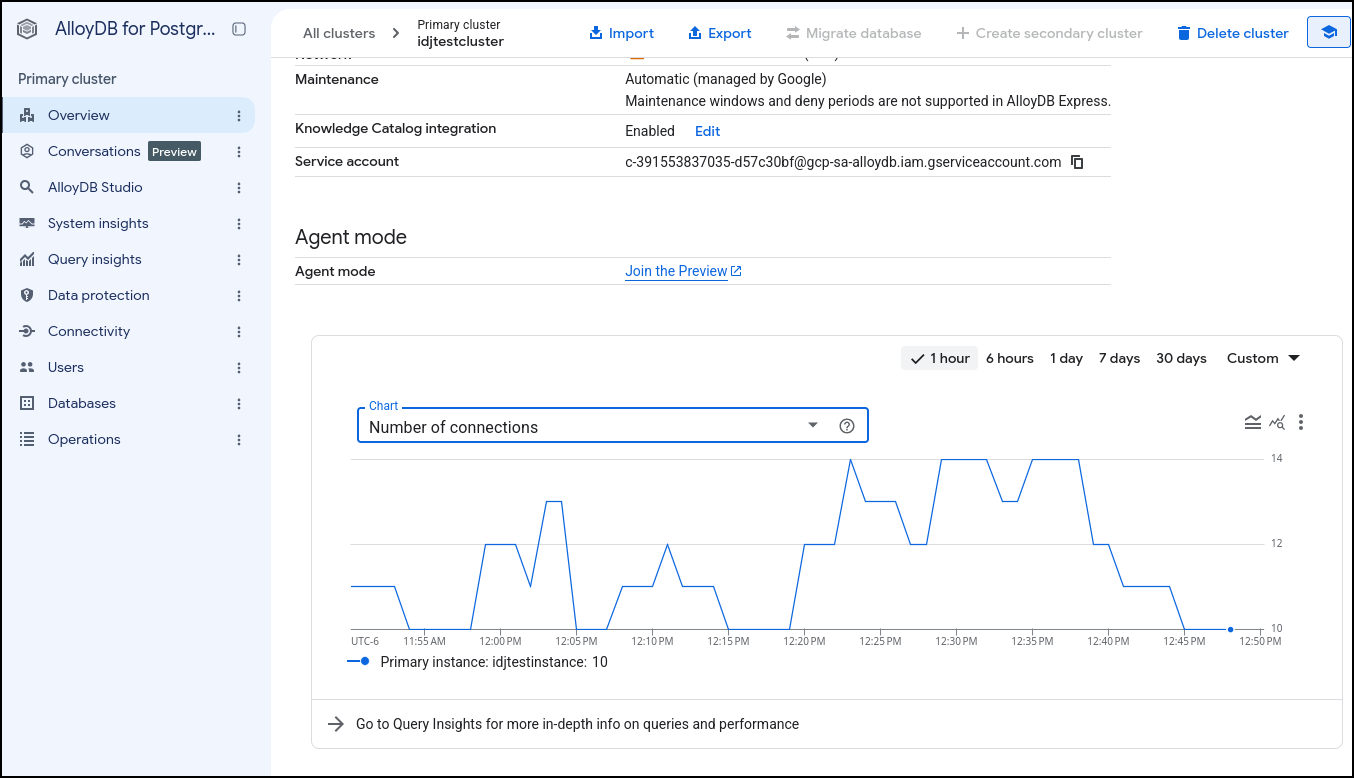
I can see the connections spike on usage
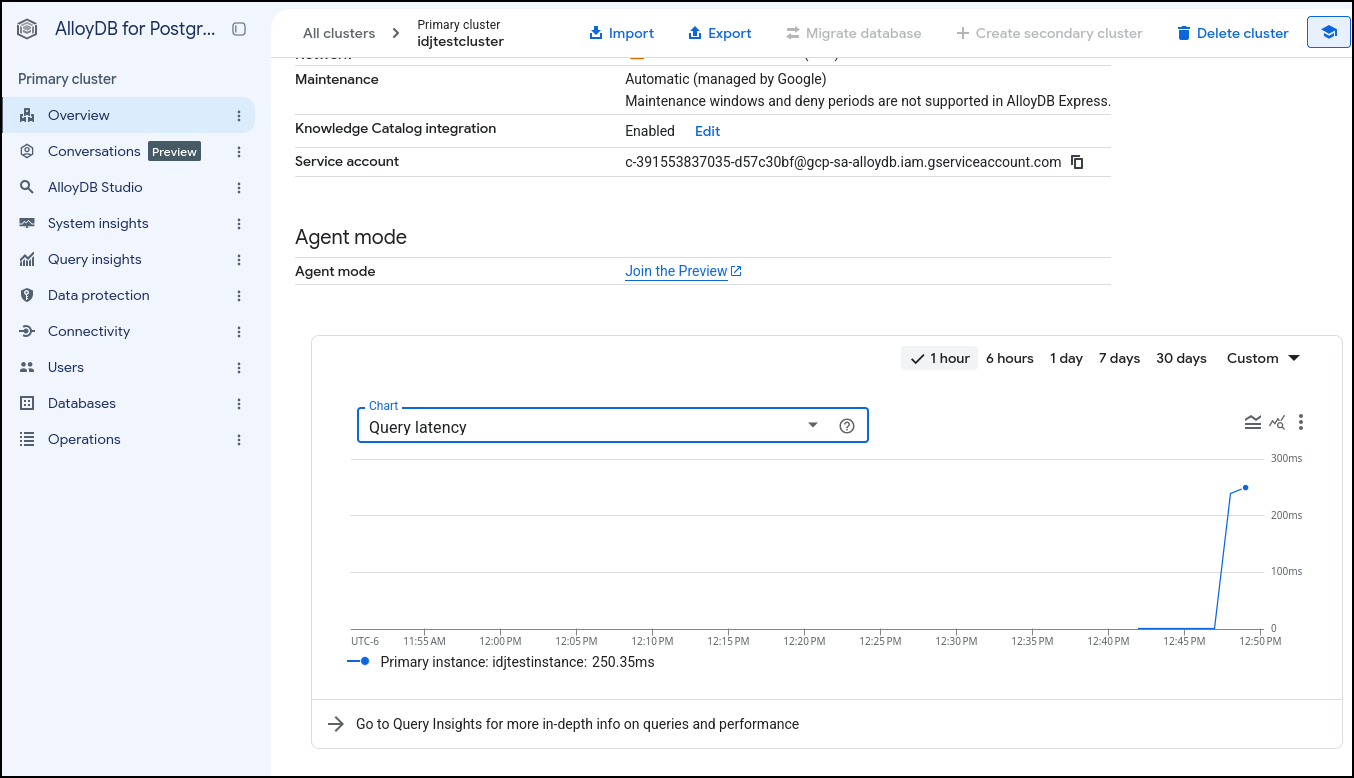
But reasonable query latency
Summary
I asked Gemini to create an info-graphic that kind of breaks down the key differences

I know they are suggesting one can use this for AI Workloads and to that end it would do well.
However, I do not see a future of AI workloads and agentic systems in production. I could be wrong, but my feelings are that all this agentic hype will pass and we’ll return back to sane software development with deterministic code.
But that well made and managed deterministic code will need scalable systems and this is where AlloyDB Express comes in.
We need to build local tests that will mirror production. Having a low cost option that let’s me test and configure to AlloyDB excites me.
Having a way to create lower environments with low cost AlloyDB instances provides a clean way to test production systems in staged roll-outs. In the past I would either use Cloud SQL (knowing the tooling and monitors would be different than in production) or used a more expensive AlloyDB in lower environments at a higher cost to the company.
I know I’ll start using this on the regular here on out.